SigningHub advance settings let you configure the "About" and "Terms of Service" links that are available on the add-in footer.
You can also enable/ disable application logging from here, which provides the debug logs for each performed activity. These logs are useful to reach the root cause, when you face any system issue.
Before you proceed to browse this section, you must have the "SH-SETTINGS" permission.
You can also enable/ disable application logging from here, which provides the debug logs for each performed activity. These logs are useful to reach the root cause, when you face any system issue.
Before you proceed to browse this section, you must have the "SH-SETTINGS" permission.
Configure the advance settings
- Browse the SharePoint site link (as provided by your SharePoint admin) and log into your SharePoint account.
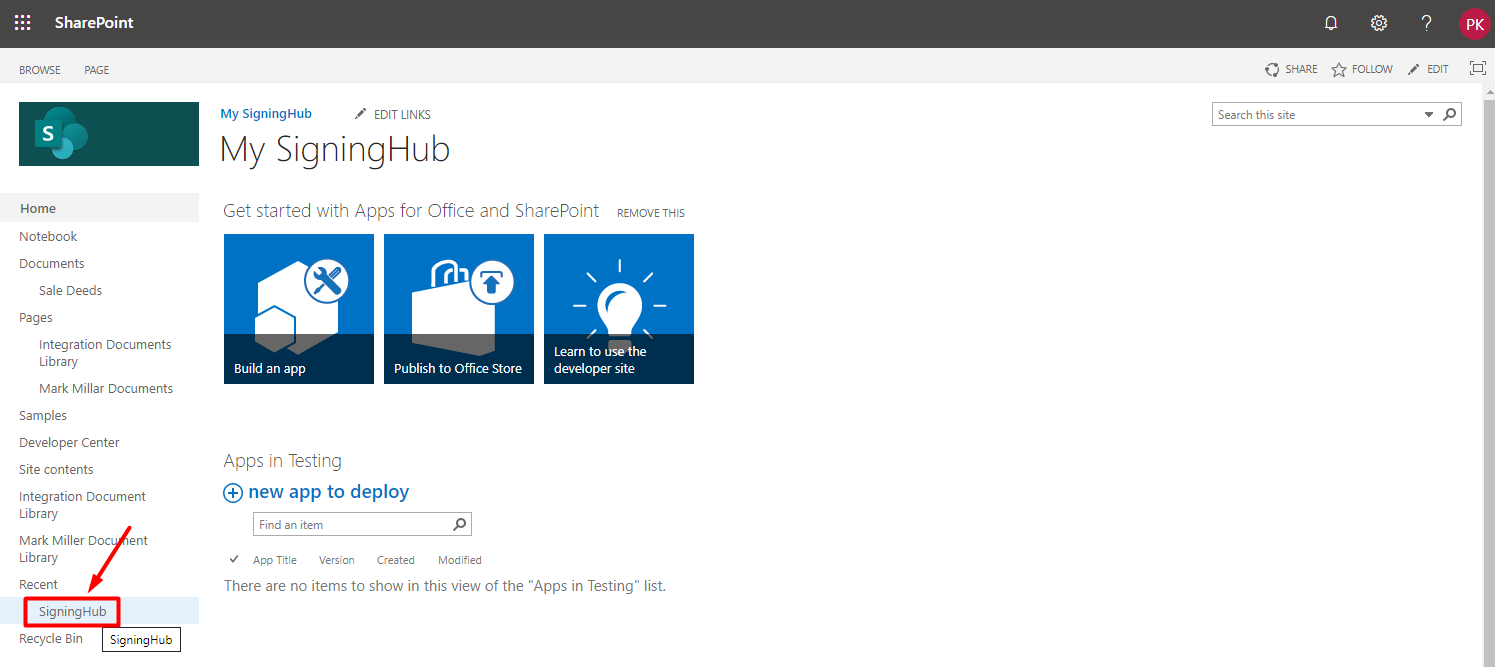
- Click the "SigningHub" option from the left panel.
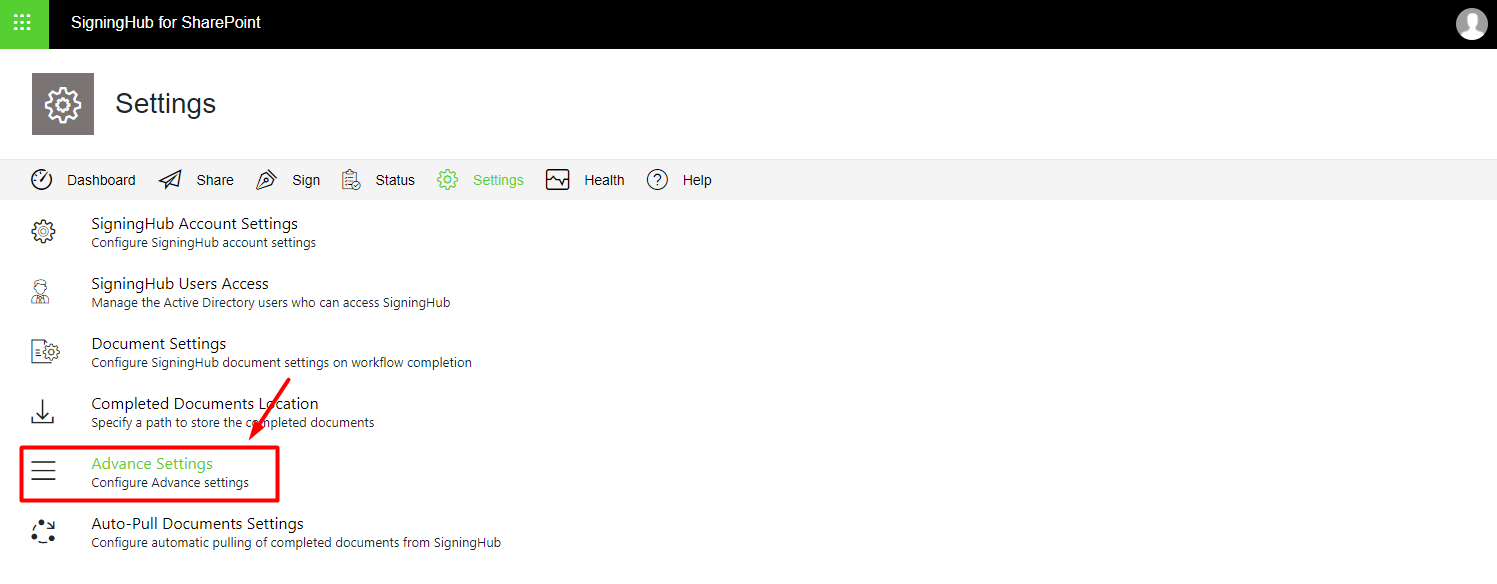
- Click the "Advance Settings" option from the next appearing screen.
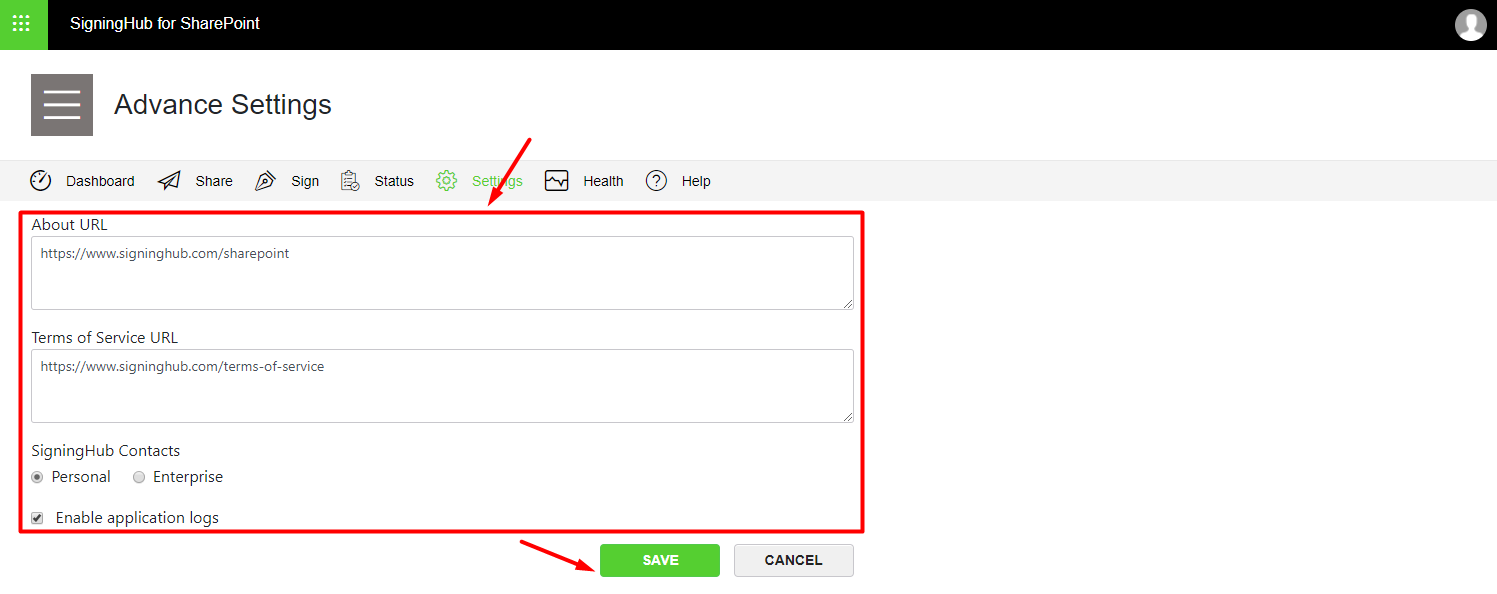
- The Advance Settings screen will appear, see the below table for fields description. Configure these settings as required and click "Save".
| SigningHub Advanced Settings | |
| Fields | Description |
| About URL |
Specify the page URL, system should take the user when they click the "About" link. This link is available on the add-in footer. |
| Terms of Service URL |
Specify the page URL, system should take the user when they click the "Terms of Service" link. This link is available on the add-in footer. |
| SigningHub Contacts | From here you may choose your Personal or Enterprise contacts that exist in your SigningHub account. These contacts will be available for selection under the Manage Recipients area as you type in their name in the "Name" field.
|
| Enable application logs | Select this option to save debug logs of your performed activity. It will start recording all database operations, system processes, and errors that occur when executing a transaction over SigningHub for SharePoint. By default this option is turned off. Select it when you come across any add-in issue, and then perform the same activity again. A popup will appear in your browser that will show all the logs accordingly. Copy these logs from the pop up, and share with Support for your problem rectification. Make sure that the Pop up blocker of your browser is disabled, when using this feature. It is highly recommended to select this option only when you need to track any issue details, as it consumes additional hardware resources (memory and CPU) and hence makes the default processing relatively slow. |
The user configuring SigningHub advance settings within SharePoint must have the "SH-SETTINGS" permission.