
Step 4 - Configuring SPOC Profile
The SPOC Profiles sub-module displays all SPOC profiles configured within the ADSS SPOC Service. A SPOC profile defines the operational settings used when processing SPOC requests, including the selection of the appropriate CVCA and the request processing mode.
Using SPOC profiles, administrators can specify which CVCA should be used for certificate requests and determine whether requests are processed automatically or require manual operator approval.
To create, view, or edit a SPOC profile, click SPOC Profiles. The following screen is displayed:
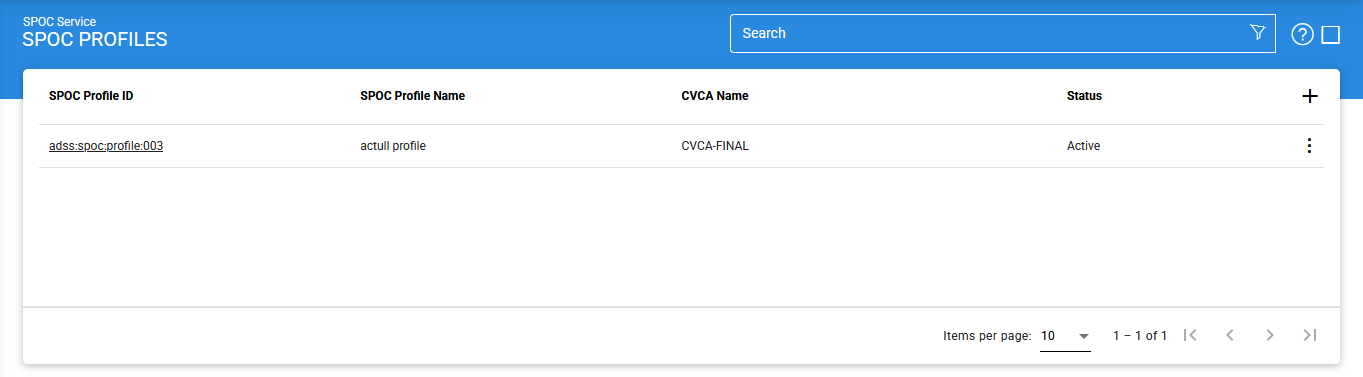
To modify an existing SPOC profile, click the vertical ellipsis (⋮) at the end of the corresponding row and select Edit.
To create a new SPOC profile, click the + (Add) icon. The Profile Identification screen is displayed.
Profile Identification
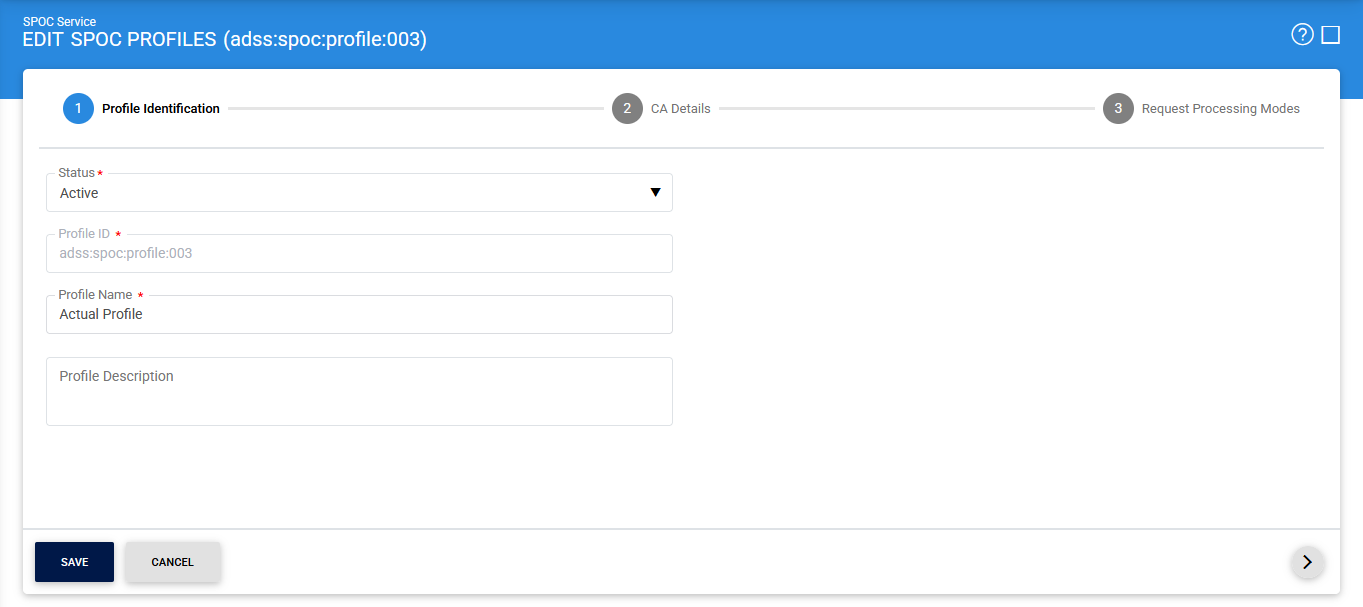
The configuration items are as follows:
|
Items |
Description |
|
Status |
Specifies whether the SPOC profile is Active or Inactive. Only active profiles can be used for request processing. |
|
Profile ID |
A mandatory, system-generated unique identifier assigned to the SPOC profile. |
|
Profile Name |
A mandatory and unique name defined by the administrator to facilitate easy identification of the profile within the ADSS Operator Console. |
|
Profile Description |
An optional description that provides additional information about the purpose or intended usage of the profile. This field is for informational purposes only. |
After completing the profile identification details, click the > (Next) icon to proceed to the CA Details screen.
CA Details
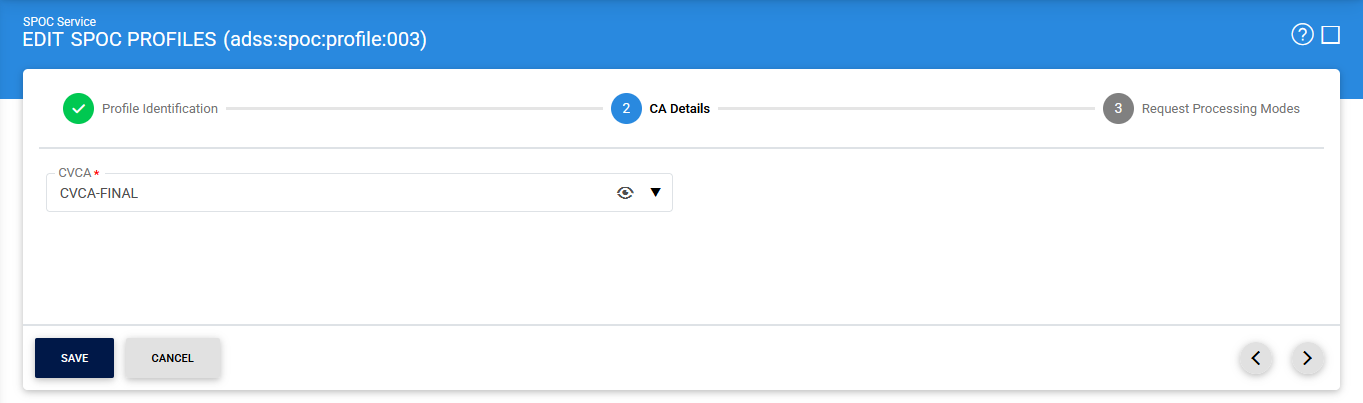
The configuration items are as follows:
|
Items |
Description |
|
CVCA |
Allows the administrator to select the CVCA associated with this SPOC profile. Since multiple CVCAs may exist within a country, the appropriate CVCA must be selected based on operational requirements. |
After selecting a CVCA, click the View (eye) icon to display the details of the selected CVCA certificate.
By default, the General tab is displayed:
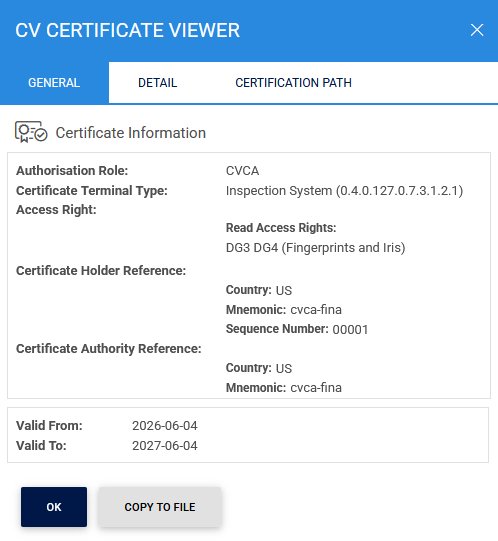
The Display tab provides a formatted view of the certificate contents:
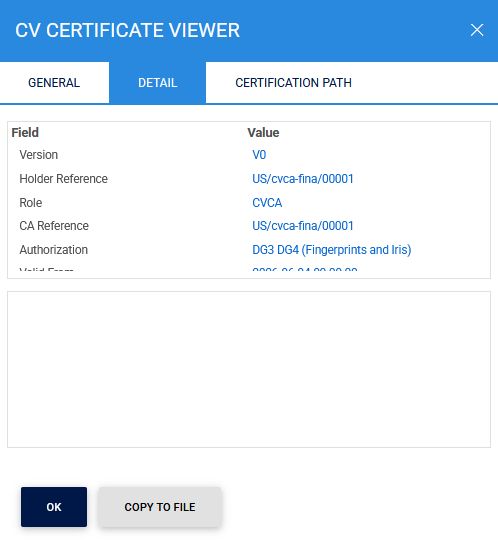
The Certification Path tab displays the certificate chain associated with the selected CVCA certificate:
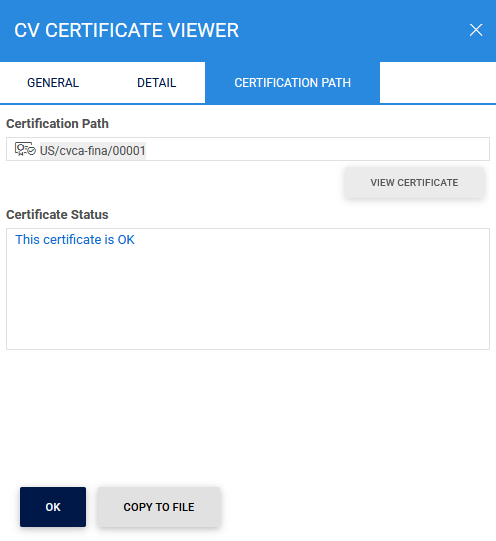
After selecting the required CVCA, click the > (Next) icon to proceed to the Request Processing Mode screen.
Request Processing Mode
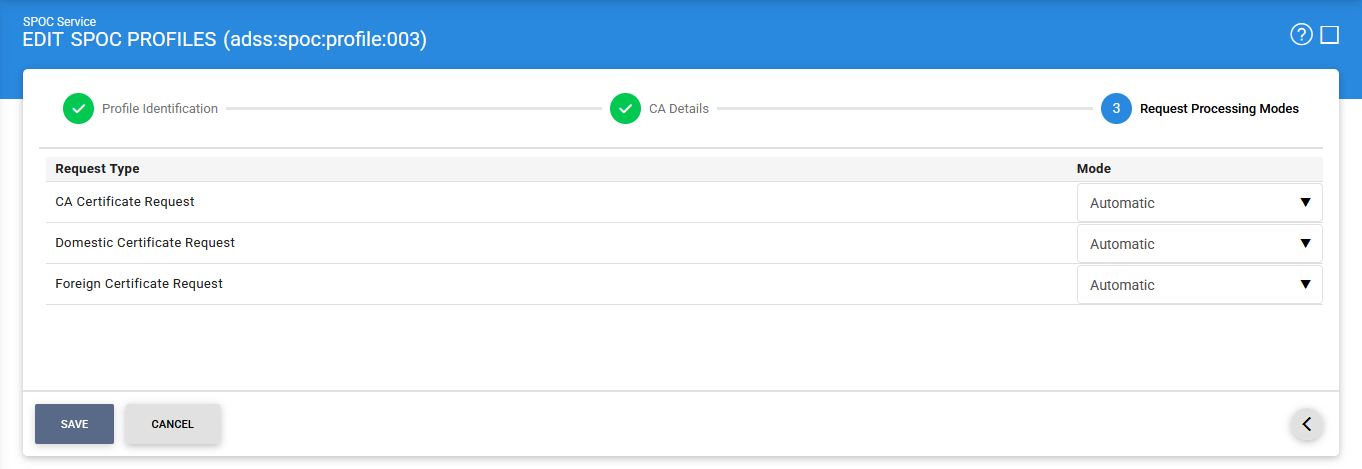
The configuration items are as follows:
|
Items |
Description |
|
Request Type |
Specifies the type of requests to which the processing mode will apply. The available request types are
|
|
Mode |
Defines how the selected request type is processed. The available options are:
|
|
Save |
Saves the SPOC profile and all associated configuration settings. |
Searching for SPOC Profiles
To search for a specific SPOC profile, click the Advanced Search icon on the SPOC Profiles page.
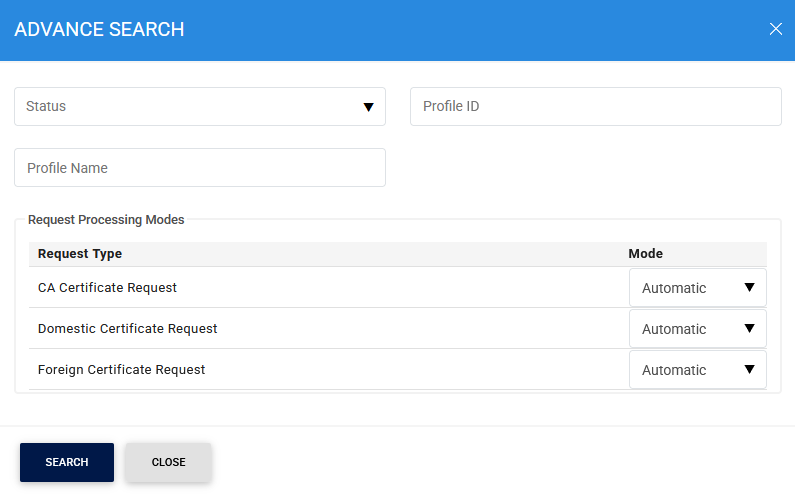
The Advanced Search feature allows administrators to locate registered CVCAs using the following criteria:
- Status
- Profile ID
- Profile Name
- CVCA Name
- Request Processing Mode (Automatic or Manual)
- CVCA Name
This functionality enables administrators to quickly identify and manage SPOC profiles based on their configuration and operational settings.
See also
Step 1 - Using the Service Manager
Step 2 - Configure CVCA
Step 3 - Configure Foreign SPOC
Step 4 - Configuring SPOC Profile