
Step 3 - Configure Foreign SPOC
To enable the ADSS SPOC Service to exchange certificate requests and responses with foreign countries, one or more foreign SPOCs must be configured and registered in the Registered SPOCs sub-module. These registered SPOCs act as trusted communication endpoints for sending and receiving certification requests between countries.
To view the list of registered foreign SPOCs, navigate to the Registered SPOCs section in the ADSS Server Console.
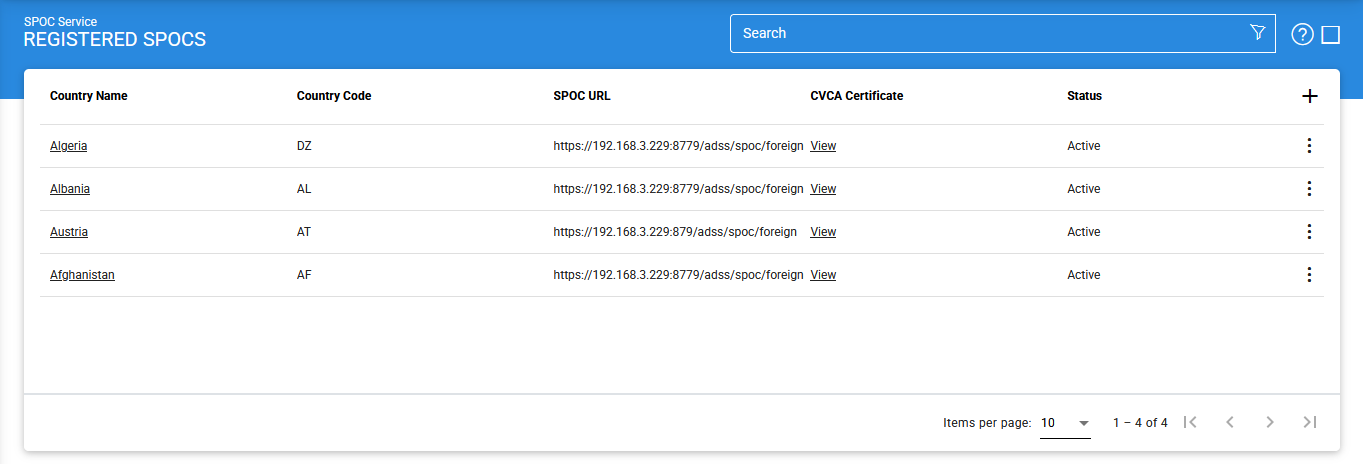
Viewing Foreign CVCA Certificate Details
To view the certificate associated with a registered foreign SPOC, click the View button in the CVCA Certificate column. The CV Certificate Viewer screen is displayed, with the General tab selected by default.
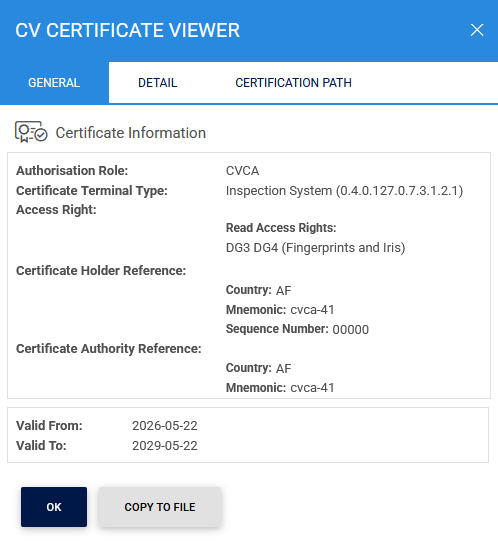
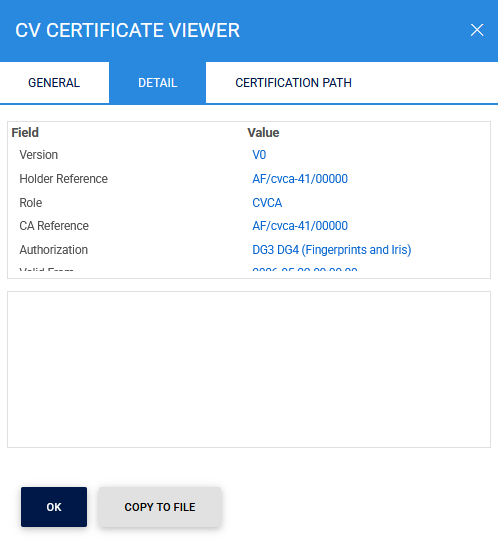
The Display tab provides a formatted view of the certificate contents.
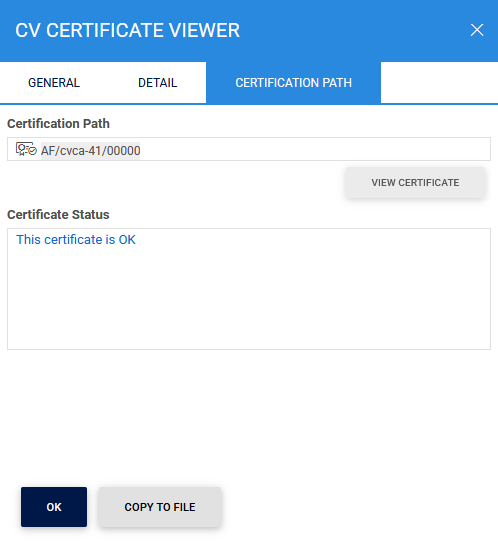
The Certification Path tab displays the complete certificate chain associated with the selected CVCA certificate.
Adding or Editing a Foreign SPOC
To register a new foreign SPOC, click the '+' (Add) icon.
To modify an existing foreign SPOC, click the vertical ellipsis (⋮) at the end of the corresponding row and select Edit.
The vertical ellipsis (⋮) menu also provides the Get CA Certificate option. This option retrieves the latest CA certificate from the selected foreign SPOC and imports it into the ADSS Server configuration.
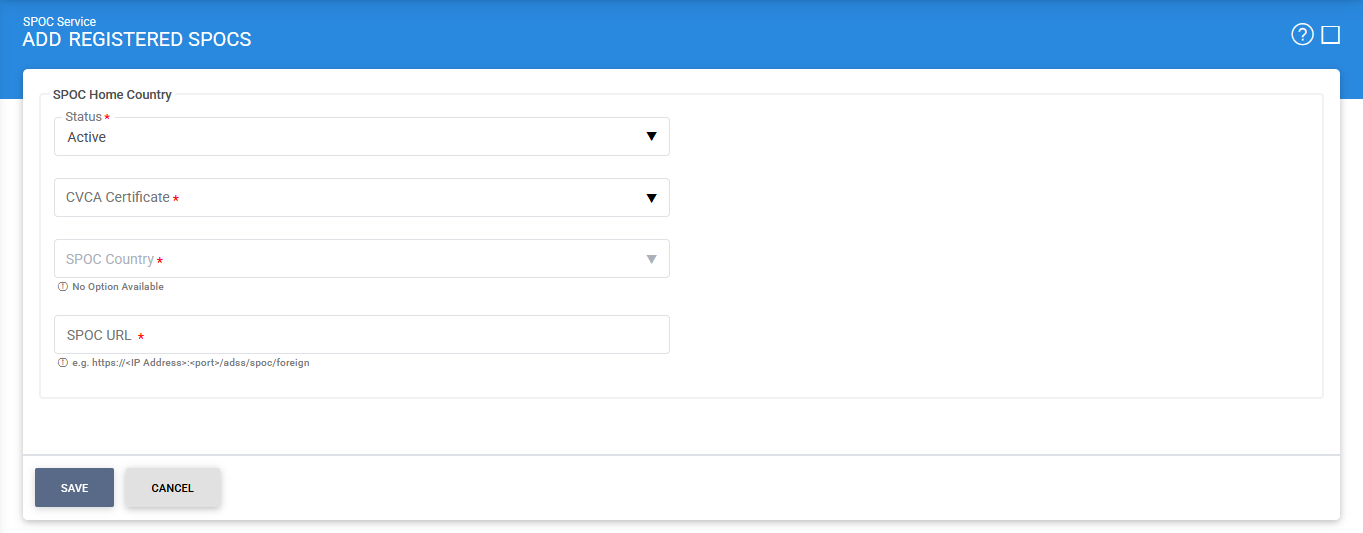
Clicking the '+' icon displays the following screen:
|
|
The TLS client certificate configured in the Service Manager is used when establishing secure communications with foreign SPOCs. This certificate must contain the spocClient Extended Key Usage (EKU) attribute. |

The configuration items are as follows:
|
Items |
Description |
|
Status |
Specifies whether the foreign SPOC is Active or Inactive. Only active SPOCs can be used for communication. |
|
CVCA Certificate |
Allows you to select the foreign CVCA certificate associated with the SPOC. The drop-down list displays all foreign CVCA certificates that have been registered and trusted in the Trust Manager. |
|
SPOC Country |
Specifies the country associated with the foreign SPOC. Select the appropriate country from the available list. |
|
SPOC URL |
Specifies the endpoint URL of the foreign SPOC. The ADSS SPOC Service uses this URL to send and receive certification requests and responses. |
|
Save |
Saves the configuration and registers the foreign SPOC within the ADSS SPOC Service. |
The Get CA Certificate option can be used to retrieve the latest CA certificate directly from the selected foreign SPOC. This simplifies certificate management and helps ensure that the latest trusted certificates are available within the ADSS Server environment.
Searching for Registered SPOCs
To search for a specific registered SPOC, click the Advanced Search icon on the Registered SPOCs page.
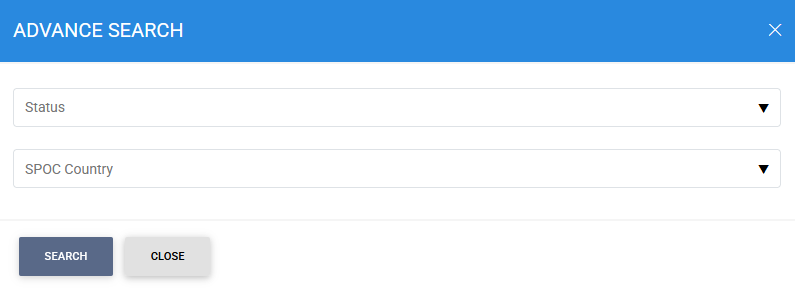
The Advanced Search feature allows administrators to locate registered SPOCs using the following criteria:
- Status (Active or Inactive).
- SPOC Country
ADSS Server supports a predefined list of countries for SPOC Service operations. All supported countries are available for selection in the SPOC Country drop-down list when registering or searching for a foreign SPOC.
See also
Step 1 - Using the Service Manager
Step 2 - Configure CVCA
Step 3 - Configure Foreign SPOC
Step 4 - Configuring SPOC Profile