
Step 2 - Configure CVCA
To use the ADSS SPOC Service, a domestic Country Verifying Certification Authority (CVCA) must be registered in the Registered CVCA sub-module. The CVCA acts as the root certification authority for a country and is responsible for issuing DVCA certificates. Since the SPOC Service forwards certificate requests to the national CVCA, the CVCA must be registered with the appropriate communication and security settings.
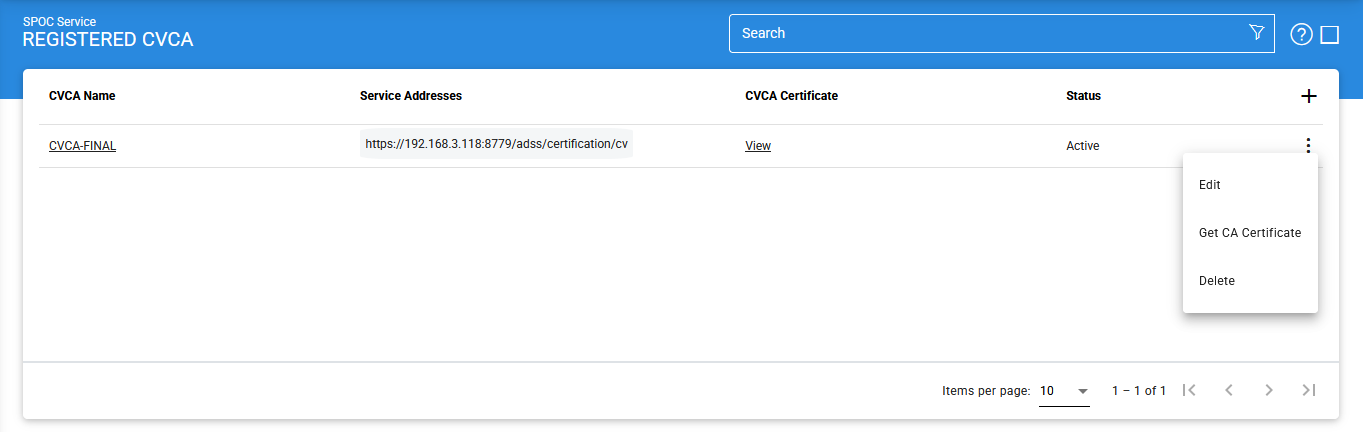
To view, add, or manage registered CVCAs, click Registered CVCA. The following screen is displayed:
Viewing CVCA Certificate Details
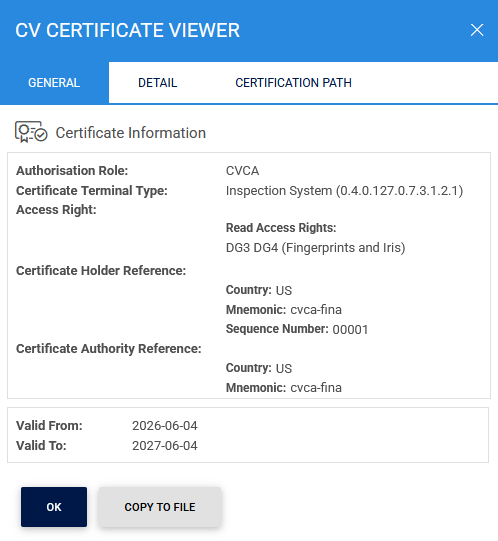
To view details of a CVCA certificate, click the View button in the CVCA Certificate column. The CV Certificate Viewer screen is displayed, with the General tab selected by default.
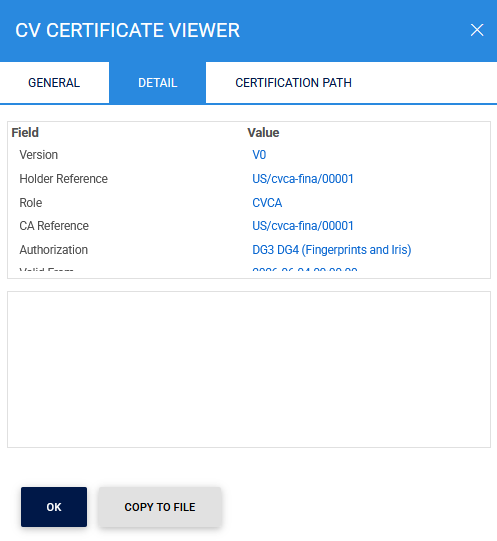
The Display tab provides a formatted view of the certificate contents.
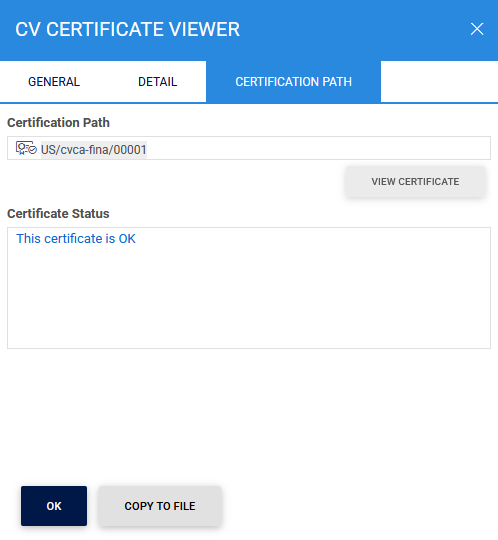
The Certification Path tab displays the certificate chain associated with the selected CVCA certificate.
Adding or Editing a CVCA
To register a new CVCA, click the + (Add) icon.
To modify an existing CVCA, click the vertical ellipsis (⋮) at the end of the corresponding row and select Edit.
The vertical ellipsis (⋮) menu also provides the Get CA Certificate option. This option retrieves the latest CVCA certificates from the selected CVCA and imports them into the SPOC configuration.
Clicking the '+' icon displays the following screen:
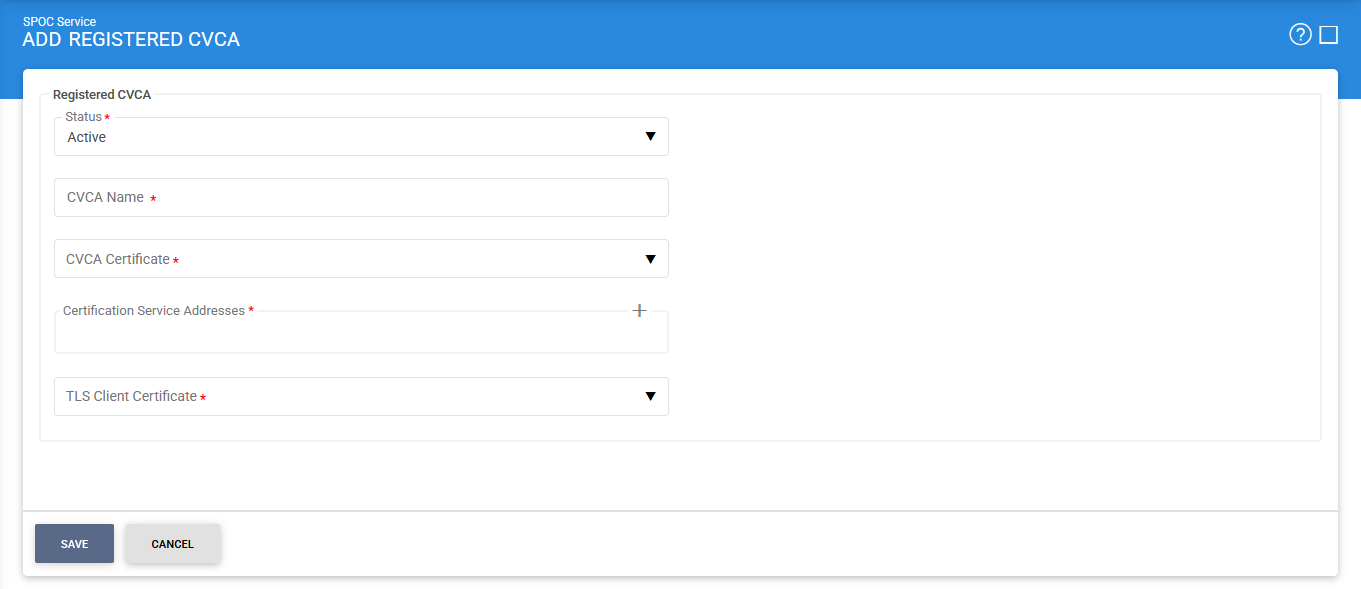
The configuration items are as follows:
|
Items |
Description |
|
Status |
A CVCA may be marked Active or Inactive. |
|
CVCA Name |
A mandatory field used to uniquely identify the CVCA within the SPOC. |
|
CVCA Certificate |
Allows you to select the required CVCA certificate from the drop-down list. The certificate must already be trusted and configured as a domestic CVCA in the Trust Manager. |
|
Certification Service Address |
Specifies the endpoint URL of the CVCA Certification Service. The SPOC Service uses this address to communicate with the national CVCA and request DVCA certificates. |
|
List of Certification Service Address |
This field shows you the list of CVCA addresses which can be used to generate DVCA certificates. The addresses in this field can be added by clicking on the 'Add' button. Displays all configured Certification Service addresses for the selected CVCA. Additional addresses can be added by clicking the Add button. Multiple addresses can be configured to support redundancy and high availability. |
|
TLS Client Certificate |
ADSS SPOC Service will communicate with ADSS CVCA over TLS client authentication. Specifies the client certificate used by the ADSS SPOC Service when establishing mutually authenticated TLS connections with the ADSS CVCA. Note: It is a mandatory field. |
|
Save |
Saves the CVCA configuration and registers the CVCA within the SPOC Service. |
|
|
If a CVCA is marked as Inactive, the SPOC Service will not process any requests associated with that CVCA.. |

Searching for Registered CVCAs
To search for a specific CVCA, click the Advanced Search icon on the Registered CVCA page.
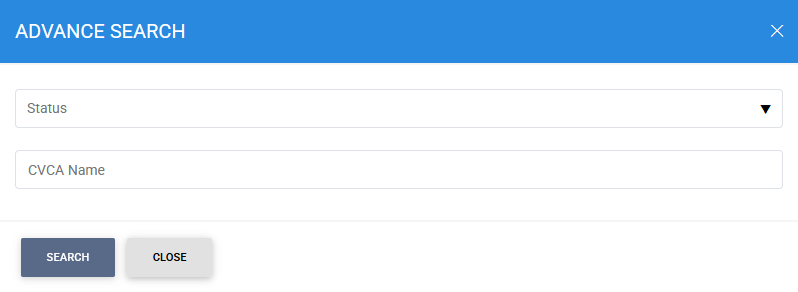
The Advanced Search feature allows administrators to locate registered CVCAs using the following criteria:
- Status (Active or Inactive).
- CVCA Name
This functionality helps administrators quickly identify and manage CVCA records within the SPOC configuration.
See also
Step 1 - Using the Service Manager
Step 2 - Configure CVCA
Step 3 - Configure Foreign SPOC
Step 4 - Configuring SPOC Profile