
Service Manager
The Service Manager allows you to start, stop, and restart the TSL Monitor Service. You can also verify the current service status after operating.
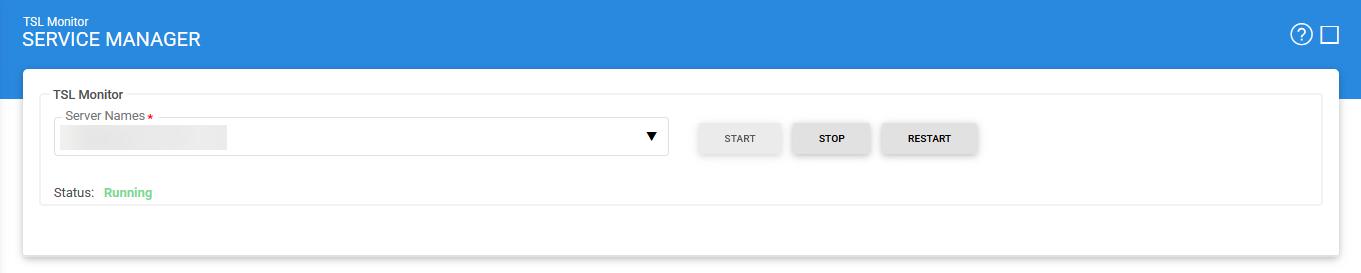
The following table describes the configuration items available on the Service Manager screen:
|
Items |
Description |
|
Service Address |
Specifies the address of the TSL Monitor Service that is managed from this Service Manager. Ensure that the configured address points to the correct service URL. If the TSL Monitor Service is deployed on multiple machines in a load-balanced environment, verify that the address identifies the specific service instance that you want to start, stop, or restart. By default, the address points to the local machine |
|
Start |
Starts the TSL Monitor Service. After the service starts successfully, its status changes to Running. |
|
Stop |
Stops the TSL Monitor Service. After the service stops successfully, its status changes to Stopped. |
|
Restart |
Stops and then starts the TSL Monitor Service in a single operation. After the service restarts successfully, its status changes to Running. |
|
|
Enable Polling Settings for at least one TSL for changes to be detected and applied |

|
|
After making any configuration changes, click Save to save the changes, and then restart the TSL Monitor Service for the changes to take effect. |
See also