
HA Configuration
The High Availability (HA) Configuration allows multiple ADSS Server instances to work together to provide continuous TSL polling. If the Primary ADSS Server instance becomes unavailable, a Secondary instance can automatically take over TSL polling.
How TSL Monitor HA Works and Manual
TSL polling involves retrieving Trusted Lists (TSLs) from online repositories and processing the downloaded data. To avoid multiple ADSS Server instances downloading and processing the same TSL simultaneously, only one ADSS Server instance performs TSL polling at a time.
The ADSS Server instance responsible for TSL polling is referred to as the Primary instance. This creates a potential single point of failure because TSL polling stops if the Primary instance becomes unavailable.
To address this, TSL Monitor provides an HA mechanism that allows a Secondary instance to automatically become the Primary when the existing Primary instance is detected as inactive. The newly promoted Primary then takes over the TSL polling responsibility.
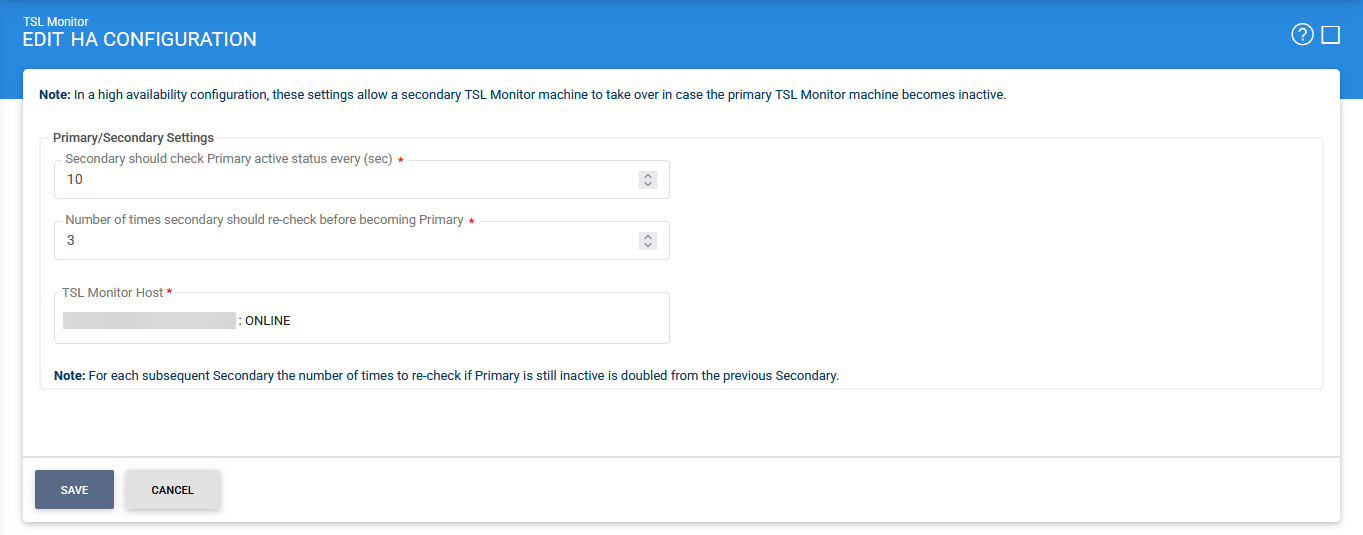
All ADSS Server instances in the HA configuration use the same database to maintain and monitor their status. The first installed ADSS Server instance is automatically configured as the Primary, while subsequently added instances are configured as Secondary instances.
The following image shows the status and configuration of two ADSS Server instances in an HA configuration:
|
|
Note: If ADSS Server is installed in load-balanced mode, the HA Configuration screen may be displayed differently. |

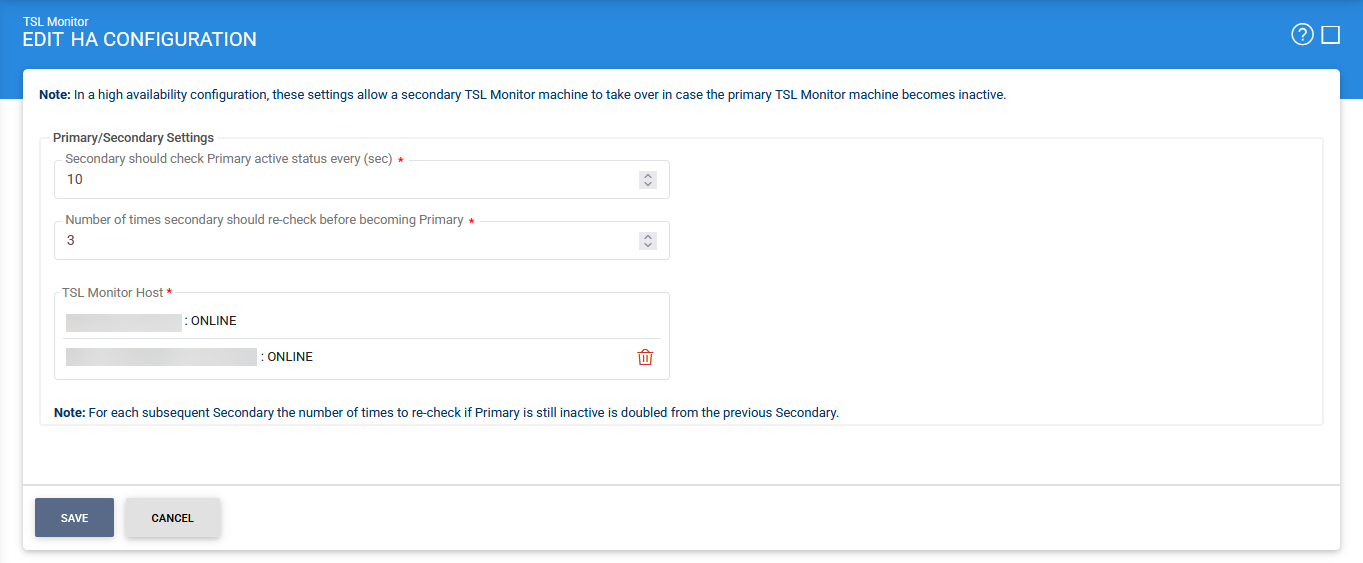
The following table describes the configuration items available on the HA Configuration screen:
|
Items |
Description |
|
Secondary should check Primary active status every (sec) |
Specifies the interval, in seconds, at which a Secondary ADSS Server instance checks whether the Primary instance is still active. |
|
Number of times Secondary should re-check before becoming Primary |
Specifies the number of times a Secondary instance should re-check the Primary instance after detecting that it is inactive. If the Primary remains inactive after the specified number of checks, the Secondary instance promotes itself to Primary and takes over TSL polling. |
|
Up / Down |
Moves the selected ADSS Server instance up or down in the configured order. Use these buttons to arrange the Primary and Secondary instances as required. |
|
Remove |
Removes the selected TSL Monitor host from the HA configuration. |
Synchronising ADSS Server Instances in an HA Configuration
When ADSS Server instances are deployed in an HA configuration, administrators must ensure that the Primary and Secondary instances remain synchronised whenever changes are made to low-level system configuration files.
If any of the following files are modified on the Primary instance, copy the updated files from the Primary instance and overwrite the corresponding files on all Secondary instances.
|
Configuration File |
Location |
|
algorithm.properties |
<ADSS installation directory>/console |
|
console_messages.properties |
<ADSS installation directory>/console/console_messages.properties |
|
service_messages.properties |
<ADSS installation directory>/service/service_messages.properties |
|
messages.properties |
<ADSS installation directory>/conf/messages.properties |
|
notification.properties |
<ADSS installation directory>/conf/notifications |
|
service.bat |
<ADSS installation directory>/tomcat/bin |
|
server.xml |
<ADSS installation directory>/core/server/conf |
|
server.xml |
<ADSS installation directory>/console/server/conf |
|
server.xml |
<ADSS installation directory>/service/server/conf |
|
|
Important: Always copy the modified files from the Primary instance and overwrite the corresponding files on all Secondary instances. This ensures that all ADSS Server instances use the same low-level configuration when a Secondary instance is promoted to Primary. |
See also