
Polling Settings
The Polling Settings screen allows you to configure automated polling for the selected LOTL/TSLs. When automated polling is enabled, TSL Monitor periodically retrieves the latest data from the configured LOTL/TSL repositories and stores the retrieved information in the ADSS Server database.
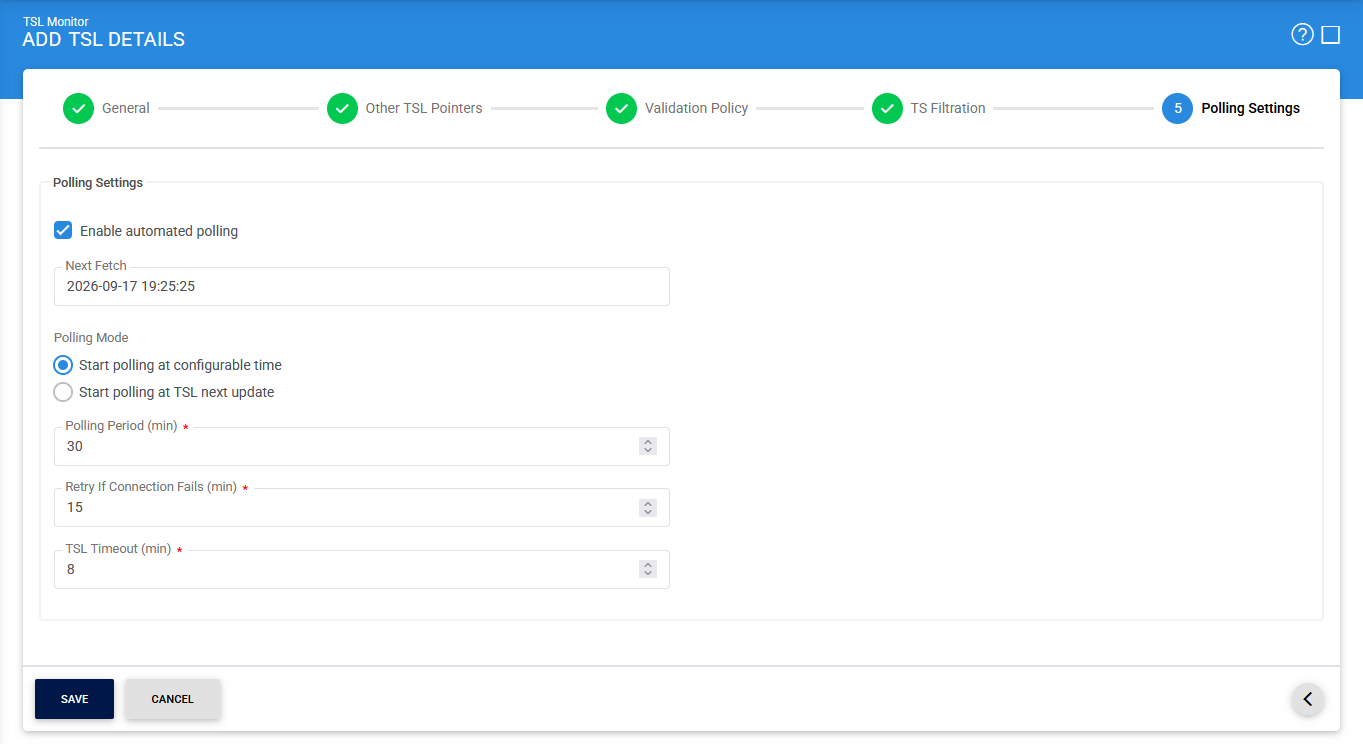
To enable automated polling, select Enable automated polling and configure the required polling parameters.
The following table describes the available configuration items:
|
Items |
Description |
|
Enable automated polling |
Enables automated polling for the selected TSL. When enabled, TSL Monitor periodically retrieves the TSL from its configured location, verifies and processes the retrieved data, and updates the TSL information in the ADSS Server database. When disabled, the TSL is not automatically polled. |
|
Next Fetch |
Specifies the date and time when TSL Monitor should perform the next TSL retrieval. This allows administrators to control when automated polling begins for the selected TSL. |
|
Start Polling at configurable time |
Starts TSL polling according to the Next Fetch date and time and the configured Polling Period. This option allows administrators to define a specific polling schedule. |
|
Start polling at TSL next update |
Starts polling based on the next update time specified in the TSL metadata. TSL Monitor uses the update information provided by the TSL to determine when to retrieve the updated TSL. |
|
Polling Period (in mins) |
Specifies the interval, in minutes, between successive polling attempts when Start Polling at configurable time is selected. |
|
Retry If Connection Fails (mins) |
Specifies the interval, in minutes, after which TSL Monitor retries the TSL retrieval if the previous attempt failed because the configured TSL location could not be reached. |
|
TSL Timeout (min) |
Specifies the maximum time, in minutes, that TSL Monitor waits for a response while retrieving the TSL. If the configured timeout period is exceeded, the retrieval attempt is considered unsuccessful. |
The TSL data is retrieved according to the polling settings configured on this screen.
|
|
Important: When adding the first LOTL, clicking Save applies the configured polling settings to all selected TSLs. |

See also