
General
To add a new List of Trusted Lists (LOTL) or Trusted Service List (TSL) in ADSS Server, you can either import the list from the file system or use the Add LOTL option available under TSL Monitor > TSL Details.
Clicking Add LOTL opens the following screen:
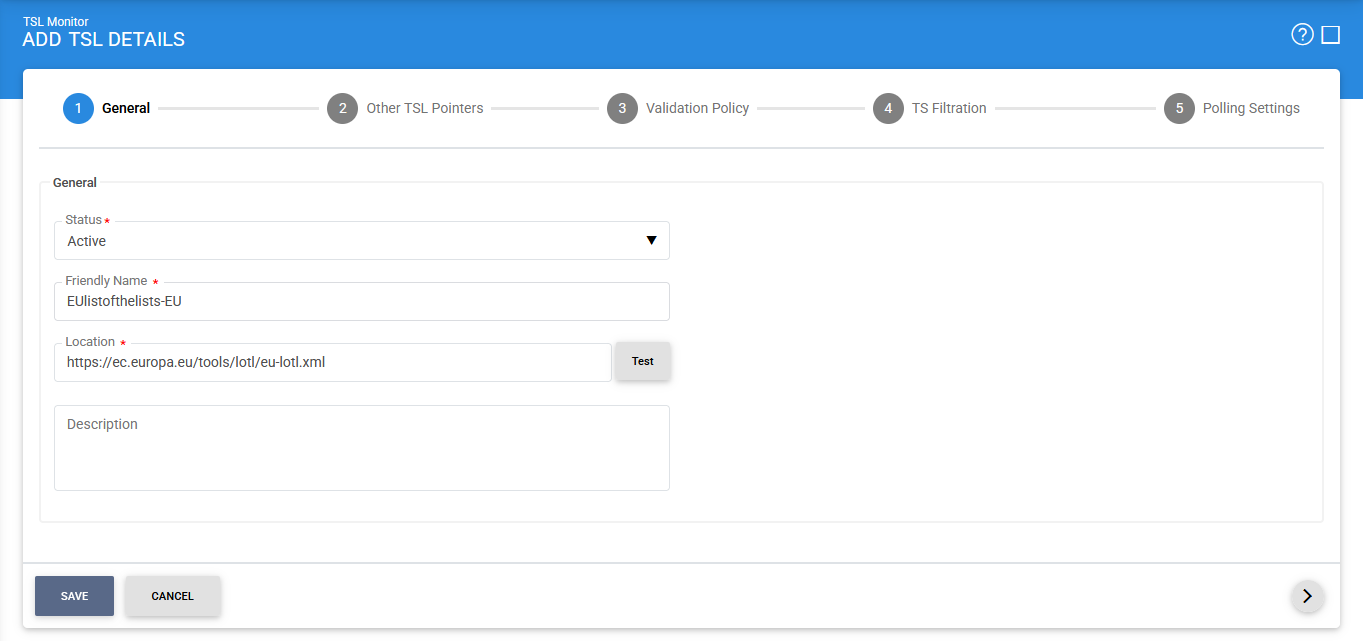
The following table describes the configuration items available on the General screen:
|
Items |
Description |
|
Status |
Specifies the current status of the TSL entry. Use this field to Active or Inactive the TSL configuration. An inactive TSL is not considered for TSL monitoring and automated polling. |
|
Friendly Name |
Specifies a user-defined name for the TSL. This name helps administrators easily identify and manage the TSL within TSL Monitor. |
|
Location |
Specifies the URL or network location from which the LOTL or TSL XML file is retrieved. Click Test to verify that the specified location is accessible and can be used to retrieve the TSL data. |
|
Description |
Provides an optional description of the TSL configuration. Use this field to record additional information that can help administrators understand the purpose or scope of the TSL. |
On this screen, you can select whether you want to add a LOTL or a TSL and specify its location.
Click Next to allow the ADSS Server to download and parse the specified LOTL or TSL. After the information is successfully processed, the details retrieved from the list are displayed on the next screen.
See also