
Manage Master Lists
The Manage Master List module allows administrators to import, view, and manage Master Lists used by the Inspection System Service for Passive Authentication (BAC). These Master Lists contain trusted CSCA certificates that are required to validate ePassport document signer certificates. This module is primarily used when automatic polling from the DVCA server is not enabled, allowing operators to manually import and maintain trust data. It is available only when the EPASSPORT_BAC feature is enabled in the license.
Navigate to Inspection System Service 🡪 Manage Master Lists, it displays the following screen:
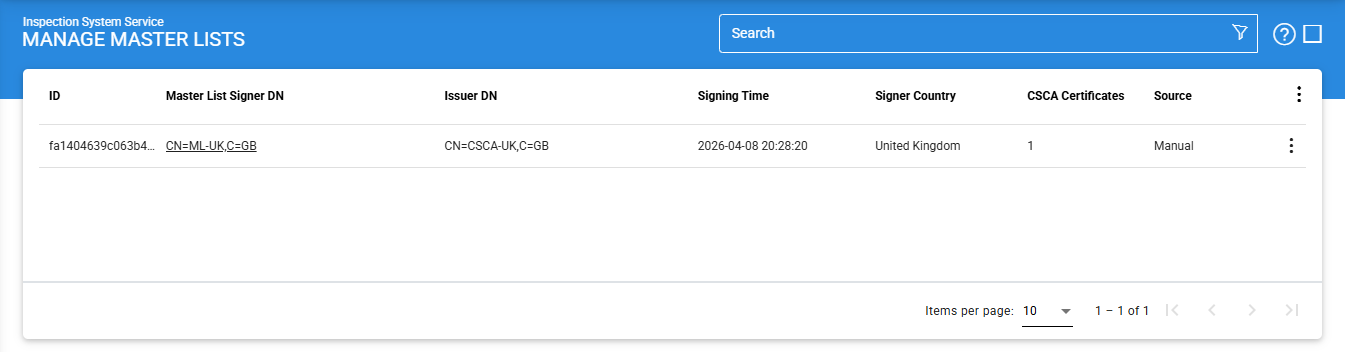
The configuration items are as follows:
|
Items |
Description |
|
ID |
A unique identifier for the Master List, usually generated automatically by the system. |
|
Master List Signer DN |
Displays the Subject Distinguished Name (DN) of the certificate used to sign the Master List. |
|
Issuer DN |
Shows the Distinguished Name (DN) of the certificate authority that issued the Master List signer certificate. |
|
Signing Time |
Indicates the date and time when the Master List was signed. |
|
Signing Country |
Represents the country that issued and signed the Master List. |
|
CSCA Certificates |
Displays the total number of CSCA certificates included in the Master List. |
|
Source |
Indicates how the Master List was added to the system, such as manually imported or retrieved from a DVCA server. |
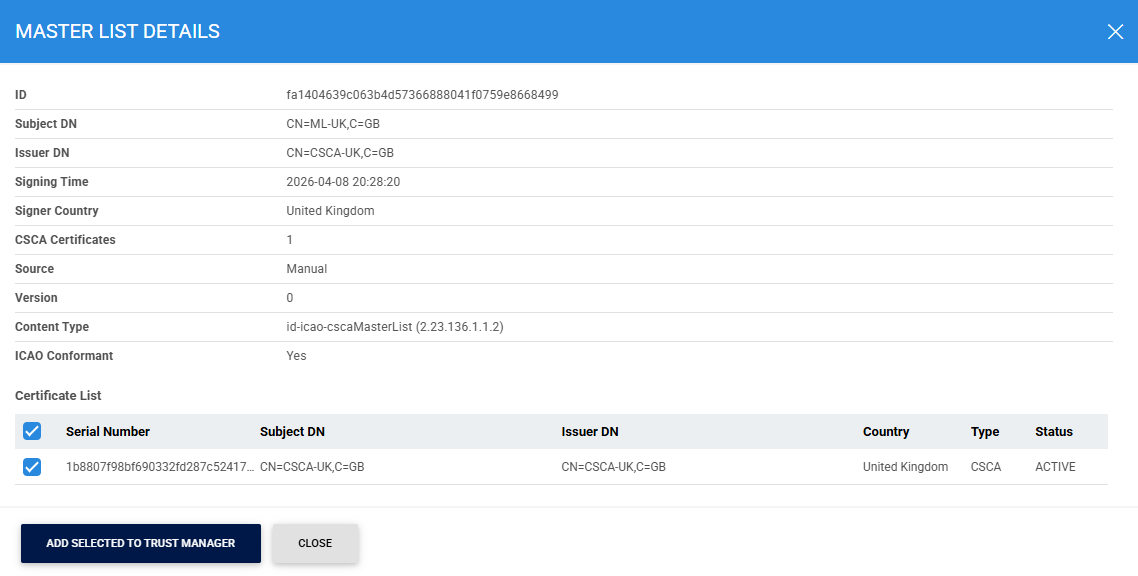
To view the details of the selected master list, click on the vertical ellipsis (⋮) at the end of the row and select Details button, it displays the following screen:
Clicking on the Advance Search icon on the main page displays the following screen:
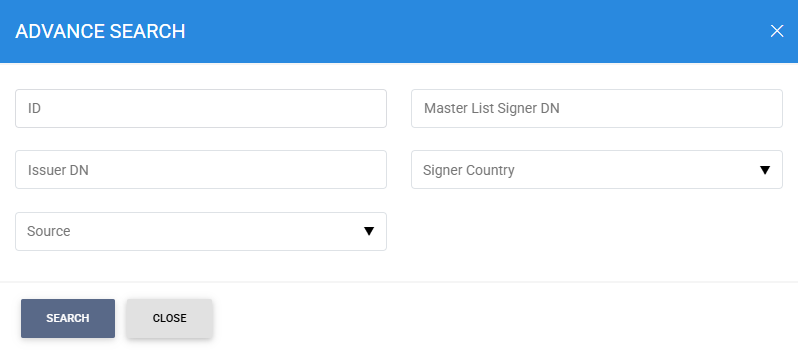
The master list can be searched based on ID, Master List Signer DN, Issuer DN, Signer Country and Source.
See also
Configuring the Inspection System Service
Manage Master Lists
HA Configuration
Manage CRLs
PKD Data Polling Monitor
Transaction Logs
Logs Archiving
Alerts