
Alerts
The service can be configured to generate email, SMS and/or SNMP alerts when the following events occur:
- Failed to poll data from DVCA
- Master list validation failed
- Internal error occurred (Reason: database not available etc)
- Unable to use log signing key at auto-archiving time
- When archiving is performed
The system operators that are to receive these can be defined within the service GUI.
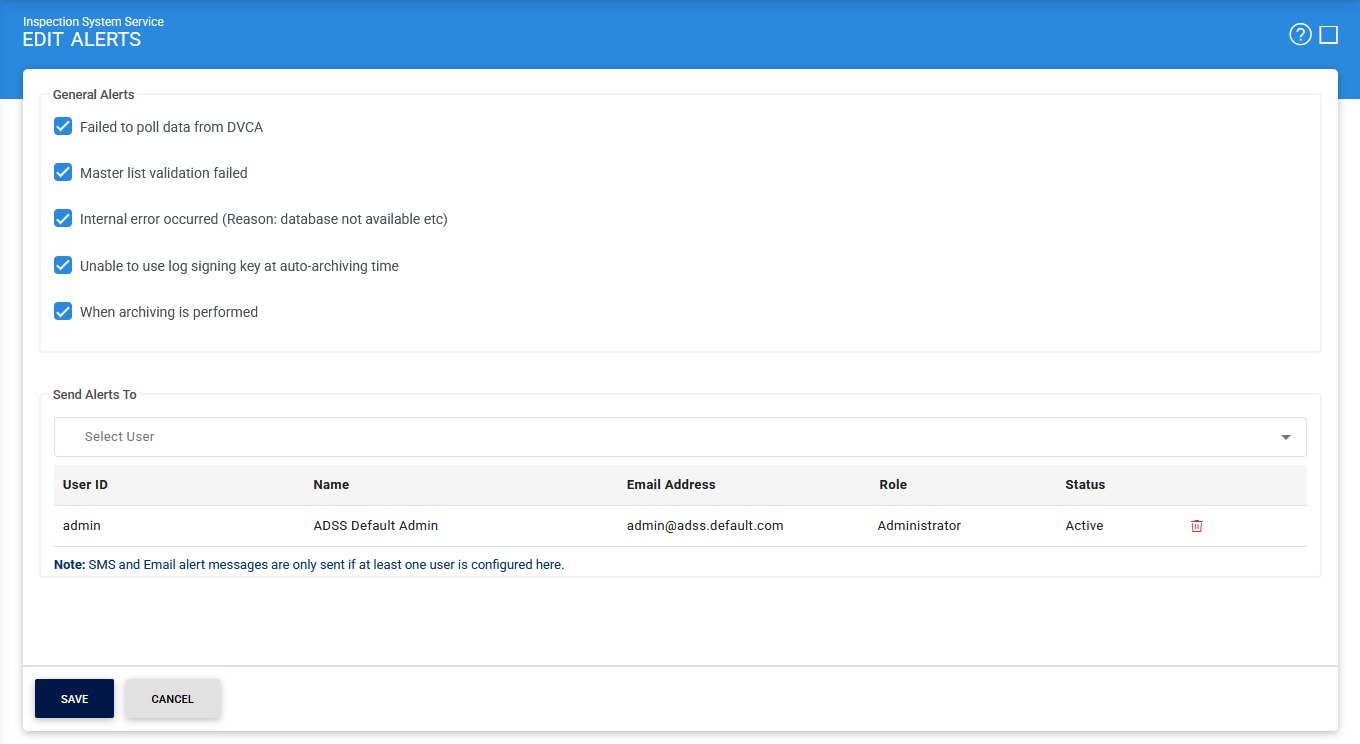
The configuration items are as follows:
|
Items |
Description |
|
Failed to poll data from DVCA |
This alert is triggered when the Inspection System Service is unable to retrieve updated trust data (such as Master Lists or CRLs) from the DVCA server during polling. |
|
Master list validation failed |
This alert is triggered when an imported or downloaded Master List does not pass validation checks, such as signature verification or format compliance. |
|
Internal error occurred |
When enabled, an alert is sent whenever an internal error has occurred during the request processing (e.g. database was not accessible). |
|
Unable to use log signing Key at auto-archiving time |
When enabled, an alert is sent whenever system is unable to use the Log Signing Key at auto-archiving time. Note: The Log Signing Key is configured in Global Settings > System Certificates module. |
|
When archiving is performed |
When enabled, service will send an alert whenever auto-archiving is performed. |
Click Save button for the changes to take effect.
See also
Configuring the Inspection System Service
Manage Master Lists
HA Configuration
Manage CRLs
PKD Data Polling Monitor
Transaction Logs
Logs Archiving
Alerts