
General Settings
The General settings contains the basic information required to define and identify an Inspection System Profile. This information helps the users organize and manage profiles that control how the Inspection System Service processes ePassport requests. Each profile acts as a central configuration that is later used by terminal readers to perform authentication and validation operations.
Navigate to Inspection System Service 🡪 Inspection System Profiles 🡪 General, it displays the following screen:
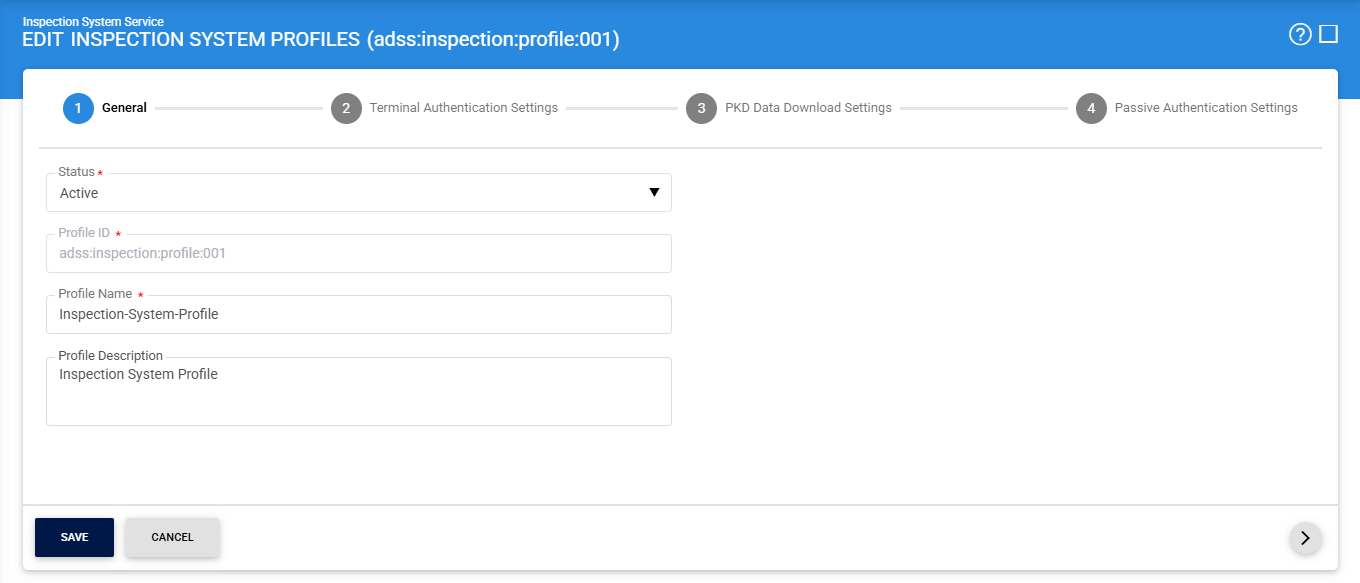
The configuration items are as follows:
|
Items |
Description |
|
Status |
Defines whether the profile is active or inactive. Only active profiles are used by the Inspection System Service to process requests. |
|
Profile ID |
A unique identifier for the profile. This is used internally by the system to reference and manage the profile. |
|
Profile Name |
A user-friendly name for the profile to help administrators easily identify it. |
|
Profile Description |
Provides additional details about the profile, such as its purpose or usage, to help with better understanding and management. |
Once the required configurations are completed, click on the (>) to navigate to the Terminal Authentication Settings page.
See also
General Settings
Terminal Authentication Settings
PKD Data Downloading Settings
Passive Authentication Settings