
Alerts
The SPOC Service can be configured to generate email, SMS and/or SNMP operator alerts for the following events:
- Failed to create certificate.
- Failed to communicate with CVCA.
- Failed to communicate with Foreign SPOC.
- Failed to communicate with DVCA.
- When foreign CVCA is rekeyed.
- When an internal error occurs.
- When the service is unable to use the log signing key during auto-archiving.
- When archiving is successfully completed.
The system operators that need to receive these alerts can be defined within the service GUI.
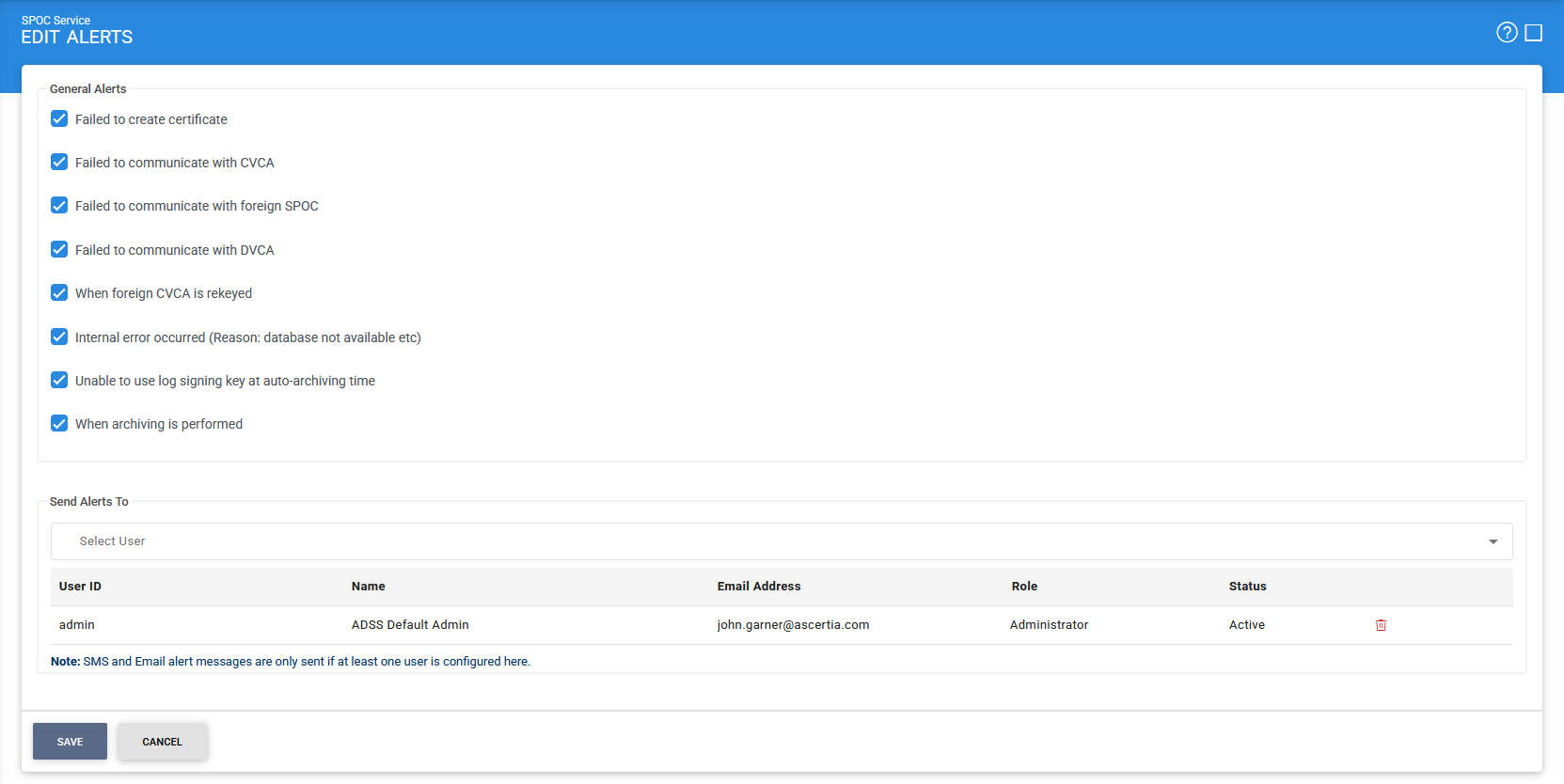
The configuration items are as follows:
|
Items |
Description |
|
Failed to create certificate |
ADSS SPOC Service sends an alert to the relevant operators when it fails to create a certificate for whatever reason. |
|
Failed to communicate with CVCA |
When the SPOC Service is unable to communicate with national CVCA due to some network failure or any other technical reason, ADSS Server sends an alert to the operator. |
|
Failed to communicate with foreign SPOC |
When SPOC Service is unable to communicate with a Foreign SPOC due to some network failure or any other technical reason, ADSS Server sends an alert to the operator. |
|
Failed to communicate with DVCA |
When the SPOC Service is unable to communicate with DVCA due to some network failure or any other technical reason, ADSS Server sends an alert to the operator. |
|
When foreign CVCA is rekeyed |
When enabled, an alert is generated for the system operator(s) whenever SPOC Service receives the re-keyed CVCA certificates from foreign SPOCs. |
|
Internal error occurred |
When enabled, an alert is generated for the system operator(s), whenever an internal error has occurred during the request processing (e.g. database was not accessible). |
|
Unable to use log signing Key at auto-archiving time |
When enabled, an alert is generated for the system operator(s), whenever system is unable to use the Log Signing Key at auto-archiving time. Note: The Log Signing Key is configured in Global Settings > System Certificates module. |
|
When archiving is performed |
When enabled, an alert is generated for the system operator(s), whenever auto-archiving is performed. |
Click Save button to make these changes effective.
See also
Configuring the SPOC Service
Manage Requests
Manage Certificates
General Messages