SigningHub API Guide
Download OpenAPI specification:Download
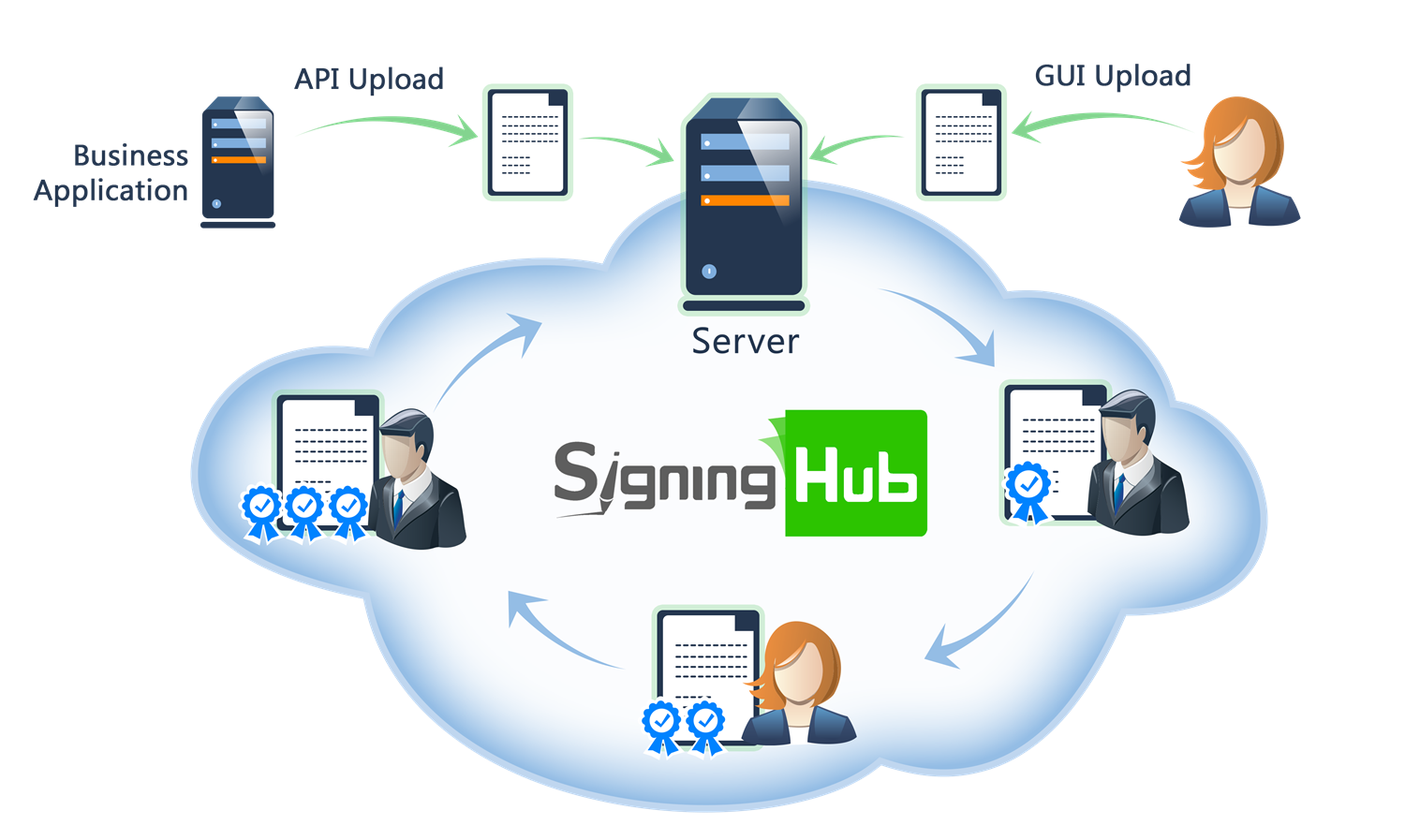
Browse through the API content by selecting the relevant pages from the left panel. To quickly find specific web service information, enter search criteria in the search box on top left.
 .
.More about SigningHub
To know more about SigningHub, explore the following links:
- Go to SigningHub Knowledge Base to view all the relevant information of SigningHub.
-
Visit the Ascertia Community Portal to find answers to contact SigningHub support staff through the
Live Chat provision
.
Our
support staff may be occupied with other priority tasks so live chat is offered on
an "as available" basis.
This guide is intended for developers who will integrate SigningHub into their respective web applications using the RESTful web services, and user interface offered by SigningHub. It is assumed that the reader has a basic knowledge of REST, Java, C#, HTML, JavaScript, HTTP and TLS/SSL. There is no Software Developers Kit (SDK) for the integration, instead the integration uses HTML Forms and JSON so that integration is simple from any language including .Net, Java, PHP etc.
| Main Tags | Most Popular Pages |
|---|---|
|
➤
Welcome
➤ Prerequisites ➤ Access Tokens ➤ Quick Integration ➤ Updates ➤ SignalR ➤ APIs Developer Guide ➤ Appendix |
➤
Authentication
➤ Account Management ➤ Add Package ➤ Upload Document ➤ Get Workflow Details ➤ Sign Document |
This section entails the web services for the Document Processing i.e. Sign Document, Recall Document, Bulk Sign, and Finish Workflow.
APIs for document signing, signature placement, signing authorization, and completion of signing activities.
Pre Capricorn Sign Service
Business applications can use this service API to digitally sign documents through the Capricorn Server.
If signing_mode is DSC, the API executes the DSC-based signature flow. The dsc_id is required in the request body. The signing process is completed in a single step, and the API returns the status as COMPLETED.
If signing_mode is EKYC_ID, the API executes the EKYC-based signature flow. The ekyc_id is required in the request body. The signing process is completed in two steps, and the API returns the status as PENDING along with a transaction_id for reference in the subsequent API call.
If signing_mode is AADHAAR_ESIGN, the API executes the Aadhaar eSign-based signature flow. The signing process is completed in two steps, and the API returns the status as PENDING along with a transaction_id for reference in the subsequent API call.
If signing_mode is BROWSER_DSC, the API executes the Browser DSC-based signature flow. The signing process is completed in two steps, and the API returns the status as PENDING along with a transaction_id for reference in the subsequent API call.
path Parameters
| packageId required | integer <int64> The identifier of the package that contains the document for signature. |
| documentId required | integer <int64> Identifier of the document to be signed. |
header Parameters
| Authorization required | string Default: Bearer {access_token} The OAuth access token obtained as a result of successful authentication via the "password" grant type. |
| Content-Type required | string Default: application/json |
| Accept required | string Default: application/json |
| x-otp | string OTP used as a second factor authentication for the signing operation. |
| x-folder-id | string Example: 0 Specify the folder ID, for retrieving the folder items, when a shared space folder is involved. |
| x-identity-verification | string The Identity Verification token obtained from Get Identity Verification Flow Status, if applicable. If the policy has not been set, then the value shall be null. |
| x-base64 | string Example: true True if response should have images in base64 format. False will only return null. |
Request Body schema:
| signing_server required | string non-empty Name of signing server using which the document is to be signed |
| signing_mode required | string (Models.CapricornSigningMode) Enum: "DSC" "AADHAAR_ESIGN" "EKYC_ID" "BROWSER_DSC" |
| field_name required | string non-empty Unique identifier of the signature field in the document. |
| hand_signature_image | string or null A Base64 encoded image string is required in case of visible signature appearance. |
| hand_signature_method | string (Enumerations.HandSignature) Enum: "DRAW" "TEXT" "UPLOAD" "SIGNATURE_PAD" "NONE" |
| signing_reason | string or null Reason of signing provided by the recipient. |
| signing_location | string or null Locale of the signer provided by the recipient. |
| contact_information | string or null Contact information of the signer provided by the recipient. |
| appearance_design | string or null Name of the signature appearance provided by user for signing. In case no appearance name is provided then default selected appearance would be used. Possible values are "COMPANY_LOGO", "DETAILED_SIGNATURE", "HAND_SIGNATURE" |
| ekyc_id | string or null it will used for ekycId based signing |
| dsc_id | string or null it will used for dsc based signing |
| callback_url | string or null Optional callback URL. If specified, this URL will be used for callbacks; otherwise, a callback URL will be generated automatically. |
| skip_verification | boolean No signature verification returns in response body when it is set as true. Default value for this parameter set to false. |
object (Models.Authentication) Authentication |
Responses
Request samples
- Payload
{- "signing_server": "string",
- "signing_mode": "DSC",
- "field_name": "string",
- "hand_signature_image": "string",
- "hand_signature_method": "DRAW",
- "signing_reason": "string",
- "signing_location": "string",
- "contact_information": "string",
- "appearance_design": "string",
- "ekyc_id": "string",
- "dsc_id": "string",
- "callback_url": "string",
- "skip_verification": true,
- "authentication": {
- "mechanism": "string",
- "password": "string",
- "token": "string",
- "id": "string",
- "code_verifier": "string",
- "nonce": "string"
}
}Response samples
- 200
- 400
- 401
- 403
- 404
- 500
{- "transaction_id": "string",
- "status": "string",
- "redirect_url": "string",
- "verification": {
- "field_name": "string",
- "signer_name": "string",
- "signature_status": "string",
- "signing_reason": "string",
- "signing_location": "string",
- "contact_information": "string",
- "signing_time": "string",
- "ltv": true,
- "qualified": true,
- "certified": true,
- "certify_permission": "string",
- "timestamp_at": "string",
- "timestamp_authority": "string",
- "subject_dn": "string",
- "issuer_dn": "string",
- "cert_valid_from": "string",
- "cert_valid_to": "string",
- "signature_type": "string",
- "signature_algorithm": "string",
- "signature_application": "string",
- "signature_policy_id": 0,
- "signature_policy_uri": "string",
- "signer_photo": "string",
- "signer_photo_url": "string",
- "signed_hash": "string",
- "display": "string",
- "page_number": 0,
- "lei_number": "string",
- "lei_role": "string",
- "error_message": "string"
}
}Post Capricorn Sign Service
Business applications can use this API to poll the signing request status. Once the signing process is complete, the API returns a COMPLETED status.
path Parameters
| packageId required | integer <int64> The identifier of the package that contains the document for signature. |
| documentId required | integer <int64> Identifier of the document to be signed. |
header Parameters
| Authorization required | string Default: Bearer {access_token} The OAuth access token obtained as a result of successful authentication via the "password" grant type. |
| Content-Type required | string Default: application/json |
| Accept required | string Default: application/json |
| x-base64 | string Example: true True if response should have images in base64 format. False will only return null. |
Request Body schema:
| transaction_id required | string non-empty Transaction Id |
Responses
Request samples
- Payload
{- "transaction_id": "string"
}Response samples
- 200
- 400
- 401
- 500
{- "status": "string",
- "verification": {
- "field_name": "string",
- "signer_name": "string",
- "signature_status": "string",
- "signing_reason": "string",
- "signing_location": "string",
- "contact_information": "string",
- "signing_time": "string",
- "ltv": true,
- "qualified": true,
- "certified": true,
- "certify_permission": "string",
- "timestamp_at": "string",
- "timestamp_authority": "string",
- "subject_dn": "string",
- "issuer_dn": "string",
- "cert_valid_from": "string",
- "cert_valid_to": "string",
- "signature_type": "string",
- "signature_algorithm": "string",
- "signature_application": "string",
- "signature_policy_id": 0,
- "signature_policy_uri": "string",
- "signer_photo": "string",
- "signer_photo_url": "string",
- "signed_hash": "string",
- "display": "string",
- "page_number": 0,
- "lei_number": "string",
- "lei_role": "string",
- "error_message": "string"
}
}Pre EID Easy Signing
Business applications can use this API to get all the configured signing methods from EID Easy Server for preparing document for signing.
path Parameters
| packageId required | integer <int64> The identifier of the package that contains the document for signature. |
| documentId required | integer <int64> Identifier of the document to be signed. |
header Parameters
| Authorization required | string Default: Bearer {access_token} The OAuth access token obtained as a result of successful authentication via the "password" grant type. |
| Content-Type required | string Default: application/json |
| Accept required | string Default: application/json |
| x-folder-id | string Example: 0 Specify the folder ID, for retrieving the folder items, when a shared space folder is involved. |
| x-identity-verification | string The Identity Verification token obtained from Get Identity Verification Flow Status, if applicable. If the policy has not been set, then the value shall be null. |
Request Body schema:
| field_name required | string non-empty Unique identifier of the signature field in the document. |
| hand_signature_image | string or null A Base64 encoded image string is required in case of visible signature appearance. |
| hand_signature_method | string (Enumerations.HandSignature) Enum: "DRAW" "TEXT" "UPLOAD" "SIGNATURE_PAD" "NONE" |
| signing_reason | string or null Reason of signing provided by the recipient. |
| signing_location | string or null Locale of the signer provided by the recipient. |
| contact_information | string or null Contact information of the signer provided by the recipient. |
| appearance_design | string or null Name of the signature appearance provided by user for signing. In case no appearance name is provided then default selected appearance would be used. Possible values are "COMPANY_LOGO", "DETAILED_SIGNATURE", "HAND_SIGNATURE" |
| signing_server required | string non-empty Name of signing server using which the document is to be signed |
Responses
Request samples
- Payload
{- "field_name": "string",
- "hand_signature_image": "string",
- "hand_signature_method": "DRAW",
- "signing_reason": "string",
- "signing_location": "string",
- "contact_information": "string",
- "appearance_design": "string",
- "signing_server": "string"
}Response samples
- 200
- 400
- 401
- 403
- 404
- 500
{- "doc_id": "string",
- "status": "string",
- "available_methods": [
- "string"
]
}EID Easy Webhook
This endpoint will be consumed by EID Easy server when configured in Custom CAdES digest webhook.
header Parameters
| Authorization required | string Default: Bearer {access_token} The OAuth access token obtained as a result of successful authentication via the "password" grant type. |
| Content-Type required | string Default: application/json |
| Accept required | string Default: application/json |
Request Body schema:
| signer_name | string or null |
| signer_idcode | string or null |
| signing_method | string or null |
| host | string or null |
| signing_time | integer <int64> |
| doc_id | string or null |
| notification_state | string or null |
Responses
Request samples
- Payload
{- "signer_name": "string",
- "signer_idcode": "string",
- "signing_method": "string",
- "host": "string",
- "signing_time": 0,
- "doc_id": "string",
- "notification_state": "string"
}Response samples
- 200
"string"Post EID Easy Signing
Business applications can use this service API to perform signature assembly and signature embedding process.
path Parameters
| packageId required | integer <int64> The identifier of the package that contains the document for signature. |
| documentId required | integer <int64> Identifier of the document to be signed. |
header Parameters
| Authorization required | string Default: Bearer {access_token} The OAuth access token obtained as a result of successful authentication via the "password" grant type. |
| Content-Type required | string Default: application/json |
| Accept required | string Default: application/json |
Request Body schema:
| doc_id required | string non-empty The unique identification of document from eid easy server |
| skip_verification | boolean or null No signature verification returns in response body when it is set as true. Default value for this parameter set to false. |
Responses
Request samples
- Payload
{- "doc_id": "string",
- "skip_verification": true
}Response samples
- 200
- 400
- 401
- 404
- 500
{- "field_name": "string",
- "status": "string",
- "transaction_id": "string",
- "verification": {
- "field_name": "string",
- "signer_name": "string",
- "signature_status": "string",
- "signing_reason": "string",
- "signing_location": "string",
- "contact_information": "string",
- "signing_time": "string",
- "ltv": true,
- "qualified": true,
- "certified": true,
- "certify_permission": "string",
- "timestamp_at": "string",
- "timestamp_authority": "string",
- "subject_dn": "string",
- "issuer_dn": "string",
- "cert_valid_from": "string",
- "cert_valid_to": "string",
- "signature_type": "string",
- "signature_algorithm": "string",
- "signature_application": "string",
- "signature_policy_id": 0,
- "signature_policy_uri": "string",
- "signer_photo": "string",
- "signer_photo_url": "string",
- "signed_hash": "string",
- "display": "string",
- "page_number": 0,
- "lei_number": "string",
- "lei_role": "string",
- "error_message": "string"
}
}Fill Initials
Business applications can use this service API to fill an initials field in a document by a specified user in the order.
path Parameters
| packageId required | integer <int64> |
| documentId required | integer <int64> The ID of the document. |
header Parameters
| x-folder-id | string |
| Authorization required | string Default: Bearer {access_token} The OAuth access token obtained as a result of successful authentication via the "password" grant type. |
| Content-Type required | string Default: application/json |
| Accept required | string Default: application/json |
| x-folder-id | string Example: 0 Specify the folder ID, for retrieving the folder items, when a shared space folder is involved. |
Request Body schema:
| field_name required | string non-empty Unique identifier of the field in the document. |
| image required | string non-empty Base64 image used for the filling of the initials. |
| method | string (Enumerations.HandSignature) Enum: "DRAW" "TEXT" "UPLOAD" "SIGNATURE_PAD" "NONE" |
| apply_to_all | boolean True if all initials are to be filled. |
Responses
Request samples
- Payload
{- "field_name": "string",
- "image": "string",
- "method": "DRAW",
- "apply_to_all": true
}Response samples
- 401
- 403
- 500
{- "Message": "string"
}Get GoSign Signing Configuration
Business applications can use this service API to get go-sign applet and embed into HTML element.
query Parameters
| signing-server | string |
header Parameters
| Authorization required | string Default: Bearer {access_token} The OAuth access token obtained as a result of successful authentication via the "password" grant type. |
| Content-Type required | string Default: application/json |
| Accept required | string Default: application/json |
Responses
Response samples
- 200
- 400
- 401
- 403
- 500
"string"Get Jwt Token
Business applications can use this service API to get jwt token from T1C server for authorization.
query Parameters
| signing-server | string |
header Parameters
| Authorization required | string Default: Bearer {access_token} The OAuth access token obtained as a result of successful authentication via the "password" grant type. |
| Content-Type required | string Default: application/json |
| Accept required | string Default: application/json |
Responses
Response samples
- 200
- 400
- 401
- 500
"string"Pre Local Signing
Business applications can use this service API to get D2S (data to be signed) and transaction id.
path Parameters
| packageId required | integer <int64> The identifier of the package that contains the document for signature. |
| documentId required | integer <int64> Identifier of the document to be signed. |
header Parameters
| Authorization required | string Default: Bearer {access_token} The OAuth access token obtained as a result of successful authentication via the "password" grant type. |
| Content-Type required | string Default: application/json |
| Accept required | string Default: application/json |
| x-folder-id | string Example: 0 Specify the folder ID, for retrieving the folder items, when a shared space folder is involved. |
| x-identity-verification | string The Identity Verification token obtained from Get Identity Verification Flow Status, if applicable. If the policy has not been set, then the value shall be null. |
Request Body schema:
| field_name required | string non-empty Unique identifier of the signature field in the document. |
| hand_signature_image | string or null A Base64 encoded image string is required in case of visible signature appearance. |
| hand_signature_method | string (Enumerations.HandSignature) Enum: "DRAW" "TEXT" "UPLOAD" "SIGNATURE_PAD" "NONE" |
| signing_reason | string or null Reason of signing provided by the recipient. |
| signing_location | string or null Locale of the signer provided by the recipient. |
| contact_information | string or null Contact information of the signer provided by the recipient. |
| appearance_design | string or null Name of the signature appearance provided by user for signing. In case no appearance name is provided then default selected appearance would be used. Possible values are "COMPANY_LOGO", "DETAILED_SIGNATURE", "HAND_SIGNATURE" |
required | object (Models.SignerCertificateRequestModel) SignerCertificateRequestModel |
| signing_server required | string non-empty Name of signing server using which the document is to be signed |
| transaction_id | string or null The identification number of the signing transaction |
Responses
Request samples
- Payload
{- "field_name": "string",
- "hand_signature_image": "string",
- "hand_signature_method": "DRAW",
- "signing_reason": "string",
- "signing_location": "string",
- "contact_information": "string",
- "appearance_design": "string",
- "signer_certificate": {
- "signer": "string",
- "intermediate": "string"
}, - "signing_server": "string",
- "transaction_id": "string"
}Response samples
- 200
- 400
- 401
- 403
- 404
- 500
{- "transaction_id": "string",
- "d2s": "string"
}Post Local Signing
Business applications can use this service API to perform signature assembly and signature embedding process.
path Parameters
| packageId required | integer <int64> The identifier of the package that contains the document for signature. |
| documentId required | integer <int64> Identifier of the document to be signed. |
header Parameters
| Authorization required | string Default: Bearer {access_token} The OAuth access token obtained as a result of successful authentication via the "password" grant type. |
| Content-Type required | string Default: application/json |
| Accept required | string Default: application/json |
| x-folder-id | string Example: 0 Specify the folder ID, for retrieving the folder items, when a shared space folder is involved. |
Request Body schema:
| raw_signature | string or null Provide only in case of T1C not Go-Sign |
| transaction_id required | string non-empty The identification number of the signing transaction |
| skip_verification | boolean or null No signature verification returns in response body when it is set as true. Default value for this parameter set to false. |
Responses
Request samples
- Payload
{- "raw_signature": "string",
- "transaction_id": "string",
- "skip_verification": true
}Response samples
- 200
- 400
- 401
- 404
- 500
{- "field_name": "string",
- "status": "string",
- "transaction_id": "string",
- "verification": {
- "field_name": "string",
- "signer_name": "string",
- "signature_status": "string",
- "signing_reason": "string",
- "signing_location": "string",
- "contact_information": "string",
- "signing_time": "string",
- "ltv": true,
- "qualified": true,
- "certified": true,
- "certify_permission": "string",
- "timestamp_at": "string",
- "timestamp_authority": "string",
- "subject_dn": "string",
- "issuer_dn": "string",
- "cert_valid_from": "string",
- "cert_valid_to": "string",
- "signature_type": "string",
- "signature_algorithm": "string",
- "signature_application": "string",
- "signature_policy_id": 0,
- "signature_policy_uri": "string",
- "signer_photo": "string",
- "signer_photo_url": "string",
- "signed_hash": "string",
- "display": "string",
- "page_number": 0,
- "lei_number": "string",
- "lei_role": "string",
- "error_message": "string"
}
}Get Certificates Detail
Business applications can use this service API to fetch common names from the provided base64 encoded certificates.
header Parameters
| Authorization required | string Default: Bearer {access_token} The OAuth access token obtained as a result of successful authentication via the "password" grant type. |
| Content-Type required | string Default: application/json |
| Accept required | string Default: application/json |
Request Body schema:
| base64 required | string non-empty Base64 of certificate |
Responses
Request samples
- Payload
[- {
- "base64": "string"
}
]Response samples
- 200
- 401
- 500
[- {
- "base64": "string",
- "CN": "string"
}
]Finish Processing
Business applications can use this service API to finish the document processing after signing all the signature fields. This method is primarily used by native SigningHub mobile apps for iOS and Android, and mobile web use cases. General business applications employing tight integration into their respective portal do not need to call this method. However, when using the Sign Document API (and hence the user is not presented with a visual representation of the document they are requested to sign) calling this API is required in order to ensure the respective workflow continues or completes. For example, once all signatures have been applied using the "blind" Sign Document API call the document will not show as status "Completed" to the owner until this API is invoked. The document owner will see a status of "In Progress" until this API is called.
Within native SigningHub mobile apps and mobile web use cases, this call is necessary to ensure that each user completes their respective actions with respect to SigningHub.For example, after a signatory has signed a document in SigningHub App, this method is invoked by the application to ensure the workflow continues to process and the next signatory is notified, and the document status is available via the configured call-back URL.
path Parameters
| packageId required | integer <int64> The ID of the package to be finished. |
header Parameters
| Authorization required | string Default: Bearer {access_token} The access token obtained as a result of successful authentication via "Password" or "Scope". If "Scope Authentication" was used, then this service will be performed for the user on behalf of the business application. |
| Content-Type required | string Default: application/json |
| Accept required | string Default: application/json |
| x-folder-id | string Example: 0 Specify the folder ID, for retrieving the folder items, when a shared space folder is involved. |
Responses
Response samples
- 403
- 500
{- "Message": "string"
}Sign Document
Business applications can use this service API to sign a document (both electronic and digital) without displaying the document to the end user using SigningHub. For example, a business application may have another method to display the document to the user, and only the signing functionality of SigningHub is required, or for bulk operations it may be justified to sign without requiring the user to view and approve every document individually. If there are changes to be saved in the document before signing, Fill Form Fields API should be called before calling the Sign Document API. Note any mandatory input fields on a document require completing before this API will successfully complete.
The signatory is identified by the access token presented in the call.Therefore, Authentication of the signatory is required prior to making this call.You cannot authenticate as an Enterprise Admin with the scope variable, and sign a document on behalf of a user.The access token must be issued to the signatory as a result of direct authentication.
When this call completes it is important that if the signatory was the last signer for a document that the Finish Processing API call is invoked.The reason is because without calling that API the document will remain in a status of "In Progress" to the document owner. Once the API has been called, the status will change to "Completed" for the document owner.
Once document is signed, the verification response can be seen from Get Document Verification API.
First or Second Factor OTP Usage for Authentication
If OTP authentication is turned on for the server side signing operation, client applications will need to generate a OTP for the mobile number using Signer Authentication via OTP API call. Respective business applications must retrieve the OTP from the use and submit it when making the API call. This is done using the "x-otp" header in the request.
path Parameters
| packageId required | integer <int64> The identifier of the package that contains the document for signature. |
| documentId required | integer <int64> Identifier of the document to be signed. |
header Parameters
| Authorization required | string Default: Bearer {access_token} OAuth access token obtained as a result of "Password Authentication". As stated above, the "Scope Authentication" cannot be used in this instance. Only the authenticated user can sign documents using this API call. |
| Content-Type required | string Default: application/json |
| Accept required | string Default: application/json |
| x-otp | string Example: 456789 OTP used as a second factor authentication for the signing operation. |
| x-folder-id | string Example: 0 Specify the folder ID, for retrieving the folder items, when a shared space folder is involved. |
| x-mobile | string Example: TRUE Define the originator(Web/Mobile) of the request/action |
| x-identity-verification | string The Identity Verification token obtained from Get Identity Verification Flow Status, if applicable. If the policy has not been set, then the value shall be null. |
Request Body schema:
| field_name required | string non-empty Unique identifier of the signature field in the document. |
| hand_signature_image | string or null A Base64 encoded image string is required in case of visible signature appearance. Note this can be retrieved from the user's personal settings using this call. (The response is binary, so the business application must then Base64 encode it before submitting in this API call.) |
| hand_signature_method | string (Enumerations.HandSignature) Enum: "DRAW" "TEXT" "UPLOAD" "SIGNATURE_PAD" "NONE" |
| signing_reason | string or null Reason of signing provided by the recipient. Note: Commitment type indication for XML documents |
| signing_location | string or null Locale of the signer provided by the recipient. |
| contact_information | string or null Contact information of the signer provided by the recipient. |
| user_name | string or null Name of the signer provided by the recipient. Note this applies to in-person signing operations only. |
| user_password | string or null Password provided by the user subject to user's signature settings. |
| appearance_design | string or null Name of the signature appearance provided by user for signing. In case no appearance name is provided then default selected appearance would be used. Possible values are "COMPANY_LOGO","DETAILED_SIGNATURE","HAND_SIGNATURE" |
| signing_capacity | string or null Name of certification profile/signing capacity using which the document is to be signed. If not provided the default capacity will be used to sign. Provided name must be exactly same as of the actual profile due to case sensitivity. |
| skip_verification | boolean No signature verification returns in response body when it is set as true. Default value for this parameter set to false. |
| signing_server | string or null Name of signing server using which the document is to be signed. |
object (Models.Authentication) Authentication |
Responses
Request samples
- Payload
{- "field_name": "string",
- "hand_signature_image": "string",
- "hand_signature_method": "DRAW",
- "signing_reason": "string",
- "signing_location": "string",
- "contact_information": "string",
- "user_name": "string",
- "user_password": "string",
- "appearance_design": "string",
- "signing_capacity": "string",
- "skip_verification": true,
- "signing_server": "string",
- "authentication": {
- "mechanism": "string",
- "password": "string",
- "token": "string",
- "id": "string",
- "code_verifier": "string",
- "nonce": "string"
}
}Response samples
- 200
- 401
- 403
- 404
- 500
{- "field_name": "string",
- "status": "string",
- "transaction_id": "string",
- "verification": {
- "field_name": "string",
- "signer_name": "string",
- "signature_status": "string",
- "signing_reason": "string",
- "signing_location": "string",
- "contact_information": "string",
- "signing_time": "string",
- "ltv": true,
- "qualified": true,
- "certified": true,
- "certify_permission": "string",
- "timestamp_at": "string",
- "timestamp_authority": "string",
- "subject_dn": "string",
- "issuer_dn": "string",
- "cert_valid_from": "string",
- "cert_valid_to": "string",
- "signature_type": "string",
- "signature_algorithm": "string",
- "signature_application": "string",
- "signature_policy_id": 0,
- "signature_policy_uri": "string",
- "signer_photo": "string",
- "signer_photo_url": "string",
- "signed_hash": "string",
- "display": "string",
- "page_number": 0,
- "lei_number": "string",
- "lei_role": "string",
- "error_message": "string"
}, - "authentication_access_token": "string"
}Fill Stamps
Business applications can use this service API to fill an stamps field in a document by a specified user in the order.
path Parameters
| packageId required | integer <int64> |
| documentId required | integer <int64> The ID of the document. |
header Parameters
| Authorization required | string Default: Bearer {access_token} The OAuth access token obtained as a result of successful authentication via the "password" grant type. |
| Content-Type required | string Default: application/json |
| Accept required | string Default: application/json |
| x-folder-id | string Example: 0 Specify the folder ID, for retrieving the folder items, when a shared space folder is involved. |
Request Body schema:
| field_name required | string non-empty Unique identifier of the field in the document. |
| apply_to_all | boolean True if all stamps are to be filled. |
required | object (Models.StampFillingRequestModel) |
Responses
Request samples
- Payload
{- "field_name": "string",
- "apply_to_all": true,
- "stamp": {
- "id": 0,
- "height": 0
}
}Response samples
- 401
- 403
- 500
{- "Message": "string"
}APIs for performing signing and workflow actions on multiple document packages simultaneously.
Bulk Sign Packages
Business applications can use this API to sign/share/sign and share multiple documents (both electronic and digital) without displaying the documents to the end user. This API needs information from the business application about document packages and the details of signatures, in-person, stamps and initials fields. On the successful completion of bulk signing transaction, the API will return the statuses and transaction ids of the document packages.
Unlike the Sign Document API, this API not only signs a document package but also marks it as approved and reviewed based on whether the recipient is a Signer, Editor or Reviewer. Any document package for which the status returns as COMPLETED has been signed, approved or reviewed by this API.
Bulk Signing works with all the signing-time authentication methods.
If SIGN is passed as bulk_action and package is in Draft state, Sign and Share will be performed automatically.
You must call this API after the Bulk Signing Pre Validation API.
In case you need to make changes in any of the document before signing, the Save Package Form Fields API should be called before calling the Pre Bulk Sign Document API. Remember, any mandatory input fields on a document require completing before this API will successfully complete; whereas, the auto-populated fields (like Name, Email, Date, Job Title, etc.) will be automatically filled.
The signatory is identified by the access token presented in the call. Therefore, Authentication of the signatory is required prior to making this call. You cannot authenticate as an Enterprise Admin with the scope variable, and sign a document on behalf of a user. The access token must be issued to the signatory as a result of direct authentication.
Once document is signed, the verification response can be seen from the Bulk Signing Status API.
First or Second Factor OTP Usage for Authentication
In case OTP authentication is turned on for the server side signing operation, the client applications will need to generate an OTP for the mobile number using the Bulk OTP Signing Authentication API call. Respective business applications must retrieve the OTP from the use and submit it when making the API call. This is done using the "x-otp" header in the request.
path Parameters
| bulk_action required | string (Enumerations.APIBulkSignAction) Enum: "SHARE" "SIGN" Bulk action to be performed. Possible values are: SIGN | SHARE |
header Parameters
| Authorization required | string Default: Bearer {access_token} The OAuth access token obtained as a result of successful authentication via the "password" grant type. |
| Content-Type required | string Default: application/json |
| Accept required | string Default: application/json |
| x-otp | string Example: 456789 OTP/TOTP used as a second factor/document signing authentication for the signing operation. |
| x-open-password | string Example: pincode123 The password set by the document owner for accessing the document, if any. If the password has not been set, then the value shall be null. |
| x-open-otp | string Example: 123456 The One-Time Password (OTP) set by the document owner for accessing the document, if any. If the OTP has not been set, then the value shall be null. |
| x-folder-id | string Example: 0 Specify the folder ID, for retrieving the folder items, when a shared space folder is involved. |
| x-mobile | string Example: TRUE Define the originator(Web/Mobile) of the request/action |
| x-open-identity-verification | string Example: 798h-879-k3jk5 The Identity Verification token obtained from Get Identity Verification Flow Status, if applicable. If the policy has not been set, then the value shall be null. |
| x-identity-verification | string Example: 798h-879-k3jk5 The Identity Verification token obtained from Get Identity Verification Flow Status, if applicable. If the policy has not been set, then the value shall be null. |
Request Body schema:
| ids | Array of integers or null <int64> An array of the document package ids that are selected for bulk signing. |
| hand_signature_initials_image | string or null Base64 image required if initials are part of the workflow |
| hand_signature_initials_method | string (Enumerations.HandSignature) Enum: "DRAW" "TEXT" "UPLOAD" "SIGNATURE_PAD" "NONE" |
object (Models.StampInfoRequestModel) | |
| hand_signature_image | string or null A Base64 encoded image string is required in case of visible signature appearance. |
| hand_signature_method | string (Enumerations.HandSignature) Enum: "DRAW" "TEXT" "UPLOAD" "SIGNATURE_PAD" "NONE" |
| signing_reason | string or null Reason of signing provided by the recipient. |
| signing_location | string or null Locale of the signer provided by the recipient |
| contact_information | string or null Contact information of the signer provided by the recipient |
| appearance_design | string or null Name of the signature appearance provided by user for signing. In case no appearance name is provided then default selected appearance would be used. Possible values are "COMPANY_LOGO", "DETAILED_SIGNATURE", "HAND_SIGNATURE" |
| signing_server | string or null Name of signing server using which the document is to be signed |
| signing_capacity | string or null Name of certification profile/signing capacity using which the document is to be signed |
object (Models.BulkSignAuthentication) BulkSignAuthentication | |
| transaction_id | string or null re-initiated signing process transaction id |
Responses
Request samples
- Payload
{- "ids": [
- 0
], - "hand_signature_initials_image": "string",
- "hand_signature_initials_method": "DRAW",
- "stamp": {
- "id": 0,
- "height": 0
}, - "hand_signature_image": "string",
- "hand_signature_method": "DRAW",
- "signing_reason": "string",
- "signing_location": "string",
- "contact_information": "string",
- "appearance_design": "string",
- "signing_server": "string",
- "signing_capacity": "string",
- "authentication": {
- "mechanism": "string",
- "password": "string",
- "token": "string",
- "id": "string",
- "code_verifier": "string",
- "nonce": "string"
}, - "transaction_id": "string"
}Response samples
- 200
- 400
- 401
- 403
- 404
- 500
{- "status": "string",
- "transaction_id": "string"
}Bulk Signing Status
Business applications can use this API to get the status of a specific bulk signing transaction along with the details of document packages that were processed by the Bulk Sign Packages API.
You must call this API after the Bulk Signing Packages API.
The signatory is identified by the access token presented in the call. Therefore, Authentication of the signatory is required prior to making this call. You cannot authenticate as an Enterprise Admin with the scope variable, and sign a document on behalf of a user. The access token must be issued to the signatory as a result of direct authentication.
For RAS signing, the ACTION property will be REMOTE_AUTHORIZATION_REQURIED and the STATUS property will be PENDING, indicating that the request needs to be authorized using the mobile device. If the signing process fails in some document due to different levels of assurance configured and the user wants to re-initiate the signing process to complete the signing process on failed documents, the ACTION property will be REINITIATE_SIGNING_PROCESS, and the STATUS property will be PENDING.
path Parameters
| bulk_action required | string (Enumerations.APIBulkSignAction) Enum: "SHARE" "SIGN" Bulk action to be performed. Possible values are: SIGN | SHARE |
header Parameters
| Authorization required | string Default: Bearer {access_token} The OAuth access token obtained as a result of successful authentication via the "password" grant type. |
| Content-Type required | string Default: application/json |
| Accept required | string Default: application/json |
Request Body schema:
| transaction_id | string or null The identification number of the bulk signing transaction |
Responses
Request samples
- Payload
{- "transaction_id": "string"
}Response samples
- 200
- 401
- 404
- 500
{- "status": "string",
- "packages": [
- {
- "id": 0,
- "name": "string",
- "status": "string",
- "action": "string",
- "error": "string",
- "percentage": 0,
- "documents": [
- {
- "id": 0,
- "fields": [
- {
- "name": "string",
- "hash": "string",
- "hashing_algo": "string"
}
]
}
]
}
]
}Bulk Action Pre Validation
This API executes pre-signing validations for each document package and respectively returns any errors along with the list of tasks that the business application needs to perform for completing the signing process. The API call will be sent by business application and will wait for the server's response. It's a synchronous call, which means the business applications need to show a loader.
If SIGN is passed as bulk_action and package is in Draft state, Sign and Share validations will be performed automatically.
You must call this API before any other bulk signing APIs.
This call should not be skipped as it provides the necessary information to the business application regarding which dialog needs to be shown including capacities and also if there is legal notice is required or not.
The signatory is identified by the access token presented in the call. Therefore, Authentication of the signatory is required prior to making this call. You cannot authenticate as an Enterprise Admin with the scope variable, and sign a document on behalf of a user. The access token must be issued to the signatory as a result of direct authentication.
Once this API returns the response according to your needs, you can then perform bulk signing via Bulk Sign Packages API.
path Parameters
| bulk_action required | string (Enumerations.APIBulkSignAction) Enum: "SHARE" "SIGN" Bulk action to be performed. Possible values are: SIGN | SHARE |
header Parameters
| Authorization required | string Default: Bearer {access_token} The OAuth access token obtained as a result of successful authentication via the "password" grant type. |
| Content-Type required | string Default: application/json |
| Accept required | string Default: application/json |
| x-open-authentication | string Example: PASSWORD When document opening authentication is configured, it will return the authentication type, which may include the following possible values: PASSWORD, OTP, and TOTP. |
| x-password | string Example: pincode123 The password set by the document owner for accessing the document, if any. If the password has not been set, then the value shall be null. |
| x-otp | string Example: 123456 The One-Time Password (OTP) set by the document owner for accessing the document, if any. If the OTP has not been set, then the value shall be null. |
| x-folder-id | string Example: 0 Specify the folder ID, for retrieving the folder items, when a shared space folder is involved. |
| x-folder | string Example: SU5CT1g= Folder name from where the documents are to be fetched. Possible values are INBOX and ARCHIVE. |
| x-search-text | string Example: c2FsZXMgY29udHJhY3QgMTA1 Search text sent in headers for further filtration of the documents. Package id, name and document owner can be searched. |
| x-source | string Example: Library This is the identification of the source of the document from where the document is uploaded, e.g. "My App". |
| x-recipient-details | string Example: true If "true" is passed recipient details regarding Document Access Duration will be provided along decline information |
| x-identity-verification | string Example: 798h-879-k3jk5 The Identity Verification token obtained from Get Identity Verification Flow Status, if applicable. If the policy has not been set, then the value shall be null. |
Request Body schema:
| ids | Array of integers or null <int64> An array of the document package ids that are selected for bulk signing. |
object (Models.PreBulkSignSearchCriteria) BulkSignRequest |
Responses
Request samples
- Payload
{- "ids": [
- 0
], - "search_criteria": {
- "document_status": "ALL",
- "package_name": "string",
- "package_id": 0,
- "recipient_from": "string",
- "recipient_to": "string",
- "document_id": 0,
- "expiry": 0,
- "modified_from": "2019-08-24T14:15:22Z",
- "modified_to": "2019-08-24T14:15:22Z",
- "size_from": 0,
- "size_to": 0,
- "certified_documents": true,
- "form_fields": true,
- "attachments": true,
- "document_type": "ALL",
- "document_statuses": [
- "DRAFT"
], - "owned_by": "ME_OTHERS",
- "smart_form": "string"
}
}Response samples
- 200
- 401
- 403
- 500
{- "failed_packages": [
- {
- "id": 0,
- "error": "string",
- "package_name": "string"
}
], - "tasks": {
- "legal_notice": true,
- "initial": true,
- "stamp": true,
- "signature_Inperson": true,
- "signature_Electronic": true,
- "signature_ESeal": true,
- "signature_AdESeal": true,
- "signature_QSeal": true,
- "signature_AES": true,
- "signature_AATL": true,
- "signature_QES": true,
- "invisible": "string"
}, - "success_packages": [
- {
- "id": 0,
- "approve": {
- "exists": true
}, - "submit": {
- "exists": true
}, - "finish": {
- "exists": true
}, - "initial": {
- "exists": true
}, - "stamp": {
- "exists": true,
- "mandatory": true
}, - "inperson": [
- {
- "level_of_assurance": [
- "string"
], - "invisible": true
}
], - "signatures": [
- {
- "level_of_assurance": [
- "string"
], - "invisible": true
}
], - "electronic_seal": {
- "exists": true
}, - "signing_authentication": "string",
- "legal_notice": true,
- "package_name": "string",
- "document_type": "string"
}
]
}Bulk OTP Signing Authentication
Business applications can use this service API to generate an OTP while bulk signing. An OTP will be sent to the mobile number saved in user profile settings. If no phone number is found it will throw an error.
header Parameters
| Authorization required | string Default: Bearer {access_token} The OAuth access token obtained as a result of successful authentication via the "password" grant type. |
| Content-Type required | string Default: application/json |
| Accept required | string Default: application/json |
| x-folder-id | string Example: 0 Specify the folder ID, for retrieving the folder items, when a shared space folder is involved. |
Request Body schema:
| method | string or null Method Possible values are "EMAIL", "SMS" |
| package_id | integer or null <int64> If document signing authentication is enabled, the package ID must be provided. |
Responses
Request samples
- Payload
{- "method": "string",
- "package_id": 0
}Response samples
- 401
- 500
{- "Message": "string"
}Pre-Bulk Local Signing
Business applications can use this service API to get D2S (data to be signed) of multiple documents and transaction id.
header Parameters
| Authorization required | string Default: Bearer {access_token} The OAuth access token obtained as a result of successful authentication via the "password" grant type. |
| Content-Type required | string Default: application/json |
| Accept required | string Default: application/json |
| x-open-identity-verification | string Example: 798h-879-k3jk5 The Identity Verification token obtained from Get Identity Verification Flow Status, if applicable. If the policy has not been set, then the value shall be null. |
| x-identity-verification | string Example: 798h-879-k3jk5 The Identity Verification token obtained from Get Identity Verification Flow Status, if applicable. If the policy has not been set, then the value shall be null. |
Request Body schema:
| ids | Array of integers or null <int64> An array of the document package ids that are selected for bulk signing. |
| hand_signature_initials_image | string or null Base64 image required if initials are part of the workflow |
| hand_signature_initials_method | string (Enumerations.HandSignature) Enum: "DRAW" "TEXT" "UPLOAD" "SIGNATURE_PAD" "NONE" |
object (Models.StampInfoRequestModel) | |
| hand_signature_image | string or null A Base64 encoded image string is required in case of visible signature appearance. |
| hand_signature_method | string (Enumerations.HandSignature) Enum: "DRAW" "TEXT" "UPLOAD" "SIGNATURE_PAD" "NONE" |
| signing_reason | string or null Reason of signing provided by the recipient. |
| signing_location | string or null Locale of the signer provided by the recipient. |
| contact_information | string or null Contact information of the signer provided by the recipient. |
| appearance_design | string or null Name of the signature appearance provided by user for signing. In case no appearance name is provided then default selected appearance would be used. Possible values are "COMPANY_LOGO", "DETAILED_SIGNATURE", "HAND_SIGNATURE" |
required | object (Models.SignerCertificateRequestModel) SignerCertificateRequestModel |
| signing_server required | string non-empty Name of signing server using which the document is to be signed |
| signing_capacity | string or null Name of certification profile/signing capacity using which the document is to be signed |
| transaction_id | string or null The identification number of the signing transaction |
Responses
Request samples
- Payload
{- "ids": [
- 0
], - "hand_signature_initials_image": "string",
- "hand_signature_initials_method": "DRAW",
- "stamp": {
- "id": 0,
- "height": 0
}, - "hand_signature_image": "string",
- "hand_signature_method": "DRAW",
- "signing_reason": "string",
- "signing_location": "string",
- "contact_information": "string",
- "appearance_design": "string",
- "signer_certificate": {
- "signer": "string",
- "intermediate": "string"
}, - "signing_server": "string",
- "signing_capacity": "string",
- "transaction_id": "string"
}Response samples
- 200
- 400
- 401
- 403
- 404
- 500
{- "transaction_id": "string",
- "status": "string",
- "failed_packages": [
- {
- "id": 0,
- "error": "string"
}
]
}Post-Bulk Local Signing
Business applications can use this service API to perform signature assembly and signature embedding process.
header Parameters
| Authorization required | string Default: Bearer {access_token} The OAuth access token obtained as a result of successful authentication via the "password" grant type. |
| Content-Type required | string Default: application/json |
| Accept required | string Default: application/json |
Request Body schema:
Array of objects or null (Models.RawSignatureListModel) | |
| transaction_id | string or null |
Responses
Request samples
- Payload
{- "raw_signatures": [
- {
- "package_id": 0,
- "document_id": 0,
- "field_name": "string",
- "raw_signature": "string"
}
], - "transaction_id": "string"
}Response samples
- 400
- 401
- 403
- 404
- 500
{- "Message": "string"
}Bulk Recall
Business applications can use this service API to Bulk Recall document.
header Parameters
| Authorization required | string Default: Bearer {access_token} The OAuth access token obtained as a result of successful authentication via the "password" grant type. |
| Content-Type required | string Default: application/json |
| Accept required | string Default: application/json |
| x-folder-id | string Example: 0 Specify the folder ID, for retrieving the folder items, when a shared space folder is involved. |
| x-source | string Example: Library This is the identification of the source of the document from where the document is uploaded, e.g. "My App". |
| x-search-text | string Example: c2FsZXMgY29udHJhY3QgMTA1 Search text sent in headers for further filtration of the documents. Package id, name and document owner can be searched. |
| x-folder | string Example: SU5CT1g= Folder name from where the documents are to be fetched. Possible values are INBOX and ARCHIVE. |
Request Body schema:
The package ID for which the recall needs to be trigger.
| package_ids | Array of integers or null <int64> Ids of the document package. |
| document_status | string (Enumerations.DocumentPackageStatus) Enum: "ALL" "DRAFT" "INPROGRESS" "PENDING" "SIGNED" "COMPLETED" "REVIEWED" "DECLINED" "EDITED" "EXPIRING_IN_SEVEN_DAYS" |
| package_name | string or null The name of the package. |
| recipient_from | string or null The sender who shared the document package. |
| recipient_to | string or null The recipient to whom the document package is sent. |
| document_id | integer or null <int64> Ids of the document. |
| expiry | integer or null <int32> Expiry (Days). |
| modified_from | string or null <date-time> From Modified Date. |
| modified_to | string or null <date-time> To Modified Date |
| size_from | integer or null <int32> From Size (KB) |
| size_to | integer or null <int32> To Size (KB) |
| certified_documents | boolean or null Certified signed documents |
| form_fields | boolean or null Documents that have form fields |
| attachments | boolean or null Documents that have attachments |
| document_type | string (Helper.DocumentType) Enum: "ALL" "PDF" "DOCX" "XML" |
| document_statuses | Array of strings or null (Helper.AllowedDocumentPackageStatus) Enum: "DRAFT" "INPROGRESS" "PENDING" "SIGNED" "COMPLETED" "REVIEWED" "DECLINED" "EDITED" "EXPIRING_IN_SEVEN_DAYS" Document statuses possible values are mentioned above |
| owned_by | string (Enumerations.DocumentOwnedBy) Enum: "ME_OTHERS" "ME" "OTHERS" |
Responses
Request samples
- Payload
{- "package_ids": [
- 0
], - "document_status": "ALL",
- "package_name": "string",
- "recipient_from": "string",
- "recipient_to": "string",
- "document_id": 0,
- "expiry": 0,
- "modified_from": "2019-08-24T14:15:22Z",
- "modified_to": "2019-08-24T14:15:22Z",
- "size_from": 0,
- "size_to": 0,
- "certified_documents": true,
- "form_fields": true,
- "attachments": true,
- "document_type": "ALL",
- "document_statuses": [
- "DRAFT"
], - "owned_by": "ME_OTHERS"
}Response samples
- 200
- 401
- 403
- 500
[- {
- "id": 0,
- "error_message": "string"
}
]APIs for approving, declining, recalling, and submitting documents during workflow processing.
Approve Document
Business applications can use this service API to approve a document by a specified user in the order.
path Parameters
| packageId required | integer <int64> The ID of the package to be approved. |
header Parameters
| Authorization required | string Default: Bearer {access_token} The OAuth access token obtained as a result of successful authentication via the "password" grant type. |
| Content-Type required | string Default: application/json |
| Accept required | string Default: application/json |
| x-password | string Example: pincode123 The password set by the document owner for accessing the document, if any. If the password has not been set, then the value shall be null. |
| x-otp | string Example: 123456 The One-Time Password (OTP) set by the document owner for accessing the document, if any. If the OTP has not been set, then the value shall be null. |
| x-folder-id | string Example: 0 Specify the folder ID, for retrieving the folder items, when a shared space folder is involved. |
| x-identity-verification | string The Identity Verification token obtained from Get Identity Verification Flow Status, if applicable. If the policy has not been set, then the value shall be null. |
Request Body schema:
| reason | string or null The reason for approving a package. |
Responses
Request samples
- Payload
{- "reason": "string"
}Response samples
- 401
- 403
- 404
- 500
{- "Message": "string"
}Gatekeeper Approve Document
Business applications can use this service API to gatekeeper approve a document by a specified user in the order.
path Parameters
| packageId required | integer <int64> The ID of the package to be approved. |
header Parameters
| Authorization required | string Default: Bearer {access_token} The OAuth access token obtained as a result of successful authentication via the "password" grant type. |
| Content-Type required | string Default: application/json |
| Accept required | string Default: application/json |
| x-password | string Example: pincode123 The password set by the document owner for accessing the document, if any. If the password has not been set, then the value shall be null. |
| x-otp | string Example: 123456 The One-Time Password (OTP) set by the document owner for accessing the document, if any. If the OTP has not been set, then the value shall be null. |
| x-identity-verification | string The Identity Verification token obtained from Get Identity Verification Flow Status, if applicable. If the policy has not been set, then the value shall be null. |
Request Body schema:
| reason | string or null The reason for approving a package. |
Responses
Request samples
- Payload
{- "reason": "string"
}Response samples
- 401
- 403
- 404
- 500
{- "Message": "string"
}Decline Document
Business applications can use this service API to decline a document by a specified user in the order.
path Parameters
| packageId required | integer <int64> The ID of the package to be declined. |
header Parameters
| Authorization required | string Default: Bearer {access_token} The OAuth access token obtained as a result of successful authentication via the "password" grant type. |
| Content-Type required | string Default: application/json |
| Accept required | string Default: application/json |
| x-folder-id | string Example: 0 Specify the folder ID, for retrieving the folder items, when a shared space folder is involved. |
| x-password | string Example: pincode123 The password set by the document owner for accessing the document, if any. If the password has not been set, then the value shall be null. |
| x-otp | string Example: 123456 The One-Time Password (OTP) set by the document owner for accessing the document, if any. If the OTP has not been set, then the value shall be null. |
| x-folder-id | string Example: 0 Specify the folder ID, for retrieving the folder items, when a shared space folder is involved. |
| x-identity-verification | string Example: 798h-879-k3jk5 The Identity Verification token obtained from Get Identity Verification Flow Status, if applicable. If the policy has not been set, then the value shall be null. |
Request Body schema:
| reason | string or null Reason provided by the user for declining. |
Responses
Request samples
- Payload
{- "reason": "string"
}Response samples
- 401
- 403
- 404
- 500
{- "Message": "string"
}Gatekeeper Decline Document
Business applications can use this service API to gatekeeper decline a document by a specified user in the order.
path Parameters
| packageId required | integer <int64> The ID of the package to be declined. |
header Parameters
| Authorization required | string Default: Bearer {access_token} The OAuth access token obtained as a result of successful authentication via the "password" grant type. |
| Content-Type required | string Default: application/json |
| Accept required | string Default: application/json |
| x-password | string Example: pincode123 The password set by the document owner for accessing the document, if any. If the password has not been set, then the value shall be null. |
| x-otp | string Example: 123456 The One-Time Password (OTP) set by the document owner for accessing the document, if any. If the OTP has not been set, then the value shall be null. |
| x-folder-id | string Example: 0 Specify the folder ID, for retrieving the folder items, when a shared space folder is involved. |
| x-identity-verification | string Example: 798h-879-k3jk5 The Identity Verification token obtained from Get Identity Verification Flow Status, if applicable. If the policy has not been set, then the value shall be null. |
Request Body schema:
| reason | string or null Reason provided by the user for declining. |
Responses
Request samples
- Payload
{- "reason": "string"
}Response samples
- 401
- 403
- 404
- 500
{- "Message": "string"
}Submit Document
One of the SigningHub roles is called "Editor". This allows a recipient to edit input fields on a document, but does not require a signature. Once completed the recipient submits their changes. The button used in the GUI is called "Submit".
This is the equivalent operation for an editor to submit their changes via an API call.
Click SigningHub Roles for a description of all available workflow recipient roles.
path Parameters
| packageId required | integer <int64> The SigningHub package ID that contains the document to be submitted. |
header Parameters
| Authorization required | string Default: Bearer {access_token} The OAuth access token obtained as a result of successful authentication via the "password" grant type. |
| Content-Type required | string Default: application/json |
| Accept required | string Default: application/json |
| x-password | string Example: pincode123 The password set by the document owner for accessing the document, if any. If the password has not been set, then the value shall be null. |
| x-otp | string Example: 123456 The One-Time Password (OTP) set by the document owner for accessing the document, if any. If the OTP has not been set, then the value shall be null. |
| x-folder-id | string Example: 0 Specify the folder ID, for retrieving the folder items, when a shared space folder is involved. |
| x-identity-verification | string The Identity Verification token obtained from Get Identity Verification Flow Status, if applicable. If the policy has not been set, then the value shall be null. |
Responses
Response samples
- 401
- 403
- 404
- 500
{- "Message": "string"
}Recall Document
Business applications can use this service API to stop a workflow in progress. The document ID is provided in the resource URL. After recall the document status automatically changes to “DRAFT”.
path Parameters
| packageId required | integer <int64> The ID of the package to be recalled. |
header Parameters
| Authorization required | string Default: Bearer {access_token} The access token obtained as a result of successful authentication via "Password" or "Scope". If "Scope Authentication" was used, then this service will be performed for the user on behalf of the business application. |
| Content-Type required | string Default: application/json |
| Accept required | string Default: application/json |
Responses
Response samples
- 400
- 401
- 403
- 404
- 500
{- "Message": "string"
}APIs for completing document form fields, initials, stamps, and other interactive document elements.
Fill Form Fields
Business applications can use this service API to fill one or more form fields in a document by a specified user in the order.
path Parameters
| packageId required | integer <int64> Package ID to which the document is added. |
| documentId required | integer <int64> The ID of the document. |
header Parameters
| Authorization required | string Default: Bearer {access_token} The OAuth access token obtained as a result of successful authentication via the "password" grant type. |
| Content-Type required | string Default: application/json |
| Accept required | string Default: application/json |
| x-password | string Example: pincode123 The password set by the document owner for accessing the document, if any. If the password has not been set, then the value shall be null. |
| x-otp | string Example: 123456 The One-Time Password (OTP) set by the document owner for accessing the document, if any. If the OTP has not been set, then the value shall be null. |
| x-folder-id | string Example: 0 Specify the folder ID, for retrieving the folder items, when a shared space folder is involved. |
| x-identity-verification | string The Identity Verification token obtained from Get Identity Verification Flow Status, if applicable. If the policy has not been set, then the value shall be null. |
Request Body schema:
| auto_save | boolean Default value is false. True, if the form fields are being saved without user intervention e.g., while closing the document or pressing back. For Signing, Initials, In-persons, Reviewing, Submit actions the value is false. |
Array of objects or null (Models.TextFormFillingRequest) It has the list of textboxes data to save | |
Array of objects or null (Models.RadioFormFillingRequest) It has the list of radios value to save | |
Array of objects or null (Models.CheckBoxFormFillingRequest) It has the list of checkboxes value to save | |
Array of objects or null (Models.DropDownFormFillingRequest) It has the list of dropdowns value to save | |
Array of objects or null (Models.ListBoxFormFillingRequest) It has the list of listboxes value to save |
Responses
Request samples
- Payload
{- "auto_save": true,
- "text": [
- {
- "field_name": "string",
- "value": "string"
}
], - "radio": [
- {
- "field_name": "string",
- "radio_group_name": "string",
- "value": true
}
], - "checkbox": [
- {
- "field_name": "string",
- "value": true
}
], - "dropdown": [
- {
- "field_name": "string",
- "value": "string"
}
], - "listbox": [
- {
- "field_name": "string",
- "value": "string"
}
]
}Response samples
- 400
- 401
- 403
- 404
- 500
{- "Message": "string"
}Save Package Form Fields
Business applications can use this service API to fill one or more form fields in documents by a specified user in the order.
path Parameters
| packageId required | integer <int64> Package ID to which the document is added. |
header Parameters
| Authorization required | string Default: Bearer {access_token} The OAuth access token obtained as a result of successful authentication via the "password" grant type. |
| Content-Type required | string Default: application/json |
| Accept required | string Default: application/json |
| x-password | string Example: pincode123 The password set by the document owner for accessing the document, if any. If the password has not been set, then the value shall be null. |
| x-otp | string Example: 123456 The One-Time Password (OTP) set by the document owner for accessing the document, if any. If the OTP has not been set, then the value shall be null. |
| x-folder-id | string Example: 0 Specify the folder ID, for retrieving the folder items, when a shared space folder is involved. |
| x-identity-verification | string The Identity Verification token obtained from Get Identity Verification Flow Status, if applicable. If the policy has not been set, then the value shall be null. |
Request Body schema:
| auto_save | boolean Default value is false. True, if the form fields are being saved without user intervention e.g., while closing the document or pressing back. For Signing, Initials, In-persons, Reviewing, Submit actions the value is false. |
required | Array of objects (Models.DocumentFormFieldsRequest) Document form fields |
Responses
Request samples
- Payload
{- "auto_save": true,
- "documents": [
- {
- "id": 0,
- "fields": {
- "text": [
- {
- "field_name": "string",
- "value": "string"
}
], - "radio": [
- {
- "field_name": "string",
- "radio_group_name": "string",
- "value": true
}
], - "checkbox": [
- {
- "field_name": "string",
- "value": true
}
], - "dropdown": [
- {
- "field_name": "string",
- "value": "string"
}
], - "listbox": [
- {
- "field_name": "string",
- "value": "string"
}
]
}
}
]
}Response samples
- 401
- 403
- 404
- 500
{- "Message": "string"
}APIs for authenticating signers and validating signing authorization before processing documents.
Signer Authentication via OTP (Users, In-persons, Signers)
Business applications can use this service API to generate an OTP while signing an electronic signature field or in-person field. Same service can be used to authenticate OTP for a user signing digital signature field. An OTP will be sent to the mobile number saved in user profile settings. If no phone number is found it will throw an error.
path Parameters
| packageId required | integer <int64> ID of the package to which the document is added. |
| documentId required | integer <int64> The ID of the document. |
header Parameters
| Authorization required | string Default: Bearer {access_token} The access token obtained as a result of successful authentication via "Password" or "Scope". If "Scope Authentication" was used, then this service will be performed for the user on behalf of the business application. |
| Content-Type required | string Default: application/json |
| Accept required | string Default: application/json |
Request Body schema:
| field_name required | string non-empty Unique identifier of the field in the document. |
| method | string or null Method Possible values are "EMAIL", "SMS" |
Responses
Request samples
- Payload
{- "field_name": "string",
- "method": "string"
}Response samples
- 401
- 403
- 404
- 500
{- "Message": "string"
}Cancel Authorize Signing Request
Applications can use this API to cancel the authorized signing request against provided transaction id.
header Parameters
| Authorization required | string Default: Bearer {access_token} The OAuth access token obtained as a result of successful authentication via the "password" grant type. |
| Content-Type required | string Default: application/json |
| Accept required | string Default: application/json |
Request Body schema:
| transaction_id required | string non-empty state that need to cancel |
Responses
Request samples
- Payload
{- "transaction_id": "string"
}Response samples
- 401
- 403
- 404
- 500
{- "Message": "string"
}Authorization Signing Request Status
Applications can use this API to get the status of authorized signing request against provided signature field name.
path Parameters
| packageId required | integer <int64> |
| documentId required | integer <int64> |
header Parameters
| Authorization required | string Default: Bearer {access_token} The OAuth access token obtained as a result of successful authentication via the "password" grant type. |
| Content-Type required | string Default: application/json |
| Accept required | string Default: application/json |
Request Body schema:
| field_name | string or null Name of signature field. |
| skip_verification | boolean No signature verification returns in response body when it is set as true. Default value for this parameter set to false. |
Responses
Request samples
- Payload
{- "field_name": "string",
- "skip_verification": true
}Response samples
- 200
- 401
- 403
- 404
- 500
{- "status": "string",
- "verification": {
- "field_name": "string",
- "signer_name": "string",
- "signature_status": "string",
- "signing_reason": "string",
- "signing_location": "string",
- "contact_information": "string",
- "signing_time": "string",
- "ltv": true,
- "qualified": true,
- "certified": true,
- "certify_permission": "string",
- "timestamp_at": "string",
- "timestamp_authority": "string",
- "subject_dn": "string",
- "issuer_dn": "string",
- "cert_valid_from": "string",
- "cert_valid_to": "string",
- "signature_type": "string",
- "signature_algorithm": "string",
- "signature_application": "string",
- "signature_policy_id": 0,
- "signature_policy_uri": "string",
- "signer_photo": "string",
- "signer_photo_url": "string",
- "signed_hash": "string",
- "display": "string",
- "page_number": 0,
- "lei_number": "string",
- "lei_role": "string",
- "error_message": "string"
}
}APIs for managing signature devices, signature pads, local signing clients, and signing authorization requests.
Get Registered Devices
This API can be used to check if a device is already registered for authorized remote signing.
header Parameters
| Authorization required | string Default: Bearer {access_token} The OAuth access token obtained as a result of successful authentication via the "password" grant type. |
| Content-Type required | string Default: application/json |
| Accept required | string Default: application/json |
Responses
Response samples
- 200
- 403
- 404
- 500
[- {
- "device_id": "string",
- "device_name": "string",
- "secure_element": true,
- "touch_id": true
}
]Signature Pad Initialize
Business applications can use this service API to initialize get signature pad license.
query Parameters
| type | string (Enumerations.SignaturePadType) Value: "WACOM" The type of signature pad |
header Parameters
| Authorization required | string Default: Bearer {access_token} The OAuth access token obtained as a result of successful authentication via the "password" grant type. |
| Content-Type required | string Default: application/json |
| Accept required | string Default: application/json |
Request Body schema:
| access_token required | string non-empty It's bearer token provided by setLicenseProxy method of signature_sdk.js library |
Responses
Request samples
- Payload
{- "access_token": "string"
}Response samples
- 200
- 400
- 401
- 403
- 500
{- "token": "string"
}Download T1C Setup
Business applications can use this service API to download T1C setup.
header Parameters
| Authorization required | string Default: Bearer {access_token} The OAuth access token obtained as a result of successful authentication via the "password" grant type. |
| Content-Type required | string Default: application/json |
| Accept required | string Default: application/json |
| x-os | string Example: SU5CT1g= T1C setup can be download based on OS type. Possible values are WINDOW_32_BIT, WINDOW_64_BIT and MAC. |
Responses
Response samples
- 200
- 400
- 401
- 500
0APIs for retrieving document attachment images and metadata during document processing.
Get Document Attachment Image
Business applications can use this service API to get attachment image stream.
path Parameters
| packageId required | integer <int64> Document package ID |
| documentId required | integer <int64> Document ID |
| attachmentId required | integer <int32> Attachment ID of underlying attachment |
| pageNo required | integer <int64> Page number of attachment for the image |
| width required | string String containing width and height for the image |
header Parameters
| Authorization required | string Default: Bearer {access_token} The OAuth access token obtained as a result of successful authentication via the "password" grant type. |
| Content-Type required | string Default: application/json |
| Accept required | string Default: application/json |
| x-password | string Example: pincode123 The password set by the document owner for accessing the document, if any. If the password has not been set, then the value shall be null. |
| x-otp | string Example: 123456 The One-Time Password (OTP) set by the document owner for accessing the document, if any. If the OTP has not been set, then the value shall be null. |
| x-folder-id | string Example: 0 Specify the folder ID, for retrieving the folder items, when a shared space folder is involved. |
Responses
Response samples
- 200
- 400
- 403
- 500
"string"Get Document Attachment Image (Base64)
Business applications can use this service API to get attachment image base64 string.
path Parameters
| packageId required | integer <int64> Document package ID |
| documentId required | integer <int64> Document ID |
| attachmentId required | integer <int32> Attachment ID of underlying attachment |
| pageNo required | integer <int64> Page number of attachment for the image |
| width required | string String containing width and height for the image |
header Parameters
| Authorization required | string Default: Bearer {access_token} The OAuth access token obtained as a result of successful authentication via the "password" grant type. |
| Content-Type required | string Default: application/json |
| Accept required | string Default: application/json |
| x-password | string Example: pincode123 The password set by the document owner for accessing the document, if any. If the password has not been set, then the value shall be null. |
| x-otp | string Example: 123456 The One-Time Password (OTP) set by the document owner for accessing the document, if any. If the OTP has not been set, then the value shall be null. |
| x-folder-id | string Example: 0 Specify the folder ID, for retrieving the folder items, when a shared space folder is involved. |
Responses
Response samples
- 200
- 400
- 403
- 500
"string"Get Document Attachment Metadata
Business applications can use this service API to get attachment metadata.
path Parameters
| packageId required | integer <int64> Document package ID |
| documentId required | integer <int64> Document ID |
| attachmentId required | integer <int32> Attachment ID of underlying attachment. |
header Parameters
| Authorization required | string Default: Bearer {access_token} The OAuth access token obtained as a result of successful authentication via the "password" grant type. |
| Content-Type required | string Default: application/json |
| Accept required | string Default: application/json |
| x-password | string Example: pincode123 The password set by the document owner for accessing the document, if any. If the password has not been set, then the value shall be null. |
| x-otp | string Example: 123456 The One-Time Password (OTP) set by the document owner for accessing the document, if any. If the OTP has not been set, then the value shall be null. |
| x-folder-id | string Example: 0 Specify the folder ID, for retrieving the folder items, when a shared space folder is involved. |
Responses
Response samples
- 200
- 400
- 403
- 500
{- "name": "string",
- "pages": 0,
- "size": 0
}