SigningHub API Guide
Download OpenAPI specification:Download
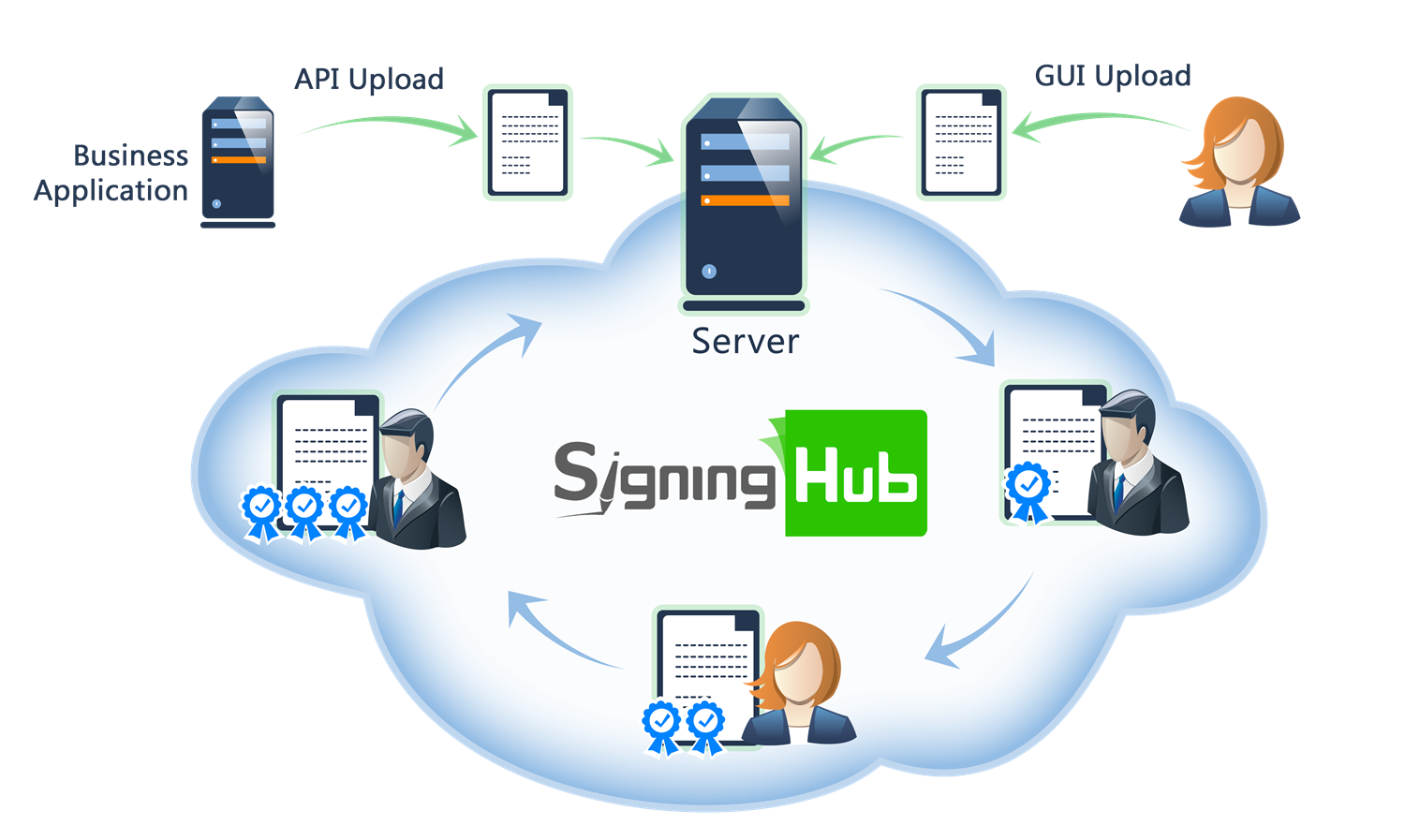
Browse through the API content by selecting the relevant pages from the left panel. To quickly find specific web service information, enter search criteria in the search box on top left.
 .
.More about SigningHub
To know more about SigningHub, explore the following links:
- Go to SigningHub Knowledge Base to view all the relevant information of SigningHub.
-
Visit the Ascertia Community Portal to find answers to contact SigningHub support staff through the
Live Chat provision
.
Our
support staff may be occupied with other priority tasks so live chat is offered on
an "as available" basis.
This guide is intended for developers who will integrate SigningHub into their respective web applications using the RESTful web services, and user interface offered by SigningHub. It is assumed that the reader has a basic knowledge of REST, Java, C#, HTML, JavaScript, HTTP and TLS/SSL. There is no Software Developers Kit (SDK) for the integration, instead the integration uses HTML Forms and JSON so that integration is simple from any language including .Net, Java, PHP etc.
| Main Tags | Most Popular Pages |
|---|---|
|
➤
Welcome
➤ Prerequisites ➤ Access Tokens ➤ Quick Integration ➤ Updates ➤ SignalR ➤ APIs Developer Guide ➤ Appendix |
➤
Authentication
➤ Account Management ➤ Add Package ➤ Upload Document ➤ Get Workflow Details ➤ Sign Document |
Core APIs for managing document packages including creation, retrieval, updates, lifecycle operations, and package-level actions.
APIs for package-level management such as creation, ownership changes, sharing, renaming, deletion, and bulk operations.
Close Document Package
Applications can call this API when a document package is closed by a recipient in the application. This API call will update the document reading status as well as create necessary logs.
path Parameters
| packageId required | integer <int64> Package ID of the package which contains the document. |
header Parameters
| Authorization required | string Default: Bearer {access_token} The OAuth access token obtained as a result of successful authentication via the "password" grant type. |
| Content-Type required | string Default: application/json |
| Accept required | string Default: application/json |
| x-password | string Example: pincode123 The password set by the document owner for accessing the document, if any. If the password has not been set, then the value shall be null. |
| x-otp | string Example: 123456 The One-Time Password (OTP) set by the document owner for accessing the document, if any. If the OTP has not been set, then the value shall be null. |
| x-folder-id | string Example: 0 Specify the folder ID, for retrieving the folder items, when a shared space folder is involved. |
| x-identity-verification | string Example: 798h-879-k3jk5 The Identity Verification token obtained from Get Identity Verification Flow Status, if applicable. If the policy has not been set, then the value shall be null. |
Responses
Response samples
- 401
- 403
- 404
- 500
{- "Message": "string"
}Add Package
This service API is used to add/create a document package to hold one or more documents. This package can then be used to add documents and recipients in order to start a new workflow.
As previously stated, this call is mandatory if you wish to work with documents. A package must exist before you can upload or add documents to SigningHub..
Even a single document is a part of a package: a package containing one document.
Note: A package can be renamed if required once created.
header Parameters
| Authorization required | string Default: Bearer {access_token} The access token obtained as a result of successful authentication via "Password" or "Scope". If "Scope Authentication" was used, then this service will be performed for the user on behalf of the business application. |
| Content-Type required | string Default: application/json |
| Accept required | string Default: application/json |
Request Body schema:
| package_name | string or null The name of the package. Default package name is always "Untitled" if the package_name is not provided. |
| workflow_mode | string (Enumerations.WorkflowMode) Enum: "ME_AND_OTHERS" "ONLY_OTHERS" "ONLY_ME" |
| folder_name | string or null The name of the folder. It will be used to upload package in any folder of the user, either it is a custom folder or a shared folder. |
Responses
Request samples
- Payload
{- "package_name": "string",
- "workflow_mode": "ME_AND_OTHERS",
- "folder_name": "string"
}Response samples
- 200
- 400
- 403
- 404
- 500
{- "package_id": 0,
- "workflow_mode": "string",
- "workflow_type": "string"
}Change Document Package Owner
Business applications can use this service API to change the owner of a document package. The new owner must be part of the same Enterprise as the current owner, and must be in an active state.
The document package must be in either In-Progress or Completed state.
The document package ID is supplied in the URL.
Only the current document owner or an Enterprise Admin can use this method.If an Enterprise Admin is using this call then the access token must be obtained using the scope parameter of the current document owner.
path Parameters
| packageId required | integer <int64> The ID of the document package to change. |
header Parameters
| Authorization required | string Default: Bearer {access_token} The access token obtained as a result of successful authentication via "Password" or "Scope". If "Scope Authentication" was used, then this service will be performed for the user on behalf of the business application. |
| Content-Type required | string Default: application/json |
| Accept required | string Default: application/json |
Request Body schema:
| owner required | string non-empty Email address of the new owner. |
Responses
Request samples
- Payload
{- "owner": "string"
}Response samples
- 401
- 403
- 404
- 500
{- "Message": "string"
}Delete Package
Business applications can use this service API to delete a document from the user inbox. The package ID is provided in the resource URL as "{package_id}". If the document status is PENDING, then it is automatically declined as result of delete operation. If the document status is SHARED, then the document is automatically recalled and workflow is stopped before the document is deleted.
path Parameters
| packageId required | integer <int64> Package ID of the package which contains the document. |
header Parameters
| X-Permanent | string |
| Authorization required | string Default: Bearer {access_token} The access token obtained as a result of successful authentication via "Password" or "Scope". If "Scope Authentication" was used, then this service will be performed for the user on behalf of the business application. |
| Content-Type required | string Default: application/json |
| Accept required | string Default: application/json |
Responses
Response samples
- 401
- 403
- 404
- 500
{- "Message": "string"
}Rename Package
This service API is used to rename a document package.
The document package is identified by its unique identifier in the URL of the call.
path Parameters
| packageId required | integer <int64> Package ID to change the name of. |
header Parameters
| Authorization required | string Default: Bearer {access_token} The access token obtained as a result of successful authentication via "Password" or "Scope". If "Scope Authentication" was used, then this service will be performed for the user on behalf of the business application. |
| Content-Type required | string Default: application/json |
| Accept required | string Default: application/json |
| x-folder-id | string Example: 0 Specify the folder ID, for retrieving the folder items, when a shared space folder is involved. |
Request Body schema:
| package_name required | string non-empty New name of the document package. |
Responses
Request samples
- Payload
{- "package_name": "string"
}Response samples
- 403
- 500
{- "Message": "string"
}Bulk Delete Document Package
Business applications can use this service API to delete a documents from the user inbox. If the document status is PENDING, then it is automatically declined as result of delete operation. If the document status is SHARED, then the document is automatically recalled and workflow is stopped before the document is deleted.
The folder ID is provided in the header as x-folder-id for retrieving folder items.
header Parameters
| Authorization required | string Default: Bearer {access_token} The OAuth access token obtained as a result of successful authentication via the "password" grant type. |
| Content-Type required | string Default: application/json |
| Accept required | string Default: application/json |
| x-folder-id | string Example: 0 Specify the folder ID, for retrieving the folder items, when a shared space folder is involved. |
| x-source | string Example: Library This is the identification of the source of the document from where the document is uploaded, e.g. "My App". |
| x-search-text | string Example: c2FsZXMgY29udHJhY3QgMTA1 Search text sent in headers for further filtration of the documents. Package id, name and document owner can be searched. |
| x-folder | string Example: SU5CT1g= Folder name from where the documents are to be fetched. Possible values are INBOX and ARCHIVE. |
Request Body schema:
| package_ids | Array of integers or null <int64> Ids of the document package. |
| document_status | string (Enumerations.DocumentPackageStatus) Enum: "ALL" "DRAFT" "INPROGRESS" "PENDING" "SIGNED" "COMPLETED" "REVIEWED" "DECLINED" "EDITED" "EXPIRING_IN_SEVEN_DAYS" |
| package_name | string or null The name of the package. |
| recipient_from | string or null The sender who shared the document package. |
| recipient_to | string or null The recipient to whom the document package is sent. |
| document_id | integer or null <int64> Ids of the document. |
| expiry | integer or null <int32> Expiry (Days). |
| modified_from | string or null <date-time> From Modified Date. |
| modified_to | string or null <date-time> To Modified Date |
| size_from | integer or null <int32> From Size (KB) |
| size_to | integer or null <int32> To Size (KB) |
| certified_documents | boolean or null Certified signed documents |
| form_fields | boolean or null Documents that have form fields |
| attachments | boolean or null Documents that have attachments |
| document_type | string (Helper.DocumentType) Enum: "ALL" "PDF" "DOCX" "XML" |
| document_statuses | Array of strings or null (Helper.AllowedDocumentPackageStatus) Enum: "DRAFT" "INPROGRESS" "PENDING" "SIGNED" "COMPLETED" "REVIEWED" "DECLINED" "EDITED" "EXPIRING_IN_SEVEN_DAYS" Document statuses possible values are mentioned above |
| owned_by | string (Enumerations.DocumentOwnedBy) Enum: "ME_OTHERS" "ME" "OTHERS" |
Responses
Request samples
- Payload
{- "package_ids": [
- 0
], - "document_status": "ALL",
- "package_name": "string",
- "recipient_from": "string",
- "recipient_to": "string",
- "document_id": 0,
- "expiry": 0,
- "modified_from": "2019-08-24T14:15:22Z",
- "modified_to": "2019-08-24T14:15:22Z",
- "size_from": 0,
- "size_to": 0,
- "certified_documents": true,
- "form_fields": true,
- "attachments": true,
- "document_type": "ALL",
- "document_statuses": [
- "DRAFT"
], - "owned_by": "ME_OTHERS"
}Response samples
- 200
- 401
- 403
- 404
- 500
[- {
- "id": 0,
- "error_message": "string"
}
]Open Document Package
Applications can call this API when a document package is opened by a recipient in the application. This API call will update the document reading status as well as create necessary logs.
path Parameters
| packageId required | integer <int64> Package ID of the package which contains the document. |
header Parameters
| Authorization required | string Default: Bearer {access_token} The OAuth access token obtained as a result of successful authentication via the "password" grant type. |
| Content-Type required | string Default: application/json |
| Accept required | string Default: application/json |
| x-password | string Example: pincode123 The password set by the document owner for accessing the document, if any. If the password has not been set, then the value shall be null. |
| x-otp | string Example: 123456 The One-Time Password (OTP) set by the document owner for accessing the document, if any. If the OTP has not been set, then the value shall be null. |
| x-folder-id | string Example: 0 Specify the folder ID, for retrieving the folder items, when a shared space folder is involved. |
| x-identity-verification | string The Identity Verification token obtained from Get Identity Verification Flow Status, if applicable. If the policy has not been set, then the value shall be null. |
Responses
Response samples
- 401
- 403
- 404
- 500
{- "Message": "string"
}Get Packages
Business applications can use this service API to get a list of documents filtered by different statuses. Users can divide the records into pages by providing a number of records per page.
path Parameters
| document_status required | string (Enumerations.DocumentPackageStatus) Enum: "ALL" "DRAFT" "INPROGRESS" "PENDING" "SIGNED" "COMPLETED" "REVIEWED" "DECLINED" "EDITED" "EXPIRING_IN_SEVEN_DAYS" Filter by document status possible values are ALL, DRAFT, PENDING, SIGNED, DECLINED, INPROGRESS, EDITED, REVIEWED, COMPLETED, EXPIRING_IN_SEVEN_DAYS. |
| pageNo required | integer <int32> Page number, according the division of records per page. |
| recordPerPage required | integer <int32> Number of records that are needed to be fetched in one request. |
query Parameters
| package-name | string Package Name |
| package-id | integer <int64> Package Id |
| recipient-from | string From |
| recipient-to | string To |
| document-id | integer <int64> Document Id |
| expiry | integer <int32> Expiry (Days) |
| modified-from | string <date-time> From Modified Date |
| modified-to | string <date-time> To Modified Date |
| size-from | integer <int32> From Size (KB) |
| size-to | integer <int32> To Size (KB) |
| certified-documents | boolean Only certified signed documents |
| form-fields | boolean Only documents that have form fields |
| attachments | boolean Only documents that have attachments |
| document-type | string (Helper.DocumentType) Enum: "ALL" "PDF" "DOCX" "XML" Document Type like XML, PDF, DOCX etc |
| sort-by | string (Enumerations.FolderItemSortBy) Enum: "TITLE" "WORKFLOW_TYPE" "DATE_CREATED" "LAST_MODIFIED" "OWNER" "LOCATION" "STATUS" Sort the resultant records as per your choice |
| asc | boolean Default: false Sorted the resultant records by ascending or descending order |
| document-statuses | Array of strings (Helper.AllowedDocumentPackageStatus) Items Enum: "DRAFT" "INPROGRESS" "PENDING" "SIGNED" "COMPLETED" "REVIEWED" "DECLINED" "EDITED" "EXPIRING_IN_SEVEN_DAYS" Document Type |
| owned-by | string (Enumerations.DocumentOwnedBy) Enum: "ME_OTHERS" "ME" "OTHERS" |
| smart-form | string Smart form name |
header Parameters
| Authorization required | string Default: Bearer {access_token} The access token obtained as a result of successful authentication via "Password" or "Scope". If "Scope Authentication" was used, then this service will be performed for the user on behalf of the business application. |
| Content-Type required | string Default: application/json |
| Accept required | string Default: application/json |
| x-folder | string Example: SU5CT1g= Folder name from where the documents are to be fetched. Possible values are INBOX and ARCHIVE. |
| x-search-text | string Example: c2FsZXMgY29udHJhY3QgMTA1 Search text sent in headers for further filtration of the documents. Package id, name and document owner can be searched. |
| x-total-records | string Example: 10 The total number of records found with the provided search criteria. |
| x-source | string Example: Library This is the identification of the source of the document from where the document is uploaded, e.g. "My App". |
| x-recipient-details | string Example: true If "true" is passed recipient details regarding Document Access Duration will be provided along decline information |
Responses
Response samples
- 200
- 401
- 403
- 404
- 500
[- {
- "package_id": 0,
- "package_name": "string",
- "package_owner": "string",
- "owner_name": "string",
- "shared_package": true,
- "gatekeeper_package": true,
- "package_status": "string",
- "extension": "string",
- "workflow_mode": "string",
- "folder": "string",
- "folder_id": 0,
- "unread": true,
- "next_signer": "string",
- "next_signer_email": [
- {
- "user_email": "string",
- "user_name": "string"
}
], - "uploaded_on": "string",
- "modified_on": "string",
- "access_duration": {
- "date_from": "string",
- "date_to": "string"
}, - "decline": {
- "reason": "string",
- "auto_decline": true,
- "declined_by": {
- "user_name": "string",
- "user_email": "string"
}
}, - "size": 0
}
]Get Package Details
Business applications can use this service API to get the details of an package. This API can also be used by the business application to perform action on behalf of the enterprise user via "Scope Authentication".
path Parameters
| packageId required | integer <int64> Package ID of the document package. |
header Parameters
| Authorization required | string Default: Bearer {access_token} The OAuth access token obtained as a result of successful authentication via the "password" grant type. |
| Content-Type required | string Default: application/json |
| Accept required | string Default: application/json |
Responses
Response samples
- 200
- 401
- 403
- 404
- 500
{- "name": "string",
- "owner": {
- "name": "string",
- "email": "string"
}, - "read_only": true,
- "document_status": "string",
- "documents": [
- {
- "id": 0,
- "name": "string",
- "uploaded_on": "string",
- "modified_on": "string",
- "size": 0,
- "type": "string",
- "source": "string"
}
]
}Advanced package operations including export, verification, timeline retrieval, ordering, and workflow-related actions.
Download Package
Business applications can use this service API to download the document package in binary format.
The package ID is provided in the resource URL.
If the package contains only one document, the download is the binary PDF document.
Alternatively, if the package has more than one document, the download is the binary zip file of all documents.
The x-password and x-otp headers are optional. They are required if the document owner set them during the workflow creation phase.
path Parameters
| packageId required | integer <int64> The package ID to be downloaded. |
query Parameters
| document-ids | Array of integers <int64> [ items <int64 > ] The Document IDs parameter is optional. If x-combine-files is set to true, the documents will be merged based on the mentioned documents of the package. |
header Parameters
| Authorization required | string Default: Bearer {access_token} The access token obtained as a result of successful authentication via "Password" or "Scope". If "Scope Authentication" was used, then this service will be performed for the user on behalf of the business application. |
| Content-Type required | string Default: application/json |
| Accept required | string Default: application/json |
| x-password | string Example: pincode123 The password set by the document owner for accessing the document, if any. If the password has not been set, then the value shall be null. |
| x-otp | string Example: 123456 The One-Time Password (OTP) set by the document owner for accessing the document, if any. If the OTP has not been set, then the value shall be null. |
| x-combine-files | string Example: false The default value is false, Set to "true" to combine the entire document package into a single PDF file. |
| x-folder-id | string Example: 0 Specify the folder ID, for retrieving the folder items, when a shared space folder is involved. |
| x-identity-verification | string The Identity Verification token obtained from Get Identity Verification Flow Status, if applicable. If the policy has not been set, then the value shall be null. |
Responses
Response samples
- 200
- 401
- 403
- 404
- 500
"string"Bulk Download Packages
Business applications can use this service API to download the bulk document packages in binary format.
The package ID is provided in the resource URL.
If the package contains only one document, the download is the binary PDF document.
Alternatively, if the package has more than one document, the download is the binary zip file of all documents.
query Parameters
| ids | Array of integers <int64> [ items <int64 > ] List of package ids |
| document-status | string (Enumerations.DocumentPackageStatus) Enum: "ALL" "DRAFT" "INPROGRESS" "PENDING" "SIGNED" "COMPLETED" "REVIEWED" "DECLINED" "EDITED" "EXPIRING_IN_SEVEN_DAYS" Filter by document status possible values are mentioned above. |
| package-name | string Package Name |
| recipient-from | string From |
| recipient-to | string To |
| document-id | integer <int64> Document Id |
| expiry | integer <int32> Expiry (Days) |
| modified-from | string <date-time> From Modified Date |
| modified-to | string <date-time> To Modified Date |
| size-from | integer <int32> From Size (KB) |
| size-to | integer <int32> To Size (KB) |
| certified-documents | boolean Only certified signed documents |
| form-fields | boolean Only documents that have form fields |
| attachments | boolean Only documents that have attachments |
| document-type | string (Helper.DocumentType) Enum: "ALL" "PDF" "DOCX" "XML" Filter by document type possible values are mentioned above |
| document-statuses | Array of strings (Helper.AllowedDocumentPackageStatus) Items Enum: "DRAFT" "INPROGRESS" "PENDING" "SIGNED" "COMPLETED" "REVIEWED" "DECLINED" "EDITED" "EXPIRING_IN_SEVEN_DAYS" Filter by document statuses possible values are mentioned above |
| owned-by | string (Enumerations.DocumentOwnedBy) Enum: "ME_OTHERS" "ME" "OTHERS" |
header Parameters
| Authorization required | string Default: Bearer {access_token} The OAuth access token obtained as a result of successful authentication via the "password" grant type. |
| Content-Type required | string Default: application/json |
| Accept required | string Default: application/json |
| x-folder-id | string Example: 0 Specify the folder ID, for retrieving the folder items, when a shared space folder is involved. |
| x-source | string Example: Library This is the identification of the source of the document from where the document is uploaded, e.g. "My App". |
| x-search-text | string Example: c2FsZXMgY29udHJhY3QgMTA1 Search text sent in headers for further filtration of the documents. Package id, name and document owner can be searched. |
| x-folder | string Example: SU5CT1g= Folder name from where the documents are to be fetched. Possible values are INBOX and ARCHIVE. |
Responses
Response samples
- 200
- 401
- 403
- 404
- 500
"string"Download Package (Base64)
Business applications can use this service API to download the document in Base64 encoded byte format.
The package ID is provided in the resource URL.
If the package contains only one document, the download is the Base64 encoded PDF document.
Alternatively, if the package has more than one document, the download is the Base64 encoded zip file of all documents.
The x-password and x-otp headers are optional. They are required if the document owner set them during the workflow creation phase.
path Parameters
| packageId required | integer <int64> The package ID to be downloaded. |
query Parameters
| document-ids | Array of integers <int64> [ items <int64 > ] The Document IDs parameter is optional. If x-combine-files is set to true, the documents will be merged based on the mentioned documents of the package. |
header Parameters
| Authorization required | string Default: Bearer {access_token} The access token obtained as a result of successful authentication via "Password" or "Scope". If "Scope Authentication" was used, then this service will be performed for the user on behalf of the business application. |
| Content-Type required | string Default: application/json |
| Accept required | string Default: application/json |
| x-password | string Example: pincode123 The password set by the document owner for accessing the document, if any. If the password has not been set, then the value shall be null. |
| x-otp | string Example: 123456 The One-Time Password (OTP) set by the document owner for accessing the document, if any. If the OTP has not been set, then the value shall be null. |
| x-combine-files | string Example: false The default value is false, Set to "true" to combine the entire document package into a single PDF file. |
| x-folder-id | string Example: 0 Specify the folder ID, for retrieving the folder items, when a shared space folder is involved. |
| x-identity-verification | string The Identity Verification token obtained from Get Identity Verification Flow Status, if applicable. If the policy has not been set, then the value shall be null. |
Responses
Response samples
- 200
- 401
- 403
- 404
- 500
"string"Get Package Verification
Business applications can use this service API to get verification results for all the digital signature fields of all documents in a single package.
path Parameters
| packageId required | integer <int64> Package ID of the package to which the document is added. |
header Parameters
| Authorization required | string Default: Bearer {access_token} The access token obtained as a result of successful authentication via "Password" or "Scope". If "Scope Authentication" was used, then this service will be performed for the user on behalf of the business application. |
| Content-Type required | string Default: application/json |
| Accept required | string Default: application/json |
| x-base64 required | string Example: false True if response should have images in base64 format. False will only return the resource URLs in response. |
| x-folder-id | string Example: 0 Specify the folder ID, for retrieving the folder items, when a shared space folder is involved. |
Responses
Response samples
- 200
- 403
- 500
[- {
- "document_id": 0,
- "fields": [
- {
- "field_name": "string",
- "signer_name": "string",
- "signer_photo": "string",
- "signer_photo_url": "string",
- "signature_status": "string",
- "signing_reason": "string",
- "signing_location": "string",
- "contact_information": "string",
- "signing_time": "string",
- "ltv": true,
- "qualified": true,
- "certified": true,
- "certify_permission": "string",
- "timestamp_at": "string",
- "timestamp_authority": "string",
- "subject_dn": "string",
- "issuer_dn": "string",
- "cert_valid_from": "string",
- "cert_valid_to": "string",
- "signature_type": "string",
- "signature_application": "string",
- "signature_policy_id": 0,
- "signature_policy_uri": "string",
- "signature_algorithm": "string",
- "signed_hash": "string",
- "display": "string",
- "page_number": 0,
- "lei_number": "string",
- "lei_role": "string",
- "error_message": "string"
}
]
}
]Export Packages
Business applications can use this service API to export list of documents filtered by different statuses. Users can divide the records into pages by providing a number of records per page.
path Parameters
| document_status required | string (Enumerations.DocumentPackageStatus) Enum: "ALL" "DRAFT" "INPROGRESS" "PENDING" "SIGNED" "COMPLETED" "REVIEWED" "DECLINED" "EDITED" "EXPIRING_IN_SEVEN_DAYS" Filter by document status possible values are ALL, DRAFT, PENDING, SIGNED, DECLINED, INPROGRESS, EDITED, REVIEWED, COMPLETED, EXPIRING_IN_SEVEN_DAYS. |
| pageNo required | integer <int32> Page number, according the division of records per page. |
| recordPerPage required | integer <int32> Number of records that are needed to be fetched in one request. |
query Parameters
| package-name | string Package Name |
| package-id | integer <int64> Package Id |
| recipient-from | string From |
| recipient-to | string To |
| document-id | integer <int64> Document Id |
| expiry | integer <int32> Expiry (Days) |
| modified-from | string <date-time> From Modified Date |
| modified-to | string <date-time> To Modified Date |
| size-from | integer <int32> From Size (KB) |
| size-to | integer <int32> To Size (KB) |
| certified-documents | boolean Only certified signed documents |
| form-fields | boolean Only documents that have form fields |
| attachments | boolean Only documents that have attachments |
| document-type | string (Helper.DocumentType) Enum: "ALL" "PDF" "DOCX" "XML" Document Type like XML, PDF, DOCX etc |
| sort-by | string (Enumerations.FolderItemSortBy) Enum: "TITLE" "WORKFLOW_TYPE" "DATE_CREATED" "LAST_MODIFIED" "OWNER" "LOCATION" "STATUS" Sort the resultant records as per your choice |
| asc | boolean Default: false Sorted the resultant records by ascending or descending order |
| document-statuses | Array of strings (Helper.AllowedDocumentPackageStatus) Items Enum: "DRAFT" "INPROGRESS" "PENDING" "SIGNED" "COMPLETED" "REVIEWED" "DECLINED" "EDITED" "EXPIRING_IN_SEVEN_DAYS" Document Type |
| owned-by | string (Enumerations.DocumentOwnedBy) Enum: "ME_OTHERS" "ME" "OTHERS" |
| ids | Array of integers <int64> [ items <int64 > ] Selected package Ids |
| smart-form | string Smart form name |
header Parameters
| Authorization required | string Default: Bearer {access_token} The OAuth access token obtained as a result of successful authentication via the "password" grant type. |
| Content-Type required | string Default: application/json |
| Accept required | string Default: application/json |
| x-folder | string Example: SU5CT1g= Folder name from where the documents are to be fetched. Possible values are INBOX and ARCHIVE. |
| x-search-text | string Example: c2FsZXMgY29udHJhY3QgMTA1 Search text sent in headers for further filtration of the documents. Package id, name and document owner can be searched. |
| x-source | string Example: Library This is the identification of the source of the document from where the document is uploaded, e.g. "My App". |
Responses
Response samples
- 200
- 401
- 403
- 404
- 500
"string"Get Package Timeline
Business applications can use this service API to get an package timeline details. However, in the following cases, the API will not return document timeline in response:
If the document is in "Draft" mode.
If the workflow type was set to "Only Me".
If in the workflow the recipient's role is configured as "Send a Copy".
path Parameters
| packageId required | integer <int64> Package ID of the document package. |
header Parameters
| Authorization required | string Default: Bearer {access_token} The OAuth access token obtained as a result of successful authentication via the "password" grant type. |
| Content-Type required | string Default: application/json |
| Accept required | string Default: application/json |
| x-folder-id | string Example: 0 Specify the folder ID, for retrieving the folder items, when a shared space folder is involved. |
Responses
Response samples
- 200
- 400
- 401
- 403
- 404
- 500
{- "package_name": "string",
- "process_status": "string",
- "shared_on": "string",
- "processed_on": "string",
- "time_taken": {
- "years": 0,
- "months": 0,
- "days": 0,
- "hours": 0,
- "minutes": 0,
- "seconds": 0,
- "milliseconds": 0
}, - "timeline_details": [
- {
- "user_name": "string",
- "user_email": "string",
- "recipient_id": 0,
- "recipient_type": "string",
- "recipient_signing_order": 0,
- "recipient_picture_url": "string",
- "recipient_process_status": "string",
- "group_recipient": true,
- "delegator": {
- "user_name": "string",
- "user_email": "string"
}, - "gatekeepers": [
- {
- "user_name": "string",
- "user_email": "string",
- "picture_url": "string",
- "process_status": "string",
- "shared_on": "string",
- "processed_on": "string",
- "processed_by_email": "string",
- "processed_by_name": "string",
- "time_taken": {
- "years": 0,
- "months": 0,
- "days": 0,
- "hours": 0,
- "minutes": 0,
- "seconds": 0,
- "milliseconds": 0
}
}
], - "shared_on": "string",
- "processed_on": "string",
- "processed_by_email": "string",
- "processed_by_name": "string",
- "recalled": true,
- "time_taken": {
- "years": 0,
- "months": 0,
- "days": 0,
- "hours": 0,
- "minutes": 0,
- "seconds": 0,
- "milliseconds": 0
}
}
]
}Export Package Timeline
Business applications can use this service API to export a package timeline details.
path Parameters
| packageId required | integer <int64> Package ID of the document package. |
header Parameters
| Authorization required | string Default: Bearer {access_token} The OAuth access token obtained as a result of successful authentication via the "password" grant type. |
| Content-Type required | string Default: application/json |
| Accept required | string Default: application/json |
| x-folder-id | string Example: 0 Specify the folder ID, for retrieving the folder items, when a shared space folder is involved. |
Responses
Response samples
- 200
- 401
- 403
- 404
- 500
"string"APIs for managing individual documents within a package including upload, download, update, delete, merge, and metadata operations.
Update Document Properties
Business applications can use this service API to choose which properties (i.e., Signatures, Attachments, and PDF/A Compliance) they want to retain in a document.
path Parameters
| packageId required | integer <int64> Package ID of the package to which the document is added |
| documentId required | integer <int64> ID of the document to be updated. |
header Parameters
| Authorization required | string Default: Bearer {access_token} The access token obtained as a result of successful authentication via "Password" or "Scope". If "Scope Authentication" was used, then this service will be performed for the user on behalf of the business application. |
| Content-Type required | string Default: application/json |
| Accept required | string Default: application/json |
Request Body schema:
| signed_signature_fields | boolean or null Keep signed signatures. Default value for this parameter set to true. |
| attachments | boolean or null Keep attachments. Default value for this parameter set to true. |
| conformance_level | boolean or null Keep conformance level. Default value for this parameter set to true. |
Responses
Request samples
- Payload
{- "signed_signature_fields": true,
- "attachments": true,
- "conformance_level": true
}Response samples
- 400
- 403
- 404
- 500
{- "Message": "string"
}Delete Document
Business applications can use this service API to delete a document in a package.
path Parameters
| packageId required | integer <int64> Package ID of the package to which the document is added. |
| documentId required | integer <int64> ID of the document to be deleted. |
header Parameters
| Authorization required | string Default: Bearer {access_token} The access token obtained as a result of successful authentication via "Password" or "Scope". If "Scope Authentication" was used, then this service will be performed for the user on behalf of the business application. |
| Content-Type required | string Default: application/json |
| Accept required | string Default: application/json |
Responses
Response samples
- 200
- 403
- 500
{- "package_name": "string"
}Download Document
Business applications can use this service API to download the document bytes. The package ID and document ID is provided in the resource URL.
path Parameters
| packageId required | integer <int64> Package ID of the package to which the document is added. |
| documentId required | integer <int64> The ID of the document to be downloaded. |
header Parameters
| Authorization required | string Default: Bearer {access_token} The access token obtained as a result of successful authentication via "Password" or "Scope". If "Scope Authentication" was used, then this service will be performed for the user on behalf of the business application. |
| Content-Type required | string Default: application/json |
| Accept required | string Default: application/json |
| x-password | string Example: pincode123 The password set by the document owner for accessing the document, if any. If the password has not been set, then the value shall be null. |
| x-otp | string Example: 123456 The One-Time Password (OTP) set by the document owner for accessing the document, if any. If the OTP has not been set, then the value shall be null. |
| x-folder-id | string Example: 0 Specify the folder ID, for retrieving the folder items, when a shared space folder is involved. |
| x-identity-verification | string The Identity Verification token obtained from Get Identity Verification Flow Status, if applicable. If the policy has not been set, then the value shall be null. |
Responses
Response samples
- 200
- 401
- 403
- 404
- 500
"string"Rename Document
Business applications can use this service API to rename a document in a package.
path Parameters
| packageId required | integer <int64> Package ID of the package to which the document is added. |
| documentId required | integer <int64> The ID of the document to on which the action is to be performed. |
header Parameters
| Authorization required | string Default: Bearer {access_token} The access token obtained as a result of successful authentication via "Password" or "Scope". If "Scope Authentication" was used, then this service will be performed for the user on behalf of the business application. |
| Content-Type required | string Default: application/json |
| Accept required | string Default: application/json |
Request Body schema:
| document_name required | string non-empty New name of the document. |
Responses
Request samples
- Payload
{- "document_name": "string"
}Response samples
- 200
- 403
- 500
{- "package_name": "string"
}Upload XML StyleSheet (.XSLT)
Business applications can use this service API to upload an XSLT StyleSheet to transform an XML document into HTML formatted PDF document on SigningHub viewer. This API is support client credential scope too to upload XSLT StyleSheet and it will restrict to upload XSLT StyleSheet if document is signed and target document is not XML
path Parameters
| packageId required | integer <int64> Package ID of the package to which the XML document is belonged. |
| documentId required | integer <int64> Document ID of the XML document that need to formatted. |
header Parameters
| Authorization required | string Default: Bearer {access_token} The access token obtained as a result of successful authentication via "Password" or "Scope". If "Scope Authentication" was used, then this service will be performed for the user on behalf of the business application. |
| Content-Type required | string Default: application/octet-stream |
| Accept required | string Default: application/json |
| x-file-name | string Example: Test file.pdf It's the name of file with extension. |
Request Body schema: multipart/form-data
| file (binary Stream) required | string <binary> Default: "" This is the document in the raw binary format. |
Responses
Response samples
- 201
- 400
- 401
- 403
- 500
{- "documentId": 0,
- "document_id": 0,
- "document_name": "string",
- "document_order": 0,
- "document_type": "string",
- "document_source": "string",
- "document_width": 0,
- "document_height": 0,
- "document_pages": 0,
- "uploaded_on": "2019-08-24T14:15:22Z",
- "modified_on": "2019-08-24T14:15:22Z",
- "lock_form_fields": true,
- "certify": {
- "enabled": true,
- "allowed_permissions": [
- "string"
], - "default_permission": "string"
}, - "document_size": 0,
- "metadata": {
- "attachments": true,
- "form_fields": true,
- "blank_signatures": true,
- "signed_signatures": true,
- "conformance": "string",
- "locked": true,
- "certify": "string",
- "qr_code": true
}, - "package_name": "string",
- "property1": null,
- "property2": null
}Download Document (Base64)
Business applications can use this service API to download the document in base64 string format. The package and document ID is provided in the resource URL.
path Parameters
| packageId required | integer <int64> Package ID of the package to which the document is added. |
| documentId required | integer <int64> The ID of the document to be downloaded. |
header Parameters
| Authorization required | string Default: Bearer {access_token} The access token obtained as a result of successful authentication via "Password" or "Scope". If "Scope Authentication" was used, then this service will be performed for the user on behalf of the business application. |
| Content-Type required | string Default: application/json |
| Accept required | string Default: application/json |
| x-password | string Example: pincode123 The password set by the document owner for accessing the document, if any. If the password has not been set, then the value shall be null. |
| x-otp | string Example: 123456 The One-Time Password (OTP) set by the document owner for accessing the document, if any. If the OTP has not been set, then the value shall be null. |
| x-folder-id | string Example: 0 Specify the folder ID, for retrieving the folder items, when a shared space folder is involved. |
| x-identity-verification | string The Identity Verification token obtained from Get Identity Verification Flow Status, if applicable. If the policy has not been set, then the value shall be null. |
Responses
Response samples
- 200
- 401
- 403
- 404
- 500
"string"Upload XML StyleSheet (.XSLT) Base64
Business applications can use this service API to upload an XSLT StyleSheet (base64) to transform an XML document into HTML formatted PDF document on SigningHub viewer. This API is support client credential scope too to upload XSLT StyleSheet (base64) and it will restrict to upload XSLT StyleSheet if document is signed and target document is not XML
path Parameters
| packageId required | integer <int64> Package ID of the package to which the XML document is belonged. |
| documentId required | integer <int64> Document ID of the XML document that need to formatted. |
header Parameters
| Authorization required | string Default: Bearer {access_token} The access token obtained as a result of successful authentication via "Password" or "Scope". If "Scope Authentication" was used, then this service will be performed for the user on behalf of the business application. |
| Content-Type required | string Default: application/json |
| Accept required | string Default: application/json |
| x-file-name | string Example: Test file.pdf It's the name of file with extension. |
| x-base64 required | string Example: true True mean uploaded document is in base64 format. |
Request Body schema:
| document required | string non-empty Base64 converted string of XML Beautifier file (.XSLT) need to upload |
Responses
Request samples
- Payload
{- "document": "string"
}Response samples
- 201
- 400
- 401
- 403
- 500
{- "documentId": 0,
- "document_id": 0,
- "document_name": "string",
- "document_order": 0,
- "document_type": "string",
- "document_source": "string",
- "document_width": 0,
- "document_height": 0,
- "document_pages": 0,
- "uploaded_on": "2019-08-24T14:15:22Z",
- "modified_on": "2019-08-24T14:15:22Z",
- "lock_form_fields": true,
- "certify": {
- "enabled": true,
- "allowed_permissions": [
- "string"
], - "default_permission": "string"
}, - "document_size": 0,
- "metadata": {
- "attachments": true,
- "form_fields": true,
- "blank_signatures": true,
- "signed_signatures": true,
- "conformance": "string",
- "locked": true,
- "certify": "string",
- "qr_code": true
}, - "package_name": "string",
- "property1": null,
- "property2": null
}Upload Document Base64
path Parameters
| packageId required | integer <int64> Package ID of the package to which the document is being added. |
header Parameters
| Authorization required | string Default: Bearer {access_token} The access token obtained as a result of successful authentication via "Password" or "Scope". If "Scope Authentication" was used, then this service will be performed for the user on behalf of the business application. |
| Content-Type required | string Default: application/json |
| Accept required | string Default: application/json |
| x-file-name | string Example: Test file.pdf It's the name of file with extension. |
| x-convert-document | string Example: true This identifies whether to convert the document to a PDF or if it should be retained in its original format. Note the only original format supported is currently Word & XML. All other document types will result in an error if this header value is set to "false". If uploading a PDF document this Header can be omitted. |
| x-source | string Example: API This is the identification of the source of the document from where the document is uploaded, e.g. "My App". |
| x-base64 required | string Example: true True mean uploaded document is in base64 format. |
Request Body schema:
| document required | string non-empty Base64 converted string of document need to upload |
Responses
Request samples
- Payload
{- "document": "string"
}Response samples
- 201
- 400
- 401
- 403
- 500
{- "documentId": 0,
- "document_id": 0,
- "document_name": "string",
- "document_order": 0,
- "document_type": "string",
- "document_source": "string",
- "document_width": 0,
- "document_height": 0,
- "document_pages": 0,
- "uploaded_on": "2019-08-24T14:15:22Z",
- "modified_on": "2019-08-24T14:15:22Z",
- "lock_form_fields": true,
- "certify": {
- "enabled": true,
- "allowed_permissions": [
- "string"
], - "default_permission": "string"
}, - "document_size": 0,
- "metadata": {
- "attachments": true,
- "form_fields": true,
- "blank_signatures": true,
- "signed_signatures": true,
- "conformance": "string",
- "locked": true,
- "certify": "string",
- "qr_code": true
}, - "package_name": "string",
- "property1": null,
- "property2": null
}Add or Update Document from Library
Business applications can use this service API to add a document from the user’s library to a package. Package ID is provided in the URL, the ID of the document should also be provided as “document_id” in the resource URL to identify the library document to be copied.
Note a package must already exist before you can add a document using this call.
path Parameters
| packageId required | integer <int64> The Package ID of the package to which the document is being added. |
| documentId required | integer <int64> The library document ID that need to add/updated |
header Parameters
| Authorization required | string Default: Bearer {access_token} The access token obtained as a result of successful authentication via "Password" or "Scope". If "Scope Authentication" was used, then this service will be performed for the user on behalf of the business application. |
| Content-Type required | string Default: application/json |
| Accept required | string Default: application/json |
| x-document-id | string Example: 0 Id of the old document of current package that need to be updated |
Responses
Response samples
- 201
- 401
- 403
- 404
- 500
{- "document_id": 0,
- "document_name": "string",
- "document_size": 0,
- "document_order": 0,
- "document_type": "string",
- "document_source": "string",
- "document_width": 0,
- "document_height": 0,
- "document_pages": 0,
- "uploaded_on": "2019-08-24T14:15:22Z",
- "modified_on": "2019-08-24T14:15:22Z",
- "form_fields": true,
- "lock_form_fields": true,
- "certify": {
- "enabled": true,
- "allowed_permissions": [
- "string"
], - "default_permission": "string",
- "permission": "string"
}, - "template": {
- "template_name": "string",
- "read_only": true
}, - "package_name": "string",
- "metadata": {
- "attachments": true,
- "form_fields": true,
- "blank_signatures": true,
- "signed_signatures": true,
- "conformance": "string",
- "locked": true,
- "certify": "string",
- "qr_code": true
}
}Upload Document
Business applications can use this service API to add a document to a document package linked to an enterprise user’s account. The document information is sent in the HTTP request header and document bytes are sent in the HTTP request body. Note SigningHub will convert supported document formats to PDF if the header "x-convert-document" is set to a value of "true". The only case supported where this value is set to "false" is to retain Word format and XML documents.
SigningHub supports a wide variety of document formats, each of which can be converted to PDF format upon upload. Click here for the full list.
Note PDF documents are not altered upon upload to the system.
Note a package must already exist before you can add a document using this call.
path Parameters
| packageId required | integer <int64> Package ID of the package to which the document is being added. |
header Parameters
| Authorization required | string Default: Bearer {access_token} The access token obtained as a result of successful authentication via "Password" or "Scope". If "Scope Authentication" was used, then this service will be performed for the user on behalf of the business application. |
| Content-Type required | string Default: application/octet-stream |
| Accept required | string Default: application/json |
| x-file-name | string Example: Test file.pdf It's the name of file with extension. |
| x-convert-document | string Example: true This identifies whether to convert the document to a PDF or if it should be retained in its original format. Note the only original format supported is currently Word & XML. All other document types will result in an error if this header value is set to "false". If uploading a PDF document this Header can be omitted. |
| x-source | string Example: API This is the identification of the source of the document from where the document is uploaded, e.g. "My App". |
Request Body schema: multipart/form-data
| file (binary Stream) required | string <binary> Default: "" This is the document in the raw binary format. |
Responses
Response samples
- 201
- 400
- 401
- 403
- 500
{- "documentId": 0,
- "document_id": 0,
- "document_name": "string",
- "document_order": 0,
- "document_type": "string",
- "document_source": "string",
- "document_width": 0,
- "document_height": 0,
- "document_pages": 0,
- "uploaded_on": "2019-08-24T14:15:22Z",
- "modified_on": "2019-08-24T14:15:22Z",
- "lock_form_fields": true,
- "certify": {
- "enabled": true,
- "allowed_permissions": [
- "string"
], - "default_permission": "string"
}, - "document_size": 0,
- "metadata": {
- "attachments": true,
- "form_fields": true,
- "blank_signatures": true,
- "signed_signatures": true,
- "conformance": "string",
- "locked": true,
- "certify": "string",
- "qr_code": true
}, - "package_name": "string",
- "property1": null,
- "property2": null
}Multipart Document Upload
Business applications can use this service API to upload a document in parts to a document package linked to an enterprise user’s account. Client application could divide document in any size. e.g. 1MB chunk.
The document information is sent in the HTTP request header and document bytes are sent in the HTTP request body. Note SigningHub will convert supported document formats to PDF if the header "x-convert-document" is set to a value of "true". The only case supported where this value is set to "false" is to retain Word format and XML documents.
SigningHub supports a wide variety of document formats, each of which can be converted to PDF format upon upload. Click here for the full list.
Note PDF documents are not altered upon upload to the system.
Note a package must already exist before you can add a document using this call.
path Parameters
| packageId required | integer <int64> Package ID of the package to which the document is being added. |
header Parameters
| Authorization required | string Default: Bearer {access_token} The OAuth access token obtained as a result of successful authentication via the "password" grant type. |
| Content-Type required | string Default: application/octet-stream |
| Accept required | string Default: application/json |
| x-file-name required | string Example: Test file.pdf It's the name of file with extension. |
| x-convert-document | string Example: true This identifies whether to convert the document to a PDF or if it should be retained in its original format. Note the only original format supported is currently Word & XML. All other document types will result in an error if this header value is set to "false". If uploading a PDF document this Header can be omitted. |
| x-source required | string Example: FILE_SYSTEM | LIBRARY | SHAREPOINT | SALES_FORCE | DROPBOX | MS_OFFICE | GOOGLE_DRIVE | ONEDRIVE | API This is the identification of the source of the document from where the document is uploaded, e.g. "My App". |
| x-file-part-no required | string Example: 1 File part number being send to API in request. Started from 1 |
| x-total-parts required | string Example: 10 Total number of parts in which file is divided. Minimum value is 1 |
Request Body schema: application/json
This is the document in the raw binary format.
Responses
Request samples
- Payload
""Response samples
- 201
- 400
- 401
- 403
- 500
{- "documentId": 0,
- "document_id": 0,
- "document_name": "string",
- "document_order": 0,
- "document_type": "string",
- "document_source": "string",
- "document_width": 0,
- "document_height": 0,
- "document_pages": 0,
- "uploaded_on": "2019-08-24T14:15:22Z",
- "modified_on": "2019-08-24T14:15:22Z",
- "lock_form_fields": true,
- "certify": {
- "enabled": true,
- "allowed_permissions": [
- "string"
], - "default_permission": "string"
}, - "document_size": 0,
- "metadata": {
- "attachments": true,
- "form_fields": true,
- "blank_signatures": true,
- "signed_signatures": true,
- "conformance": "string",
- "locked": true,
- "certify": "string",
- "qr_code": true
}, - "package_name": "string",
- "property1": null,
- "property2": null
}Multipart Document Update
Business applications can use this service API to update a document in parts to a document package. Client application could divide document in any size. e.g. 1MB chunk.
The document information is sent in the HTTP request header and document bytes are sent in the HTTP request body. Note SigningHub will convert supported document formats to PDF if the header "x-convert-document" is set to a value of "true". The only case supported where this value is set to "false" is to retain Word format and XML documents.
SigningHub supports a wide variety of document formats, each of which can be converted to PDF format upon upload. Click here for the full list.
Note PDF documents are not altered upon upload to the system.
path Parameters
| packageId required | integer <int64> Package ID of the package to which the document is being added. |
| documentId required | integer <int64> Id of the document that need to be updated. |
header Parameters
| Authorization required | string Default: Bearer {access_token} The OAuth access token obtained as a result of successful authentication via the "password" grant type. |
| Content-Type required | string Default: application/json |
| Accept required | string Default: application/json |
| x-file-name required | string Example: Test file.pdf It's the name of file with extension. |
| x-convert-document | string Example: true This identifies whether to convert the document to a PDF or if it should be retained in its original format. Note the only original format supported is currently Word & XML. All other document types will result in an error if this header value is set to "false". If uploading a PDF document this Header can be omitted. |
| x-source required | string Example: FILE_SYSTEM | LIBRARY | SHAREPOINT | SALES_FORCE | DROPBOX | MS_OFFICE | GOOGLE_DRIVE | ONEDRIVE | API This is the identification of the source of the document from where the document is uploaded, e.g. "My App". |
| x-file-part-no required | string Example: 1 File part number being send to API in request. Started from 1 |
| x-total-parts required | string Example: 10 Total number of parts in which file is divided. Minimum value is 1 |
Request Body schema: application/json
This is the document in the raw binary format.
Responses
Request samples
- Payload
""Response samples
- 200
- 400
- 401
- 403
- 500
{- "documentId": 0,
- "document_id": 0,
- "document_name": "string",
- "document_order": 0,
- "document_type": "string",
- "document_source": "string",
- "document_width": 0,
- "document_height": 0,
- "document_pages": 0,
- "uploaded_on": "2019-08-24T14:15:22Z",
- "modified_on": "2019-08-24T14:15:22Z",
- "lock_form_fields": true,
- "certify": {
- "enabled": true,
- "allowed_permissions": [
- "string"
], - "default_permission": "string"
}, - "document_size": 0,
- "metadata": {
- "attachments": true,
- "form_fields": true,
- "blank_signatures": true,
- "signed_signatures": true,
- "conformance": "string",
- "locked": true,
- "certify": "string",
- "qr_code": true
}, - "package_name": "string",
- "property1": null,
- "property2": null
}Update Document
Business applications can use this service API to update a document of a document package. The document information is sent in the HTTP request header and document bytes are sent in the HTTP request body.
SigningHub supports a wide variety of document formats, each of which can be converted to PDF format upon upload.
Note PDF documents are not altered upon upload to the system.
Note a package must already exist before you can add a document using this call.
Note this feature is supported only for PDF documents.
path Parameters
| packageId required | integer <int64> Package ID of the package to which the document is belong. |
| documentId required | integer <int64> Id of the document that need to be updated. |
header Parameters
| Authorization required | string Default: Bearer {access_token} The OAuth access token obtained as a result of successful authentication via the "password" grant type. |
| Content-Type required | string Default: application/octet-stream |
| Accept required | string Default: application/json |
| x-file-name | string Example: Test file.pdf It's the name of file with extension. |
| x-source | string Example: API This is the identification of the source of the document from where the document is uploaded, e.g. "My App". |
Request Body schema: multipart/form-data
| file (binary Stream) required | string <binary> Default: "" This is the document in the raw binary format. |
Responses
Response samples
- 200
- 400
- 401
- 403
- 500
{- "documentId": 0,
- "document_id": 0,
- "document_name": "string",
- "document_order": 0,
- "document_type": "string",
- "document_source": "string",
- "document_width": 0,
- "document_height": 0,
- "document_pages": 0,
- "uploaded_on": "2019-08-24T14:15:22Z",
- "modified_on": "2019-08-24T14:15:22Z",
- "lock_form_fields": true,
- "certify": {
- "enabled": true,
- "allowed_permissions": [
- "string"
], - "default_permission": "string"
}, - "document_size": 0,
- "metadata": {
- "attachments": true,
- "form_fields": true,
- "blank_signatures": true,
- "signed_signatures": true,
- "conformance": "string",
- "locked": true,
- "certify": "string",
- "qr_code": true
}, - "package_name": "string",
- "property1": null,
- "property2": null
}Get Document Details
Business applications can use this service API to get the document details. The document ID is provided in the URL as “{document_id}”.
path Parameters
| packageId required | integer <int64> The Package ID of the package to which the document is added. |
| documentId required | integer <int64> The document ID for which the document details are requested. |
header Parameters
| Authorization required | string Default: Bearer {access_token} The access token obtained as a result of successful authentication via "Password" or "Scope". If "Scope Authentication" was used, then this service will be performed for the user on behalf of the business application. |
| Content-Type required | string Default: application/json |
| Accept required | string Default: application/json |
| x-password | string Example: pincode123 The password set by the document owner for accessing the document, if any. If the password has not been set, then the value shall be null. |
| x-otp | string Example: 123456 The One-Time Password (OTP) set by the document owner for accessing the document, if any. If the OTP has not been set, then the value shall be null. |
| x-folder-id | string Example: 0 Specify the folder ID, for retrieving the folder items, when a shared space folder is involved. |
| x-identity-verification | string The Identity Verification token obtained from Get Identity Verification Flow Status, if applicable. If the policy has not been set, then the value shall be null. |
Responses
Response samples
- 200
- 401
- 403
- 404
- 500
{- "document_id": 0,
- "document_name": "string",
- "document_order": 0,
- "document_type": "string",
- "document_width": 0,
- "document_height": 0,
- "document_source": "string",
- "document_pages": 0,
- "form_fields": true,
- "lock_form_fields": true,
- "uploaded_on": "string",
- "modified_on": "string",
- "certify": {
- "enabled": true,
- "permission": "string"
}, - "template": {
- "template_name": "string",
- "read_only": true
}
}Get Document Verification
Business applications can use this service API to get verification results for all the digital signature fields of a document in a package.
path Parameters
| packageId required | integer <int64> Package ID of the package to which the document is added. |
| documentId required | integer <int64> The ID of the document to be downloaded. |
header Parameters
| Authorization required | string Default: Bearer {access_token} The access token obtained as a result of successful authentication via "Password" or "Scope". If "Scope Authentication" was used, then this service will be performed for the user on behalf of the business application. |
| Content-Type required | string Default: application/json |
| Accept required | string Default: application/json |
| x-base64 required | string Example: true True if response should have images in base64 format. False will only return the resource URLs in response. |
| x-folder-id | string Example: 0 Specify the folder ID, for retrieving the folder items, when a shared space folder is involved. |
Responses
Response samples
- 200
- 403
- 500
[- {
- "field_name": "string",
- "signer_name": "string",
- "signer_photo": "string",
- "signer_photo_url": "string",
- "signature_status": "string",
- "signing_reason": "string",
- "signing_location": "string",
- "contact_information": "string",
- "signing_time": "string",
- "ltv": true,
- "qualified": true,
- "certified": true,
- "certify_permission": "string",
- "timestamp_at": "string",
- "timestamp_authority": "string",
- "subject_dn": "string",
- "issuer_dn": "string",
- "cert_valid_from": "string",
- "cert_valid_to": "string",
- "signature_type": "string",
- "signature_application": "string",
- "signature_policy_id": 0,
- "signature_policy_uri": "string",
- "signature_algorithm": "string",
- "signed_hash": "string",
- "display": "string",
- "page_number": 0,
- "lei_number": "string",
- "lei_role": "string",
- "error_message": "string"
}
]Unlock Document
Business applications can use this service API to unlock document which is locked while signing.
path Parameters
| packageId required | integer <int64> The ID of the package for which the password is submitted. |
| documentId required | integer <int64> The document ID for which workflow user needs to be updated. |
header Parameters
| Authorization required | string Default: Bearer {access_token} The OAuth access token obtained as a result of successful authentication via the "password" grant type. |
| Content-Type required | string Default: application/json |
| Accept required | string Default: application/json |
Responses
Response samples
- 401
- 403
- 404
- 500
{- "Message": "string"
}Change Document Order
Business applications can use this service API to change the order of a document in a package.
path Parameters
| packageId required | integer <int64> Package ID of the package to which the document is added. |
| documentId required | integer <int64> The ID of the document to on which the action is to be performed. |
header Parameters
| Authorization required | string Default: Bearer {access_token} The access token obtained as a result of successful authentication via "Password" or "Scope". If "Scope Authentication" was used, then this service will be performed for the user on behalf of the business application. |
| Content-Type required | string Default: application/json |
| Accept required | string Default: application/json |
Request Body schema:
| order | integer <int32> New order of the document in the package. |
Responses
Request samples
- Payload
{- "order": 0
}Response samples
- 200
- 403
- 500
{- "package_name": "string"
}Merge All Documents
Business applications can use this service API to merge all documents in a package document.
path Parameters
| packageId required | integer <int64> Package ID of the target document to which the document belongs. |
header Parameters
| Authorization required | string Default: Bearer {access_token} The OAuth access token obtained as a result of successful authentication via the "password" grant type. |
| Content-Type required | string Default: application/json |
| Accept required | string Default: application/json |
| x-folder-id | string Example: 0 Specify the folder ID, for retrieving the folder items, when a shared space folder is involved. |
Responses
Response samples
- 200
- 400
- 401
- 403
- 404
- 500
{- "document_id": 0,
- "size": 0
}Merge Document
Business applications can use this service API to merge document at any location (TOP | BOTTOM) of the target document in a package.
path Parameters
| packageId required | integer <int64> Package ID of the target document to which the document belongs. |
| documentId required | integer <int64> The ID of the target document which need to be merged with source document. |
header Parameters
| Authorization required | string Default: Bearer {access_token} The OAuth access token obtained as a result of successful authentication via the "password" grant type. |
| Content-Type required | string Default: application/octet-stream |
| Accept required | string Default: application/json |
| x-file-name required | string Example: Test file.pdf It's the name of file with extension. |
| x-password | string Example: 123 The password set by the document owner for accessing the document, if any. If the password has not been set, then the value shall be null. |
| x-otp | string Example: 123 The One-Time Password (OTP) set by the document owner for accessing the document, if any. If the OTP has not been set, then the value shall be null. |
| x-location | string Example: BOTTOM Source document location. Possible values are TOP | BOTTOM |
| x-remove-signatures | string Example: false Specify to retain signatures in source document.Possible values are TRUE | FALSE |
| x-folder-id | string Example: 0 Specify the folder ID, for retrieving the folder items, when a shared space folder is involved. |
| x-identity-verification | string The Identity Verification token obtained from Get Identity Verification Flow Status, if applicable. If the policy has not been set, then the value shall be null. |
Request Body schema: application/json
This is the document in the raw binary format.
Responses
Request samples
- Payload
""Response samples
- 400
- 401
- 403
- 404
- 500
{- "Message": "string"
}Print Document
Business application can use this service API to print a document package using the package ID.
path Parameters
| package_id required | integer <int64> The package ID of the document package. |
header Parameters
| Authorization required | string Default: Bearer {access_token} The OAuth access token obtained as a result of successful authentication via the "password" grant type. |
| Content-Type required | string Default: application/json |
| Accept required | string Default: application/json |
| x-password | string Example: pincode123 The password set by the document owner for accessing the document, if any. If the password has not been set, then the value shall be null. |
| x-otp | string Example: 123456 The One-Time Password (OTP) set by the document owner for accessing the document, if any. If the OTP has not been set, then the value shall be null. |
| x-folder-id | string Example: 0 Specify the folder ID, for retrieving the folder items, when a shared space folder is involved. |
| x-identity-verification | string The Identity Verification token obtained from Get Identity Verification Flow Status, if applicable. If the policy has not been set, then the value shall be null. |
Responses
Response samples
- 200
- 401
- 403
- 404
- 500
[- {
- "document_id": 0,
- "document_name": "string",
- "pages": 0
}
]Unlock Documents
Business applications can use this service API to unlock document which is locked while signing.
header Parameters
| Authorization required | string Default: Bearer {access_token} The OAuth access token obtained as a result of successful authentication via the "password" grant type. |
| Content-Type required | string Default: application/json |
| Accept required | string Default: application/json |
Request Body schema:
The IDs of the package for which the password is submitted.
Responses
Request samples
- Payload
[- 0
]Response samples
- 401
- 403
- 404
- 500
{- "Message": "string"
}APIs for retrieving document representations such as images and thumbnails in binary and base64 formats.
Get Document Image
Business applications can use this service API to get an image of a particular page as identified by the pageNo. 800x600 can be replaced by any given resolution to match the device displaying resolution.
path Parameters
| packageId required | integer <int64> Package ID of the package of which the document is part of. |
| documentId required | integer <int64> The ID of the document for which the image is to be requested. |
| pageNo required | integer <int32> Page number in the document for which the image is requested. |
| widthHeight required | string Dimensions are provided in the URL in the form of width x height. This width height can be any value desired by the client application. Width and height are calculated in pixels. |
header Parameters
| Authorization required | string Default: Bearer {access_token} The access token obtained as a result of successful authentication via "Password" or "Scope". If "Scope Authentication" was used, then this service will be performed for the user on behalf of the business application. |
| Content-Type required | string Default: application/json |
| Accept required | string Default: application/json |
| x-password | string Example: pincode123 The password set by the document owner for accessing the document, if any. If the password has not been set, then the value shall be null. |
| x-otp | string Example: 123456 The One-Time Password (OTP) set by the document owner for accessing the document, if any. If the OTP has not been set, then the value shall be null. |
| x-page-width | string Example: 600 Width of the image returned in response. |
| x-page-height | string Example: 800 Height of the image returned in response. |
| x-formatted | string Example: TRUE XML document viewer indication.Possible values are TRUE | FALSE |
| x-folder-id | string Example: 0 Specify the folder ID, for retrieving the folder items, when a shared space folder is involved. |
| x-identity-verification | string Example: 798h-879-k3jk5 The Identity Verification token obtained from Get Identity Verification Flow Status, if applicable. If the policy has not been set, then the value shall be null. |
Responses
Response samples
- 200
- 401
- 403
- 404
- 500
"string"Get Document Image (Base64)
Business applications can use this service API to get an image of a particular page as identified by the pageNo. 800x600 can be replaced by any given resolution to match the device displaying resolution.
path Parameters
| packageId required | integer <int64> Package ID of the package to which the document belongs. |
| documentId required | integer <int64> The ID of the document for which the image is to be requested. |
| pageNo required | integer <int32> Page number in the document for which the image is requested. |
| widthHeight required | string Dimensions are provided in the URL in the form of width x height. This width height can be any value desired by the client application. Width and height are calculated in pixels. |
header Parameters
| Authorization required | string Default: Bearer {access_token} The access token obtained as a result of successful authentication via "Password" or "Scope". If "Scope Authentication" was used, then this service will be performed for the user on behalf of the business application. |
| Content-Type required | string Default: application/json |
| Accept required | string Default: application/json |
| x-password | string Example: pincode123 The password set by the document owner for accessing the document, if any. If the password has not been set, then the value shall be null. |
| x-otp | string Example: 123456 The One-Time Password (OTP) set by the document owner for accessing the document, if any. If the OTP has not been set, then the value shall be null. |
| x-page-width | string Example: 600 Width of the image returned in response. |
| x-page-height | string Example: 800 Height of the image returned in response. |
| x-formatted | string Example: TRUE XML document viewer indication.Possible values are TRUE | FALSE |
| x-folder-id | string Example: 0 Specify the folder ID, for retrieving the folder items, when a shared space folder is involved. |
| x-identity-verification | string Example: 798h-879-k3jk5 The Identity Verification token obtained from Get Identity Verification Flow Status, if applicable. If the policy has not been set, then the value shall be null. |
Responses
Response samples
- 200
- 401
- 403
- 404
- 500
"string"Get Document Thumbnail
Business applications can use this service API to get a thumbnail of a particular page as identified by the pageNo.
path Parameters
| packageId required | integer <int64> Package ID of the package to which the document belongs. |
| documentId required | integer <int64> The ID of the document for which the thumbnails is to be requested. |
| pageNo required | integer <int32> Default: 1 Page number in the document for which the thumbnails is requested.Its optional, default value is 1 |
| pageWidth required | integer <int32> Default: 133 Width of the viewing area of the page. Maximum with can be passed as 512, recommended is 133 |
header Parameters
| Authorization required | string Default: Bearer {access_token} The OAuth access token obtained as a result of successful authentication via the "password" grant type. |
| Content-Type required | string Default: application/json |
| Accept required | string Default: application/json |
| x-password | string Example: pincode123 The password set by the document owner for accessing the document, if any. If the password has not been set, then the value shall be null. |
| x-otp | string Example: 123456 The One-Time Password (OTP) set by the document owner for accessing the document, if any. If the OTP has not been set, then the value shall be null. |
| x-page-width | string Example: 600 Width of the image returned in response. |
| x-page-height | string Example: 800 Height of the image returned in response. |
| x-formatted | string Example: TRUE XML document viewer indication.Possible values are TRUE | FALSE |
| x-folder-id | string Example: 0 Specify the folder ID, for retrieving the folder items, when a shared space folder is involved. |
| x-identity-verification | string Example: 798h-879-k3jk5 The Identity Verification token obtained from Get Identity Verification Flow Status, if applicable. If the policy has not been set, then the value shall be null. |
Responses
Response samples
- 200
- 401
- 403
- 404
- 500
"string"Get Document Thumbnails (Base64)
Business applications can use this service API to get list of thumbnails of a particular pages as identified by the fromPage and toPage.
path Parameters
| packageId required | integer <int64> Package ID of the package to which the document belongs. |
| documentId required | integer <int64> The ID of the document for which the thumbnails is to be requested. |
| fromPage required | integer <int32> Start page number in the document for which the thumbnails is requested. It must be smaller than toPage value |
| toPage required | integer <int32> End page number in the document for which the thumbnails is requested. |
| pageWidth required | integer <int32> Width of the viewing area of the page. Maximum with can be passed as 512, recommended is 133 |
header Parameters
| Authorization required | string Default: Bearer {access_token} The OAuth access token obtained as a result of successful authentication via the "password" grant type. |
| Content-Type required | string Default: application/json |
| Accept required | string Default: application/json |
| x-password | string Example: pincode123 The password set by the document owner for accessing the document, if any. If the password has not been set, then the value shall be null. |
| x-otp | string Example: 123456 The One-Time Password (OTP) set by the document owner for accessing the document, if any. If the OTP has not been set, then the value shall be null. |
| x-formatted | string Example: TRUE XML document viewer indication.Possible values are TRUE | FALSE |
| x-folder-id | string Example: 0 Specify the folder ID, for retrieving the folder items, when a shared space folder is involved. |
| x-identity-verification | string Example: 798h-879-k3jk5 The Identity Verification token obtained from Get Identity Verification Flow Status, if applicable. If the policy has not been set, then the value shall be null. |
Responses
Response samples
- 200
- 401
- 403
- 404
- 500
[- {
- "page_no": 0,
- "image_base64": "string"
}
]APIs for uploading, retrieving, downloading, and deleting document attachments in various formats including base64.
Upload Attachment
Business applications can use this service API to upload a attachment in a document.
path Parameters
| packageId required | integer <int64> Package ID of the package to which the document is added. |
| documentId required | integer <int64> ID of the document to which the attachment needs to be add. |
header Parameters
| Authorization required | string Default: Bearer {access_token} The OAuth access token obtained as a result of successful authentication via the "password" grant type. |
| Content-Type required | string Default: application/octet-stream |
| Accept required | string Default: application/json |
| x-field-name | string Example: U0hfQVRUQUNITUVOVF8xMjg5NDY= Field name if required. This is optional and with field name attachment field is processed. |
| x-file-name required | string Example: Test file.pdf It's the name of file with extension. |
| x-password | string Example: pincode123 The password set by the document owner for accessing the document, if any. If the password has not been set, then the value shall be null. |
| x-otp | string Example: 123456 The One-Time Password (OTP) set by the document owner for accessing the document, if any. If the OTP has not been set, then the value shall be null. |
| x-folder-id | string Example: 0 Specify the folder ID, for retrieving the folder items, when a shared space folder is involved. |
| x-identity-verification | string The Identity Verification token obtained from Get Identity Verification Flow Status, if applicable. If the policy has not been set, then the value shall be null. |
Request Body schema: multipart/form-data
| file (binary Stream) required | string <binary> Default: "" This is the document in the raw binary format. |
Responses
Response samples
- 201
- 400
- 403
- 500
{- "attachment_id": 0
}Get Attachments
Business applications can use this service API to get the attachments of a document.
path Parameters
| packageId required | integer <int64> Package ID of the package to which the document is added. |
| documentId required | integer <int64> ID of the document to which the attachment is added. |
header Parameters
| Authorization required | string Default: Bearer {access_token} The OAuth access token obtained as a result of successful authentication via the "password" grant type. |
| Content-Type required | string Default: application/json |
| Accept required | string Default: application/json |
| x-folder-id | string Example: 0 Specify the folder ID, for retrieving the folder items, when a shared space folder is involved. |
| x-identity-verification | string The Identity Verification token obtained from Get Identity Verification Flow Status, if applicable. If the policy has not been set, then the value shall be null. |
Responses
Response samples
- 200
- 400
- 403
- 500
[- {
- "attachment_id": 0,
- "attachment_name": "string"
}
]Delete Attachment
Business applications can use this service API to delete the attachment of a document.
path Parameters
| packageId required | integer <int64> Package ID of the package to which the document is added. |
| documentId required | integer <int64> ID of the document to which the attachment is added. |
| attachment_id required | integer <int32> ID of the attachment. |
header Parameters
| Authorization required | string Default: Bearer {access_token} The OAuth access token obtained as a result of successful authentication via the "password" grant type. |
| Content-Type required | string Default: application/json |
| Accept required | string Default: application/json |
| x-folder-id | string Example: 0 Specify the folder ID, for retrieving the folder items, when a shared space folder is involved. |
| x-identity-verification | string The Identity Verification token obtained from Get Identity Verification Flow Status, if applicable. If the policy has not been set, then the value shall be null. |
Responses
Response samples
- 400
- 403
- 500
{- "Message": "string"
}Download Attachment
Business applications can use this service API to download the attachment of a document.
path Parameters
| packageId required | integer <int64> Package ID of the package to which the document is added. |
| documentId required | integer <int64> ID of the document to which the attachment is added. |
| attachment_id required | integer <int32> ID of the attachment. |
header Parameters
| Authorization required | string Default: Bearer {access_token} The OAuth access token obtained as a result of successful authentication via the "password" grant type. |
| Content-Type required | string Default: application/json |
| Accept required | string Default: application/json |
| x-folder-id | string Example: 0 Specify the folder ID, for retrieving the folder items, when a shared space folder is involved. |
| x-identity-verification | string The Identity Verification token obtained from Get Identity Verification Flow Status, if applicable. If the policy has not been set, then the value shall be null. |
Responses
Response samples
- 200
- 400
- 403
- 500
"string"Download Attachment (base64)
Business applications can use this service API to download the attachment base64 of a document.
path Parameters
| packageId required | integer <int64> Package ID of the package to which the document is added. |
| documentId required | integer <int64> ID of the document to which the attachment is added. |
| attachment_id required | integer <int32> ID of the attachment. |
header Parameters
| Authorization required | string Default: Bearer {access_token} The OAuth access token obtained as a result of successful authentication via the "password" grant type. |
| Content-Type required | string Default: application/json |
| Accept required | string Default: application/json |
| x-folder-id | string Example: 0 Specify the folder ID, for retrieving the folder items, when a shared space folder is involved. |
| x-identity-verification | string The Identity Verification token obtained from Get Identity Verification Flow Status, if applicable. If the policy has not been set, then the value shall be null. |
Responses
Response samples
- 200
- 400
- 403
- 500
{- "base64": "string"
}APIs for managing document certification policies including retrieval and updates of certification rules.
Get Certify Policy for a Document
Business applications can use this service API to get certify signature settings of a document in a package.
path Parameters
| packageId required | integer <int64> Package ID of the package to which the document is added. |
| documentId required | integer <int64> The ID of the document to be downloaded. |
header Parameters
| Authorization required | string Default: Bearer {access_token} The access token obtained as a result of successful authentication via "Password" or "Scope". If "Scope Authentication" was used, then this service will be performed for the user on behalf of the business application. |
| Content-Type required | string Default: application/json |
| Accept required | string Default: application/json |
Responses
Response samples
- 200
- 403
- 500
{- "certify": {
- "enabled": true,
- "allowed_permissions": [
- "string"
], - "default_permission": "string"
}, - "lock_form_fields": true
}Update Certify Policy for a document
Business applications can use this service API to update certify signature settings for a document in a package.
path Parameters
| packageId required | integer <int64> Package ID of the package to which the document is added. |
| documentId required | integer <int64> The ID of the document on which the action is to be performed. |
header Parameters
| Authorization required | string Default: Bearer {access_token} The access token obtained as a result of successful authentication via "Password" or "Scope". If "Scope Authentication" was used, then this service will be performed for the user on behalf of the business application. |
| Content-Type required | string Default: application/json |
| Accept required | string Default: application/json |
Request Body schema:
object (Models.CertifyPolicyRequest) CertifyPolicyRequest | |
| lock_form_fields | boolean True if form fields are to be locked after the last signature on the current document. |
Responses
Request samples
- Payload
{- "certify": {
- "enabled": true,
- "permission": "NO_CHANGES_ALLOWED"
}, - "lock_form_fields": true
}Response samples
- 400
- 403
- 500
{- "Message": "string"
}APIs for initiating and managing workflows associated with document packages and document lifecycle processing.
Start New Workflow From Existing Document Package
path Parameters
| packageId required | integer <int64> Package id of the existing document package. |
header Parameters
| Authorization required | string Default: Bearer {access_token} The OAuth access token obtained as a result of successful authentication via the "password" grant type. |
| Content-Type required | string Default: application/json |
| Accept required | string Default: application/json |
Responses
Response samples
- 201
- 401
- 403
- 404
- 500
{- "package_id": 0,
- "package_name": "string",
- "shared_package": true,
- "package_owner": "string",
- "owner_name": "string",
- "package_status": "string",
- "folder": "string",
- "folder_id": 0,
- "gatekeeper": true,
- "next_signer": "string",
- "next_signer_email": [
- {
- "user_email": "string",
- "user_name": "string"
}
], - "uploaded_on": "string",
- "modified_on": "string",
- "workflow": {
- "workflow_type": "string",
- "continue_on_decline": true,
- "workflow_status": "string",
- "workflow_mode": "string",
- "message": "string",
- "read_only": true,
- "post_process": {
- "enabled": true,
- "contacts": [
- "string"
], - "recipients": [
- {
- "name": "string",
- "email": "string"
}
], - "message": "string",
- "google_drive": true,
- "one_drive": true,
- "dropbox": true,
- "workflow_recipients": true,
- "document_processing_report": true
}, - "comments": true
}, - "documents": [
- {
- "document_id": 0,
- "document_name": "string",
- "document_type": "string",
- "document_order": 0,
- "document_source": "string",
- "update_required": true,
- "document_height": 0,
- "document_width": 0,
- "document_pages": 0,
- "created_on": "string",
- "modified_on": "string",
- "form_fields": true,
- "template": {
- "template_id": 0,
- "template_name": "string",
- "read_only": true
}, - "certify": {
- "enabled": true,
- "allowed_permissions": [
- "string"
], - "default_permission": "string"
}, - "lock_form_fields": true,
- "locked": true,
- "has_signed_signature_fields": true,
- "attachments": true,
- "conformance_level": "string",
- "document_size": 0,
- "formatted": true
}
], - "users": [
- {
- "order": 0,
- "user_name": "string",
- "user_email": "string",
- "mobile_number": "string",
- "delivery_method": "string",
- "user_photo_url": "string",
- "group_name": "string",
- "group_members": [
- "string"
], - "delegator": "string",
- "gatekeeper": "string",
- "gatekeepers": {
- "emails": [
- {
- "user_email": "string"
}
]
}, - "role": "string",
- "process_status": "string",
- "processed_on": "string",
- "processed_as": "string",
- "processed_by": "string",
- "reason": "string",
- "placeholder": "string",
- "permission": {
- "print": true,
- "download": true,
- "add_text": true,
- "change_recipients": true,
- "add_attachment": true,
- "legal_notice": {
- "enabled": true,
- "allowed_notices": [
- {
- "legal_notice_id": 0,
- "legal_notice_name": "string",
- "legal_notice_html": "string"
}
], - "default_notice": {
- "legal_notice_id": 0,
- "legal_notice_name": "string",
- "legal_notice_html": "string"
}
}, - "attachment": {
- "enabled": true
}, - "artificial_intelligence": {
- "enabled": true
}, - "attachment_preview": {
- "enabled": true
}
}, - "authentications": {
- "authentication": {
- "enabled": true,
- "password": {
- "enabled": true,
- "user_password": "string"
}, - "sms_otp": {
- "enabled": true,
- "otp_length": 0,
- "retry_duration": 0,
- "mobile_number": "string",
- "methods": [
- "string"
]
}, - "totp": {
- "enabled": true
}, - "identity_verification": {
- "enabled": true,
- "identity_verification_policy": {
- "id": 0,
- "name": "string"
}
}
}, - "authentication_signing": {
- "enabled": true,
- "sms_otp": {
- "otp_length": 0,
- "retry_duration": 0,
- "mobile_number": "string",
- "methods": [
- "string"
]
}, - "totp": {
- "enabled": true
}, - "identity_verification": {
- "enabled": true,
- "identity_verification_policy": {
- "id": 0,
- "name": "string"
}
}
}, - "access_duration": {
- "enabled": true,
- "duration_by_date": {
- "enabled": true,
- "accessible": true,
- "duration": {
- "start_date_time": "string",
- "end_date_time": "string"
}
}, - "duration_by_days": {
- "enabled": true,
- "accessible": true,
- "duration": {
- "total_days": 0
}
}
}
}, - "reminder": {
- "enabled": true,
- "frequency": "string",
- "remind_after": 0,
- "repeat": {
- "enabled": true,
- "frequency": "string",
- "keep_reminding_after": 0,
- "total_reminders": 0
}
}, - "signing_order": 0,
- "user_national_id": "string",
- "guest_user": true,
- "email_language_code": "string",
- "electronic_seal": {
- "name": "string",
- "level_of_assurance": "string"
}
}
], - "folder_shared": true,
- "created_by": {
- "email": "string",
- "name": "string"
}
}Apply Workflow Template
Business applications can use this service API to apply a workflow template to a document. The document ID on which template has to be applied is provided in the resource URL. When document ID is set to 0 then template will be applied to to all of the doucments in a pacakge.
While applying the template it is important to remember these two important points:
Point 1 - If the template being applied is created using a PDF which already contained form fields then ensure that the document on which this template is now being applied must contain these form fields in advance and SigningHub will NOT create those form fields via the template rather only apply the form data and assign to the respective users.
Point 2 - If the template being applied is created where form fields are manually added (hence not present in the PDF originally) via SigningHub e.g. signature field, initial, in-person signature, check boxes, radio buttons, text fields etc. then on applying such a template, these form fields will be created on the target document even if these form fields were already present in the document.
path Parameters
| packageId required | integer <int64> The Package ID of the package to which the template needs to be applied. |
| documentId required | integer <int64> The document ID on which the template needs to be applied. If the value is set to 0, if template is to be applied on all the documents in the package. |
header Parameters
| Authorization required | string Default: Bearer {access_token} The access token obtained as a result of successful authentication via "Password" or "Scope". If "Scope Authentication" was used, then this service will be performed for the user on behalf of the business application. |
| Content-Type required | string Default: application/json |
| Accept required | string Default: application/json |
Request Body schema:
| template_name required | string non-empty Name of template to be applied on the document. |
| apply_to_all required | boolean True, if template is to be applied on all the documents in the package. |
Responses
Request samples
- Payload
{- "template_name": "string",
- "apply_to_all": true
}Response samples
- 200
- 401
- 403
- 404
- 500
{- "document_id": 0,
- "document_name": "string",
- "document_order": 0,
- "document_type": "string",
- "document_width": 0,
- "document_height": 0,
- "document_source": "string",
- "document_pages": 0,
- "form_fields": true,
- "lock_form_fields": true,
- "uploaded_on": "string",
- "modified_on": "string",
- "certify": {
- "enabled": true,
- "permission": "string"
}, - "template": {
- "template_name": "string",
- "read_only": true
}
}APIs supporting collaboration features such as comments, sharing, notifications, and document interaction activities.
On Page Comments
Business applications can use this service API for adding comments onto a documents within workflows
path Parameters
| packageId required | integer <int64> The package ID of the document package. |
| documentId required | integer <int64> The ID of the document to get the document. |
header Parameters
| Authorization required | string Default: Bearer {access_token} The OAuth access token obtained as a result of successful authentication via the "password" grant type. |
| Content-Type required | string Default: application/json |
| Accept required | string Default: application/json |
| x-password | string Example: pincode123 The password set by the document owner for accessing the document, if any. If the password has not been set, then the value shall be null. |
| x-otp | string Example: 123456 The One-Time Password (OTP) set by the document owner for accessing the document, if any. If the OTP has not been set, then the value shall be null. |
| x-folder-id | string Example: 0 Specify the folder ID, for retrieving the folder items, when a shared space folder is involved. |
| x-identity-verification | string The Identity Verification token obtained from Get Identity Verification Flow Status, if applicable. If the policy has not been set, then the value shall be null. |
Request Body schema:
object (Models.Dimensions) Dimensions | |
| font_size required | number <float> The default font Size is 9.55010395010395 |
| page_no required | integer <int32> The page Number |
| image required | string non-empty The Base64 string image |
Responses
Request samples
- Payload
{- "dimensions": {
- "x": 0,
- "y": 0,
- "width": 0,
- "height": 0
}, - "font_size": 0,
- "page_no": 0,
- "image": "string"
}Response samples
- 401
- 403
- 404
- 500
{- "Message": "string"
}Send Email on Finish Document
Business applications can use this service API to send email on finish document
path Parameters
| packageId required | integer <int64> Package ID of the document package. |
header Parameters
| Authorization required | string Default: Bearer {access_token} The OAuth access token obtained as a result of successful authentication via the "password" grant type. |
| Content-Type required | string Default: application/json |
| Accept required | string Default: application/json |
Request Body schema:
required | Array of objects (Models.SendEmailOnFinishDocumentRecipient) The recipients to whom the email has to be sent. |
| message | string or null <= 255 characters Email message |
Responses
Request samples
- Payload
{- "recipients": [
- {
- "name": "string",
- "email": "string"
}
], - "message": "string"
}Response samples
- 400
- 401
- 403
- 404
- 500
{- "Message": "string"
}Share Document Package
Business applications can use this service API to share a document package with the signers and start a new workflow. The document should already have been prepared by applying a template and optionally updating the users and actions defined in template. The package ID to be shared is provided in the resource URL.
path Parameters
| packageId required | integer <int64> The document package to be shared. |
header Parameters
| Authorization required | string Default: Bearer {access_token} The access token obtained as a result of successful authentication via "Password" or "Scope". If "Scope Authentication" was used, then this service will be performed for the user on behalf of the business application. |
| Content-Type required | string Default: application/json |
| Accept required | string Default: application/json |
Responses
Response samples
- 200
- 401
- 403
- 404
- 500
[- {
- "package_id": 0,
- "documents": [
- 0
]
}
]