SigningHub API Guide
Download OpenAPI specification:Download
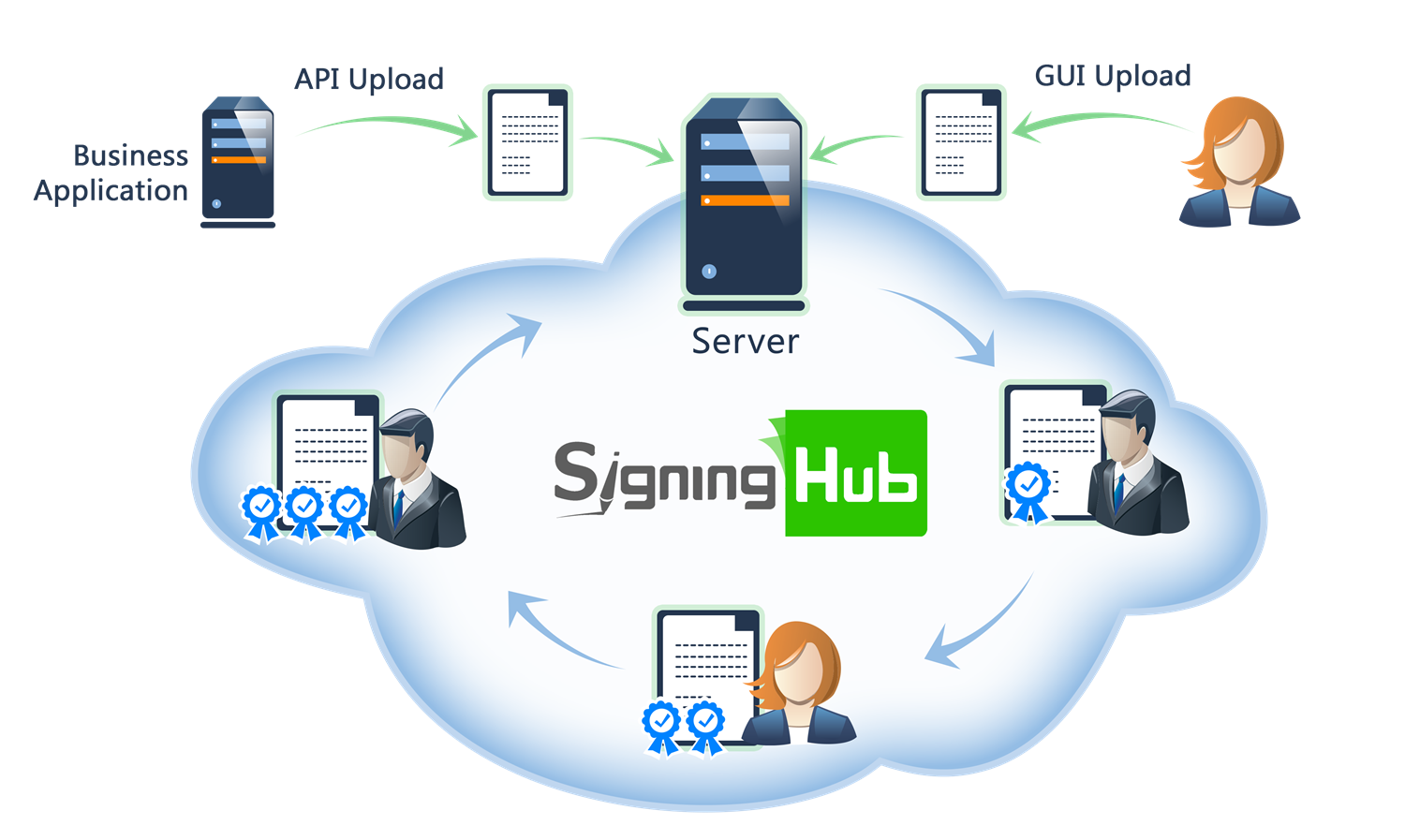
Browse through the API content by selecting the relevant pages from the left panel. To quickly find specific web service information, enter search criteria in the search box on top left.
 .
.More about SigningHub
To know more about SigningHub, explore the following links:
- Go to SigningHub Knowledge Base to view all the relevant information of SigningHub.
-
Visit the Ascertia Community Portal to find answers to contact SigningHub support staff through the
Live Chat provision
.
Our
support staff may be occupied with other priority tasks so live chat is offered on
an "as available" basis.
This guide is intended for developers who will integrate SigningHub into their respective web applications using the RESTful web services, and user interface offered by SigningHub. It is assumed that the reader has a basic knowledge of REST, Java, C#, HTML, JavaScript, HTTP and TLS/SSL. There is no Software Developers Kit (SDK) for the integration, instead the integration uses HTML Forms and JSON so that integration is simple from any language including .Net, Java, PHP etc.
| Main Tags | Most Popular Pages |
|---|---|
|
➤
Welcome
➤ Prerequisites ➤ Access Tokens ➤ Quick Integration ➤ Updates ➤ SignalR ➤ APIs Developer Guide ➤ Appendix |
➤
Authentication
➤ Account Management ➤ Add Package ➤ Upload Document ➤ Get Workflow Details ➤ Sign Document |
This section entails the web services for the Document Workflow related operations i.e. Get Details, Add/Update Users, and Permissions.
APIs for workflow lifecycle management including workflow details, replication, termination, post-processing, and package movement.
Add Electronic Seal to Workflow
Business applications can use this service API to add an Electronic Seal recipient to a workflow. This call will only add a recipient to the workflow. That is, no fields currently on the document will be automatically assigned to the new Electronic Seal recipient(s), nor will this create any new fields. Note the Electronic Seal recipient(s) will be added as the last person in the workflow. Hence further work may be required to remove a current Electronic Seal recipient(s) already present in the workflow. At least one recipient must exist in a workflow before fields can be added to the document. Note: the input accepts one or more Electronic Seal recipient(s) in a single call. Note: only PDF type document is supported.
path Parameters
| packageId required | integer <int64> SigningHub package ID, which the eseal recipients are to be added to. |
header Parameters
| Authorization required | string Default: Bearer {access_token} The access token obtained as a result of successful authentication via "Password" or "Scope". If "Scope Authentication" was used, then this service will be performed for the user on behalf of the business application. |
| Content-Type required | string Default: application/json |
| Accept required | string Default: application/json |
Request Body schema:
| name required | string [ 1 .. 255 ] characters The name of the new user to be added/updated in workflow. If no value is provided, old value will be retained. |
| signing_order | integer or null <int32> Order in which the workflow will be signed by the recipients. This signing order is important when workflow type is set to "CUSTOM". |
Responses
Request samples
- Payload
[- {
- "name": "string",
- "signing_order": 0
}
]Response samples
- 200
- 400
- 401
- 403
- 404
- 500
[- {
- "name": "string",
- "signing_order": 0,
- "level_of_assurance": "string"
}
]Update Electronic Seal to Workflow
Business applications can use this service API to update the details of an Electronic Seal recipient who has already been added to a workflow. Normally this call is useful after a template has been applied to a document and business applications wants to override the details of a specific Electronic Seal recipient within the workflow. The ID of the workflow document is provided in the resource URL, and the workflow recipient is identified by the order at which it is added to the workflow. Note: only PDF type document is supported
path Parameters
| packageId required | integer <int64> The package ID for which workflow eSeal recipient needs to be updated. |
| order required | integer <int32> The order of the eseal recipient in workflow. |
header Parameters
| Authorization required | string Default: Bearer {access_token} The access token obtained as a result of successful authentication via "Password" or "Scope". If "Scope Authentication" was used, then this service will be performed for the user on behalf of the business application. |
| Content-Type required | string Default: application/json |
| Accept required | string Default: application/json |
| x-folder-id | string Example: 0 Specify the folder ID, for retrieving the folder items, when a shared space folder is involved. |
Request Body schema:
| name required | string [ 1 .. 255 ] characters The name of the new user to be added/updated in workflow. If no value is provided, old value will be retained. |
| signing_order | integer or null <int32> Order in which the workflow will be signed by the recipients. This signing order is important when workflow type is set to "CUSTOM". |
Responses
Request samples
- Payload
{- "name": "string",
- "signing_order": 0
}Response samples
- 200
- 400
- 401
- 403
- 404
- 500
{- "name": "string",
- "signing_order": 0,
- "level_of_assurance": "string"
}Bulk Move Packages to Custom/Shared Space folder
Business applications can use this service API to move the document packages to a shared space or user's custom folder.
header Parameters
| Authorization required | string Default: Bearer {access_token} The OAuth access token obtained as a result of successful authentication via the "password" grant type. |
| Content-Type required | string Default: application/json |
| Accept required | string Default: application/json |
| x-source | string Example: Library This is the identification of the source of the document from where the document is uploaded, e.g. "My App". |
| x-search-text | string Example: c2FsZXMgY29udHJhY3QgMTA1 Search text sent in headers for further filtration of the documents. Package id, name and document owner can be searched. |
| x-folder | string Example: SU5CT1g= Folder name from where the documents are to be fetched. Possible values are INBOX and ARCHIVE. |
Request Body schema:
| package_ids | Array of integers or null <int64> Packages ids |
| folder_name required | string [ 1 .. 255 ] characters Target folder name in which packages need to move |
| document_status | string (Enumerations.DocumentPackageStatus) Enum: "ALL" "DRAFT" "INPROGRESS" "PENDING" "SIGNED" "COMPLETED" "REVIEWED" "DECLINED" "EDITED" "EXPIRING_IN_SEVEN_DAYS" |
| package_name | string or null The name of the package. |
| recipient_from | string or null The sender who shared the document package. |
| recipient_to | string or null The recipient to whom the document package is sent. |
| document_id | integer or null <int64> Ids of the document. |
| expiry | integer or null <int32> Expiry (Days). |
| modified_from | string or null <date-time> From Modified Date. |
| modified_to | string or null <date-time> To Modified Date |
| size_from | integer or null <int32> From Size (KB) |
| size_to | integer or null <int32> To Size (KB) |
| certified_documents | boolean or null Certified signed documents |
| form_fields | boolean or null Documents that have form fields |
| attachments | boolean or null Documents that have attachments |
| document_type | string (Helper.DocumentType) Enum: "ALL" "PDF" "DOCX" "XML" |
| document_statuses | Array of strings or null (Helper.AllowedDocumentPackageStatus) Enum: "DRAFT" "INPROGRESS" "PENDING" "SIGNED" "COMPLETED" "REVIEWED" "DECLINED" "EDITED" "EXPIRING_IN_SEVEN_DAYS" Document statuses possible values are mentioned above |
| owned_by | string (Enumerations.DocumentOwnedBy) Enum: "ME_OTHERS" "ME" "OTHERS" |
Responses
Request samples
- Payload
{- "package_ids": [
- 0
], - "folder_name": "string",
- "document_status": "ALL",
- "package_name": "string",
- "recipient_from": "string",
- "recipient_to": "string",
- "document_id": 0,
- "expiry": 0,
- "modified_from": "2019-08-24T14:15:22Z",
- "modified_to": "2019-08-24T14:15:22Z",
- "size_from": 0,
- "size_to": 0,
- "certified_documents": true,
- "form_fields": true,
- "attachments": true,
- "document_type": "ALL",
- "document_statuses": [
- "DRAFT"
], - "owned_by": "ME_OTHERS"
}Response samples
- 200
- 401
- 403
- 500
[- {
- "id": 0,
- "error_message": "string"
}
]Move Package to Custom/Shared Space folder
Business applications can use this service API to move the document package to a shared space or user's custom folder.
path Parameters
| packageId required | integer <int64> Package id that need to move to folder |
header Parameters
| Authorization required | string Default: Bearer {access_token} The access token obtained as a result of successful authentication via "Password" or "Scope". If "Scope Authentication" was used, then this service will be performed for the user on behalf of the business application. |
| Content-Type required | string Default: application/json |
| Accept required | string Default: application/json |
Request Body schema:
Target folder name
| folder_name required | string [ 1 .. 255 ] characters Target folder name in which package need to move |
Responses
Request samples
- Payload
{- "folder_name": "string"
}Response samples
- 400
- 401
- 403
- 404
- 500
{- "Message": "string"
}Update Workflow Details
Business applications can use this service API to update the workflow details. Normally this call is useful after a template has been applied to a document, but business applications wants to override the certify permission or post processing details. The package ID is provided in the resource URL.
path Parameters
| packageId required | integer <int64> The package ID for which workflow details need to be updated. |
header Parameters
| Authorization required | string Default: Bearer {access_token} The access token obtained as a result of successful authentication via "Password" or "Scope". If "Scope Authentication" was used, then this service will be performed for the user on behalf of the business application. |
| Content-Type required | string Default: application/json |
| Accept required | string Default: application/json |
Request Body schema:
| workflow_type | string (Models.WorkflowType) Enum: "SERIAL" "INDIVIDUAL" "PARALLEL" "CUSTOM" |
| workflow_mode | string (Models.WorkflowModes) Enum: "ME_AND_OTHERS" "ONLY_OTHERS" "ONLY_ME" |
| continue_on_decline | boolean or null True, if workflow needs to continue even if any recipient declines the document. If no value is provided, old value will be retained. |
| message | string or null A custom string message from the document owner to every recipient, this message appears in the sharing email as well as on the screen. If no value is provided, old value will be retained. |
| comments | boolean or null Allow comments |
Responses
Request samples
- Payload
{- "workflow_type": "SERIAL",
- "workflow_mode": "ME_AND_OTHERS",
- "continue_on_decline": true,
- "message": "string",
- "comments": true
}Response samples
- 401
- 403
- 404
- 500
{- "Message": "string"
}Get Workflow Details
Business applications can use this service API to get workflow details for the package.
path Parameters
| packageId required | integer <int64> The ID of the package to be downloaded. |
header Parameters
| Authorization required | string Default: Bearer {access_token} The access token obtained as a result of successful authentication via "Password" or "Scope". If "Scope Authentication" was used, then this service will be performed for the user on behalf of the business application. |
| Content-Type required | string Default: application/json |
| Accept required | string Default: application/json |
| x-formatted | string Example: TRUE XML document viewer indication.Possible values are TRUE | FALSE |
| x-folder-id | string Example: 0 Specify the folder ID, for retrieving the folder items, when a shared space folder is involved. |
Responses
Response samples
- 200
- 403
- 500
{- "package_id": 0,
- "package_name": "string",
- "shared_package": true,
- "package_owner": "string",
- "owner_name": "string",
- "package_status": "string",
- "folder": "string",
- "folder_id": 0,
- "gatekeeper": true,
- "next_signer": "string",
- "next_signer_email": [
- {
- "user_email": "string",
- "user_name": "string"
}
], - "uploaded_on": "string",
- "modified_on": "string",
- "workflow": {
- "workflow_type": "string",
- "continue_on_decline": true,
- "workflow_status": "string",
- "workflow_mode": "string",
- "message": "string",
- "read_only": true,
- "post_process": {
- "enabled": true,
- "contacts": [
- "string"
], - "recipients": [
- {
- "name": "string",
- "email": "string"
}
], - "message": "string",
- "google_drive": true,
- "one_drive": true,
- "dropbox": true,
- "workflow_recipients": true,
- "document_processing_report": true
}, - "comments": true
}, - "documents": [
- {
- "document_id": 0,
- "document_name": "string",
- "document_type": "string",
- "document_order": 0,
- "document_source": "string",
- "update_required": true,
- "document_height": 0,
- "document_width": 0,
- "document_pages": 0,
- "created_on": "string",
- "modified_on": "string",
- "form_fields": true,
- "template": {
- "template_id": 0,
- "template_name": "string",
- "read_only": true
}, - "certify": {
- "enabled": true,
- "allowed_permissions": [
- "string"
], - "default_permission": "string"
}, - "lock_form_fields": true,
- "locked": true,
- "has_signed_signature_fields": true,
- "attachments": true,
- "conformance_level": "string",
- "document_size": 0,
- "formatted": true
}
], - "users": [
- {
- "order": 0,
- "user_name": "string",
- "user_email": "string",
- "mobile_number": "string",
- "delivery_method": "string",
- "user_photo_url": "string",
- "group_name": "string",
- "group_members": [
- "string"
], - "delegator": "string",
- "gatekeeper": "string",
- "gatekeepers": {
- "emails": [
- {
- "user_email": "string"
}
]
}, - "role": "string",
- "process_status": "string",
- "processed_on": "string",
- "processed_as": "string",
- "processed_by": "string",
- "reason": "string",
- "placeholder": "string",
- "permission": {
- "print": true,
- "download": true,
- "add_text": true,
- "change_recipients": true,
- "add_attachment": true,
- "legal_notice": {
- "enabled": true,
- "allowed_notices": [
- {
- "legal_notice_id": 0,
- "legal_notice_name": "string",
- "legal_notice_html": "string"
}
], - "default_notice": {
- "legal_notice_id": 0,
- "legal_notice_name": "string",
- "legal_notice_html": "string"
}
}, - "attachment": {
- "enabled": true
}, - "artificial_intelligence": {
- "enabled": true
}, - "attachment_preview": {
- "enabled": true
}
}, - "authentications": {
- "authentication": {
- "enabled": true,
- "password": {
- "enabled": true,
- "user_password": "string"
}, - "sms_otp": {
- "enabled": true,
- "otp_length": 0,
- "retry_duration": 0,
- "mobile_number": "string",
- "methods": [
- "string"
]
}, - "totp": {
- "enabled": true
}, - "identity_verification": {
- "enabled": true,
- "identity_verification_policy": {
- "id": 0,
- "name": "string"
}
}
}, - "authentication_signing": {
- "enabled": true,
- "sms_otp": {
- "otp_length": 0,
- "retry_duration": 0,
- "mobile_number": "string",
- "methods": [
- "string"
]
}, - "totp": {
- "enabled": true
}, - "identity_verification": {
- "enabled": true,
- "identity_verification_policy": {
- "id": 0,
- "name": "string"
}
}
}, - "access_duration": {
- "enabled": true,
- "duration_by_date": {
- "enabled": true,
- "accessible": true,
- "duration": {
- "start_date_time": "string",
- "end_date_time": "string"
}
}, - "duration_by_days": {
- "enabled": true,
- "accessible": true,
- "duration": {
- "total_days": 0
}
}
}
}, - "reminder": {
- "enabled": true,
- "frequency": "string",
- "remind_after": 0,
- "repeat": {
- "enabled": true,
- "frequency": "string",
- "keep_reminding_after": 0,
- "total_reminders": 0
}
}, - "signing_order": 0,
- "user_national_id": "string",
- "guest_user": true,
- "email_language_code": "string",
- "electronic_seal": {
- "name": "string",
- "level_of_assurance": "string"
}
}
], - "folder_shared": true,
- "created_by": {
- "email": "string",
- "name": "string"
}
}Update Post Processing
Business applications can use this service API to add placeholder to a workflow a document in a package.
path Parameters
| packageId required | integer <int64> ID of the document package for which the post processing is being updated. |
header Parameters
| Authorization required | string Default: Bearer {access_token} The access token obtained as a result of successful authentication via "Password" or "Scope". If "Scope Authentication" was used, then this service will be performed for the user on behalf of the business application. |
| Content-Type required | string Default: application/json |
| Accept required | string Default: application/json |
Request Body schema:
| enabled required | boolean True, if post processing is turned on for the package. |
| contacts | Array of strings or null |
Array of objects or null (Models.PostProcessRecipientRequest) List of the name and email addresses to whom the emails are sent when the post processing is executed after the workflow completion. | |
| message | string or null <= 1500 characters A custom string message for all the contacts. Message becomes part of the email sent to the contacts. |
| google_drive | boolean or null True, if document is to be uploaded to the provided google account after the workflow completion. |
| dropbox | boolean or null True, if document is to be uploaded to the provided dropbox account after the workflow completion. |
| onedrive | boolean or null True, if document is to be uploaded to the provided oneDrive account after the workflow completion. |
| workflow_recipients | boolean True, if workflow completion report is to be sent to all recipients of the workflow when post processing is executed. Default value is false. |
| document_processing_report | boolean True, if Send the document processing report (XML) is to be enabled to for the workflow |
Responses
Request samples
- Payload
{- "enabled": true,
- "contacts": [
- "string"
], - "recipients": [
- {
- "name": "string",
- "email": "string"
}
], - "message": "string",
- "google_drive": true,
- "dropbox": true,
- "onedrive": true,
- "workflow_recipients": true,
- "document_processing_report": true
}Response samples
- 403
- 500
{- "Message": "string"
}Replicate Workflow
Business applications can use this service API to replicate complete workflow.
path Parameters
| packageId required | integer <int64> The ID of the package that need to be replicated. |
header Parameters
| Authorization required | string Default: Bearer {access_token} The OAuth access token obtained as a result of successful authentication via the "password" grant type. |
| Content-Type required | string Default: application/json |
| Accept required | string Default: application/json |
| x-folder-id | string Example: 0 Specify the folder ID, for retrieving the folder items, when a shared space folder is involved. |
Responses
Response samples
- 200
- 403
- 404
- 500
{- "package_id": 0,
- "package_name": "string",
- "shared_package": true,
- "package_owner": "string",
- "owner_name": "string",
- "package_status": "string",
- "folder": "string",
- "folder_id": 0,
- "gatekeeper": true,
- "next_signer": "string",
- "next_signer_email": [
- {
- "user_email": "string",
- "user_name": "string"
}
], - "uploaded_on": "string",
- "modified_on": "string",
- "workflow": {
- "workflow_type": "string",
- "continue_on_decline": true,
- "workflow_status": "string",
- "workflow_mode": "string",
- "message": "string",
- "read_only": true,
- "post_process": {
- "enabled": true,
- "contacts": [
- "string"
], - "recipients": [
- {
- "name": "string",
- "email": "string"
}
], - "message": "string",
- "google_drive": true,
- "one_drive": true,
- "dropbox": true,
- "workflow_recipients": true,
- "document_processing_report": true
}, - "comments": true
}, - "documents": [
- {
- "document_id": 0,
- "document_name": "string",
- "document_type": "string",
- "document_order": 0,
- "document_source": "string",
- "update_required": true,
- "document_height": 0,
- "document_width": 0,
- "document_pages": 0,
- "created_on": "string",
- "modified_on": "string",
- "form_fields": true,
- "template": {
- "template_id": 0,
- "template_name": "string",
- "read_only": true
}, - "certify": {
- "enabled": true,
- "allowed_permissions": [
- "string"
], - "default_permission": "string"
}, - "lock_form_fields": true,
- "locked": true,
- "has_signed_signature_fields": true,
- "attachments": true,
- "conformance_level": "string",
- "document_size": 0,
- "formatted": true
}
], - "users": [
- {
- "order": 0,
- "user_name": "string",
- "user_email": "string",
- "mobile_number": "string",
- "delivery_method": "string",
- "user_photo_url": "string",
- "group_name": "string",
- "group_members": [
- "string"
], - "delegator": "string",
- "gatekeeper": "string",
- "gatekeepers": {
- "emails": [
- {
- "user_email": "string"
}
]
}, - "role": "string",
- "process_status": "string",
- "processed_on": "string",
- "processed_as": "string",
- "processed_by": "string",
- "reason": "string",
- "placeholder": "string",
- "permission": {
- "print": true,
- "download": true,
- "add_text": true,
- "change_recipients": true,
- "add_attachment": true,
- "legal_notice": {
- "enabled": true,
- "allowed_notices": [
- {
- "legal_notice_id": 0,
- "legal_notice_name": "string",
- "legal_notice_html": "string"
}
], - "default_notice": {
- "legal_notice_id": 0,
- "legal_notice_name": "string",
- "legal_notice_html": "string"
}
}, - "attachment": {
- "enabled": true
}, - "artificial_intelligence": {
- "enabled": true
}, - "attachment_preview": {
- "enabled": true
}
}, - "authentications": {
- "authentication": {
- "enabled": true,
- "password": {
- "enabled": true,
- "user_password": "string"
}, - "sms_otp": {
- "enabled": true,
- "otp_length": 0,
- "retry_duration": 0,
- "mobile_number": "string",
- "methods": [
- "string"
]
}, - "totp": {
- "enabled": true
}, - "identity_verification": {
- "enabled": true,
- "identity_verification_policy": {
- "id": 0,
- "name": "string"
}
}
}, - "authentication_signing": {
- "enabled": true,
- "sms_otp": {
- "otp_length": 0,
- "retry_duration": 0,
- "mobile_number": "string",
- "methods": [
- "string"
]
}, - "totp": {
- "enabled": true
}, - "identity_verification": {
- "enabled": true,
- "identity_verification_policy": {
- "id": 0,
- "name": "string"
}
}
}, - "access_duration": {
- "enabled": true,
- "duration_by_date": {
- "enabled": true,
- "accessible": true,
- "duration": {
- "start_date_time": "string",
- "end_date_time": "string"
}
}, - "duration_by_days": {
- "enabled": true,
- "accessible": true,
- "duration": {
- "total_days": 0
}
}
}
}, - "reminder": {
- "enabled": true,
- "frequency": "string",
- "remind_after": 0,
- "repeat": {
- "enabled": true,
- "frequency": "string",
- "keep_reminding_after": 0,
- "total_reminders": 0
}
}, - "signing_order": 0,
- "user_national_id": "string",
- "guest_user": true,
- "email_language_code": "string",
- "electronic_seal": {
- "name": "string",
- "level_of_assurance": "string"
}
}
], - "folder_shared": true,
- "created_by": {
- "email": "string",
- "name": "string"
}
}Complete Workflow in the Middle (Terminate Workflow)
Business applications can mark the workflow completed even in the middle of the workflow. Use this service API to change the status of the workflow to completed. If there are recipients who have not signed the document yet. Their signature will not be required any more and they will not be able to see the document in their inbox any further. Bearer token should belong to document owner or enterprise admin can use scope variable to get the access token on behalf of document owner to perform this action.
path Parameters
| packageId required | integer <int64> The package ID from which the recipient is to be deleted. |
header Parameters
| Authorization required | string Default: Bearer {access_token} The access token obtained as a result of successful authentication via "Password" or "Scope". If "Scope Authentication" was used, then this service will be performed for the user on behalf of the business application. |
| Content-Type required | string Default: application/json |
| Accept required | string Default: application/json |
| x-folder-id | string Example: 0 Specify the folder ID, for retrieving the folder items, when a shared space folder is involved. |
Responses
Response samples
- 400
- 403
- 500
{- "Message": "string"
}APIs for managing workflow recipients, groups, placeholders, signing order, and participant information.
Add Users to Workflow
Business applications can use this service API to add recipients to a workflow. This call will only add a recipient to the workflow. That is, no fields currently on the document will be automatically assigned to the new recipient(s), nor will this create any new fields.
Note the recipient(s) will be added as the last person in the workflow.Hence further work may be required to remove a current recipient(s) already present in the workflow.
At least one user must exist in a workflow before fields (input and signature) can be added to the document.
Note the input accepts one or more users in a single call.
In this specific call the user is a known natural person. However, the same rules apply to Groups and Placeholders. In either of these cases the recipient becomes a Group of users whereby any member of the group can sign the document, or a Placeholder.The latter case is used when you do not know the identity of the intended signatory.
Note SigningHub workflow signing order starts at "1". Hence, adding a user to workflow with no current recipient(s) begins a new signing order count.The "signing_order" parameter is mandatory if the workflow type is "custom".
Important, using this API call may affect the workflow type.If there are current recipients in a sequential workflow and a new one is added with the same signing order as a current recipient, then that part of the workflow changes automatically from sequential to parallel.Hence, the workflow overall is now of type custom as opposed to purely sequential. Adding a recipient with the same signing order as two or parallel recipients does not change the workflow.There are merely, three or more recipients at that particular point of the workflow; all in parallel order.
Note, while XML type document preparation, only supported role types are "SIGNER", "REVIEWER" and "CARBON_COPY"
path Parameters
| packageId required | integer <int64> SigningHub package ID, which the recipients are to be added to. |
header Parameters
| Authorization required | string Default: Bearer {access_token} The access token obtained as a result of successful authentication via "Password" or "Scope". If "Scope Authentication" was used, then this service will be performed for the user on behalf of the business application. |
| Content-Type required | string Default: application/json |
| Accept required | string Default: application/json |
Request Body schema:
| user_email | string or null Email address of the user to be added in the workflow. |
| user_name required | string non-empty Name of the recipient to be added in the workflow. |
| user_national_id | string or null User national id of the recipient |
| email_notification | boolean If set as true, SigningHub will send notifications to the user via email as per the document owner and user notification settings. A value of false means no notifications will be sent to user throughout the workflow. |
| role | string (Enumerations.CollaboratorRole) Enum: "SIGNER" "REVIEWER" "EDITOR" "INPERSON_HOST" "CARBON_COPY" "ELECTRONIC_SEAL" |
| signing_order | integer or null <int32> Order of the recipient in the workflow. This signing order is mandatory when workflow type is "CUSTOM". |
| delivery_method | string (Enumerations.DeliveryMethod) Enum: "EMAIL" "SMS" "EMAIL_AND_SMS" |
| mobile_number | string or null <= 15 characters Mobile Number |
Responses
Request samples
- Payload
[- {
- "user_email": "string",
- "user_name": "string",
- "user_national_id": "string",
- "email_notification": true,
- "role": "SIGNER",
- "signing_order": 0,
- "delivery_method": "EMAIL",
- "mobile_number": "string"
}
]Response samples
- 200
- 400
- 401
- 403
- 404
- 500
[- {
- "user_email": "string",
- "signing_order": 0,
- "guest_user": true,
- "email_language_code": "string",
- "permission": {
- "print": true,
- "download": true,
- "add_text": true,
- "change_recipients": true,
- "add_attachment": true,
- "legal_notice": {
- "enabled": true,
- "allowed_notices": [
- {
- "legal_notice_id": 0,
- "legal_notice_name": "string",
- "legal_notice_html": "string"
}
], - "default_notice": {
- "legal_notice_id": 0,
- "legal_notice_name": "string",
- "legal_notice_html": "string"
}
}, - "attachment": {
- "enabled": true
}, - "artificial_intelligence": {
- "enabled": true
}, - "attachment_preview": {
- "enabled": true
}
}, - "reminder": {
- "enabled": true,
- "frequency": "string",
- "remind_after": 0,
- "repeat": {
- "enabled": true,
- "frequency": "string",
- "keep_reminding_after": 0,
- "total_reminders": 0
}
}
}
]Get Workflow Users
Business applications can use this service API to get workflow details for the package.
path Parameters
| packageId required | integer <int64> The ID of the package to be downloaded. |
header Parameters
| Authorization required | string Default: Bearer {access_token} The access token obtained as a result of successful authentication via "Password" or "Scope". If "Scope Authentication" was used, then this service will be performed for the user on behalf of the business application. |
| Content-Type required | string Default: application/json |
| Accept required | string Default: application/json |
| x-folder-id | string Example: 0 Specify the folder ID, for retrieving the folder items, when a shared space folder is involved. |
Responses
Response samples
- 200
- 401
- 403
- 404
- 500
[- {
- "order": 0,
- "user_email": "string",
- "user_name": "string",
- "mobile_number": "string",
- "delivery_method": "string",
- "user_photo_url": "string",
- "group_name": "string",
- "group_members": [
- {
- "user_email": "string",
- "user_name": "string"
}
], - "delegatee": "string",
- "delegatee_name": "string",
- "role": "string",
- "reason": "string",
- "process_status": "string",
- "processed_on": "string",
- "processed_as": "string",
- "processed_by": "string",
- "placeholder": "string",
- "signing_order": 0,
- "user_national_id": "string",
- "guest_user": true,
- "email_language_code": "string",
- "electronic_seal": {
- "name": "string",
- "level_of_assurance": "string"
}, - "gatekeepers": {
- "emails": [
- {
- "user_email": "string"
}
]
}
}
]Add Groups to Workflow
Business applications can use this service API to add groups as a recipient to a workflow. A SigningHub group means any member of the group can perform the action, i.e. sign, on behalf of all members of the group.
Note the group will be added as the last user/group in the workflow.Hence further work may be required to remove a current user/group, already present in the workflow. While XML type document preparation, only supported role types are "SIGNER", "REVIEWER" and "CARBON_COPY"
path Parameters
| packageId required | integer <int64> ID of the package for which the group is to be added. |
header Parameters
| Authorization required | string Default: Bearer {access_token} The access token obtained as a result of successful authentication via "Password" or "Scope". If "Scope Authentication" was used, then this service will be performed for the user on behalf of the business application. |
| Content-Type required | string Default: application/json |
| Accept required | string Default: application/json |
Request Body schema:
| group_name | string or null The name of the new group to be added in workflow. |
| email_notification | boolean Setting its value to "true" sends an email notification to the user when its turn arrives in workflow. Setting its value to "false" does not send the email notification to the user on its turn. If no value is provided, default value of "true" will be set. |
| role | string (Enumerations.CollaboratorRole) Enum: "SIGNER" "REVIEWER" "EDITOR" "INPERSON_HOST" "CARBON_COPY" "ELECTRONIC_SEAL" |
| signing_order | integer or null <int32> Order in which the workflow will be signed by the recipients. This signing order is important when workflow type is set to "CUSTOM". |
Responses
Request samples
- Payload
[- {
- "group_name": "string",
- "email_notification": true,
- "role": "SIGNER",
- "signing_order": 0
}
]Response samples
- 200
- 400
- 401
- 403
- 404
- 500
[- {
- "permission": {
- "print": true,
- "download": true,
- "add_text": true,
- "change_recipients": true,
- "add_attachment": true,
- "legal_notice": {
- "enabled": true,
- "allowed_notices": [
- {
- "legal_notice_id": 0,
- "legal_notice_name": "string",
- "legal_notice_html": "string"
}
], - "default_notice": {
- "legal_notice_id": 0,
- "legal_notice_name": "string",
- "legal_notice_html": "string"
}
}, - "attachment": {
- "enabled": true
}, - "artificial_intelligence": {
- "enabled": true
}, - "attachment_preview": {
- "enabled": true
}
}, - "reminder": {
- "enabled": true,
- "frequency": "string",
- "remind_after": 0,
- "repeat": {
- "enabled": true,
- "frequency": "string",
- "keep_reminding_after": 0,
- "total_reminders": 0
}
}, - "signing_order": 0
}
]Add Placeholder to Workflow
Business applications can use this service API to add placeholder to a workflow in a package. A place holder is required when you do not know the identity of the intended recipient in a workflow.
Note the placeholder will be added as the last user in the workflow.Hence further work may be required to remove a current user/group, already present in the workflow.
Adding a place holder allows you to proceed and add signature and/or input fields to the document, which can then be assigned to individual users at a later stage. While XML type document preparation, only supported role types are "SIGNER", "REVIEWER" and "CARBON_COPY"
path Parameters
| packageId required | integer <int64> ID of the package for which the placeholder is to be added. |
header Parameters
| Authorization required | string Default: Bearer {access_token} The access token obtained as a result of successful authentication via "Password" or "Scope". If "Scope Authentication" was used, then this service will be performed for the user on behalf of the business application. |
| Content-Type required | string Default: application/json |
| Accept required | string Default: application/json |
Request Body schema:
| placeholder | string or null The name of the new placeholder to be added in workflow. |
| email_notification | boolean Setting its value to "true" sends an email notification to the user when its turn arrives in workflow. Setting its value to "false" does not send the email notification to the user on its turn. |
| role | string (Enumerations.CollaboratorRole) Enum: "SIGNER" "REVIEWER" "EDITOR" "INPERSON_HOST" "CARBON_COPY" "ELECTRONIC_SEAL" |
| signing_order | integer or null <int32> Order in which the workflow will be signed by the recipients. This signing order is important when workflow type is set to "CUSTOM". |
Responses
Request samples
- Payload
[- {
- "placeholder": "string",
- "email_notification": true,
- "role": "SIGNER",
- "signing_order": 0
}
]Response samples
- 200
- 400
- 403
- 500
[- {
- "permission": {
- "print": true,
- "download": true,
- "add_text": true,
- "change_recipients": true,
- "add_attachment": true,
- "legal_notice": {
- "enabled": true,
- "allowed_notices": [
- {
- "legal_notice_id": 0,
- "legal_notice_name": "string",
- "legal_notice_html": "string"
}
], - "default_notice": {
- "legal_notice_id": 0,
- "legal_notice_name": "string",
- "legal_notice_html": "string"
}
}, - "attachment": {
- "enabled": true
}, - "artificial_intelligence": {
- "enabled": true
}, - "attachment_preview": {
- "enabled": true
}
}, - "reminder": {
- "enabled": true,
- "frequency": "string",
- "remind_after": 0,
- "repeat": {
- "enabled": true,
- "frequency": "string",
- "keep_reminding_after": 0,
- "total_reminders": 0
}
}, - "signing_order": 0
}
]Update Placeholder
Business applications can use this service API to update a placeholder in the workflow. Normally this call is useful after a template has been applied to a document and business applications wants to override the details of a specific place holder within the workflow. The ID of the workflow document is provided in the resource URL, and the workflow place holder is identified by the order at which it is added to the workflow. While XML type document preparation, only supported role types are "SIGNER", "REVIEWER" and "CARBON_COPY"
path Parameters
| packageId required | integer <int64> ID of the package for which the placeholder is to be added. |
| order required | integer <int32> Order of the recipient in the workflow. |
header Parameters
| Authorization required | string Default: Bearer {access_token} The access token obtained as a result of successful authentication via "Password" or "Scope". If "Scope Authentication" was used, then this service will be performed for the user on behalf of the business application. |
| Content-Type required | string Default: application/json |
| Accept required | string Default: application/json |
Request Body schema:
| placeholder | string or null The name of the new placeholder to be added in workflow. If no value is provided, old value will be retained. |
| email_notification | boolean or null Setting its value to "true" sends an email notification to the user when its turn arrives in workflow. Setting its value to "false" does not send the email notification to the user on its turn. If no value is provided, old value will be retained. |
| role | string (Models.WorkflowCollaboratorRole) Enum: "SIGNER" "REVIEWER" "EDITOR" "INPERSON_HOST" "CARBON_COPY" |
| signing_order | integer or null <int32> Order in which the workflow will be signed by the recipients. This signing order is important when workflow type is set to "CUSTOM". |
Responses
Request samples
- Payload
{- "placeholder": "string",
- "email_notification": true,
- "role": "SIGNER",
- "signing_order": 0
}Response samples
- 400
- 403
- 500
{- "Message": "string"
}Update Workflow User
Business applications can use this service API to update the details of a recipient, group or place holder who has already been added to a workflow. Normally this call is useful after a template has been applied to a document and business applications wants to override the details of a specific user within the workflow. The ID of the workflow document is provided in the resource URL, and the workflow recipient is identified by the order at which it is added to the workflow. Note, while XML type document preparation, only supports role types "SIGNER", "REVIEWER" and "CARBON_COPY".
path Parameters
| packageId required | integer <int64> The package ID for which workflow user needs to be updated. |
| order required | integer <int32> The order of the user in workflow. |
header Parameters
| Authorization required | string Default: Bearer {access_token} The access token obtained as a result of successful authentication via "Password" or "Scope". If "Scope Authentication" was used, then this service will be performed for the user on behalf of the business application. |
| Content-Type required | string Default: application/json |
| Accept required | string Default: application/json |
| x-folder-id | string Example: 0 Specify the folder ID, for retrieving the folder items, when a shared space folder is involved. |
Request Body schema:
| user_email | string or null The email address of the new user to be updated in workflow. If no value is provided, old value will be retained. |
| user_name | string or null Name of the recipient to be updated. If no value is provided, old value will be retained. |
| email_notification | boolean or null Setting its value to "true" sends an email notification to the user when its turn arrives in workflow. Setting its value to "false" does not send the email notification to the user on its turn. If no value is provided, old value will be retained. |
| mobile_number | string or null <= 15 characters Mobile number. If no value is provided, old value will be retained. |
| role | string (Models.WorkflowCollaboratorRole) Enum: "SIGNER" "REVIEWER" "EDITOR" "INPERSON_HOST" "CARBON_COPY" |
| signing_order | integer or null <int32> Order in which the workflow will be signed by the recipients. This signing order is important when workflow type is set to "CUSTOM". |
| email_language_code | string or null email language code |
| delivery_method | string (Enumerations.DeliveryMethod) Enum: "EMAIL" "SMS" "EMAIL_AND_SMS" |
| user_national_id | string or null User national id of the recipient |
Responses
Request samples
- Payload
{- "user_email": "string",
- "user_name": "string",
- "email_notification": true,
- "mobile_number": "string",
- "role": "SIGNER",
- "signing_order": 0,
- "email_language_code": "string",
- "delivery_method": "EMAIL",
- "user_national_id": "string"
}Response samples
- 200
- 400
- 401
- 403
- 404
- 500
{- "user_email": "string",
- "signing_order": 0,
- "guest_user": true,
- "email_language_code": "string"
}Update Workflow Users Order
Business applications can use this service API to update order of the recipient in the workflow.
path Parameters
| packageId required | integer <int64> ID of the package to which the recipients are to be added. |
| order required | integer <int32> Existing order of the recipient which is to be updated. |
header Parameters
| Authorization required | string Default: Bearer {access_token} The access token obtained as a result of successful authentication via "Password" or "Scope". If "Scope Authentication" was used, then this service will be performed for the user on behalf of the business application. |
| Content-Type required | string Default: application/json |
| Accept required | string Default: application/json |
Request Body schema:
| order required | integer <int32> The order of the recipient which is to be updated. |
Responses
Request samples
- Payload
{- "order": 0
}Response samples
- 403
- 500
{- "Message": "string"
}Update Workflow Group
Business applications can use this service API to update the details of a group that has already been added to a workflow. Normally this call is useful after a template has been applied to a document and business applications wants to override the details of a specific group within the workflow. The ID of the workflow document is provided in the resource URL, and the workflow group is identified by the order at which it is added to the workflow. While XML type document preparation, only supported role types are "SIGNER", "REVIEWER" and "CARBON_COPY"
path Parameters
| packageId required | integer <int64> The package ID for which workflow group needs to be updated. |
| order required | integer <int32> The order of the user in workflow. |
header Parameters
| Authorization required | string Default: Bearer {access_token} The access token obtained as a result of successful authentication via "Password" or "Scope". If "Scope Authentication" was used, then this service will be performed for the user on behalf of the business application. |
| Content-Type required | string Default: application/json |
| Accept required | string Default: application/json |
| x-folder-id | string Example: 0 Specify the folder ID, for retrieving the folder items, when a shared space folder is involved. |
Request Body schema:
| group_name | string or null The name of the group to be updated in workflow. If no value is provided, old value will be retained. |
| email_notification | boolean or null Setting its value to "true" sends an email notification to the group members when their turn arrives in workflow. Setting its value to "false" does not send the email notification to the group members on their turn. If no value is provided, old value will be retained. |
| access_sms_otp | boolean or null |
| mobile_number | string or null |
| role required | string (Models.WorkflowCollaboratorRole) Enum: "SIGNER" "REVIEWER" "EDITOR" "INPERSON_HOST" "CARBON_COPY" |
| signing_order | integer or null <int32> Order in which the workflow will be signed by the recipients. This signing order is important when workflow type is set to "CUSTOM". |
Responses
Request samples
- Payload
{- "group_name": "string",
- "email_notification": true,
- "access_sms_otp": true,
- "mobile_number": "string",
- "role": "SIGNER",
- "signing_order": 0
}Response samples
- 400
- 401
- 403
- 404
- 500
{- "Message": "string"
}Delete Workflow User
Business applications can use this service API to delete workflow recipient.
path Parameters
| packageId required | integer <int64> The package ID from which the recipient is to be deleted. |
| order required | integer <int32> Order of the recipient in the workflow which is to be deleted. |
header Parameters
| Authorization required | string Default: Bearer {access_token} The access token obtained as a result of successful authentication via "Password" or "Scope". If "Scope Authentication" was used, then this service will be performed for the user on behalf of the business application. |
| Content-Type required | string Default: application/json |
| Accept required | string Default: application/json |
Responses
Response samples
- 403
- 500
{- "Message": "string"
}Pre Validate Workflow User
Business applications can use this service API to pre validate the recipients.
path Parameters
| packageId required | integer <int64> |
header Parameters
| Authorization required | string Default: Bearer {access_token} The OAuth access token obtained as a result of successful authentication via the "password" grant type. |
| Content-Type required | string Default: application/json |
| Accept required | string Default: application/json |
Request Body schema:
| user_email | string or null The email address of the user. |
Responses
Request samples
- Payload
[- {
- "user_email": "string"
}
]Response samples
- 200
- 401
- 403
- 500
[- {
- "user_email": "string",
- "guest_user": true
}
]Bulk Import Recipient
Business applications can use this service API to import the recipients.
path Parameters
| packageId required | integer <int64> |
header Parameters
| Authorization required | string Default: Bearer {access_token} The access token obtained as a result of successful authentication via "Password" or "Scope". If "Scope Authentication" was used, then this service will be performed for the user on behalf of the business application. |
| Content-Type required | string Default: application/json |
| Accept required | string Default: application/json |
| file (binary Stream) | string This is the recipient document in CSV format, posting via form data. |
| x-file-name required | string Example: recipients.csv It's the name of file with extension. |
Responses
Response samples
- 200
- 400
- 401
- 403
- 404
- 500
{- "success": [
- {
- "user_name": "string",
- "user_email": "string",
- "signing_order": 0,
- "guest_user": true,
- "email_language_code": "string",
- "delivery_method": "string",
- "mobile_number": "string"
}
], - "failure": [
- {
- "user_name": "string",
- "user_email": "string",
- "error_message": "string"
}
]
}Download Import Recipient Template
path Parameters
| packageId required | integer <int64> |
header Parameters
| Authorization required | string Default: Bearer {access_token} The access token obtained as a result of successful authentication via "Password" or "Scope". If "Scope Authentication" was used, then this service will be performed for the user on behalf of the business application. |
| Content-Type required | string Default: application/json |
| Accept required | string Default: application/json |
Responses
Response samples
- 200
- 400
- 401
- 403
- 404
- 500
"string"APIs for managing workflow access permissions and document opening authentication requirements.
Get Workflow User Permissions
Business applications can use this service API to get document permissions for a recipient. Recipient is identified by the order in the workflow. The ID of the package is provided in the resource URL.
path Parameters
| packageId required | integer <int64> The document ID for which workflow user needs to be updated. |
| order required | integer <int32> The order of the user in workflow for which the permissions are requested. By providing the value 0 in order, service would return the permissions of most recently added collaborator in the workflow. |
header Parameters
| Authorization required | string Default: Bearer {access_token} The access token obtained as a result of successful authentication via "Password" or "Scope". If "Scope Authentication" was used, then this service will be performed for the user on behalf of the business application. |
| Content-Type required | string Default: application/json |
| Accept required | string Default: application/json |
Responses
Response samples
- 200
- 401
- 403
- 404
- 500
{- "print": true,
- "download": true,
- "add_text": true,
- "change_recipients": true,
- "add_attachment": true,
- "legal_notice": {
- "enabled": true,
- "allowed_notices": [
- {
- "legal_notice_id": 0,
- "legal_notice_name": "string",
- "legal_notice_html": "string"
}
], - "default_notice": {
- "legal_notice_id": 0,
- "legal_notice_name": "string",
- "legal_notice_html": "string"
}
}, - "attachment": {
- "enabled": true
}, - "artificial_intelligence": {
- "enabled": true
}, - "attachment_preview": {
- "enabled": true
}
}Update Workflow User Permissions
Business applications can use this service API to update the workflow permissions for a user that has already been added to a workflow. Normally this call is useful after a template has been applied to a document and business applications want to override the permissions within the workflow. The ID of the document package is provided in the resource URL, and the workflow user is identified by the order at which it is added to the workflow.
path Parameters
| packageId required | integer <int64> The package ID for which workflow permissions to be updated. |
| order required | integer <int32> The order of the recipient for which the workflow permissions to be updated. |
header Parameters
| Authorization required | string Default: Bearer {access_token} The access token obtained as a result of successful authentication via "Password" or "Scope". If "Scope Authentication" was used, then this service will be performed for the user on behalf of the business application. |
| Content-Type required | string Default: application/json |
| Accept required | string Default: application/json |
| x-folder-id | string Example: 0 Specify the folder ID, for retrieving the folder items, when a shared space folder is involved. |
Request Body schema:
| apply_to_all required | boolean True, if the permissions are to be applied on all the recipients in the workflow. |
required | object (Models.WorkflowPermission) WorkflowPermission |
Responses
Request samples
- Payload
{- "apply_to_all": true,
- "permissions": {
- "print": true,
- "download": true,
- "add_text": true,
- "change_recipients": true,
- "add_attachment": true,
- "legal_notice": {
- "enabled": true,
- "legal_notice_name": "string"
}, - "attachment": {
- "enabled": true
}, - "artificial_intelligence": {
- "enabled": true
}, - "attachment_preview": {
- "enabled": true
}
}
}Response samples
- 401
- 403
- 404
- 500
{- "Message": "string"
}Get Workflow User Authentication (Document Opening)
Business applications can use this service API to get the access security settings enabled for the package. Recipients for whom the security is configured are identified by the order in the URL. Package ID is also identified in the request URL. Recipients will not be able to access document package outside the scope of this duration if the access security is enabled. Document owner can also configure authentication based security of the package for a recipient.
path Parameters
| packageId required | integer <int64> The package ID for which workflow access security and authentication is to be updated. |
| order required | integer <int32> Order of the recipient in the workflow for which the access security and authentication is to be updated. |
header Parameters
| Authorization required | string Default: Bearer {access_token} The access token obtained as a result of successful authentication via "Password" or "Scope". If "Scope Authentication" was used, then this service will be performed for the user on behalf of the business application. |
| Content-Type required | string Default: application/json |
| Accept required | string Default: application/json |
Responses
Response samples
- 200
- 401
- 403
- 404
- 500
{- "authentication": {
- "enabled": true,
- "password": {
- "enabled": true,
- "user_password": "string"
}, - "sms_otp": {
- "enabled": true,
- "otp_length": 0,
- "retry_duration": 0,
- "mobile_number": "string",
- "methods": [
- "string"
]
}, - "totp": {
- "enabled": true
}, - "identity_verification": {
- "enabled": true,
- "identity_verification_policy": {
- "id": 0,
- "name": "string"
}
}
}, - "authentication_signing": {
- "enabled": true,
- "sms_otp": {
- "otp_length": 0,
- "retry_duration": 0,
- "mobile_number": "string",
- "methods": [
- "string"
]
}, - "totp": {
- "enabled": true
}, - "identity_verification": {
- "enabled": true,
- "identity_verification_policy": {
- "id": 0,
- "name": "string"
}
}
}, - "access_duration": {
- "enabled": true,
- "duration_by_date": {
- "enabled": true,
- "accessible": true,
- "duration": {
- "start_date_time": "string",
- "end_date_time": "string"
}
}, - "duration_by_days": {
- "enabled": true,
- "accessible": true,
- "duration": {
- "total_days": 0
}
}
}
}Update Workflow User Authentication (Document Opening)
Business applications can use this service API to update the package authentications and access duration for the recipients.
path Parameters
| packageId required | integer <int64> The package ID for which workflow access security and authentication is to be updated. |
| order required | integer <int32> Order of the recipient in the workflow for which the access security and authentication is to be updated. |
header Parameters
| Authorization required | string Default: Bearer {access_token} The access token obtained as a result of successful authentication via "Password" or "Scope". If "Scope Authentication" was used, then this service will be performed for the user on behalf of the business application. |
| Content-Type required | string Default: application/json |
| Accept required | string Default: application/json |
| x-folder-id | string Example: 0 Specify the folder ID, for retrieving the folder items, when a shared space folder is involved. |
Request Body schema:
| apply_to_all | boolean True, if the access security or authentications are to be applied on all the recipients in the workflow. |
required | object (Models.AccessAuthentication) AccessAuthentication |
object (Models.SigningAuthentication) SigningAuthentication | |
required | object (Models.PermissionAccessDuration) PermissionAccessDuration |
Responses
Request samples
- Payload
{- "apply_to_all": true,
- "authentication": {
- "enabled": true,
- "password": {
- "enabled": true,
- "user_password": "string"
}, - "sms_otp": {
- "enabled": true,
- "mobile_number": "string"
}, - "totp": {
- "enabled": true
}, - "identity_verification": {
- "enabled": true,
- "identity_verification_policy": {
- "id": 0
}
}
}, - "authentication_signing": {
- "enabled": true,
- "sms_otp": {
- "mobile_number": "string"
}, - "totp": {
- "enabled": true
}, - "identity_verification": {
- "enabled": true,
- "identity_verification_policy": {
- "id": 0
}
}
}, - "access_duration": {
- "enabled": true,
- "duration_by_date": {
- "enabled": true,
- "duration": {
- "start_date_time": "2019-08-24T14:15:22Z",
- "end_date_time": "2019-08-24T14:15:22Z"
}
}, - "duration_by_days": {
- "enabled": true,
- "duration": {
- "total_days": 0
}
}
}
}Response samples
- 400
- 401
- 403
- 404
- 500
{- "Message": "string"
}Open Document via OTP (Generate)
Business applications can use this service API to generate an OTP for a particular recipient, specified by the order.
path Parameters
| packageId required | integer <int64> The ID of the package for which the OTP is to be generated. |
| order required | integer <int32> The order of the recipient for whom the OTP is to be generated. If the order is passed as 0, the system will select the current collaborator by packageId. This is useful when signing a single package during bulk signing. |
header Parameters
| Authorization required | string Default: Bearer {access_token} The access token obtained as a result of successful authentication via "Password" or "Scope". If "Scope Authentication" was used, then this service will be performed for the user on behalf of the business application. |
| Content-Type required | string Default: application/json |
| Accept required | string Default: application/json |
| x-folder-id | string Example: 0 Specify the folder ID, for retrieving the folder items, when a shared space folder is involved. |
Request Body schema:
The OTP method.
| method | string or null Method Possible values are "EMAIL", "SMS" |
Responses
Request samples
- Payload
{- "method": "string"
}Response samples
- 401
- 403
- 404
- 500
{- "Message": "string"
}Open Document via Password
Business applications can use this service API to submit a password from a particular recipient, specified by the order.
path Parameters
| packageId required | integer <int64> The ID of the package for which the password is submitted. |
| order required | integer <int32> The order of the user for which the password is to be submitted. |
header Parameters
| Authorization required | string Default: Bearer {access_token} The OAuth access token obtained as a result of successful authentication via the "password" grant type. |
| Content-Type required | string Default: application/json |
| Accept required | string Default: application/json |
| x-folder-id | string Example: 0 Specify the folder ID, for retrieving the folder items, when a shared space folder is involved. |
Request Body schema:
| password required | string non-empty String password for the document package for verification and opening the package. |
Responses
Request samples
- Payload
{- "password": "string"
}Response samples
- 200
- 401
- 403
- 404
- 500
{- "Message": "string"
}Send Reminder
Business applications can use this service API to send reminder to workflow user. The recipient is identified by the order in the workflow. The ID of the package is provided in the resource URL.
path Parameters
| packageId required | integer <int64> The package ID for which the reminder needs to be sent. |
| order required | integer <int32> The order of the user in workflow. |
header Parameters
| Authorization required | string Default: Bearer {access_token} The access token obtained as a result of successful authentication via "Password" or "Scope". If "Scope Authentication" was used, then this service will be performed for the user on behalf of the business application. |
| Content-Type required | string Default: application/json |
| Accept required | string Default: application/json |
| x-folder-id | string Example: 0 Specify the folder ID, for retrieving the folder items, when a shared space folder is involved. |
Responses
Response samples
- 400
- 401
- 403
- 404
- 500
{- "Message": "string"
}Bulk Send Reminder
Business applications can use this service API to bulk send reminder to workflow user.
header Parameters
| Authorization required | string Default: Bearer {access_token} The access token obtained as a result of successful authentication via "Password" or "Scope". If "Scope Authentication" was used, then this service will be performed for the user on behalf of the business application. |
| Content-Type required | string Default: application/json |
| Accept required | string Default: application/json |
| x-folder-id | string Example: 0 Specify the folder ID, for retrieving the folder items, when a shared space folder is involved. |
| x-source | string Example: Library This is the identification of the source of the document from where the document is uploaded, e.g. "My App". |
| x-search-text | string Example: c2FsZXMgY29udHJhY3QgMTA1 Search text sent in headers for further filtration of the documents. Package id, name and document owner can be searched. |
| x-folder | string Example: SU5CT1g= Folder name from where the documents are to be fetched. Possible values are INBOX and ARCHIVE. |
Request Body schema:
| package_ids | Array of integers or null <int64> Ids of the document package. |
| document_status | string (Enumerations.DocumentPackageStatus) Enum: "ALL" "DRAFT" "INPROGRESS" "PENDING" "SIGNED" "COMPLETED" "REVIEWED" "DECLINED" "EDITED" "EXPIRING_IN_SEVEN_DAYS" |
| package_name | string or null The name of the package. |
| recipient_from | string or null The sender who shared the document package. |
| recipient_to | string or null The recipient to whom the document package is sent. |
| document_id | integer or null <int64> Ids of the document. |
| expiry | integer or null <int32> Expiry (Days). |
| modified_from | string or null <date-time> From Modified Date. |
| modified_to | string or null <date-time> To Modified Date |
| size_from | integer or null <int32> From Size (KB) |
| size_to | integer or null <int32> To Size (KB) |
| certified_documents | boolean or null Certified signed documents |
| form_fields | boolean or null Documents that have form fields |
| attachments | boolean or null Documents that have attachments |
| document_type | string (Helper.DocumentType) Enum: "ALL" "PDF" "DOCX" "XML" |
| document_statuses | Array of strings or null (Helper.AllowedDocumentPackageStatus) Enum: "DRAFT" "INPROGRESS" "PENDING" "SIGNED" "COMPLETED" "REVIEWED" "DECLINED" "EDITED" "EXPIRING_IN_SEVEN_DAYS" Document statuses possible values are mentioned above |
| owned_by | string (Enumerations.DocumentOwnedBy) Enum: "ME_OTHERS" "ME" "OTHERS" |
Responses
Request samples
- Payload
{- "package_ids": [
- 0
], - "document_status": "ALL",
- "package_name": "string",
- "recipient_from": "string",
- "recipient_to": "string",
- "document_id": 0,
- "expiry": 0,
- "modified_from": "2019-08-24T14:15:22Z",
- "modified_to": "2019-08-24T14:15:22Z",
- "size_from": 0,
- "size_to": 0,
- "certified_documents": true,
- "form_fields": true,
- "attachments": true,
- "document_type": "ALL",
- "document_statuses": [
- "DRAFT"
], - "owned_by": "ME_OTHERS"
}Response samples
- 200
- 401
- 403
- 500
[- {
- "id": 0,
- "error_message": "string"
}
]Update Workflow Reminders
Business applications can use this service API to update the workflow reminders for a recipient that has already been added to a workflow. Normally this call is useful after a template has been applied to a document and business applications want to override the reminders settings within the workflow. The ID of the workflow document is provided in the resource URL, and the workflow recipient is identified by the order at which it is added to the workflow.
path Parameters
| packageId required | integer <int64> The package ID for which workflow reminders to be updated. |
| order required | integer <int32> The order of the user for which the workflow reminders to be updated. |
header Parameters
| Authorization required | string Default: Bearer {access_token} The access token obtained as a result of successful authentication via "Password" or "Scope". If "Scope Authentication" was used, then this service will be performed for the user on behalf of the business application. |
| Content-Type required | string Default: application/json |
| Accept required | string Default: application/json |
Request Body schema:
| apply_to_all | boolean True, if reminder settings are to be applied on all the recipients in the workflow. |
| enabled | boolean True, if reminder settings are to be enabled. |
| frequency | string or null Reminder Frequency. Possible Values are DAYS | HOURS. |
| remind_after | integer <int32> Required, in case of enabled property will true. The number of days after which the first reminder would be sent to workflow user. |
object (Models.RepeatRequest) RepeatRequest |
Responses
Request samples
- Payload
{- "apply_to_all": true,
- "enabled": true,
- "frequency": "string",
- "remind_after": 0,
- "repeat": {
- "enabled": true,
- "frequency": "string",
- "keep_reminding_after": 0,
- "total_reminders": 0
}
}Response samples
- 401
- 403
- 404
- 500
{- "Message": "string"
}Get Workflow Reminder
Business applications can use this service API to update the reminders for the recipients that has already been added to a workflow. Normally this call is useful after a template has been applied to a document and business applications want to override the reminders settings within the workflow. The ID of the workflow document is provided in the resource URL, and the workflow recipient is identified by the order at which it is added to the workflow.
path Parameters
| packageId required | integer <int64> The package ID for which workflow reminders to be updated. |
| order required | integer <int32> The order of the user for which the workflow reminders to be updated. |
header Parameters
| Authorization required | string Default: Bearer {access_token} The access token obtained as a result of successful authentication via "Password" or "Scope". If "Scope Authentication" was used, then this service will be performed for the user on behalf of the business application. |
| Content-Type required | string Default: application/json |
| Accept required | string Default: application/json |
Responses
Response samples
- 200
- 401
- 403
- 404
- 500
{- "enabled": true,
- "frequency": "string",
- "remind_after": 0,
- "repeat": {
- "enabled": true,
- "frequency": "string",
- "keep_reminding_after": 0,
- "total_reminders": 0
}
}Add Workflow Comments
Business applications can add the comments in the workflow. Use this service API to add comments in workflow. Bearer token should belong to document owner or enterprise admin can use scope variable to get the access token on behalf of document owner to perform this action.
path Parameters
| packageId required | integer <int64> The package ID in which comments need to be added. |
header Parameters
| Authorization required | string Default: Bearer {access_token} The access token obtained as a result of successful authentication via "Password" or "Scope". If "Scope Authentication" was used, then this service will be performed for the user on behalf of the business application. |
| Content-Type required | string Default: application/json |
| Accept required | string Default: application/json |
| x-password | string The password set by the document owner for accessing the document, if any. If the password has not been set, then the value shall be null. |
| x-otp | string The One-Time Password (OTP) set by the document owner for accessing the document, if any. If the OTP has not been set, then the value shall be null. |
| x-identity-verification | string The Identity Verification token obtained from Get Identity Verification Flow Status, if applicable. If the policy has not been set, then the value shall be null. |
Request Body schema:
| send_to_owner | boolean If document owner is included in everyone's drop down but not a part of workflow collaborators |
| order | Array of integers or null <int32> If user wanna send comments to multiple recipients |
| text required | string non-empty Workflow Comment text |
Responses
Request samples
- Payload
{- "send_to_owner": true,
- "order": [
- 0
], - "text": "string"
}Response samples
- 400
- 403
- 404
- 500
{- "Message": "string"
}Get Workflow Comments
Business applications can get the comments in the workflow. Use this service API to get comments in workflow. Bearer token should belong to document owner or enterprise admin can use scope variable to get the access token on behalf of document owner to perform this action.
path Parameters
| packageId required | integer <int64> The package ID to get the workflow comments. |
header Parameters
| Authorization required | string Default: Bearer {access_token} The access token obtained as a result of successful authentication via "Password" or "Scope". If "Scope Authentication" was used, then this service will be performed for the user on behalf of the business application. |
| Content-Type required | string Default: application/json |
| Accept required | string Default: application/json |
| x-order | string When signing order is passed then only selected signing order comments list will be returned. |
| x-private | string When set as "true" only private comments list will be returned. In case of "false" only public comments list will be returned.If you do not set the header, then both private and public comments lists will be returned. |
| x-password | string The password set by the document owner for accessing the document, if any. If the password has not been set, then the value shall be null. |
| x-otp | string The One-Time Password (OTP) set by the document owner for accessing the document, if any. If the OTP has not been set, then the value shall be null. |
| x-identity-verification | string The Identity Verification token obtained from Get Identity Verification Flow Status, if applicable. If the policy has not been set, then the value shall be null. |
Responses
Response samples
- 200
- 400
- 403
- 404
- 500
[- {
- "id": 0,
- "text": "string",
- "date": "string",
- "private": true,
- "read": true,
- "sender": {
- "name": "string",
- "email": "string",
- "photo_url": "string"
}
}
]Mark as Read Workflow Comments
Business applications can mark as read comments in the workflow. Use this service API to mark as read comments in workflow. Bearer token should belong to document owner or enterprise admin can use scope variable to get the access token on behalf of document owner to perform this action.
path Parameters
| packageId required | integer <int64> The package ID in which comments need to be mark as read. |
header Parameters
| Authorization required | string Default: Bearer {access_token} The access token obtained as a result of successful authentication via "Password" or "Scope". If "Scope Authentication" was used, then this service will be performed for the user on behalf of the business application. |
| Content-Type required | string Default: application/json |
| Accept required | string Default: application/json |
| x-mark-as-read | string When set as "true" then comments are maked as read |
| x-password | string The password set by the document owner for accessing the document, if any. If the password has not been set, then the value shall be null. |
| x-otp | string The One-Time Password (OTP) set by the document owner for accessing the document, if any. If the OTP has not been set, then the value shall be null. |
| x-identity-verification | string The Identity Verification token obtained from Get Identity Verification Flow Status, if applicable. If the policy has not been set, then the value shall be null. |
Responses
Response samples
- 403
- 404
- 500
{- "Message": "string"
}APIs for retrieving workflow audit trails, history records, certificates, and evidence reports.
Get Workflow History
Business applications can utilize this service API to retrieve the list of actions performed on a document. The package ID is provided in the resource URL. The search field (x-search-text header) is intended for email, document name, action, infokey, and infovalue.
path Parameters
| packageId required | integer <int64> The ID of the document for which the log is required. |
| pageNo required | integer <int32> Default: 0 Page number to be retrieved. |
| recordsPerPage required | integer <int32> Default: 0 Total number of records to be retrieved in a page. |
header Parameters
| Authorization required | string Default: Bearer {access_token} The access token obtained as a result of successful authentication via "Password" or "Scope". If "Scope Authentication" was used, then this service will be performed for the user on behalf of the business application. |
| Content-Type required | string Default: application/json |
| Accept required | string Default: application/json |
| x-search-text | string Example: c2FsZXMgY29udHJhY3QgMTA1 The search field (x-search-text header) is intended for email, document name, action, infokey, and infovalue. |
| x-folder-id | string Example: 0 Specify the folder ID, for retrieving the folder items, when a shared space folder is involved. |
Responses
Response samples
- 200
- 401
- 403
- 404
- 500
{- "package_id": 0,
- "package_name": "string",
- "package_owner": "string",
- "owner_name": "string",
- "package_status": "string",
- "next_signer": "string",
- "next_signer_email": [
- {
- "user_email": "string",
- "user_name": "string"
}
], - "documents": [
- {
- "document_id": 0,
- "document_name": "string",
- "document_type": "string",
- "document_order": 0,
- "document_source": "string",
- "update_required": true,
- "document_height": 0,
- "document_width": 0,
- "document_pages": 0,
- "created_on": "string",
- "modified_on": "string",
- "form_fields": true,
- "template": {
- "template_id": 0,
- "template_name": "string",
- "read_only": true
}, - "certify": {
- "enabled": true,
- "allowed_permissions": [
- "string"
], - "default_permission": "string"
}, - "lock_form_fields": true,
- "locked": true,
- "has_signed_signature_fields": true,
- "attachments": true,
- "conformance_level": "string",
- "document_size": 0,
- "formatted": true
}
], - "actions": [
- {
- "log_id": 0,
- "date_time": "string",
- "action_type": "string",
- "user_email": "string",
- "user_name": "string",
- "enterprise_name": "string",
- "information": {
- "type": "string",
- "value": "string"
}
}
]
}Get Workflow History Details
Business applications can use this service API to get the details of an action performed in the document. The action is identified by the log_id provided in the resource URL. The package ID is provided in the resource URL.
path Parameters
| packageId required | integer <int64> The ID of the package for which log is required. |
| logId required | integer <int64> The ID of the log action for which the details are requested. |
header Parameters
| Authorization required | string Default: Bearer {access_token} The access token obtained as a result of successful authentication via "Password" or "Scope". If "Scope Authentication" was used, then this service will be performed for the user on behalf of the business application. |
| Content-Type required | string Default: application/json |
| Accept required | string Default: application/json |
| x-base64 | string Example: true True if response should have images in base64 format. False will only return the resource URLs in response. |
| x-folder-id | string Example: 0 Specify the folder ID, for retrieving the folder items, when a shared space folder is involved. |
Responses
Response samples
- 200
- 401
- 403
- 404
- 500
{- "data": [
- { }
], - "key": "string",
- "value": "string",
- "visible": true,
- "order": 0,
- "certificate_base64": "string",
- "certificate_base64_url": "string",
- "type": "string",
- "agent": "string"
}Get Certificate Saved In Workflow History
Business application can get the certificate that was used for to perform an workflow activity. Business application will need to provide the package id, log id and the key by which the certificate is retrieved. This API endpoint will be returned in activity log response. Client application will not need to create the whole URL on its own.
path Parameters
| packageId required | integer <int64> Id of the package for which the activity log was retrieved. |
| logId required | integer <int64> Id of the activity log record. |
| encryptKey required | string A key attribute that identifies the certificate with this activity. Key is encrypted by application so end user do not need to know the keys. Mostly this API URL will be returned in the activity log response. |
header Parameters
| Authorization required | string Default: Bearer {access_token} The access token obtained as a result of successful authentication via "Password" or "Scope". If "Scope Authentication" was used, then this service will be performed for the user on behalf of the business application. |
| Content-Type required | string Default: application/json |
| Accept required | string Default: application/json |
| x-folder-id | string Example: 0 Specify the folder ID, for retrieving the folder items, when a shared space folder is involved. |
Responses
Response samples
- 200
- 403
- 500
"string"Get Process Evidence Report
Business applications can use this service API to download the workflow process evidence report of a document.
path Parameters
| packageId required | integer <int64> The ID of the document. |
header Parameters
| Authorization required | string Default: Bearer {access_token} The access token obtained as a result of successful authentication via "Password" or "Scope". If "Scope Authentication" was used, then this service will be performed for the user on behalf of the business application. |
| Content-Type required | string Default: application/json |
| Accept required | string Default: application/json |
| x-folder-id | string Example: 0 Specify the folder ID, for retrieving the folder items, when a shared space folder is involved. |
Responses
Response samples
- 200
- 401
- 403
- 404
- 500
"string"APIs for identity verification flows, status tracking, and verification callbacks.
Create Identity Verification Flow
Business applications can use this service API to create identity verification flow.
path Parameters
| packageId required | integer <int64> |
header Parameters
| Authorization required | string Default: Bearer {access_token} The access token obtained as a result of successful authentication via "Password" or "Scope". If "Scope Authentication" was used, then this service will be performed for the user on behalf of the business application. |
| Content-Type required | string Default: application/json |
| Accept required | string Default: application/json |
| x-folder-id | string Example: 0 Specify the folder ID, for retrieving the folder items, when a shared space folder is involved. |
| x-identity-verification | string The identity verification token obtained from Get Identity Verification Flow Status for verification, This value is required when the user has already been authenticated during the opening process and proceeds with additional identity verification (IDV) steps, such as signing or field-level authentication. |
Request Body schema:
| document_id | integer or null <int64> Document |
| field_name | string or null Field name |
Responses
Request samples
- Payload
{- "document_id": 0,
- "field_name": "string"
}Response samples
- 201
- 401
- 403
- 500
{- "transaction_id": "string",
- "data": {
- "qr": {
- "image": "string",
- "url": "string"
}
}
}Get Identity Verification Flow Status
Business applications can use this service API to Get Identity Verification Flow Status.
query Parameters
| transaction_id | string |
header Parameters
| Authorization required | string Default: Bearer {access_token} The OAuth access token obtained as a result of successful authentication via the "password" grant type. |
| Content-Type required | string Default: application/json |
| Accept required | string Default: application/json |
Responses
Response samples
- 200
- 401
- 403
- 500
{- "status": "string",
- "token": "string"
}Identity Verification Callback
Business applications can use this service API to received callback. It is an anonymous call.
header Parameters
| Content-Type required | string Default: application/json |
| Accept required | string Default: application/json |
Responses
Response samples
- 403
- 500
{- "Message": "string"
}APIs supporting external integrations, encryption/decryption operations, webhooks, and integration utilities.
Generate Integration URL for Encrypted Data
Business applications can use this service API to generate an encrypted URL to access a document and to perform signing operation on that document. The returned URL in response will be an encrypted URL which contains all the information which was provided in request body.
header Parameters
| Authorization required | string Default: Bearer {access_token} The OAuth access token obtained as a result of successful authentication via the "password" grant type. |
| Content-Type required | string Default: application/json |
| Accept required | string Default: application/json |
Request Body schema:
| document_id | integer or null <int64> The ID of the Document that has been shared. |
| package_id | integer or null <int64> The ID of the package that has been shared. |
| language required | string non-empty Language code in which application is required be shown to end user. if no value is provided then system defined language will be used. |
| response_type | string or null Indicating response should be encoded or plan.Possible values are ENCODED, PLAIN |
| callback_url | string or null URL, where user will be redirected after completing the required actions. if no value is provided then system will follow what's been configured in Enterprise Settings > Integration. |
| user_email | string or null It is required when a Guest user has to process the document. |
| collapse_panels | string or null True, will hide the panels in the IFrame mode. if no value is provided then it will follow what's been set in Integration options. |
| lock_panels | string or null True, will lock the panels in the IFrame mode. if no value is provided then it will follow what's been set in Integration options. |
| redirect_callback_url | string or null False, if you do not want to have a user automatically redirected to the call-back URL. After the user has performed their task, they will stay on the document viewer screen and will not be redirected unless they press the "Close" button. |
| usercertificate_id | integer or null <int64> The user custom certificate Id. |
| section | string (Helper.IntegrationSection) Enum: "VIEWER" "DASHBOARD" "WORKFLOW" "DOCUMENTS" "ACTIVITY" "NOTIFICATIONS" "PERSONAL_INFORMATION" "AUTHORISED_DEVICES" "TWO_FACTOR_AUTHENTICATION" "SECURITY" "PERSONAL_CONTACTS" "PERSONAL_GROUPS" "PERSONAL_LIBRARY" "PERSONAL_TEMPLATES" "PERSONAL_STAMPS" "PERSONAL_LEGAL_NOTICES" "SIGNATURES_SETTINGS" "CLOUD_DRIVE_SETTINGS" "DELEGATION_SETTINGS" "PERSONAL_NOTIFICATION_SETTINGS" "ENTERPRISE_INFORMATION" "ENTERPRISE_LOGS" "ENTERPRISE_CONTACTS" "ENTERPRISE_GROUPS" "ENTERPRISE_USERS" "ENTERPRISE_ROLES" "ENTERPRISE_DOCUMENTS" "ENTERPRISE_LIBRARY" "ENTERPRISE_TEMPLATES" "ENTERPRISE_STAMPS" "ENTERPRISE_ARTIFICIAL_INTELLIGENCE_TOOLS" "ENTERPRISE_ARTIFICIAL_INTELLIGENCE_CLIENT" "ENTERPRISE_IDENTITY_VERIFICATION_POLICY" "ENTERPRISE_CAPRICORN_DSC" "ENTERPRISE_LEGAL_NOTICES" "ENTERPRISE_ELECTRONIC_SEALS" "ENTERPRISE_DOCUMENTS_REPORTS" "ENTERPRISE_SIGNATURES_REPORTS" "ENTERPRISE_ELECTRONIC_SEALS_REPORTS" "ENTERPRISE_ADVANCED_REPORTS" "ENTERPRISE_BRANDING" "ENTERPRISE_INTEGRATIONS" "ENTERPRISE_CERTIFICATE_FILTERS" "ENTERPRISE_NOTIFICATIONS" "ENTERPRISE_ADVNACED_SETTINGS" "SMART_FORM" "PASSWORDLESS_LOGIN" "DASHBOARD_DOCUMENTS_WORKFLOW" Integration sections |
| default_step | string (Helper.IntegrationStep) Enum: "DOCUMENTS" "RECIPIENTS" "FIELDS" "SEND" |
Responses
Request samples
- Payload
{- "document_id": 0,
- "package_id": 0,
- "language": "string",
- "response_type": "string",
- "callback_url": "string",
- "user_email": "string",
- "collapse_panels": "string",
- "lock_panels": "string",
- "redirect_callback_url": "string",
- "usercertificate_id": 0,
- "section": "VIEWER",
- "default_step": "DOCUMENTS"
}Response samples
- 200
- 400
- 403
- 404
- 500
"string"Integration Decrypt
Business applications can use this service API to generate an encrypted URL to access a document and to perform signing operation on that document. The returned URL in response will be an encrypted URL which contains all the information which was provided in request body.
header Parameters
| Authorization required | string Default: Bearer {access_token} The OAuth access token obtained as a result of successful authentication via the "password" grant type. |
| Content-Type required | string Default: application/json |
| Accept required | string Default: application/json |
Request Body schema:
| auth_token | string or null |
| package_id | integer <int64> |
| document_id | integer <int64> |
| language | string or null |
| user_email | string or null |
| q | string or null |
| usercertificate_id | integer <int64> |
| collapse_panels | boolean |
Responses
Request samples
- Payload
{- "auth_token": "string",
- "package_id": 0,
- "document_id": 0,
- "language": "string",
- "user_email": "string",
- "q": "string",
- "usercertificate_id": 0,
- "collapse_panels": true
}Response samples
- 200
{- "action": "string",
- "package_id": 0,
- "return_url": "string",
- "allowed_domains": "string",
- "user_email": "string",
- "token": {
- "access_token": "string",
- "token_type": "string",
- "expires_in": 0,
- "refresh_token": "string"
}, - "user_status": 0,
- "return_id": "string",
- "usercertificate_id": 0,
- "redirect_callback_url": true,
- "collapse_panels": true,
- "lock_panels": true,
- "usercertificate_name": "string",
- "language": "string",
- "section": "string",
- "enterprise": {
- "enterprise_id": 0,
- "enterprise_name": "string",
- "enterprise_url": "string"
}, - "default_step": "string"
}Tiny Url Token Decrypt
Business applications can use this service API to fetch an encrypted URL using an encrypted token to access a document and to perform signing operation on that document. Applications will pass encrypted token in request body and the returned URL in response will be a URL without base URL address which will contain the information of the document.
header Parameters
| Authorization required | string Default: Bearer {access_token} The OAuth access token obtained as a result of successful authentication via the "password" grant type. |
| Content-Type required | string Default: application/json |
| Accept required | string Default: application/json |
Request Body schema:
| token | string or null |
Responses
Request samples
- Payload
{- "token": "string"
}Response samples
- 200
{- "url": "string"
}Decrypt Viewer Link
Business applications can use this service API to decrypt email q
header Parameters
| Authorization required | string Default: Bearer {access_token} The OAuth access token obtained as a result of successful authentication via the "password" grant type. |
| Content-Type required | string Default: application/json |
| Accept required | string Default: application/json |
Request Body schema:
| q | string or null |
Responses
Request samples
- Payload
{- "q": "string"
}Response samples
- 200
{- "action": "string",
- "document_id": 0,
- "user_email": "string",
- "e_sign": true,
- "return_url": "string",
- "token": {
- "access_token": "string",
- "token_type": "string",
- "expires_in": 0,
- "refresh_token": "string"
}, - "user_status": 0,
- "document_owner_enterprise_id": 0,
- "language": "string",
- "enterprise": {
- "enterprise_id": 0,
- "enterprise_name": "string",
- "enterprise_url": "string"
}
}Publish Error to Webhook
header Parameters
| Authorization required | string Default: Bearer {access_token} The OAuth access token obtained as a result of successful authentication via the "password" grant type. |
| Content-Type required | string Default: application/json |
| Accept required | string Default: application/json |
Request Body schema:
| package_ids | Array of integers or null <int64> Array of document package ids. |
| error_code | string or null Error code of GoSign service error. |
| error_message | string or null Error message of GoSign service error message. |
| signing_server | string or null Signing server url of GoSign service. |
Responses
Request samples
- Payload
{- "package_ids": [
- 0
], - "error_code": "string",
- "error_message": "string",
- "signing_server": "string"
}Response samples
- 400
- 401
- 403
- 404
- 500
{- "Message": "string"
}