SigningHub API Guide
Download OpenAPI specification:Download
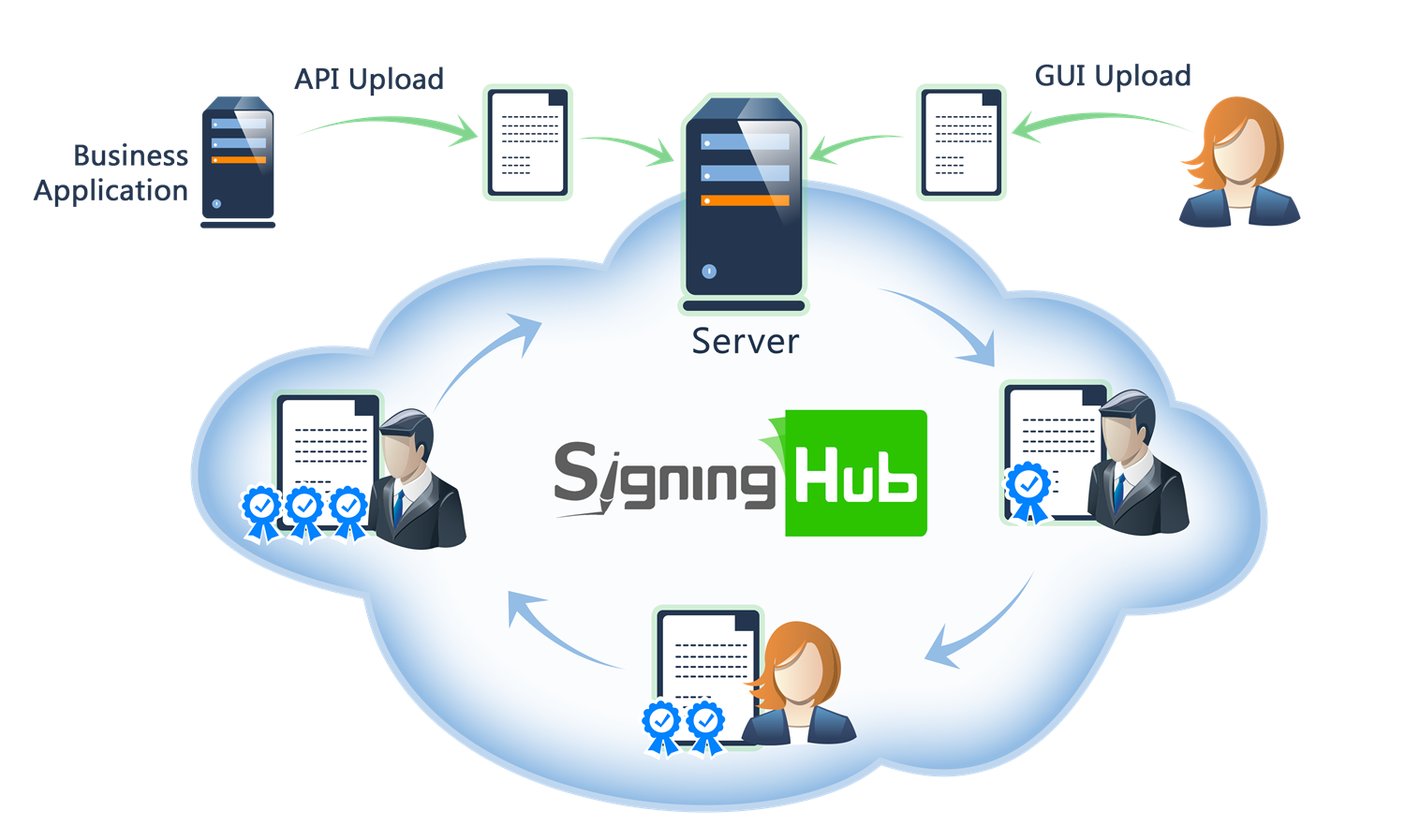
Browse through the API content by selecting the relevant pages from the left panel. To quickly find specific web service information, enter search criteria in the search box on top left.
 .
.More about SigningHub
To know more about SigningHub, explore the following links:
- Go to SigningHub Knowledge Base to view all the relevant information of SigningHub.
-
Visit the Ascertia Community Portal to find answers to contact SigningHub support staff through the
Live Chat provision
.
Our
support staff may be occupied with other priority tasks so live chat is offered on
an "as available" basis.
This guide is intended for developers who will integrate SigningHub into their respective web applications using the RESTful web services, and user interface offered by SigningHub. It is assumed that the reader has a basic knowledge of REST, Java, C#, HTML, JavaScript, HTTP and TLS/SSL. There is no Software Developers Kit (SDK) for the integration, instead the integration uses HTML Forms and JSON so that integration is simple from any language including .Net, Java, PHP etc.
| Main Tags | Most Popular Pages |
|---|---|
|
➤
Welcome
➤ Prerequisites ➤ Access Tokens ➤ Quick Integration ➤ Updates ➤ SignalR ➤ APIs Developer Guide ➤ Appendix |
➤
Authentication
➤ Account Management ➤ Add Package ➤ Upload Document ➤ Get Workflow Details ➤ Sign Document |
For such operations, for example in tight integration, the intended recipient credentials must be used as opposed to enterprise admin. The Authenticate API call returns an access token in the response which must be saved by the business client and must be provided with each subsequent API call as a bearer token for authorisation. Note this token is used in tight integration scenarios for both digital and electronic signatures.
When invoking the refresh token option this will generate both a new access token for use, and refresh token for a subsequent refresh operation. The refresh token operation means the correct grant type must be used, i.e. refresh_token, and the client_id and client_secret parameters are required. User name, password and scope are not required.
Second Factor Authentication as OTP
If a user has OTP configured as a second factor authentication, this API will throw an error 403 with a JSON response of error and error_description. It will also send two response headers.- x-otp
- x-mobile-number
If phone number is empty, application should ask for the phone number from the end user to send the OTP on the given number. For sending OTP, use OTP Login Authentication API call.
Once OTP is received, client application will again call the following authenticate API to authenticate the user with two factors, i.e., Password and OTP. To submit the OTP request in the authenticate API a new request header is expected.
- x-otp
This request header will contain the OTP that was received on the mobile. Server side will authenticate the user based on user email, password and also verify the OTP. Once everything is verified end user will receive the access token details.
Terms & Services
After implementation of GDPR, SigningHub will enforce the end users to agree with new terms and services, every time there is a change in it. Calling authentication API end point will check if the user has provided proper authentication information. Once validated, it will also check if the user has agreed to the latest terms and services or not. If user has already agreed to the terms everything will work in the previous fashion. If new terms and services are found that are not agreed by the user the API will send following response header as false, along with access token details.
- x-terms-agreed
Note: Agreement to terms of use is required if this feature is enabled in "system settings" to meet the GDPR requirements.
Enforce Password Reset
If enterprise has set the policy to reset password on first login for newly register users or on password expiration then in that cases this API call won't return the authentication token for users. Instead, 403 with a JSON response of error and error_description would be returned. It will also send a response header.- x-change-password
User authentication APIs supporting password, OTP, Kerberos, SSL certificate, and pre-login authentication flows.
Client Credentials Authentication
Authenticate using client_id and client_secret with grant_type = client_credentials and retrieve access_token
header Parameters
| Content-Type required | string Default: application/x-www-form-urlencoded |
| Accept required | string Default: application/json |
| x-scim | string Example: false Set to True if the generated access token should be SCIM supported |
Request Body schema: application/x-www-form-urlencoded
| grant_type required | string Default: "client_credentials" Grant type client_credentials is used when operations are performed on behalf of the application. |
| client_id required | string Default: "ACMapAppId" Application Name that you have configured in your Enterprise Account when configuring the integration options. |
| client_secret required | string Default: "jr67gj0h76gr83nf8734nj59g4he895jh87nr" API Key that you generated in your Enterprise Account when configuring the integration options. |
Responses
Response samples
- 200
- 400
- 401
- 403
- 500
{- "access_token": "string",
- "token_type": "string",
- "expires_in": 0,
- "refresh_token": "string"
}Password Authentication
Authenticate using client_id and client_secret and retrieve an Jwt access_token. Moreover, to perform a token-exchange, an access_token must first be obtained using the system integration key and the enterpriseId of the target enterprise. This access_token represents the authenticated user within the specified enterprise. Once acquired, this access_token is then used as the subject_token in the token-exchange request.
header Parameters
| Content-Type required | string Default: application/x-www-form-urlencoded |
| Accept required | string Default: application/json |
| x-session-id | string x-session-id is a response header that contains the current authenticated user session ID. |
Request Body schema: application/x-www-form-urlencoded
| grant_type required | string Default: "password" Define the OAuth 2.0 grant type. It can be set to "password", "client_credentials", "refresh_token", "token-exchange" or "active_directory". Note for most operations "password" is sufficient. Active Directory is used when the authentication required is the user's AD credentials. Client_credentials is reserved for internal use at this stage. |
| client_id required | string Default: "ACMEapp" Application Name that you have configured in your Enterprise Account when configuring the integration options. |
| client_secret required | string Default: "jr67gj0h76gr83nf8734nj59g4he895jh87nr" API Key that you generated in your Enterprise Account when configuring the integration options. |
| username | string Default: "admin@ascertia.com" SigningHub email address identifying the target user account - this can be an Enterprise Admin or an Enterprise User account. Note an enterprise user can use an API Key created for the enterprise by an enterprise administrator. |
| password | string Default: "Password@12" Password for the account defined in the 'username' parameter. |
| scope | string Default: "john@ascertia.com" Used when the Enterprise Admin user is identified in 'username' and you wish to identify an Enterprise User as the target. That is, set an enterprise user as the current user for operations. For example, to update the general profile settings of an enterprise user then the "scope" variable can be used. |
| refresh_token | string Default: "rtfgdsxtrgefds543wedsx" If access_token is expired, refresh token is used along with grant type refresh_token. If refresh token is provided, username, password and scope attributes can be treated as optional. |
| enterprise_id | string Default: "" Provide an integer enterprise ID (for example, "1") to access that specified enterprise. |
| subject_token | string Default: "" Token exchange to switch enterprise and being used with Ssl authentication |
Responses
Response samples
- 200
- 400
- 401
- 403
- 500
{- "access_token": "string",
- "token_type": "string",
- "expires_in": 0,
- "refresh_token": "string"
}Scope Authentication
Business applications can call this API to get the scope access token on behalf of an enterprise user and perform any action other than document signing.
header Parameters
| Authorization required | string Default: Bearer {access_token} OAuth access token obtained as a result of "Client Credentials Authentication" |
| Content-Type required | string Default: application/json |
| Accept required | string Default: application/json |
Request Body schema:
Scope request model
| user_email required | string <email> non-empty Scope user email address |
Responses
Request samples
- Payload
{- "user_email": "user@example.com"
}Response samples
- 200
- 401
- 403
- 500
{- "access_token": "string",
- "token_type": "string",
- "expires_in": 0,
- "refresh_token": "string"
}Kerberos Authentication
SigningHub uses OAuth 2.0 to authorize client requests. This API endpoint will present a Kerberos authentication challenge if the API is called in a browser that supports Kerberos authentication.
To get the Windows Kerberos dialog for authentication, use "withCredentials" in jQuery AJAX calls.Or on server side language like c# HttpClient object you can use "UseDefaultCredentials" with HTTP(S) requests.
Request Body schema:
Kerbose request model
| profile_name | string or null SSL Authenticate Profile Name |
Responses
Request samples
- Payload
{- "profile_name": "string"
}Response samples
- 200
- 401
- 403
- 500
{- "subject_token": "string"
}Single Sign On Authentication
SigningHub uses OAuth 2.0 to authorize client requests. Business application can call this API to get the access token of user by requesting third party, based on provided method and token. Currently supported third parties are Office 365, Azure Active Directory, OAuth2 and OIDC. For OIDC, it can update the NID of user.
header Parameters
| Authorization required | string Default: Bearer {access_token} The OAuth access token obtained as a result of successful authentication via the "password" grant type. |
| Content-Type required | string Default: application/json |
| Accept required | string Default: application/json |
| x-enterprise-id | string Example: 1 Provide an integer enterprise ID (for example, "1") to access that specified enterprise. |
| x-session-id | string x-session-id is a response header that contains the current authenticated user session ID. |
| x-id-token | string x-id-token is a response header that contains the OIDC ID token issued by the third-party identity provider. |
Request Body schema:
| token | string or null Token obtained from 3rd party e.g Office 365, Azure Active Directory, OAuth 2, OIDC |
| code | string or null Code obtained from OAuth2, OIDC (authorize response), Base64 encoded PassKey assertion response from authenticator |
| method required | string non-empty Supported method type Possible values are "OFFICE_365", "AZURE_ACTIVE_DIRECTORY", "OAUTH2", "OIDC", "PassKey" |
| profile_name | string or null Authentication profile name, required for "OAUTH2" and "OIDC". It's an alternative to profile_id, so this can be skipped if profile_id is provided. It's become mandatory for "OFFICE_365" and "AZURE_ACTIVE_DIRECTORY" too if code is provided and token is not provided in the request body. |
| profile_id | integer <int32> Authentication profile id, required for "OAUTH2", "OIDC", "PassKey". It's an alternative to profile_name, so this can be skipped if profile_name is provided. It's become mandatory for "OFFICE_365" and "AZURE_ACTIVE_DIRECTORY" too if code is provided and token is not provided in the request body. |
| redirect_uri | string or null Redirect URL |
| code_verifier | string or null Code Verifier if PKCE is enabled for the client. |
| nonce | string or null Nonce value if it is enabled for the client. |
Responses
Request samples
- Payload
{- "token": "string",
- "code": "string",
- "method": "string",
- "profile_name": "string",
- "profile_id": 0,
- "redirect_uri": "string",
- "code_verifier": "string",
- "nonce": "string"
}Response samples
- 200
- 400
- 401
- 403
- 500
{- "access_token": "string",
- "token_type": "string",
- "expires_in": 0,
- "refresh_token": "string",
- "authentication_access_token": "string"
}OTP Login Authentication
SigningHub supports second factor authentication using One Time Password at login time via the web site GUI. Note this is different to OTP via SMS used in electronic signatures at the point of signing. This specifically refers to using the second factor authentication for SigningHub system access.
To enable One Time Password second factor authentication see here.It is an option in the Enterprise Role settings.
At least one SMS provider must be configured in SigningHub administration in order to use this functionality.
This API call is used to allow business applications to request an One Time Password to the user's mobile device for subsequent use in second factor authentication in the GUI.
Note the mobile number is an optional field.If not supplied, SigningHub will attempt to send the OTP to the mobile number stored in the user's Profile settings. If a mobile number is supplied in the call, then the OTP will be sent to this number, and any stored one under Profile settings will be ignored.
In the event that no mobile number is supplied, nor found under the user's Profile settings, an error will be returned.
header Parameters
| Authorization required | string Default: Bearer {access_token} The OAuth access token obtained as a result of successful authentication via the "password" grant type. |
| Content-Type required | string Default: application/json |
| Accept required | string Default: application/json |
Request Body schema:
| mobile_number | string or null Mobile number of the user in case user do not have a mobile number already in his profile. SigningHub application will update the new phone number in the profile automatically. |
| method | string or null Method Possible values are "EMAIL", "SMS" |
Responses
Request samples
- Payload
{- "mobile_number": "string",
- "method": "string"
}Response samples
- 400
- 401
- 500
{- "Message": "string"
}Pre Login Authentication
Business application can use this API to get the authentication method for the user, based on the configurations set in enterprise role
header Parameters
| Authorization required | string Default: Bearer {access_token} OAuth access token obtained as a result of "Client Credentials Authentication" |
| Content-Type required | string Default: application/json |
| Accept required | string Default: application/json |
| x-enterprise-id | string Example: 1 Provide an integer enterprise ID (for example, "1") to access that specified enterprise. |
Request Body schema:
| username required | string non-empty Email address of the user for which authentication method is te be retrieved. |
Responses
Request samples
- Payload
{- "username": "string"
}Response samples
- 200
- 403
- 500
{- "profile_id": 0,
- "profile_name": "string",
- "provider": "string",
- "method": "string",
- "app_id": "string",
- "tenant_id": "string",
- "private_profiles_count": 0,
- "logo_url": "string",
- "url": "string",
- "logout_url": "string",
- "scope": "string",
- "resource": "string",
- "oidc_advance_settings": {
- "pkce": true,
- "state": true,
- "nonce": true,
- "language": true,
- "display": true,
- "display_value": "string",
- "prompt": true,
- "prompt_value": "string",
- "max_age": true,
- "max_age_value": "string",
- "login_hint": true,
- "login_hint_value": "string",
- "acr": true,
- "acr_values": "string"
}, - "allow_public_profile": true
}SSL Authentication
This API retrieves a subject_token from a .pfx certificate and, when accessed via a browser, may prompt the user to select a certificate.
Request Body schema:
SSL request model
| profile_name | string or null SSL Authenticate Profile Name |
Responses
Request samples
- Payload
{- "profile_name": "string"
}Response samples
- 200
- 401
- 403
{- "subject_token": "string"
}Verisec Authentication
Business applications can use this service API to send a VerisecID authentication request notification to a user's mobile device.
header Parameters
| Authorization required | string Default: Bearer {access_token} OAuth access token obtained as a result of "Client Credentials Authentication" |
| Content-Type required | string Default: application/json |
| Accept required | string Default: application/json |
Request Body schema:
| profile_name required | string non-empty Verisec Authenticate Profile Name |
| user_email required | string non-empty User Name |
Responses
Request samples
- Payload
{- "profile_name": "string",
- "user_email": "string"
}Response samples
- 201
- 401
- 403
- 500
{- "transaction_id": "string"
}Verisec Authentication Status
Business applications can use this service API to retrieve the subject token for an approved VerisecID authentication request.
Possible authentication statuses:
PENDING: The authentication request has been delivered to the user's mobile device and is awaiting approval or rejection. The API returns HTTP 202 (Accepted).
CANCELED: The user canceled the authentication request from the mobile device.
EXPIRED: The authentication request expired before the user approved or rejected it.
APPROVED: The authentication request was successfully approved, and the subject token is returned in the response.
path Parameters
| transaction_id required | string The transaction reference returned by the VerisecID authentication request. |
header Parameters
| Authorization required | string Default: Bearer {access_token} OAuth access token obtained as a result of "Client Credentials Authentication" |
| Content-Type required | string Default: application/json |
| Accept required | string Default: application/json |
Responses
Response samples
- 200
- 202
- 401
- 403
- 500
{- "status": "string",
- "subject_token": "string"
}SAML Authentication
This API can be used to authenticate to SigningHub User using SAML supported IDP.
The profilename is mandatory parameter and required to be passed from caller application.
The callback URL is optional and can be set by the caller application if required.
header Parameters
| Authorization required | string Default: Bearer {access_token} The OAuth access token obtained as a result of successful authentication via the "password" grant type. |
| Content-Type required | string Default: application/json |
| Accept required | string Default: application/json |
Request Body schema:
| profile_name required | string non-empty SAML Profile Name |
| callback_url | string or null Callback URL to get the response |
Responses
Request samples
- Payload
{- "profile_name": "string",
- "callback_url": "string"
}Response samples
- 200
- 403
{- "url": "string",
- "request_body": "string",
- "type": "string"
}SAML Authentication Logout
This API can be used to logout SigningHub User using SAML supported IDP.
The profilename is mandatory parameter and required to be passed from caller application.
The callback URL is optional and can be set by the caller application if required.
query Parameters
| profile_name | string SAML Profile Name. |
| session_index | string Session Index created at the time of log-in. |
string Logged in user email address. |
header Parameters
| Authorization required | string Default: Bearer {access_token} The OAuth access token obtained as a result of successful authentication via the "password" grant type. |
| Content-Type required | string Default: application/json |
| Accept required | string Default: application/json |
Responses
Response samples
- 200
- 403
{- "url": "string",
- "body": "string",
- "type": "string"
}Get OIDC Authentication URL
Business application can use this API to get oidc authentication url.
query Parameters
| profileId | string |
string |
header Parameters
| Authorization required | string Default: Bearer {access_token} OAuth access token obtained as a result of "Client Credentials Authentication" |
| Content-Type required | string Default: application/json |
| Accept required | string Default: application/json |
Responses
Response samples
- 200
- 403
- 500
"string"APIs for retrieving available authentication profiles and supported authentication methods.
Get Public Authentication Profiles
Business application can use this API to get all the public authentications configured in the SigningHub.
header Parameters
| Authorization required | string Default: Bearer {access_token} OAuth access token obtained as a result of "Client Credentials Authentication" |
| Content-Type required | string Default: application/json |
| Accept required | string Default: application/json |
Responses
Response samples
- 200
- 403
- 500
[- {
- "profile_id": 0,
- "profile_name": "string",
- "provider": "string",
- "method": "string",
- "app_id": "string",
- "tenant_id": "string",
- "private_profiles_count": 0,
- "logo_url": "string",
- "url": "string",
- "logout_url": "string",
- "scope": "string",
- "resource": "string",
- "oidc_advance_settings": {
- "pkce": true,
- "state": true,
- "nonce": true,
- "language": true,
- "display": true,
- "display_value": "string",
- "prompt": true,
- "prompt_value": "string",
- "max_age": true,
- "max_age_value": "string",
- "login_hint": true,
- "login_hint_value": "string",
- "acr": true,
- "acr_values": "string"
}, - "allow_public_profile": true
}
]APIs for managing authenticated sessions, device registrations, access tokens, and refresh token lifecycle.
Revoke Refresh Tokens
Business application can call this API to revoke the refresh tokens generated for a user. The refresh token is generated and sent when a successful authentication request is made.
header Parameters
| Authorization required | string Default: Bearer {access_token} Users access token |
| Content-Type required | string Default: application/x-www-form-urlencoded |
| Accept required | string Default: application/json |
Request Body schema: application/x-www-form-urlencoded
| refresh_token required | string Default: "45ghiukldjahdnhzdauz" OAuth refresh access token to revoke. |
| token_type_hint required | string Default: "refresh_token" Type of token. Currently only refresh_token is supported. |
Responses
Response samples
- 400
- 401
- 403
- 500
{- "Message": "string"
}Logout/Device De-Registration
Applications can call this API when a user logout from the application. This API call will update the user activity.
header Parameters
| Authorization | string Default: Bearer {access_token} The OAuth access token obtained as a result of successful authentication via the "password" grant type. |
| Content-Type required | string Default: application/json |
| Accept required | string Default: application/json |
| x-expired | string Example: false The values must be "true" | "false" and when no header is provided default value will be false. |
| x-session-id | string x-session-id is an optional request header that contains the current authenticated user's session ID. If the Authorization header is provided, the user will be authenticated using the access token. If the Authorization header is not provided, the session ID can be used instead. |
Request Body schema:
| device_token | string or null Push notification token that needs to be removed from the server in case of logout. |
Responses
Request samples
- Payload
{- "device_token": "string"
}Response samples
- 401
- 404
- 500
{- "Message": "string"
}