
Foreign Master Lists
The Foreign Master Lists module displays all Master Lists containing foreign CSCA and Link certificates that have been either downloaded from the ICAO Public Key Directory (PKD) or manually imported by an operator.
To access this functionality, navigate to Master Lists > Foreign Master Lists. The following screen is displayed:
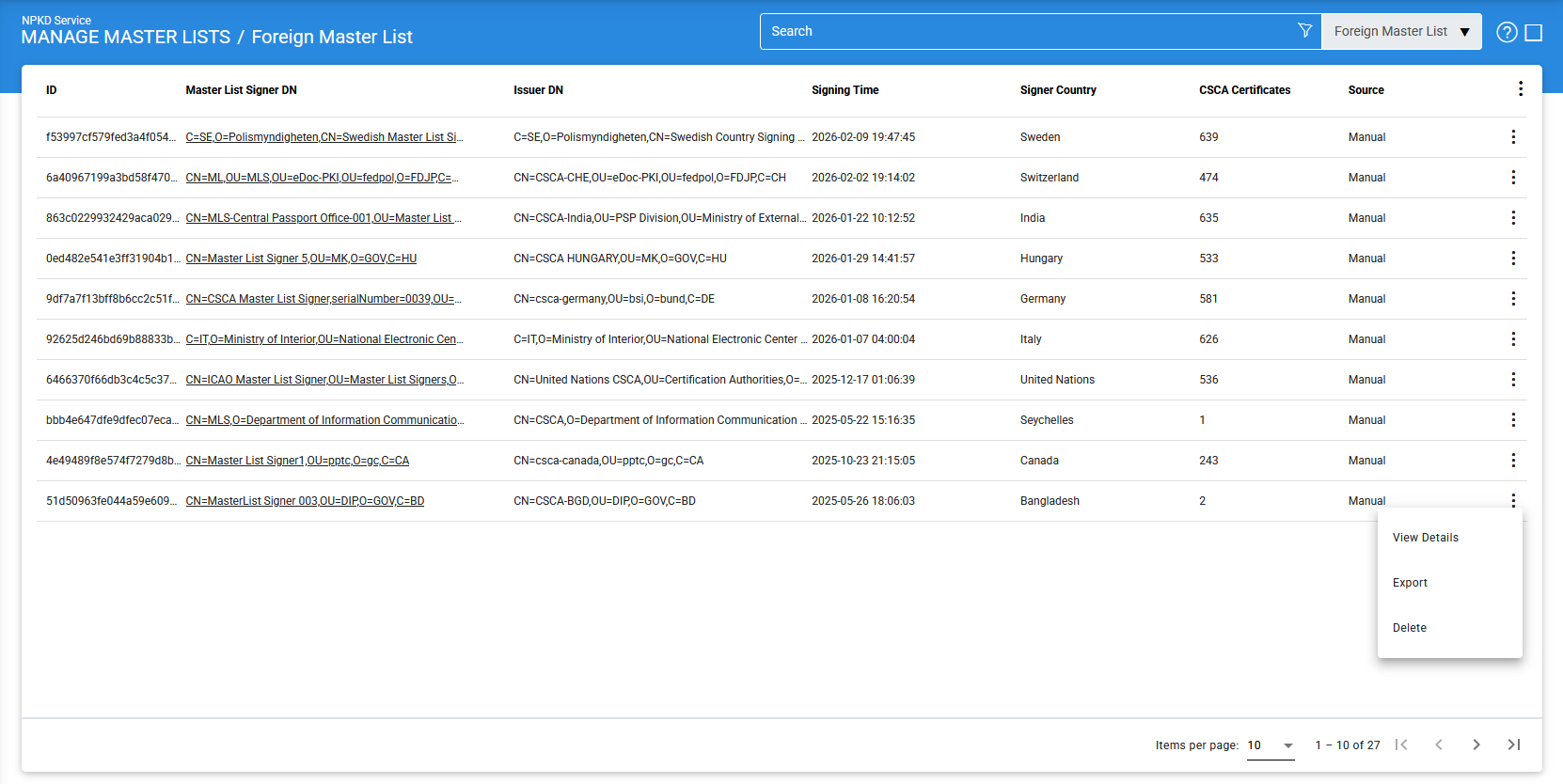
The configuration items are as follows:
|
Items |
Description |
|
ID |
Displays the system-generated unique identifier for the Foreign Master List |
|
Master List Signer DN |
Displays the Subject Distinguished Name (DN) of the Master List Signer certificate used to sign the Master List. |
|
Issuer DN |
Displays the Distinguished Name (DN) of the Certification Authority (CA) that issued the Master List Signer certificate. |
|
Signing Time |
Indicates the date and time when the Master List was digitally signed. |
|
Signer Country |
Specifies the country that issued and signed the Master List. |
|
CSCA Certificates |
Displays the total number of CSCA certificates contained in the Master List. |
|
Source |
Indicates how the Master List was added to the NPKD Service. The available values are:
To download Master Lists from the ICAO PKD, the ICAO PKD Download Settings must first be configured. |
|
Import |
Imports one or more Foreign Master Lists from the local file system into the NPKD Service. |
|
View Details |
Displays detailed information about the selected Foreign Master List. |
|
Export |
Exports the selected Foreign Master List to the local file system. |
|
Delete |
Removes the selected Foreign Master List from the NPKD Service repository. |
Importing Foreign Master Lists
Foreign Master Lists can be imported manually in either ZIP or LDIF format.
To import a Foreign Master List, click the vertical ellipsis (⋮) at the top-right corner of the screen and select Import. The following screen is displayed:
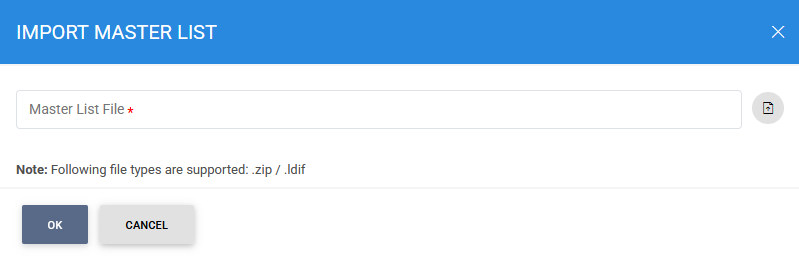
Select the required Master List from the local file system.
- If importing a ZIP file, it may contain one or more Master Lists.
- After selecting the file, click OK to validate and preview the import.
The following progress screen is displayed while the import is being processed:

Import Results
After the import process completes, the result is displayed based on the validation outcome.
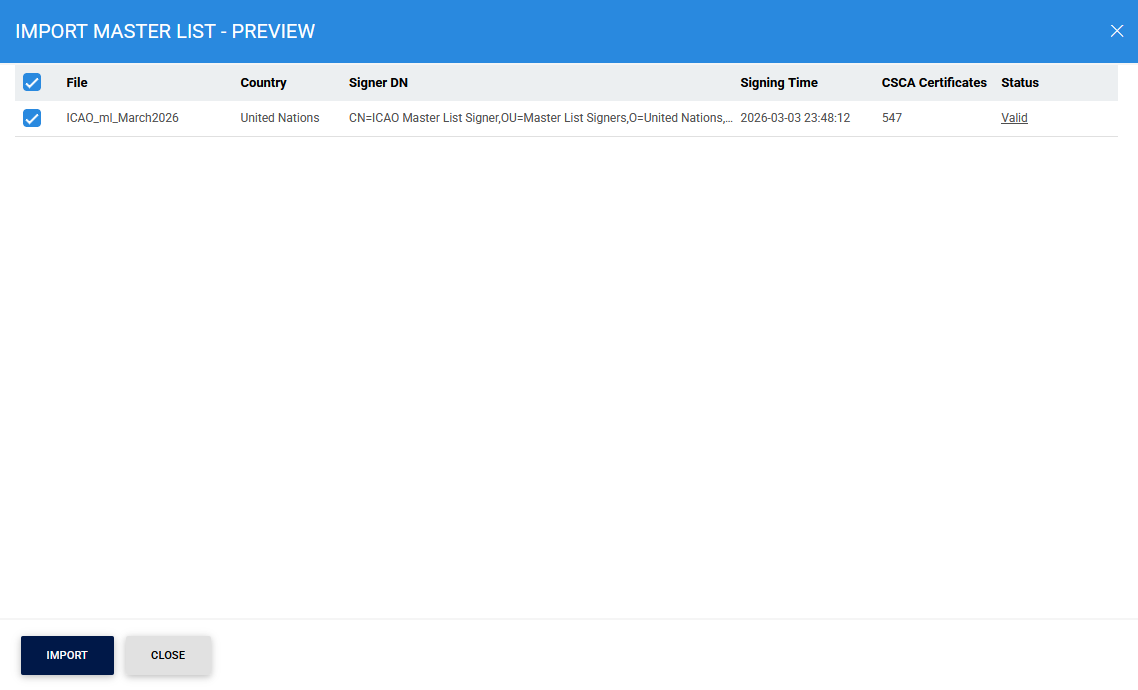
Successful Import
If the imported Foreign Master List passes all validation checks, the following screen is displayed:
Failed Import
If the imported Foreign Master List fails validation, the following screen is displayed:
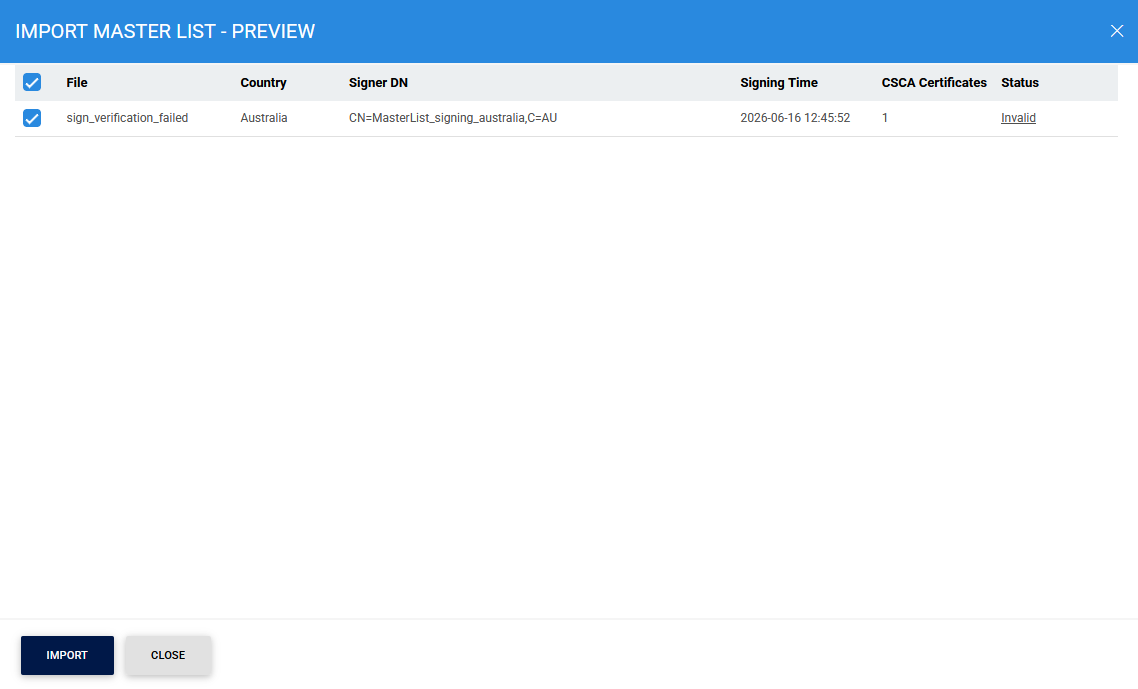
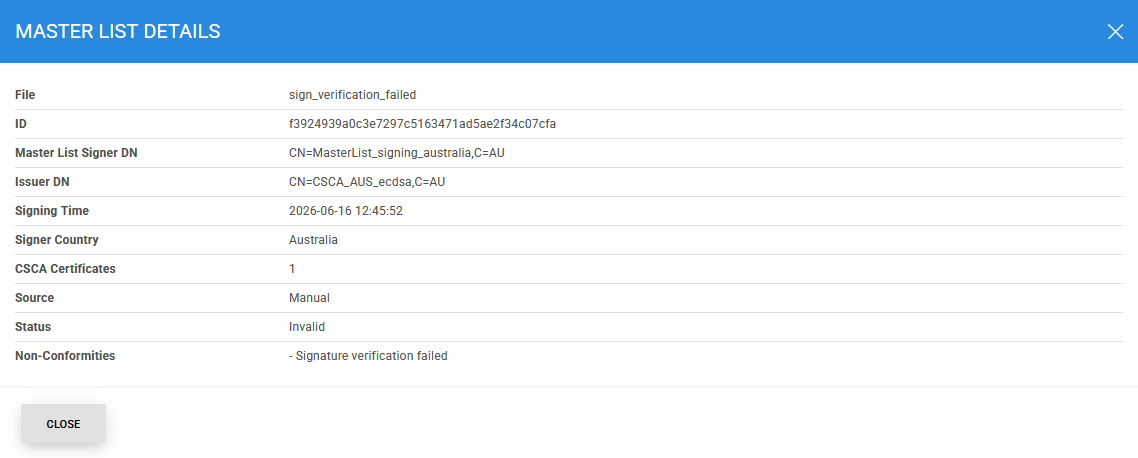
To view the reason for the validation failure, click Invalid in the Status column. The system displays detailed validation information on the following screen:
Viewing Master List Details
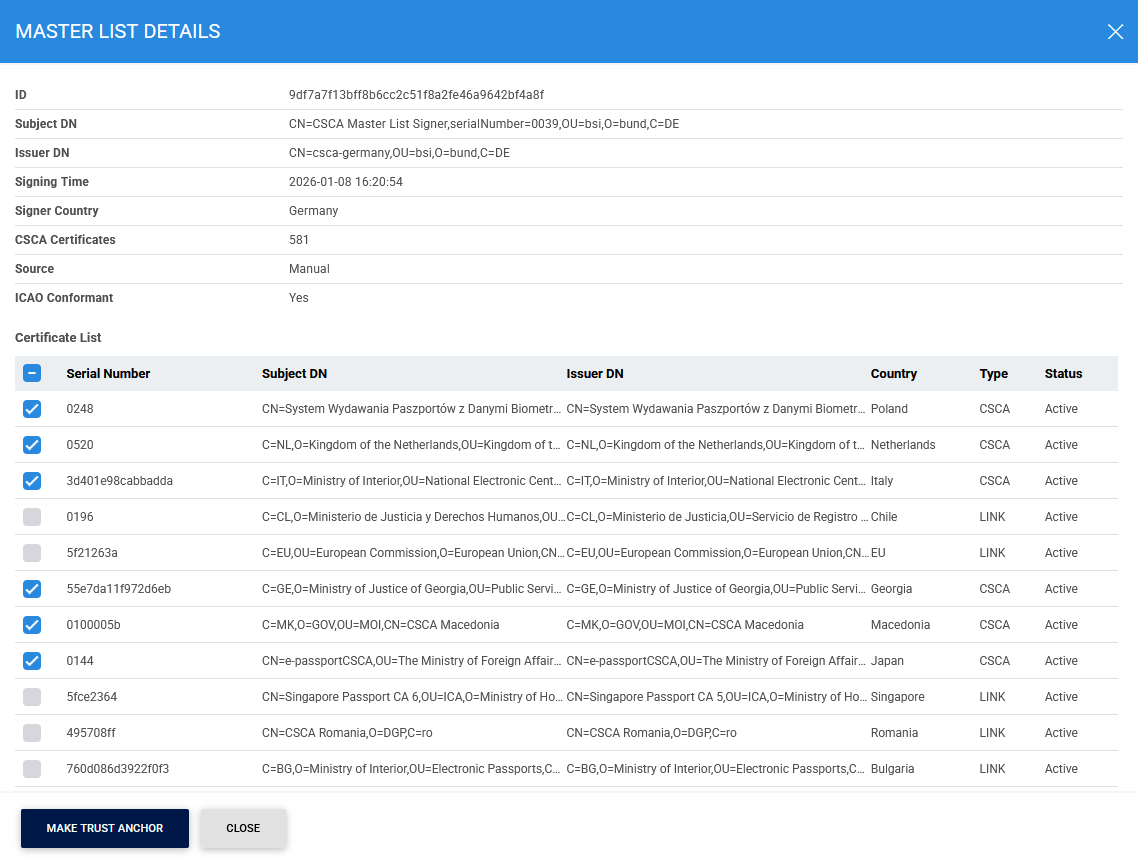
To view detailed information about a Foreign Master List, click the vertical ellipsis (⋮) at the end of the corresponding row and select View Details.
The following screen is displayed:
Advanced Search
The Advanced Search feature is available on the Foreign Master Lists screen and can be accessed by clicking the search icon.
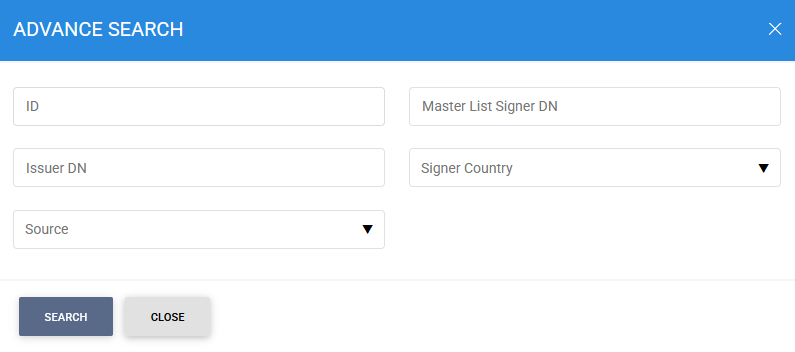
You can search for a specific Foreign Master List using one or more of the following criteria:
- ID
- Master List Signer DN
- Issuer DN
- Signer Country
- Source
These search filters enable administrators to quickly locate and manage Foreign Master Lists stored in the NPKD Service.
See also