
Domestic Master Lists
A Domestic Master List is created by the country hosting the NPKD Service and can contain both domestic and foreign CSCA certificates, as well as link certificates. Domestic Master Lists are used to distribute the country's trusted CSCA and link certificates to other ICAO member states through the ICAO Public Key Directory (PKD). They can also be provided to domestic Inspection Systems (IS) to support ePassport certificate validation.
To manage Domestic Master Lists, navigate to the following screen in the ADSS Server console:
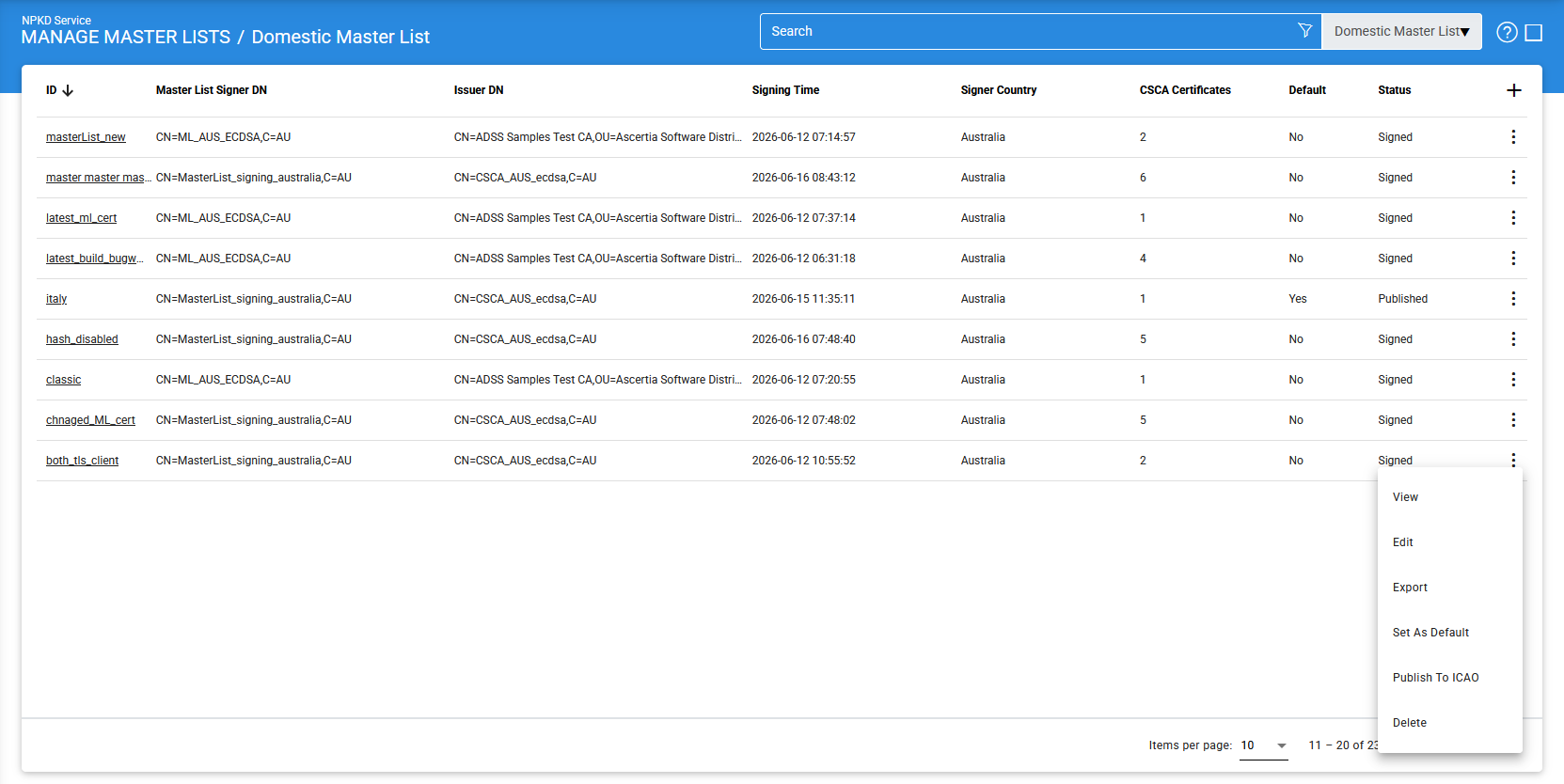
The configuration items are as follows:
|
Items |
Description |
|
ID |
A unique identifier assigned by the operator to the Domestic Master List. |
|
Master List Signer DN |
Displays the Subject Distinguished Name (DN) of the Master List Signer certificate used to sign the Master List. |
|
Issuer DN |
Displays the Distinguished Name (DN) of the Certification Authority (CA) that issued the Master List Signer certificate. |
|
Signing Time |
Indicates the date and time when the Master List was digitally signed. |
|
Signer Country |
Specifies the country that signed the Master List. |
|
CSCA Certificates |
Displays the total number of CSCA certificates included in the Master List. |
|
Status |
Displays the current state of the Master List. The possible values are:
|
|
Create |
Creates a new Domestic Master List. |
|
Edit |
Modifies an existing Domestic Master List. Only Master Lists in the Draft state can be edited. |
|
Delete |
Removes the selected Domestic Master List from the NPKD Service. |
|
Set as Default |
Sets the selected Master List as the default Domestic Master List. This Master List is returned to domestic Inspection Systems when they request the latest available Master List. |
|
Export |
Exports the selected Master List to the local file system. |
|
Publish to ICAO |
Publishes the selected Master List to the ICAO PKD. This option is available only for Master Lists in the Signed state. |
Domestic Master Lists can be sorted in either ascending or descending order by selecting the appropriate column from the sort drop-down list.
Creating a Domestic Master List
To create a new Domestic Master List, click the Add (+) icon. The following screen is displayed:
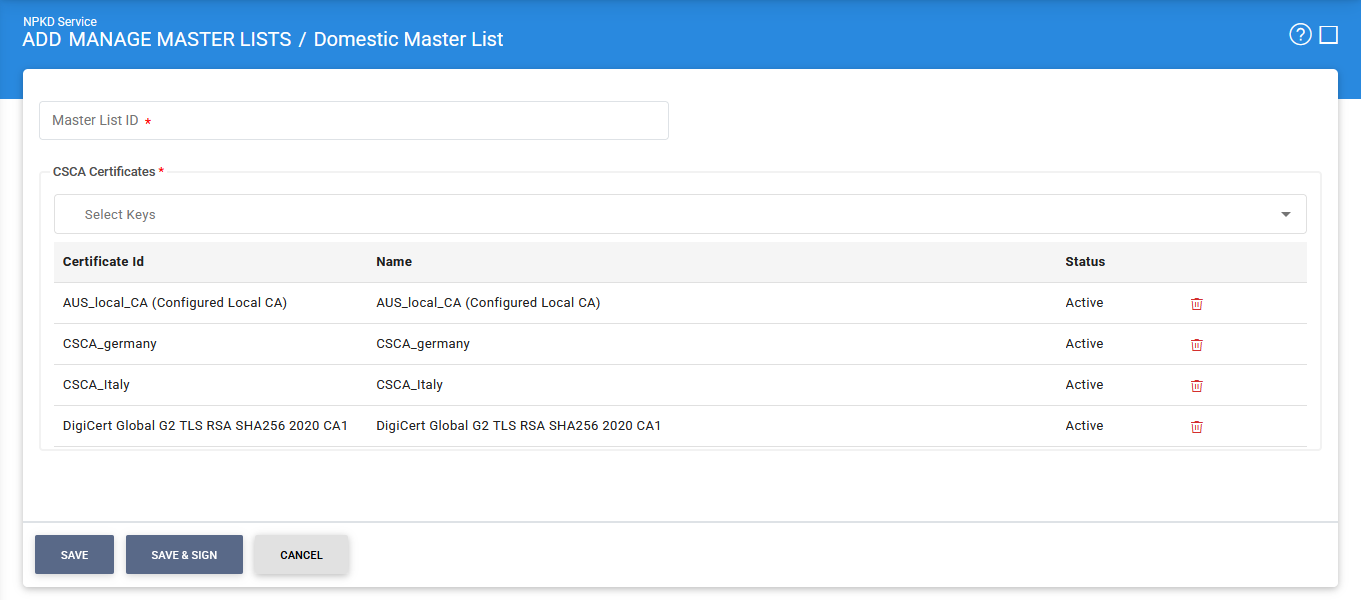
Specify a unique Master List ID and select the required CSCA and Link certificates to include in the Master List.
The available certificates are retrieved from the Trust Manager. Therefore, the required CSCA and Link certificates must be registered in the Trust Manager before creating a Domestic Master List.
Click one of the following buttons to complete the operation:
- Save: Creates the Master List in the Draft state. The Master List remains unsigned and cannot be published to the ICAO PKD until it is digitally signed.
- Save & Sign: Creates the Master List and immediately signs it using the configured Master List Signer certificate. A signed Master List can subsequently be published to the ICAO PKD.
|
|
Note: Before a Master List can be digitally signed, the Signing Settings must be configured. For more information, see Signing Settings. |

Editing a Domestic Master List
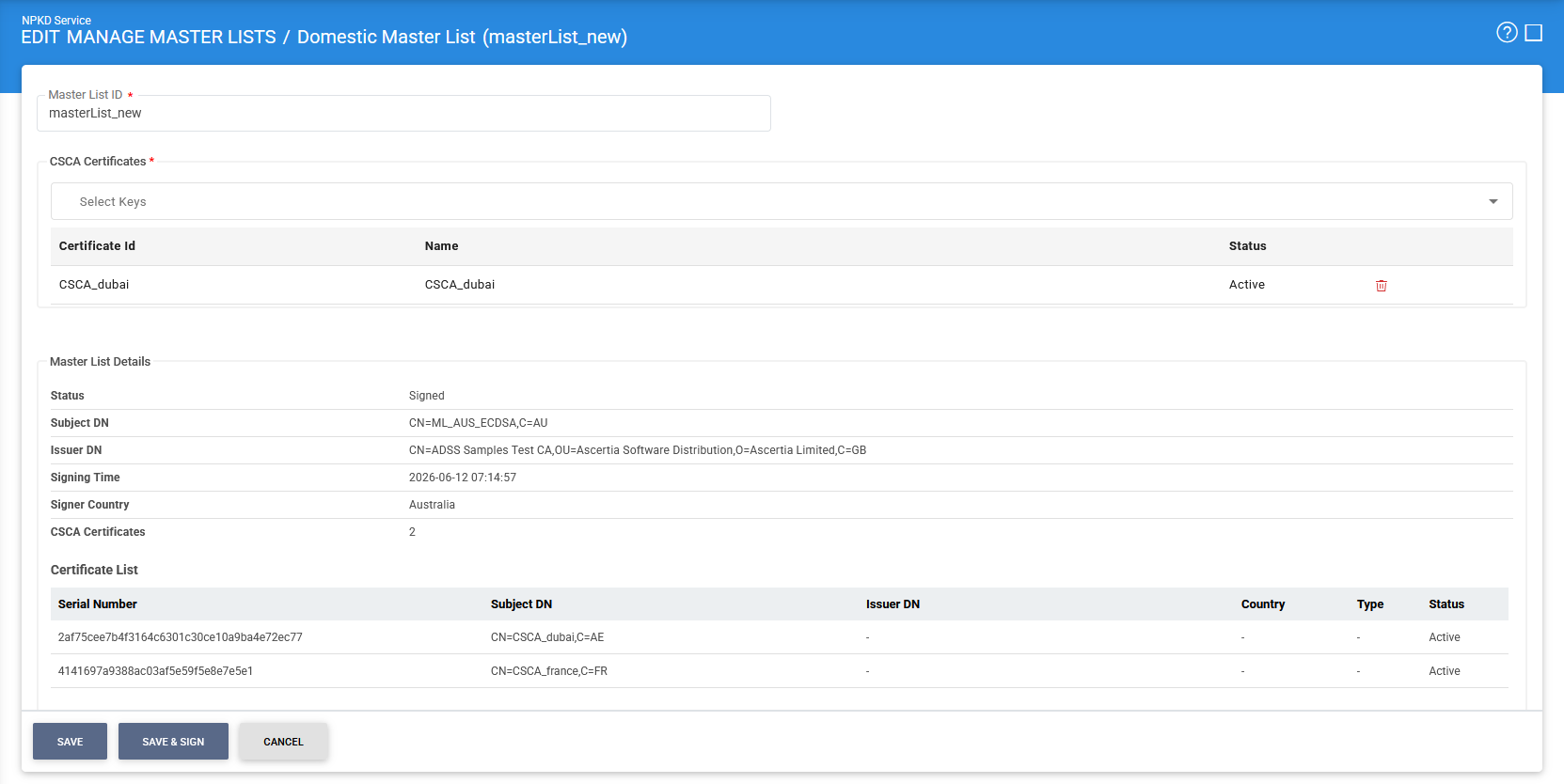
To edit a Domestic Master List, click the vertical ellipsis (⋮) at the end of the corresponding row and select Edit.
The following screen is displayed:
|
|
Note: Only Master Lists in the Draft state can be modified. If a Master List has already been Signed or Published, it becomes read-only. Selecting Edit opens the Master List in view-only mode, allowing its details to be reviewed but not modified. |
Advanced Search
The Advanced Search feature is available on the Domestic Master Lists screen and can be accessed by clicking the search icon.
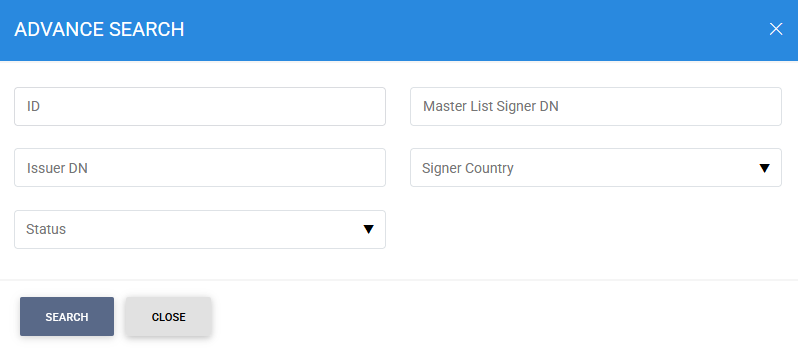
You can search for a specific Domestic Master List using one or more of the following criteria:
- ID
- Master List Signer DN
- Issuer DN
- Signer Country
- Status
These search filters enable administrators to quickly locate and manage Domestic Master Lists.
See also