
Foreign Certificates
The Foreign Certificates tab within the Manage Certificates sub-module displays all Foreign DV certificates issued by the Domestic CVCA through the ADSS SPOC Service. These certificates are generated in response to certificate requests received from registered Foreign SPOCs.
To view the list of issued Foreign DV certificates, navigate to the following screen:
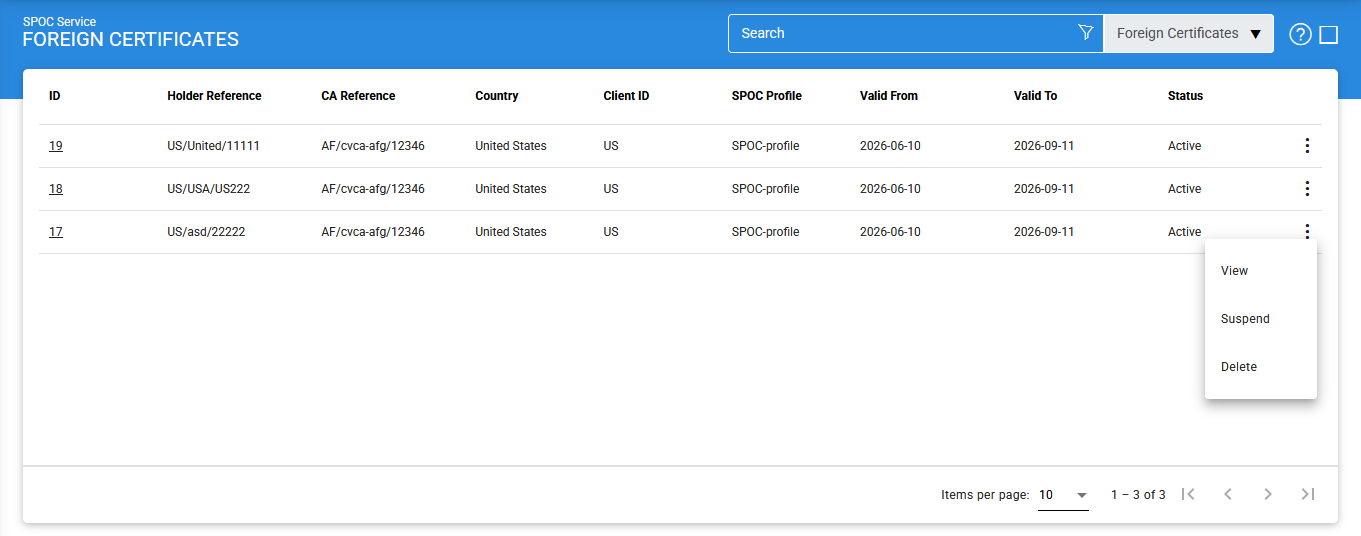
The configuration items are as follows:
|
Items |
Description |
|
ID |
A system-generated unique identifier assigned to the DV. |
|
Holder Reference |
Displays the reference information of the certificate. |
|
CA Reference |
Displays the reference information of the issuing Certification Authority (CA). |
|
Country |
Indicates the country associated with the certificate. |
|
Client ID |
Displays the identifier of the Foreign SPOC that requested the certificate. This value is configured in the Client Manager and typically corresponds to the two-letter country code of the foreign country. |
|
SPOC Profile |
Displays the SPOC profile whose configuration settings were used during certificate issuance. |
|
Valid From |
Displays the date from which the certificate becomes valid. |
|
Valid To |
Displays the certificate expiration date. |
|
Status |
Displays the current status of the certificate. The possible values are Active, Not Sent, Expired and Suspended. |
|
View Certificate |
Opens the selected certificate and displays its details. |
|
Suspend |
Changes the status of an Active certificate to Suspended. |
|
Reactivate |
Changes the status of a Suspended certificate back to Active. |
|
Delete |
Permanently removes the selected certificate from the system. |
|
|
Note: Rekey requests cannot be processed for certificates that are in the Suspended state. |

Viewing Certificate Details
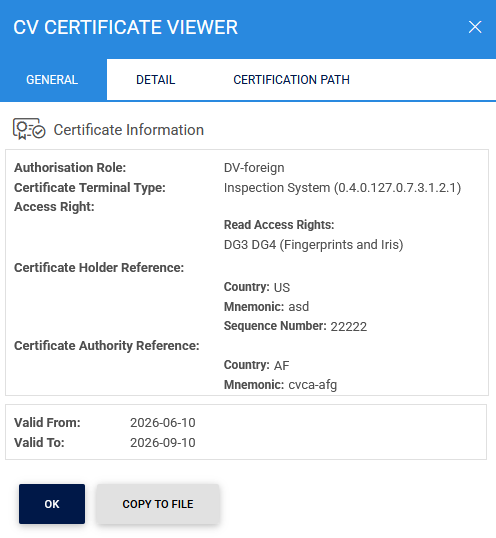
To view the details of a certificate, click the vertical ellipsis (⋮) at the end of the corresponding row and select View Certificate.
The following screen is displayed:
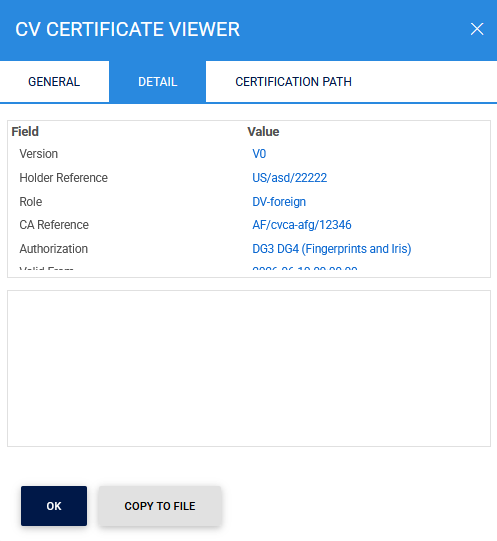
The Details tab provides additional information about the selected certificate:
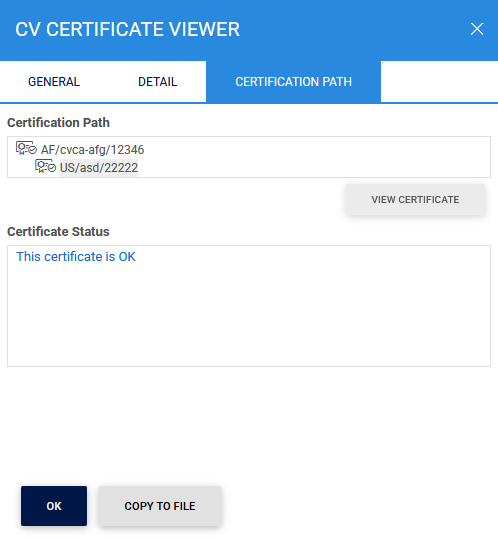
The Certification Path tab displays the complete certificate chain associated with the selected certificate:
Suspending a Certificate
To suspend an active certificate:
- Click the vertical ellipsis (⋮) for the selected certificate.
- Select Suspend.
Once suspended, the certificate status changes from Active to Suspended.
Reactivating a Certificate
To reactivate a suspended certificate:
- Click the vertical ellipsis (⋮) for the selected certificate.
- Select Reactivate.
Once reactivated, the certificate status changes from Suspended to Active.
Deleting a Certificate
To permanently remove a certificate from the system:
- Click the vertical ellipsis (⋮) for the selected certificate.
- Select Delete.
|
|
Note: Deleting a certificate removes it from the SPOC Service records. Ensure that the certificate is no longer required for operational or audit purposes before performing this action. |
Searching for Foreign Certificates
To locate a specific certificate, click the Advanced Search icon on the Foreign Certificates page:
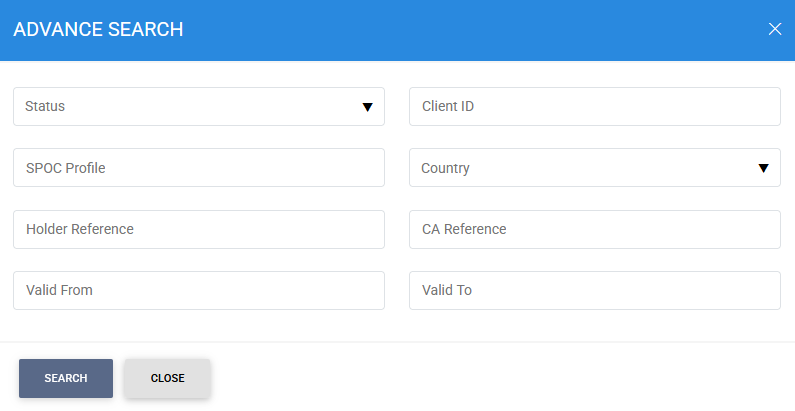
The Advanced Search feature allows certificates to be filtered using one or more of the following criteria:
- Status
- Client ID
- SPOC Profile
- Country
- Holder Reference
- CA Reference
- Valid From
- Valid To
This functionality enables administrators and operators to efficiently locate and manage Foreign DV certificates based on certificate attributes, issuing authority, validity periods, operational status, and the requesting Foreign SPOC.
See also