
Domestic Certificates
The Domestic Certificates sub-module displays all Domestic DV certificates that have been issued through the ADSS SPOC Service. These certificates may be issued by either a Domestic CVCA or a Foreign CVCA, depending on the certificate request and issuance workflow.
To view the list of issued Domestic DV certificates, navigate to the following screen:
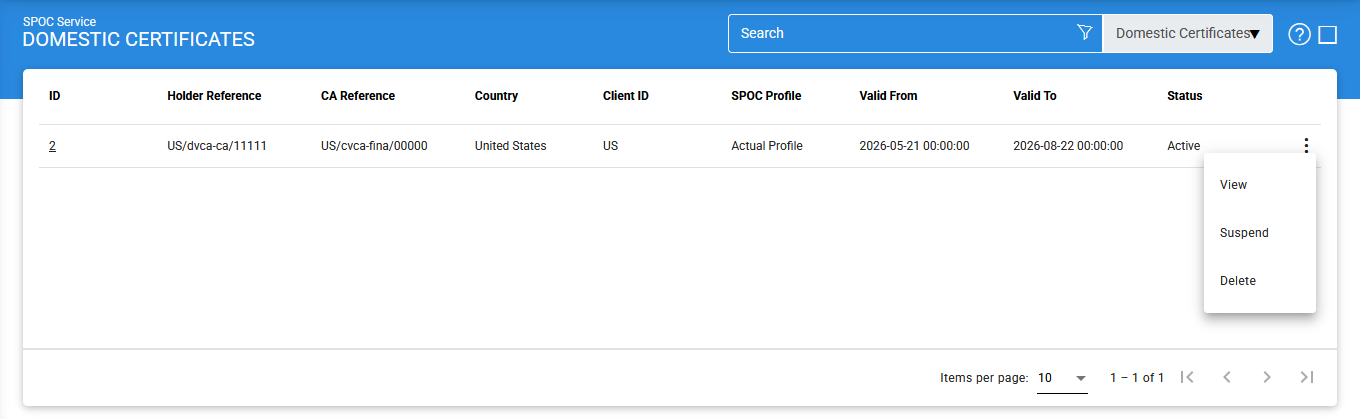
The configuration items are as follows:
|
Items |
Description |
|
ID |
A system-generated unique identifier assigned to the certificate. |
|
Holder Reference |
Displays the reference information of the certificate holder. |
|
CA Reference |
Displays the reference information of the issuing Certification Authority (CA). |
|
Country |
Indicates the country associated with the certificate. |
|
Client ID |
Displays the identifier of the client application that requested the certificate. |
|
SPOC Profile |
Displays the SPOC profile whose configuration settings were used during certificate issuance. |
|
Valid From |
Displays the date from which the certificate becomes valid. |
|
Valid To |
Displays the certificate expiration date. |
|
Status |
Displays the current status of the certificate. The possible values are Active, Not Sent, Expired and Suspended. |
|
View Certificate |
Opens the selected certificate and displays its details. |
|
Suspend |
Changes the status of an Active certificate to Suspended. |
|
Reactivate |
Changes the status of a Suspended certificate back to Active. |
|
Delete |
Permanently removes the selected certificate from the system. |
|
|
Note: Deleting a declined request removes it from the Declined Requests list. Ensure that the request information is no longer required for operational or audit purposes before performing this action. |

Viewing Certificate Details
To view the details of a certificate, click the vertical ellipsis (⋮) at the end of the corresponding row and select View Certificate.
The following screen is displayed:
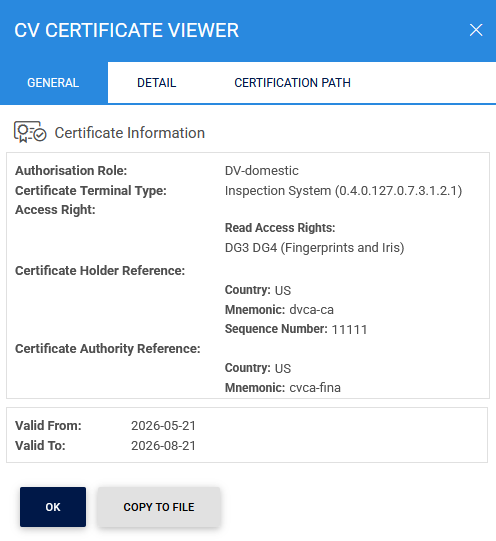
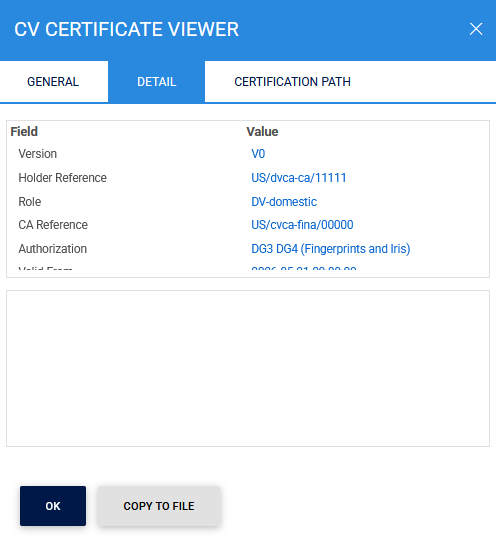
The Details tab provides additional information about the selected certificate.
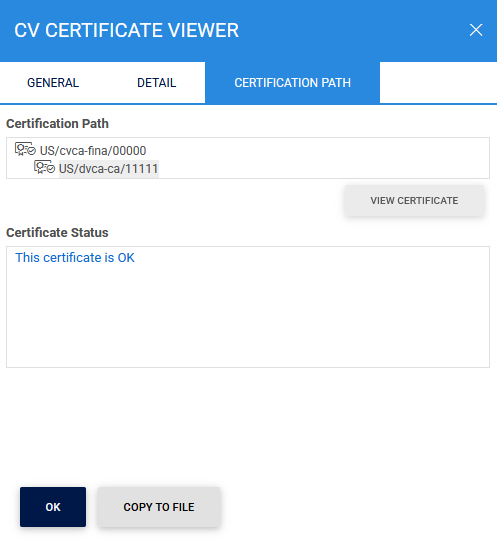
The Certification Path tab displays the complete certificate chain associated with the selected certificate.
Suspending a Certificate
To suspend an active certificate:
- Click the vertical ellipsis (⋮) for the selected certificate.
- Select Suspend.
Once suspended, the certificate status changes from Active to Suspended.
Reactivating a Certificate
To reactivate a suspended certificate:
- Click the vertical ellipsis (⋮) for the selected certificate.
- Select Reactivate.
Once reactivated, the certificate status changes from Suspended to Active.
Deleting a Certificate
To permanently remove a certificate from the system:
- Click the vertical ellipsis (⋮) for the selected certificate.
- Select Delete.
|
|
Note: Deleting a declined request removes it from the Declined Requests list. Ensure that the request information is no longer required for operational or audit purposes before performing this action. |
Searching for Domestic Certificates
To locate a specific certificate, click the Advanced Search icon on the Domestic Certificates page:
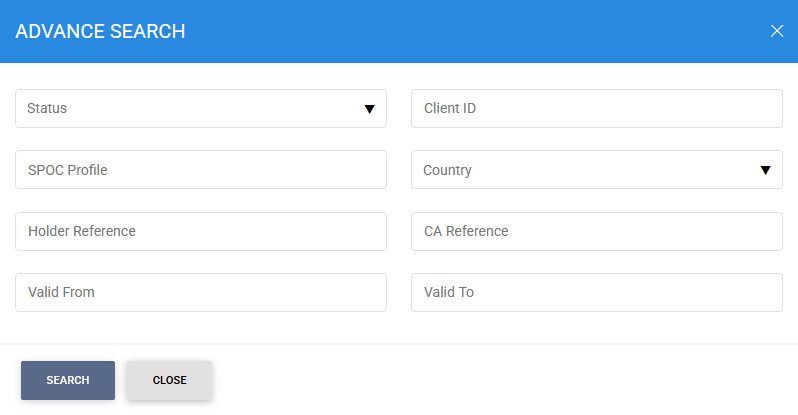
The Advanced Search feature allows certificates to be filtered using one or more of the following criteria:
- Status
- Client ID
- SPOC Profile
- Country
- Holder Reference
- CA Reference
- Valid From
- Valid To
This functionality enables administrators and operators to efficiently locate and manage Domestic DV certificates based on certificate attributes, ownership information, validity periods, and operational status.
See also