
Declined Requests
The Declined Requests tab displays all requests that have been rejected by an operator during the review process. These requests may originate from either Domestic DVs or Foreign SPOCs and are retained for auditing, tracking, and administrative review purposes.
To view the list of declined requests, navigate to the following screen:
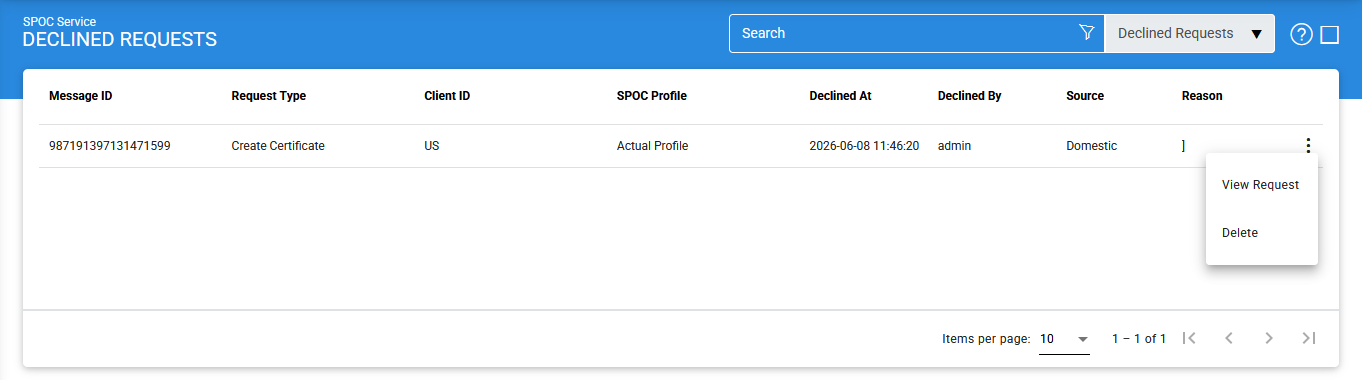
The configuration items are as follows:
|
Items |
Description |
|
Message ID |
A unique identifier assigned to the request by the client application. This identifier is used for tracking and audit purposes. |
|
Request Type |
Indicates the purpose of the request. Supported request types include:
|
|
Client ID |
Displays the identifier of the client application that submitted the request. The client must be registered in the Client Manager module. |
|
SPOC Profile |
Displays the SPOC profile associated with the request |
|
Declined At |
Displays the date and time when the request was declined. |
|
Declined By |
Displays the name of the operator who declined the request. |
|
Source |
Indicates the origin of the request, such as a Domestic DV or a Foreign SPOC. |
|
Reason |
Displays the reason provided by the operator when declining the request. |
|
View Request |
Opens the selected declined request and displays its contents for review. |
|
Delete |
Permanently removes the selected declined request from the system. |
Viewing Request Details
To view the contents of a request, click the vertical ellipsis (⋮) at the end of the corresponding row and select View Request.
The following screen is displayed:
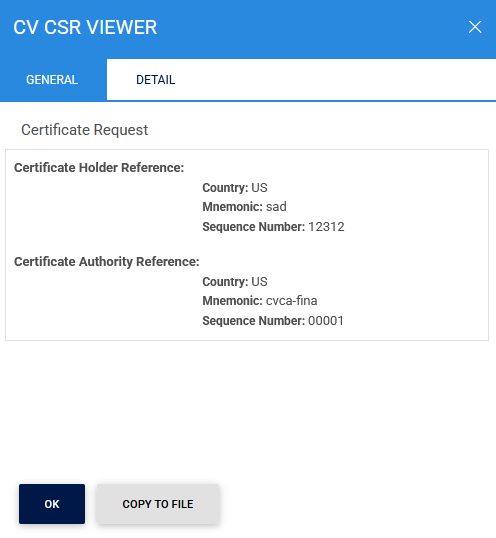
The Details tab provides additional information about the selected request:
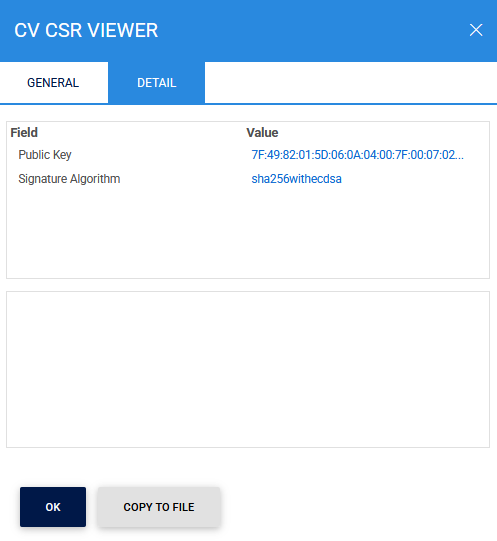
This functionality allows administrators and operators to review the complete details of a declined request, including the original request data and any associated information.
Deleting Declined Requests
To permanently remove a declined request from the system, click the vertical ellipsis (⋮) at the end of the corresponding row and select Delete.
|
|
Note: Deleting a declined request removes it from the Declined Requests list. Ensure that the request information is no longer required for operational or audit purposes before performing this action. |

Searching for Declined Requests
To locate a specific request, click the Advanced Search icon on the Declined Requests page:
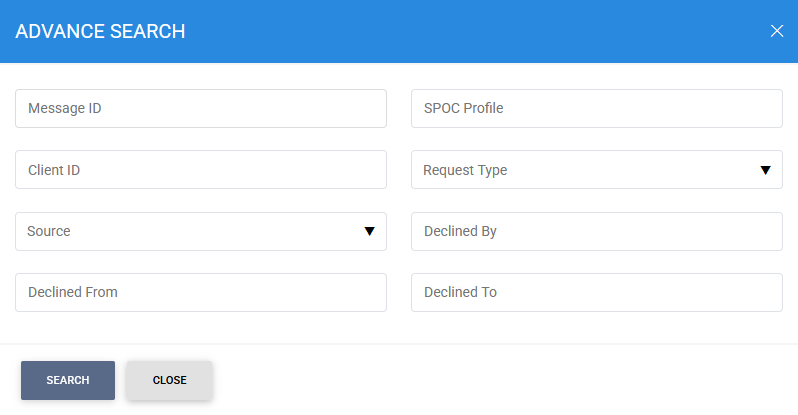
The Advanced Search feature allows requests to be filtered using one or more of the following criteria:
- Message ID
- SPOC Profile
- Client ID
- Request Type
- Source
- Declined By
- Declined From
- Declined To
This functionality enables administrators and operators to efficiently locate and review declined requests based on request details, source, operator actions, and date ranges.
See also