
DS Certificates
Document Signer (DS) Certificates are issued by a Country Signing Certification Authority (CSCA) and are used to generate digital signatures that protect the integrity and authenticity of data stored on ePassport chips.
DS Certificates can be added to the NPKD Service either by manual import or by downloading them from the ICAO Public Key Directory (PKD).
To access this functionality, navigate to Manage Certificates > DS Certificates. The following screen is displayed:
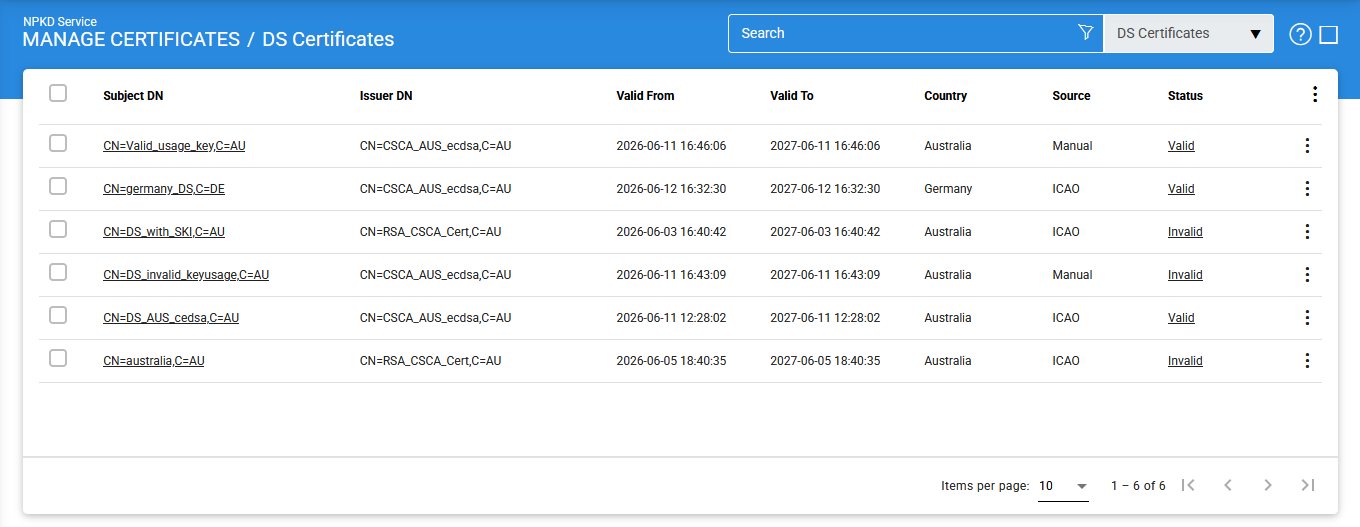
The configuration items are as follows:
|
Items |
Description |
|
Subject DN |
Displays the Subject Distinguished Name (DN), which uniquely identifies the DS certificate. |
|
Issuer DN |
Displays the Distinguished Name (DN) of the CSCA that issued the DS certificate. |
|
Valid From |
Indicates the date and time from which the DS certificate becomes valid. |
|
Valid To |
Indicates the expiry date and time of the DS certificate. |
|
Country |
Specifies the country for which the DS certificate has been issued. |
|
Source |
Indicates how the certificate was imported into the NPKD Service. The available values are:
|
|
Status |
Displays the current validation status of the certificate. The status can be Valid or Invalid. |
|
Import DS Certificate |
Allows the operator to import one or more DS certificates from the local file system. |
|
View Details |
Displays detailed information about the selected certificate, including its metadata and import history. |
|
Publish to ICAO |
Publishes the selected DS certificate to the ICAO PKD. |
|
Delete |
Removes the selected DS certificate from the NPKD Service. |
Importing DS Certificates
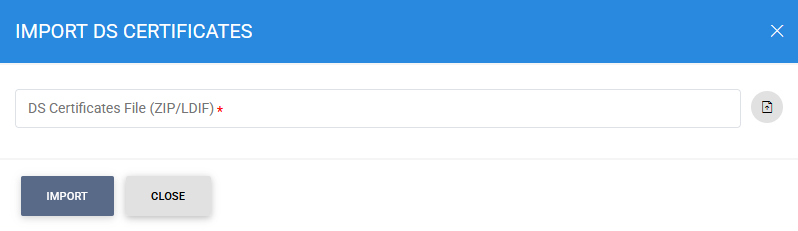
DS certificates can be imported manually from the local file system in either ZIP or LDIF format.
To import a DS certificate, click the vertical ellipsis menu at the top-right corner of the screen and select Import DS Certificate. The following screen is displayed:
Viewing Certificate Details
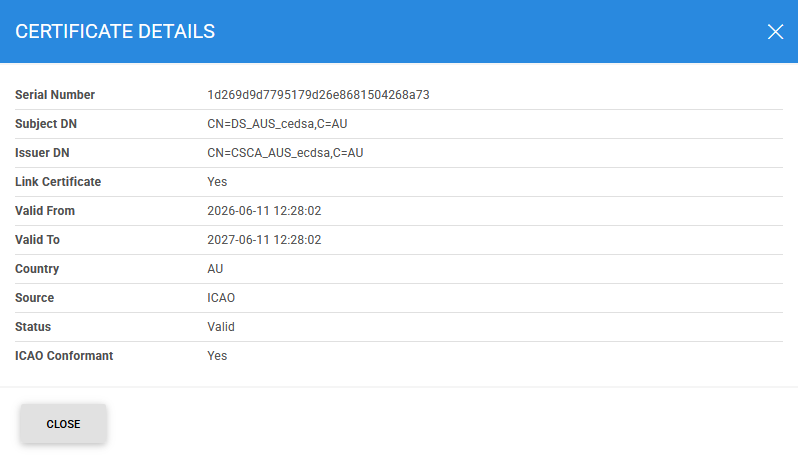
To view detailed information about a DS certificate, click the vertical ellipsis icon at the end of the corresponding row and select View Details.
The certificate details screen displays information such as the certificate attributes, source, import date, and other related metadata.
Advanced Search
The Advanced Search feature is available on the DS Certificates screen and can be accessed by clicking the search icon.
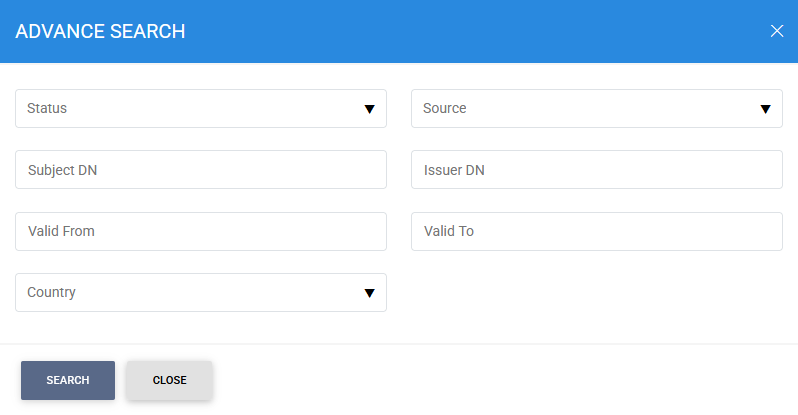
This feature allows operators to search for specific DS certificates using one or more of the following criteria:
- Status
- Subject DN
- Issuer DN
- Valid From
- Valid To
- Country
- Source
Using these filters helps administrators quickly locate and manage specific DS certificates within the NPKD Service repository.
See also