
Archived Data
The Archive Data page allows administrators to view and manage the data archived through the ADSS LTANS Service.
To open the Archive Data page, click Archive Data.
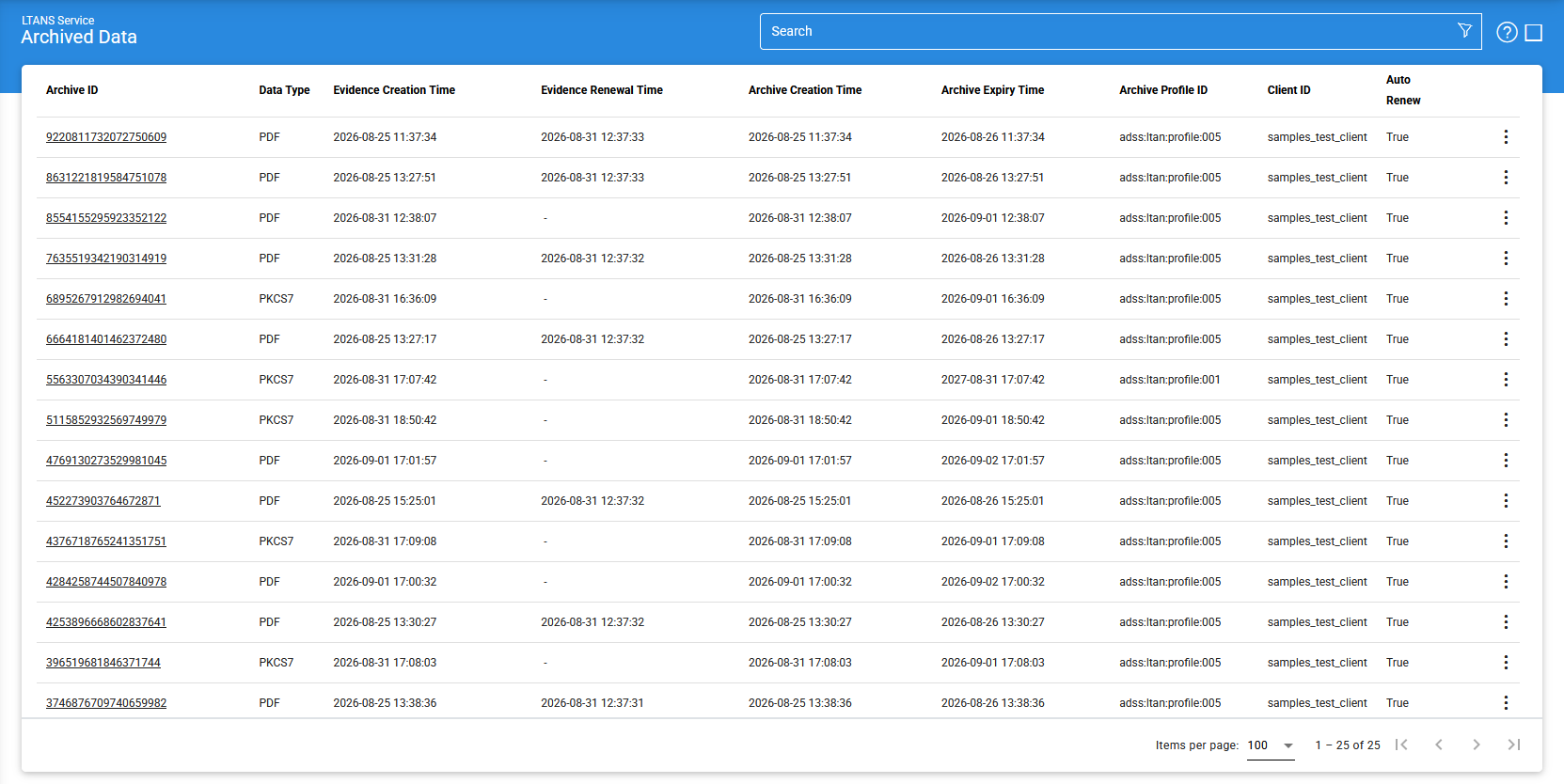
The following table describes the options and information available on the Archive Data page:
|
Items |
Description |
|
Clear Search |
Clears the applied search criteria and displays the complete list of available archive records. |
|
Search |
Opens the search window, where you can specify search criteria based on the available archive data fields. For more information, see [Searching Archive Data](#). |
|
View Metadata |
Displays the metadata associated with the selected archive record. Select an archive record in the grid and click View Metadata to view its metadata details. |
|
|< < > >| |
Allows you to navigate between pages of archive records. The number of records displayed per page can be configured under Global Settings > Miscellaneous. |
|
Archive ID |
Displays the unique, system-generated identifier assigned to the archive record. Use this ID when submitting EXPORT or DELETE requests for the archive. |
|
Evidence Creation Time |
Displays the date and time when the Evidence Record for the archive was initially created. |
|
Evidence Renewal Time |
Displays the date and time when the Evidence Record was most recently renewed. |
|
TSA Address |
Displays the address of the Timestamping Authority (TSA) used to timestamp the archive evidence. |
|
Archive Creation Time |
Displays the date and time when the archive was created. |
|
Archive Expiry Time |
Displays the date and time when the archive is scheduled to expire. |
|
Archive Profile ID |
Displays the ID of the Archive Profile used to create the archive. |
|
Originator ID |
Identifies the client application that submitted the request to create the archive. |
Sorting Archive Records
The following table describes the options and information available on the Archive Data page:
- Archive ID
- Profile ID
- Originator ID
- Archive Creation Time
- Data Type
Viewing Inactive Archives
By default, the Archive Data page displays only active archives.
When an archive reaches the end of its configured retention period, the ADSS LTANS Service marks it as inactive. Inactive archives are not displayed in the default Archive Data list.
An inactive archive cannot be exported by a client application. However, it can be deleted by submitting an LTANS DELETE request.
|
|
Note: To view inactive archives, use the Search option and include inactive archives in the search criteria. |

Searching Archive Data
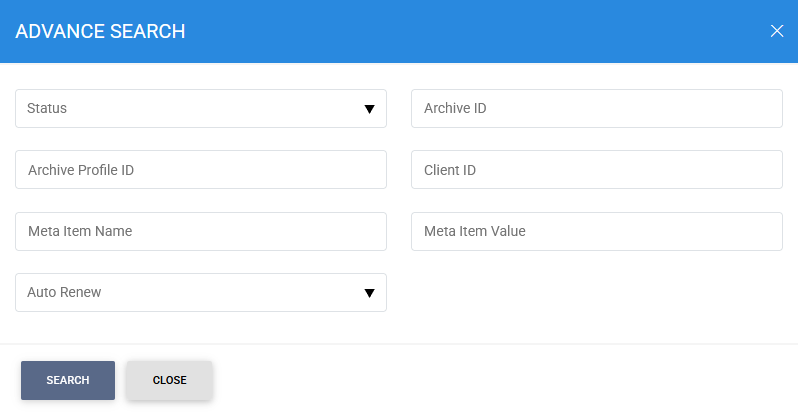
To search for inactive archives or apply additional search criteria:
- Click Advanced Search on the Archive Data page.
- Select the option to include inactive archives.
- Specify the required search criteria.
- Run the search to display the matching archive records.
The advanced search allows you to filter archive records using parameters such as:
- Archive ID
- Archive Profile ID
- Originator ID
- Meta Item Name
- Meta Item Values
Viewing Archive Metadata
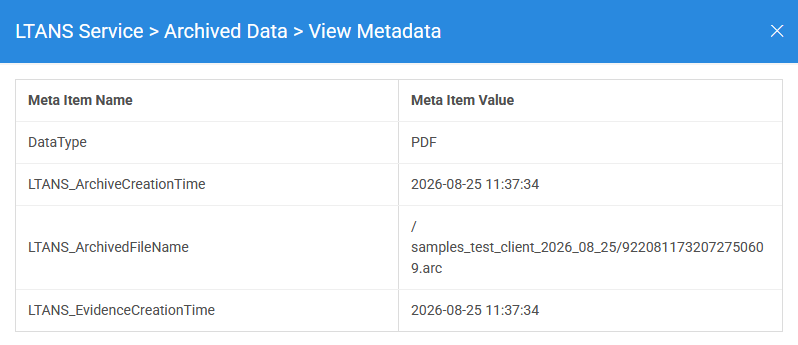
To view the metadata associated with an archive:
- Select the required archive record from the Archive Data grid.
- Click View Metadata.
A window opens displaying the metadata details associated with the selected archive.
See also
Configuring the LTANS Service
Archive Data Log
Transactions Log
Logs Archiving
Alerts