SigningHub API Guide
Download OpenAPI specification:Download
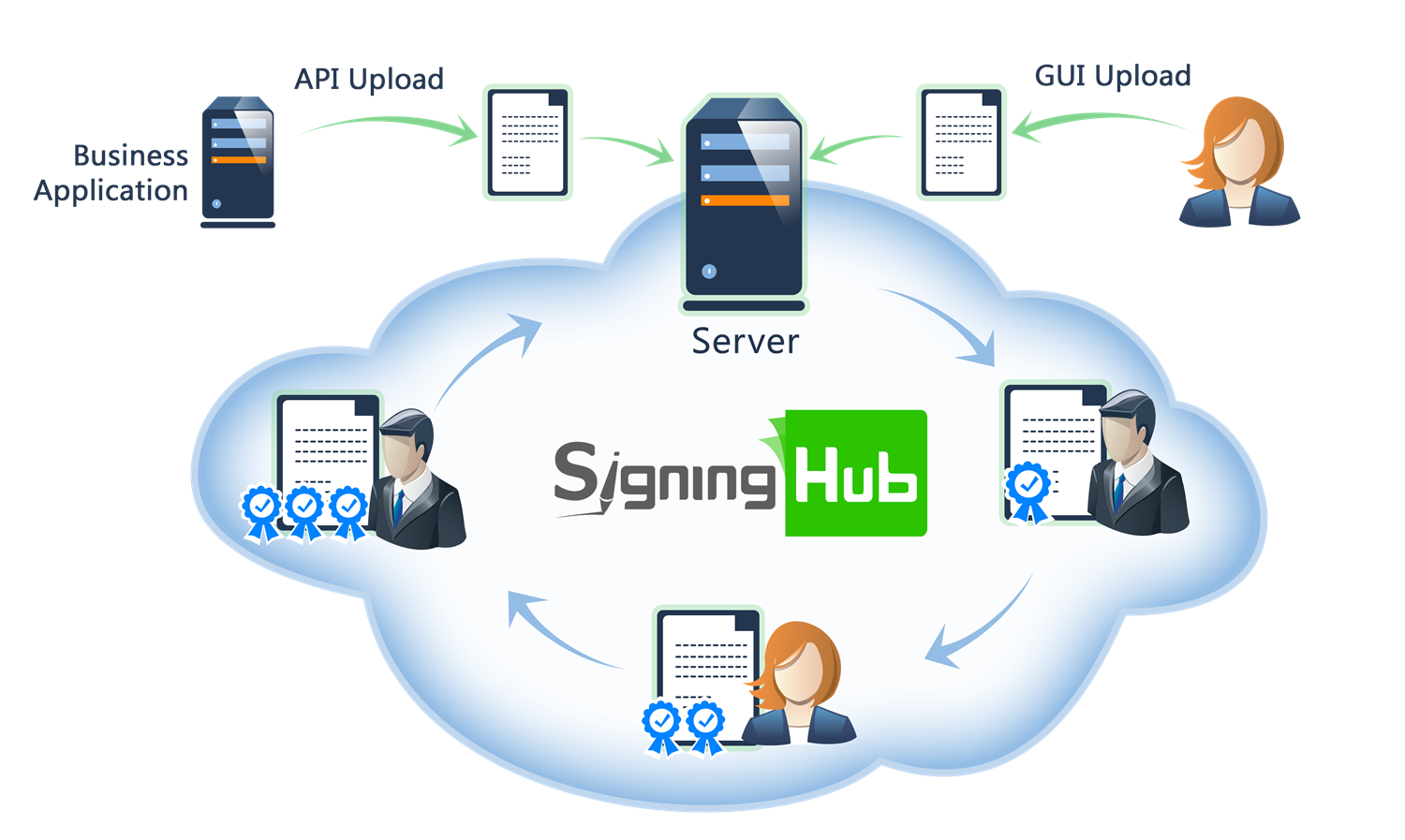
Browse through the API content by selecting the relevant pages from the left panel. To quickly find specific web service information, enter search criteria in the search box on top left.
 .
.More about SigningHub
To know more about SigningHub, explore the following links:
- Go to SigningHub Knowledge Base to view all the relevant information of SigningHub.
-
Visit the Ascertia Community Portal to find answers to contact SigningHub support staff through the
Live Chat provision
.
Our
support staff may be occupied with other priority tasks so live chat is offered on
an "as available" basis.
This guide is intended for developers who will integrate SigningHub into their respective web applications using the RESTful web services, and user interface offered by SigningHub. It is assumed that the reader has a basic knowledge of REST, Java, C#, HTML, JavaScript, HTTP and TLS/SSL. There is no Software Developers Kit (SDK) for the integration, instead the integration uses HTML Forms and JSON so that integration is simple from any language including .Net, Java, PHP etc.
| Main Tags | Most Popular Pages |
|---|---|
|
➤
Welcome
➤ Prerequisites ➤ Access Tokens ➤ Quick Integration ➤ Updates ➤ SignalR ➤ APIs Developer Guide ➤ Appendix |
➤
Authentication
➤ Account Management ➤ Add Package ➤ Upload Document ➤ Get Workflow Details ➤ Sign Document |
This section entails the web services for the Account Management i.e. Register User, Set or Reset Password, Get Role etc.
APIs for managing user account information, preferences, roles, branding, and account configuration.
Get Enterprise Branding and Authentication Profile
Enterprise users can use this API to fetch branding and private authentication profile for their enterprise.
path Parameters
| enterprise_url required | string Enterprise URL, to identify enterprise for which branding and authentication profile are to be fetched. |
header Parameters
| Authorization required | string Default: Bearer {access_token} OAuth access token obtained as a result of "Client Credentials Authentication" or "Password Authentication" |
| Content-Type required | string Default: application/json |
| Accept required | string Default: application/json |
| x-base64 | string Example: true |
Responses
Response samples
- 200
- 401
- 500
{- "enterprise_id": 0,
- "enterprise_name": "string",
- "branding": {
- "logo": "string",
- "logo_url": "string",
- "favicon": "string",
- "favicon_url": "string",
- "signature_logo": "string",
- "signature_logo_url": "string",
- "email_logo": "string",
- "email_logo_url": "string",
- "background_image": {
- "web": {
- "image": "string",
- "image_url": "string"
}, - "mobile": {
- "image": "string",
- "image_url": "string"
}
}, - "colors": {
- "level_1": "string",
- "level_2": "string",
- "level_3": "string",
- "level_4": "string",
- "level_5": "string",
- "level_6": "string",
- "level_7": "string",
- "level_8": "string",
- "level_9": "string",
- "level_10": "string",
- "level_11": "string",
- "level_12": "string",
- "level_13": "string",
- "level_14": "string",
- "level_15": "string"
}, - "slider_items": [
- {
- "id": 0,
- "content": "string",
- "order": 1,
- "status": true,
- "web": {
- "image": "string",
- "image_url": "string"
}, - "translated_content": {
- "localizations": [
- {
- "locale": "string",
- "content": "string"
}
]
}
}
]
}, - "authentication_profile": {
- "profile_id": 0,
- "profile_name": "string",
- "provider": "string",
- "method": "string",
- "app_id": "string",
- "tenant_id": "string",
- "logout_url": "string",
- "scope": "string",
- "resource": "string",
- "url": "string",
- "oidc_advance_settings": {
- "pkce": true,
- "state": true,
- "nonce": true,
- "language": true,
- "display": true,
- "display_value": "string",
- "prompt": true,
- "prompt_value": "string",
- "max_age": true,
- "max_age_value": "string",
- "login_hint": true,
- "login_hint_value": "string",
- "acr": true,
- "acr_values": "string"
}
}
}Get User Electronic Seal Profiles
Business applications can use this service API to get a list of all the ADSS and CSC Electronic Seal profiles as configured the enterprise role.
header Parameters
| Authorization required | string Default: Bearer {access_token} The access token obtained as a result of successful authentication via "Password" or "Scope". If "Scope Authentication" was used, then this service will be performed for the user on behalf of the business application. |
| Content-Type required | string Default: application/json |
| Accept required | string Default: application/json |
Responses
Response samples
- 200
- 403
[- {
- "id": 0,
- "name": "string",
- "created_on": "string",
- "level_of_assurance": "string"
}
]Add Feedback
Business applications can use this service API to request feedback from a user who had just deleted their account. Feedback could be used by the business to determine areas of improvements, and help determine the reason for account deletion.
header Parameters
| Authorization required | string Default: Bearer {access_token} OAuth access token obtained as a result of "Client Credentials Authentication" |
| Content-Type required | string Default: application/json |
| Accept required | string Default: application/json |
Request Body schema:
| feedBack | string or null |
| q | string or null |
Responses
Request samples
- Payload
{- "feedBack": "string",
- "q": "string"
}Response samples
- 400
- 401
{- "Message": "string"
}Get All Service Plans
Business applications can use this service API for billing. We use a client credential token for registered service plans, whether they are ONLINE or NOBILLING, and a user credential token for upgradable service plans.
path Parameters
| pageNo required | integer <int32> Page number to be retrieved. |
| recordsPerPage required | integer <int32> Total number of records to be retrieved in a page. |
query Parameters
| id | integer <int32> Default: 0 ID of the serivce plan |
| billing_type | string (Enumerations.ServicePlanBillingType) Enum: "PAY_REGULARLY" "PAY_AS_YOU_GO" "ALL" "FREE_TRIAL" |
| type | string (Enumerations.ServicePlanType) Enum: "INDIVIDUAL" "ENTERPRISE" "NONE" |
| sort-by | string (Enumerations.UpgradeServicePlanSortBy) Enum: "NAME" "PRICE" "YEARLYPRICE" "SIGNATURES" "USERS" "STORAGE" |
| asc | boolean Default: false |
header Parameters
| Authorization required | string Default: Bearer {access_token} The OAuth access token obtained as a result of successful authentication via the "password" grant type. |
| Content-Type required | string Default: application/json |
| Accept required | string Default: application/json |
| x-search-text | string Example: John Doe Search text sent in headers for further filtration of the documents. Package id, name and document owner can be searched. |
| x-currency | string Example: USD | EUR | GBP | BDT Optional header to specify the currency for conversion. If not provided, the default currency is used. When supplied, the API applies the conversion rate based on the specified currency value. |
| x-total-records | string Example: 10 The total number of records found with the provided search criteria. |
Responses
Response samples
- 200
- 401
- 500
[- {
- "id": 0,
- "custom_ids": [
- {
- "property1": "string",
- "property2": "string"
}
], - "name": "string",
- "type": "string",
- "billing": {
- "payment_type": "string",
- "mode": "string",
- "monthly": {
- "enabled": true,
- "price": 0
}, - "yearly": {
- "enabled": true,
- "price": 0
}, - "price": 0
}, - "constraints": {
- "users": {
- "count": "string"
}, - "signatures": {
- "count": "string"
}, - "storage": {
- "count": "string"
}, - "simple_electronic_signatures": {
- "count": "string"
}, - "artificial_intelligence_tokens": {
- "count": "string"
}, - "identity_verification_tokens": {
- "count": "string"
}
}
}
]Register User Account
Business applications can use this service API to register a new user with either a Trial or an Online service plan. We utilize the billing response. We capture the billing based on the transaction key, whether it's a placeholder or a confirmed transaction.
This process depends on the service plan. If the service plan is online, then the billing response is mandatory.
header Parameters
| Authorization required | string Default: Bearer {access_token} The OAuth access token obtained as a result of successful authentication via the "password" grant type. |
| Content-Type required | string Default: application/json |
| Accept required | string Default: application/json |
Request Body schema:
| user_name required | string non-empty The name of the user to be registered. |
| user_email required | string non-empty The email Address of the user to be registered. |
| job_title | string or null The job title of the user. (Optional) |
| company_name | string or null The company name for the user. (Optional) |
| mobile_number | string or null The mobile number of the user. (Optional) |
| country | string or null The country name for the user. All values in the appendix - Country list are accepted. (Optional) |
| time_zone | string or null The timezone name for the user. All values in the appendix - Timezone list are accepted. (Optional) |
| language | string or null The language selected for the user. All values in the appendix - Language list are accepted. (Optional) |
object (Models.RegisterInvitaion) RegisterInvitaion | |
| service_agreements | boolean The service agreements user consent for account registration. |
| user_ra_id | string or null The remote authorization ID of the user. |
| user_csc_id | string or null The cloud Signature Consortium (CSC) user Id that will be required when signing(CSC) via client credential flow |
| marketing_emails | boolean To receive promotional emails against marketing campaign, this must be set to true. |
object (Custom.ServicePlanPaymentRequest) | |
| user_national_id | string or null National identity number of the user. This helps to identify users in the workflow |
object (Models.CapricornAccountRequest) |
Responses
Request samples
- Payload
{- "user_name": "string",
- "user_email": "string",
- "job_title": "string",
- "company_name": "string",
- "mobile_number": "string",
- "country": "string",
- "time_zone": "string",
- "language": "string",
- "invitation": {
- "enterprise_name": "string"
}, - "service_agreements": true,
- "user_ra_id": "string",
- "user_csc_id": "string",
- "marketing_emails": true,
- "service_plan": {
- "name": "string",
- "billing_id": "string",
- "duration": "string"
}, - "user_national_id": "string",
- "capricorn": {
- "user_ekycid": "string"
}
}Response samples
- 200
- 201
- 400
- 403
- 500
{- "Message": "string"
}Get Account
Business applications can use this service API to get the account information of a logged in user.
header Parameters
| Authorization required | string Default: Bearer {access_token} The OAuth access token obtained as a result of successful authentication via the "password" grant type. |
| Content-Type required | string Default: application/json |
| Accept required | string Default: application/json |
Responses
Response samples
- 200
- 401
- 500
{- "user_id": 0,
- "user_email": "string",
- "user_name": "string",
- "user_national_id": "string",
- "job_title": "string",
- "company_name": "string",
- "mobile_number": "string",
- "time_zone": "string",
- "display_plan_upgrade_banner": true,
- "language": "string",
- "country": "string",
- "created_on": "string",
- "enabled": true,
- "two_factor_authentication_enabled": true,
- "fonts": [
- {
- "property1": "string",
- "property2": "string"
}
], - "billing": {
- "user_name": "string",
- "email_address": "string",
- "mobile_number": "string",
- "provider": "string",
- "duration": "string",
- "currency": "string",
- "price": "string",
- "next_billing_date": "string",
- "billing_status": "string",
- "billing_information": true
}, - "service_plan": {
- "id": 0,
- "name": "string",
- "deprecated": true,
- "custom_ids": [
- {
- "property1": "string",
- "property2": "string"
}
], - "type": "string",
- "features": [
- "string"
], - "start_date": "string",
- "end_date": "string",
- "ras": {
- "url": "string",
- "client_id": "string",
- "client_secret": "string"
}, - "csp": {
- "enabled": true
}, - "constraints": {
- "users": "string",
- "artificial_intelligence_tokens": "string",
- "signatures": "string",
- "advanced_electronic_signatures": "string",
- "high_trust_advanced_signatures": "string",
- "qualified_electronic_signatures": "string",
- "electronic_seals": "string",
- "advanced_electronic_seals": "string",
- "qualified_electronic_seals": "string",
- "simple_electronic_signatures": "string",
- "storage": "string",
- "workflows": "string",
- "max_upload_size": "string",
- "templates": "string",
- "identity_verifications": "string"
}, - "settings": {
- "pdf_compliant": true,
- "signing_keys_with_password": true,
- "signature_type": "string",
- "authorized_signing": true,
- "sms_otp": true,
- "email_otp": true,
- "totp": true,
- "sms_otp_length": 0,
- "sms_otp_retry_duration": 0,
- "workflow_evidence": "string",
- "auto_archiving": true,
- "auto_deletion": true,
- "sms_notification": true,
- "certify_options": {
- "selected": [
- "string"
], - "default": "string"
}, - "readonly_user_fields": {
- "job_title": true,
- "company": true
}
}, - "billing": {
- "mode": "string",
- "payment_type": "string",
- "price": "string",
- "yearly_price": "string",
- "next_billing_date": "string"
}, - "fonts": [
- {
- "property1": "string",
- "property2": "string"
}
], - "signature_settings": {
- "signing_servers": [
- {
- "info": {
- "id": 0,
- "name": "string",
- "order": 0,
- "provider": "string",
- "key_location": "string",
- "signature_type": [
- "string"
], - "level_of_assurance": "string",
- "appearance_design_name": "string",
- "appearance_logo": "string",
- "auth_type": "string"
}, - "capacity": {
- "electronic_seal": {
- "enabled": true,
- "selected": [
- {
- "id": 0,
- "name": "string",
- "key_protection": "string",
- "level_of_assurance": "string"
}
]
}, - "advanced_electronic_seal": {
- "enabled": true,
- "selected": [
- {
- "id": 0,
- "name": "string",
- "key_protection": "string",
- "level_of_assurance": "string"
}
]
}, - "qualified_electronic_seal": {
- "enabled": true,
- "selected": [
- {
- "id": 0,
- "name": "string",
- "key_protection": "string",
- "level_of_assurance": "string"
}
]
}, - "advanced_electronic_signature": {
- "enabled": true,
- "selected": [
- {
- "id": 0,
- "name": "string",
- "key_protection": "string",
- "level_of_assurance": "string"
}
]
}, - "high_trust_advanced": {
- "enabled": true,
- "selected": [
- {
- "id": 0,
- "name": "string",
- "key_protection": "string",
- "level_of_assurance": "string"
}
]
}, - "qualified_electronic_signature": {
- "enabled": true,
- "selected": [
- {
- "id": 0,
- "name": "string",
- "key_protection": "string",
- "level_of_assurance": "string"
}
]
}
}
}
], - "electronic_seal_signing_servers": [
- {
- "info": {
- "id": 0,
- "name": "string",
- "provider": "string"
}, - "capacity": {
- "electronic_seal": {
- "enabled": true,
- "selected": [
- {
- "id": 0,
- "name": "string",
- "key_protection": "string",
- "level_of_assurance": "string"
}
]
}, - "advanced_electronic_seal": {
- "enabled": true,
- "selected": [
- {
- "id": 0,
- "name": "string",
- "key_protection": "string",
- "level_of_assurance": "string"
}
]
}, - "qualified_electronic_seal": {
- "enabled": true,
- "selected": [
- {
- "id": 0,
- "name": "string",
- "key_protection": "string",
- "level_of_assurance": "string"
}
]
}
}
}
], - "level_of_assurance": {
- "selected": [
- "string"
]
}
}, - "appearance_design": {
- "selected": [
- {
- "design_name": "string",
- "design_preview": "string",
- "design_preview_url": "string"
}
]
}, - "authentication_profiles": [
- {
- "id": 0,
- "name": "string",
- "method": "string"
}
], - "identity_verification": {
- "enabled": true,
- "providers": [
- {
- "id": 0,
- "name": "string",
- "provider_policies": [
- {
- "name": "string",
- "description": "string"
}
]
}
]
}, - "signature_pad": {
- "enabled": true,
- "server": "string"
}, - "add_unique_identifier": true
}, - "enterprise": {
- "enterprise_id": 0,
- "national_id_read_only": true,
- "enterprise_name": "string",
- "enterprise_url": "string",
- "owner": "string",
- "owner_email": "string",
- "mobile_number": "string",
- "support_email": "string",
- "workspace_id": "string",
- "error_notification_timeout": 0,
- "ai_client": {
- "enabled": true
}, - "warning_conformance": true
}, - "last_login": "string",
- "default": true,
- "multiple_enterprise": true,
- "invitations": 0,
- "capricorn": {
- "user_ekycid": "string"
}
}Get Basic Account
Business applications can use this service API to get the basic account information of a logged in user.
header Parameters
| Authorization required | string Default: Bearer {access_token} The OAuth access token obtained as a result of successful authentication via the "password" grant type. |
| Content-Type required | string Default: application/json |
| Accept required | string Default: application/json |
Responses
Response samples
- 200
- 401
- 500
{- "user_email": "string",
- "user_name": "string",
- "enterprise": {
- "enterprise_id": 0,
- "enterprise_name": "string",
- "enterprise_url": "string"
}
}Get User Role
Business applications can use this service API to get the enterprise role and list of features of the application allowed by the enterprise admin.
header Parameters
| Authorization required | string Default: Bearer {access_token} The access token obtained as a result of successful authentication via "Password" or "Scope". If "Scope Authentication" was used, then this service will be performed for the user on behalf of the business application. |
| Content-Type required | string Default: application/json |
| Accept required | string Default: application/json |
| x-base64 | string True if response should have images in base64 format. False will only return the resource URLs in response. |
Responses
Response samples
- 200
- 401
- 500
{- "role_name": "string",
- "access_control": {
- "signature": {
- "signing_servers": [
- {
- "info": {
- "name": "string",
- "order": 0,
- "provider": "string",
- "key_location": "string",
- "logo": "string",
- "id": 0,
- "host_url": "string",
- "client_id": "string",
- "level_of_assurance": "string",
- "appearance_design_name": "string",
- "appearance_logo": "string",
- "auth_type": "string",
- "environment": "string",
- "port": "string"
}, - "capacity": {
- "electronic_seal": {
- "enabled": true,
- "selected": [
- {
- "id": 0,
- "name": "string",
- "custom": true,
- "default": true,
- "key_protection": "string",
- "level_of_assurance": "string"
}
], - "authentications": {
- "primary": {
- "id": 0,
- "name": "string",
- "app_id": "string",
- "tenant_id": "string",
- "authentication_mechanism": "string",
- "provider": "string",
- "url": "string",
- "scope": "string",
- "resource": "string",
- "oidc_advance_settings": {
- "pkce": null,
- "state": null,
- "nonce": null,
- "language": null,
- "display": null,
- "display_value": null,
- "prompt": null,
- "prompt_value": null,
- "max_age": null,
- "max_age_value": null,
- "login_hint": null,
- "login_hint_value": null,
- "acr": null,
- "acr_values": null
}
}, - "secondary": {
- "id": 0,
- "name": "string"
}
}
}, - "advanced_electronic_seal": {
- "enabled": true,
- "selected": [
- {
- "id": 0,
- "name": "string",
- "custom": true,
- "default": true,
- "key_protection": "string",
- "level_of_assurance": "string"
}
], - "authentications": {
- "primary": {
- "id": 0,
- "name": "string",
- "app_id": "string",
- "tenant_id": "string",
- "authentication_mechanism": "string",
- "provider": "string",
- "url": "string",
- "scope": "string",
- "resource": "string",
- "oidc_advance_settings": {
- "pkce": null,
- "state": null,
- "nonce": null,
- "language": null,
- "display": null,
- "display_value": null,
- "prompt": null,
- "prompt_value": null,
- "max_age": null,
- "max_age_value": null,
- "login_hint": null,
- "login_hint_value": null,
- "acr": null,
- "acr_values": null
}
}, - "secondary": {
- "id": 0,
- "name": "string"
}
}
}, - "qualified_electronic_seal": {
- "enabled": true,
- "selected": [
- {
- "id": 0,
- "name": "string",
- "custom": true,
- "default": true,
- "key_protection": "string",
- "level_of_assurance": "string"
}
], - "authentications": {
- "primary": {
- "id": 0,
- "name": "string",
- "app_id": "string",
- "tenant_id": "string",
- "authentication_mechanism": "string",
- "provider": "string",
- "url": "string",
- "scope": "string",
- "resource": "string",
- "oidc_advance_settings": {
- "pkce": null,
- "state": null,
- "nonce": null,
- "language": null,
- "display": null,
- "display_value": null,
- "prompt": null,
- "prompt_value": null,
- "max_age": null,
- "max_age_value": null,
- "login_hint": null,
- "login_hint_value": null,
- "acr": null,
- "acr_values": null
}
}, - "secondary": {
- "id": 0,
- "name": "string"
}
}
}, - "advanced_electronic_signature": {
- "enabled": true,
- "selected": [
- {
- "id": 0,
- "name": "string",
- "custom": true,
- "default": true,
- "key_protection": "string",
- "level_of_assurance": "string"
}
], - "authentications": {
- "primary": {
- "id": 0,
- "name": "string",
- "app_id": "string",
- "tenant_id": "string",
- "authentication_mechanism": "string",
- "provider": "string",
- "url": "string",
- "scope": "string",
- "resource": "string",
- "oidc_advance_settings": {
- "pkce": null,
- "state": null,
- "nonce": null,
- "language": null,
- "display": null,
- "display_value": null,
- "prompt": null,
- "prompt_value": null,
- "max_age": null,
- "max_age_value": null,
- "login_hint": null,
- "login_hint_value": null,
- "acr": null,
- "acr_values": null
}
}, - "secondary": {
- "id": 0,
- "name": "string"
}
}
}, - "high_trust_advanced": {
- "enabled": true,
- "selected": [
- {
- "id": 0,
- "name": "string",
- "custom": true,
- "default": true,
- "key_protection": "string",
- "level_of_assurance": "string"
}
], - "authentications": {
- "primary": {
- "id": 0,
- "name": "string",
- "app_id": "string",
- "tenant_id": "string",
- "authentication_mechanism": "string",
- "provider": "string",
- "url": "string",
- "scope": "string",
- "resource": "string",
- "oidc_advance_settings": {
- "pkce": null,
- "state": null,
- "nonce": null,
- "language": null,
- "display": null,
- "display_value": null,
- "prompt": null,
- "prompt_value": null,
- "max_age": null,
- "max_age_value": null,
- "login_hint": null,
- "login_hint_value": null,
- "acr": null,
- "acr_values": null
}
}, - "secondary": {
- "id": 0,
- "name": "string"
}
}
}, - "qualified_electronic_signature": {
- "enabled": true,
- "selected": [
- {
- "id": 0,
- "name": "string",
- "custom": true,
- "default": true,
- "key_protection": "string",
- "level_of_assurance": "string"
}
], - "authentications": {
- "primary": {
- "id": 0,
- "name": "string",
- "app_id": "string",
- "tenant_id": "string",
- "authentication_mechanism": "string",
- "provider": "string",
- "url": "string",
- "scope": "string",
- "resource": "string",
- "oidc_advance_settings": {
- "pkce": null,
- "state": null,
- "nonce": null,
- "language": null,
- "display": null,
- "display_value": null,
- "prompt": null,
- "prompt_value": null,
- "max_age": null,
- "max_age_value": null,
- "login_hint": null,
- "login_hint_value": null,
- "acr": null,
- "acr_values": null
}
}, - "secondary": {
- "id": 0,
- "name": "string"
}
}
}, - "default_capacity": {
- "id": 0,
- "name": "string",
- "custom": true,
- "default": true,
- "key_protection": "string",
- "level_of_assurance": "string"
}
}, - "authentications": {
- "no_password": {
- "primary": {
- "profile_name": "string",
- "id": 0,
- "app_id": "string",
- "tenant_id": "string",
- "authentication_mechanism": "string",
- "provider": "string",
- "url": "string",
- "scope": "string",
- "resource": "string",
- "oidc_advance_settings": {
- "pkce": true,
- "state": true,
- "nonce": true,
- "language": true,
- "display": true,
- "display_value": "string",
- "prompt": true,
- "prompt_value": "string",
- "max_age": true,
- "max_age_value": "string",
- "login_hint": true,
- "login_hint_value": "string",
- "acr": true,
- "acr_values": "string"
}
}, - "secondary": "string",
- "primary_mobile": {
- "profile_name": "string",
- "id": 0,
- "app_id": "string",
- "tenant_id": "string",
- "authentication_mechanism": "string",
- "provider": "string",
- "url": "string",
- "scope": "string",
- "resource": "string",
- "oidc_advance_settings": {
- "pkce": true,
- "state": true,
- "nonce": true,
- "language": true,
- "display": true,
- "display_value": "string",
- "prompt": true,
- "prompt_value": "string",
- "max_age": true,
- "max_age_value": "string",
- "login_hint": true,
- "login_hint_value": "string",
- "acr": true,
- "acr_values": "string"
}
}, - "secondary_mobile": "string"
}, - "user_password": {
- "primary": {
- "profile_name": "string",
- "id": 0,
- "app_id": "string",
- "tenant_id": "string",
- "authentication_mechanism": "string",
- "provider": "string",
- "url": "string",
- "scope": "string",
- "resource": "string",
- "oidc_advance_settings": {
- "pkce": true,
- "state": true,
- "nonce": true,
- "language": true,
- "display": true,
- "display_value": "string",
- "prompt": true,
- "prompt_value": "string",
- "max_age": true,
- "max_age_value": "string",
- "login_hint": true,
- "login_hint_value": "string",
- "acr": true,
- "acr_values": "string"
}
}, - "secondary": "string"
}, - "system_password": {
- "primary": {
- "profile_name": "string",
- "id": 0,
- "app_id": "string",
- "tenant_id": "string",
- "authentication_mechanism": "string",
- "provider": "string",
- "url": "string",
- "scope": "string",
- "resource": "string",
- "oidc_advance_settings": {
- "pkce": true,
- "state": true,
- "nonce": true,
- "language": true,
- "display": true,
- "display_value": "string",
- "prompt": true,
- "prompt_value": "string",
- "max_age": true,
- "max_age_value": "string",
- "login_hint": true,
- "login_hint_value": "string",
- "acr": true,
- "acr_values": "string"
}
}, - "secondary": "string",
- "primary_mobile": {
- "profile_name": "string",
- "id": 0,
- "app_id": "string",
- "tenant_id": "string",
- "authentication_mechanism": "string",
- "provider": "string",
- "url": "string",
- "scope": "string",
- "resource": "string",
- "oidc_advance_settings": {
- "pkce": true,
- "state": true,
- "nonce": true,
- "language": true,
- "display": true,
- "display_value": "string",
- "prompt": true,
- "prompt_value": "string",
- "max_age": true,
- "max_age_value": "string",
- "login_hint": true,
- "login_hint_value": "string",
- "acr": true,
- "acr_values": "string"
}
}, - "secondary_mobile": "string"
}, - "remote_authorization": {
- "primary": {
- "profile_name": "string",
- "id": 0,
- "app_id": "string",
- "tenant_id": "string",
- "authentication_mechanism": "string",
- "provider": "string",
- "url": "string",
- "scope": "string",
- "resource": "string",
- "oidc_advance_settings": {
- "pkce": true,
- "state": true,
- "nonce": true,
- "language": true,
- "display": true,
- "display_value": "string",
- "prompt": true,
- "prompt_value": "string",
- "max_age": true,
- "max_age_value": "string",
- "login_hint": true,
- "login_hint_value": "string",
- "acr": true,
- "acr_values": "string"
}
}, - "secondary": "string"
}
}
}
], - "signing_reason": {
- "selection": "string",
- "value": "string",
- "list": [
- "string"
], - "custom": true
}, - "metadata": {
- "signing_reason": true,
- "signing_location": true,
- "contact_information": true
}, - "signing_dialog_visible": true
}, - "appearance": {
- "hand_signature": {
- "web_browser": {
- "allowed_methods": [
- "string"
], - "default_method": "string",
- "disable_text_field": true
}, - "mobile": {
- "allowed_methods": [
- "string"
], - "default_method": "string",
- "disable_text_field": true
}
}, - "initials": {
- "allowed_methods": [
- "string"
], - "default_method": "string",
- "disable_text_field": true
}, - "appearance_design": {
- "all_design": [
- {
- "design_name": "string",
- "design_preview": "string",
- "design_preview_url": "string"
}
], - "allowed_design": [
- {
- "design_name": "string",
- "design_preview": "string",
- "design_preview_url": "string"
}
], - "default_design": {
- "design_name": "string",
- "design_preview": "string",
- "design_preview_url": "string"
}
}, - "simple_electronic_signature_appearance_design": true,
- "manage_signature_logo": {
- "enabled": true,
- "apply_to": "string"
}, - "fonts": [
- {
- "name": "string"
}
]
}
}, - "user_setting": {
- "emails": true,
- "emails_rights": {
- "Read": true,
- "Add": true,
- "Update": true,
- "Delete": true
}, - "signatures": true,
- "signatures_rights": {
- "Read": true,
- "Add": true,
- "Update": true,
- "Delete": true
}, - "groups": true,
- "groups_rights": {
- "Read": true,
- "Add": true,
- "Update": true,
- "Delete": true
}, - "templates": true,
- "templates_rights": {
- "Read": true,
- "Add": true,
- "Update": true,
- "Delete": true
}, - "library": true,
- "advanced": true,
- "advanced_rights": {
- "Read": true,
- "Delete": true
}, - "library_rights": {
- "Read": true,
- "Add": true,
- "Update": true,
- "Delete": true
}, - "legal_notices": true,
- "legal_notices_rights": {
- "Read": true,
- "Add": true,
- "Update": true,
- "Delete": true
}, - "smart_forms": true,
- "smart_forms_rights": {
- "Read": true,
- "Add": true,
- "Update": true,
- "Delete": true
}, - "stamps": true,
- "stamps_rights": {
- "Read": true,
- "Add": true,
- "Update": true,
- "Delete": true
}, - "delegate": true,
- "delegate_rights": {
- "Read": true,
- "Add": true,
- "Update": true,
- "Delete": true
}, - "cloud_drives": true,
- "cloud_drives_rights": {
- "Read": true,
- "Add": true,
- "Update": true,
- "Delete": true,
- "google_drive": true,
- "dropbox": true,
- "onedrive": true,
- "google_drive_rights": {
- "Read": true,
- "Add": true,
- "Update": true,
- "Delete": true
}, - "dropbox_rights": {
- "Read": true,
- "Add": true,
- "Update": true,
- "Delete": true
}, - "onedrive_rights": {
- "Read": true,
- "Add": true,
- "Update": true,
- "Delete": true
}
}, - "sms_otp_login": true,
- "auto_finish": true,
- "auto_close_viewer": true,
- "share": {
- "enabled": true,
- "enterprise_only": true,
- "start_existing_workflow": true,
- "replicate_workflow": true
}, - "delegated_signing": true,
- "bulk_signing": true,
- "allow_invisible_signature": true,
- "workflow_mode": "string",
- "workflow_type": "string",
- "allow_delete_document": true,
- "allow_owner_recall_document": true,
- "allow_owner_change_recipient": true,
- "allow_owner_print_document": true,
- "allow_owner_download_document": true,
- "allow_artificial_intelligence": true,
- "allow_owner_attachments": true,
- "allow_owner_workflow_history": true,
- "allow_owner_save_template": true,
- "allow_comments": true,
- "allow_sign_documents": true,
- "signature_fields": {
- "signature": true,
- "inperson_signature": true,
- "initials": true,
- "stamps": true,
- "level_of_assurance": {
- "signature": {
- "allowed": [
- "string"
], - "default": [
- "string"
]
}, - "in_person": {
- "allowed": [
- "string"
], - "default": [
- "string"
]
}
}
}, - "form_fields": {
- "name": true,
- "email": true,
- "job_title": true,
- "company": true,
- "date": true,
- "text": true,
- "text_area": true,
- "radio_button": true,
- "qrcode": true,
- "checkbox": true,
- "add_text": true,
- "attachment": true
}, - "level_of_assurance": [
- "string"
], - "default_level_of_assurance": "string",
- "in_person_level_of_assurance": [
- "string"
], - "in_person_default_level_of_assurance": "string",
- "enterprise_templates": {
- "Allowed": "string",
- "Values": [
- "string"
]
}, - "enterprise_electronic_seals": {
- "Allowed": "string",
- "Values": [
- "string"
]
}, - "enterprise_library": {
- "Allowed": "string",
- "Values": [
- 0
]
}, - "enterprise_stamps": {
- "Allowed": "string",
- "Values": [
- "string"
]
}, - "enterprise_identity_verification_policies": {
- "Allowed": "string",
- "Values": [
- "string"
]
}, - "enterprise_roles": {
- "Allowed": "string",
- "Values": [
- "string"
]
}, - "capricorn_dsc": {
- "Allowed": "string",
- "Values": [
- "string"
]
}, - "allow_only_personal_contacts_groups": true,
- "prevent_owner_change_continue_on_decline": true,
- "require_document_access_authentication": true,
- "require_document_sign_authentication": true,
- "require_document_access_authentication_apply_to": "string",
- "require_document_sign_authentication_apply_to": "string",
- "manage_shared_space": true,
- "certify_options": {
- "selected": [
- "string"
], - "default": "string"
}, - "readonly_user_fields": {
- "job_title": true,
- "company": true
}
}, - "enterprise_setting": {
- "profile": true,
- "profile_rights": {
- "Read": true,
- "Add": true,
- "Update": true,
- "Delete": true
}, - "roles": true,
- "roles_rights": {
- "Read": true,
- "Add": true,
- "Update": true,
- "Delete": true
}, - "users": true,
- "users_rights": {
- "Read": true,
- "Add": true,
- "Update": true,
- "Delete": true
}, - "groups": true,
- "groups_rights": {
- "Read": true,
- "Add": true,
- "Update": true,
- "Delete": true
}, - "templates": true,
- "templates_rights": {
- "Read": true,
- "Add": true,
- "Update": true,
- "Delete": true
}, - "library": true,
- "library_rights": {
- "Read": true,
- "Add": true,
- "Update": true,
- "Delete": true
}, - "emails": true,
- "emails_rights": {
- "Read": true,
- "Add": true,
- "Update": true,
- "Delete": true
}, - "billing": true,
- "billing_rights": {
- "Read": true,
- "Add": true,
- "Update": true,
- "Delete": true
}, - "integration": true,
- "integration_rights": {
- "Read": true,
- "Add": true,
- "Update": true,
- "Delete": true
}, - "branding": true,
- "branding_rights": {
- "Read": true,
- "Add": true,
- "Update": true,
- "Delete": true
}, - "advanced": true,
- "advanced_rights": {
- "Read": true,
- "Add": true,
- "Update": true,
- "Delete": true
}, - "advanced_report": true,
- "advanced_report_rights": {
- "Read": true,
- "Add": true,
- "Update": true,
- "Delete": true
}, - "report": true,
- "report_rights": {
- "Read": true,
- "Add": true,
- "Update": true,
- "Delete": true
}, - "electronic_seals": true,
- "electronic_seals_rights": {
- "Read": true,
- "Add": true,
- "Update": true,
- "Delete": true
}, - "documents": true,
- "documents_rights": {
- "Read": true,
- "Add": true,
- "Update": true,
- "Delete": true
}, - "logs": true,
- "logs_rights": {
- "Read": true,
- "Add": true,
- "Update": true,
- "Delete": true
}, - "stamps": true,
- "stamps_rights": {
- "Read": true,
- "Add": true,
- "Update": true,
- "Delete": true
}, - "identity_verification_policies": true,
- "identity_verification_policies_rights": {
- "Read": true,
- "Add": true,
- "Update": true,
- "Delete": true
}, - "ai_management": true,
- "ai_management_rights": {
- "Read": true,
- "Add": true,
- "Update": true,
- "Delete": true
}, - "capricorn_dsc": true,
- "capricorn_dsc_rights": {
- "Read": true,
- "Add": true,
- "Update": true,
- "Delete": true
}
}
}APIs for managing account security, passwords, authentication settings, tokens, and device registrations.
Delete Refresh Token
Business applications can use this service API to delete refresh token of the current user.
header Parameters
| Authorization required | string Default: Bearer {access_token} The OAuth access token obtained as a result of successful authentication via the "password" grant type. |
| Content-Type required | string Default: application/json |
| Accept required | string Default: application/json |
Responses
Response samples
- 401
- 500
{- "Message": "string"
}Context
Token endpoint. The API sets NO cookie: it returns the request token in the body and the cookie token in an nternal header (API -> gateway only). The gateway turns that header into the HttpOnly cookie.
header Parameters
| Authorization required | string Default: Bearer {access_token} The OAuth access token obtained as a result of successful authentication via the "password" grant type. |
| Content-Type required | string Default: application/json |
| Accept required | string Default: application/json |
Responses
Response samples
- 200
- 401
- 500
{- "RequestToken": "string"
}Reset Password
This API is specifically used by business applications to reset their account passwords. Access token can be used to reset password for a user. Authentication API will return new access token and refresh token in response when password is reset. Further API calls should be made using this new access/refresh token as previous access/refresh tokens are expired
header Parameters
| Authorization required | string Default: Bearer {access_token} The OAuth access token obtained as a result of successful authentication via the "password" grant type. |
| Content-Type required | string Default: application/json |
| Accept required | string Default: application/json |
| x-enterprise-id | string Example: 1 Provide an integer enterprise ID (for example, "1") to access that specified enterprise. |
Request Body schema:
| security_answer required | string non-empty Security answer |
| user_new_password required | string non-empty New password |
| q required | string non-empty Query parameter that you received |
Responses
Request samples
- Payload
{- "security_answer": "string",
- "user_new_password": "string",
- "q": "string"
}Response samples
- 200
- 401
- 500
{- "access_token": "string",
- "token_type": "string",
- "expires_in": 0,
- "refresh_token": "string"
}Send Forgot Password Request
Business applications can use this service API to send an email with instructions to reset a user’s password. SigningHub also provides an option to configure a custom URL. A field "Forgot / reset password URL" has been added in SigningHub Admin under Password Settings. When configured, it is used as the base URL for password reset.
header Parameters
| Authorization required | string Default: Bearer {access_token} OAuth access token obtained as a result of "Client Credentials Authentication" |
| Content-Type required | string Default: application/json |
| Accept required | string Default: application/json |
| x-enterprise-id | string Example: 1 Provide an integer enterprise ID (for example, "1") to access that specified enterprise. |
Request Body schema:
| user_email required | string non-empty Email address of user for which the forget password request is to be sent. |
Responses
Request samples
- Payload
{- "user_email": "string"
}Response samples
- 401
- 500
{- "Message": "string"
}Set New Password
This API is specifically used by business applications to change their account passwords. SigningHub requires a business application to change password on the following events:
Password Expiry - When the account password has expired after a predefined time duration, i.e. as configured in their password policy.
Enforce Password Change on First Login - When this option is configured in their password policy.
Query parameter "q" can be used to set a new password for a user. Authentication API call will return x-change-password response header when password reset required. The value of x-change-password can be used as "q" for this API
header Parameters
| Authorization required | string Default: Bearer {access_token} OAuth access token obtained as a result of "Client Credentials Authentication" |
| Content-Type required | string Default: application/json |
| Accept required | string Default: application/json |
Request Body schema:
| security_question required | string non-empty Security question that is to be set. |
| security_answer required | string non-empty Security answer that is to be set. |
| password required | string non-empty Password of the user that is to be set. |
| q required | string non-empty Query parameter that you received |
Responses
Request samples
- Payload
{- "security_question": "string",
- "security_answer": "string",
- "password": "string",
- "q": "string"
}Response samples
- 200
- 401
- 500
{- "access_token": "string",
- "token_type": "string",
- "expires_in": 0,
- "refresh_token": "string"
}Recover Password
Business application can use this API to send password recovery email to the user who's password recovery is needed.
header Parameters
| Authorization required | string Default: Bearer {access_token} OAuth access token obtained as a result of "Client Credentials Authentication" |
| Content-Type required | string Default: application/json |
| Accept required | string Default: application/json |
Request Body schema:
| user_email required | string non-empty Email address of user who's password recovery is required |
| recovery_url | string or null Optional : Url of password recovery page to get relevant information from end-user and use it to set new password |
Responses
Request samples
- Payload
{- "user_email": "string",
- "recovery_url": "string"
}Response samples
- 400
- 401
- 500
{- "Message": "string"
}Get Account Password Policy
Business applications can use this service API to get the password policy for the account of a logged in user.
header Parameters
| Authorization required | string Default: Bearer {access_token} The OAuth access token obtained as a result of successful authentication via the "password" grant type. |
| Content-Type required | string Default: application/json |
| Accept required | string Default: application/json |
Request Body schema:
| user_email required | string non-empty |
Responses
Request samples
- Payload
{- "user_email": "string"
}Response samples
- 200
- 401
- 500
{- "number": true,
- "special_character": true,
- "upper_case": true,
- "minimum_length": 0
}Device Registration for Push Notification
This API can be used for registering mobile devices for sending push notifications.
header Parameters
| Authorization required | string Default: Bearer {access_token} The OAuth access token obtained as a result of successful authentication via the "password" grant type. |
| Content-Type required | string Default: application/json |
| Accept required | string Default: application/json |
Request Body schema:
| device_token required | string non-empty Token generated by the mobile apps. This token is used why sending push notifications from Google's Firebase Cloud Messaging. |
| os_type required | string non-empty Operating system that will handle the push notifications. Possible values are IOS and ANDROID. |
Responses
Request samples
- Payload
{- "device_token": "string",
- "os_type": "string"
}Response samples
- 403
- 500
{- "Message": "string"
}Validate User
Business applications can use this service API to validate the user.
header Parameters
| Authorization required | string Default: Bearer {access_token} The OAuth access token obtained as a result of successful authentication via the "password" grant type. |
| Content-Type required | string Default: application/json |
| Accept required | string Default: application/json |
Request Body schema:
| email required | string <email> non-empty Email Address |
Responses
Request samples
- Payload
{- "email": "user@example.com"
}Response samples
- 200
- 401
- 500
{- "error": "string"
}Configure Two-Factor Authentication
Business applications can use this service API to Register Two factor authentication of a logged in user.
path Parameters
| packageId required | integer <int64> Default: 0 Default value = 0 |
header Parameters
| Authorization required | string Default: Bearer {access_token} The OAuth access token obtained as a result of successful authentication via the "password" grant type. |
| Content-Type required | string Default: application/json |
| Accept required | string Default: application/json |
Responses
Response samples
- 200
- 400
- 403
- 500
{- "qrcode_base64": "string",
- "account": "string",
- "manual_key": "string",
- "time_based": true,
- "recovery_codes": [
- "string"
]
}APIs for managing subscriptions, service plans, payments, billing information, and transaction status.
Recurring Payment
Business applications can use this service API for recurring payment via billing by utilizing the billing ID. We capture the billing based on the transaction key, whether it is a placeholder or a confirmed transaction.
query Parameters
| billing_id | string For TAXAMO, the Billing ID will be the custom_id. |
header Parameters
| Authorization required | string Default: Bearer {access_token} The OAuth access token obtained as a result of successful authentication via the "password" grant type. |
| Content-Type required | string Default: application/json |
| Accept required | string Default: application/json |
Responses
Response samples
- 400
- 500
{- "Message": "string"
}Upgrade Service Plan
Business applications can use this service API to upgrade the service plan via billing by utilizing the billing ID. We capture the billing based on the transaction key, whether it is a placeholder or a confirmed transaction.
header Parameters
| Authorization required | string Default: Bearer {access_token} The OAuth access token obtained as a result of successful authentication via the "password" grant type. |
| Content-Type required | string Default: application/json |
| Accept required | string Default: application/json |
Request Body schema:
| name | string or null |
| billing_id | string or null |
| duration | string or null |
Responses
Request samples
- Payload
{- "name": "string",
- "billing_id": "string",
- "duration": "string"
}Response samples
- 400
- 500
{- "Message": "string"
}Cancel Agreement
Business applications can use this service API to cancel the billing agreement by adding remarks. We capture the billing based on the transaction key, whether it is a placeholder or a confirmed transaction.
header Parameters
| Authorization required | string Default: Bearer {access_token} The OAuth access token obtained as a result of successful authentication via the "password" grant type. |
| Content-Type required | string Default: application/json |
| Accept required | string Default: application/json |
Request Body schema:
| remarks required | string non-empty Remarks for the cancel billing agreement |
Responses
Request samples
- Payload
{- "remarks": "string"
}Response samples
- 400
- 500
{- "Message": "string"
}Get User Billings
Business applications can use this service API to get user billings. A user who has permission to manage the billing in his role can get billings.
Search text sent in headers for further filtration of user billings. Search filters are "Amount", "CurrencyId", "Name", "EmailAddress".
Sorting filters are "Expiry Date", "Payment Type", "Payment Number", "VAT Amount", "Billing Model", "User Amount", "Date".
path Parameters
| pageNo required | integer <int32> The page number to be retrieved. |
| recordsPerPage required | integer <int32> The total number of records to be retrieved in a page. |
query Parameters
| sort-by | string (Enumerations.UserBillingSortBy) Enum: "VAT_AMOUNT" "USER_AMOUNT" "PAYMENT_TYPE" "PAYMENT_NUMBER" "BILLING_MODEL" "EXPIRY_DATE" "DATE" |
| asc | boolean Default: false |
header Parameters
| Authorization required | string Default: Bearer {access_token} The OAuth access token obtained as a result of successful authentication via the "password" grant type. |
| Content-Type required | string Default: application/json |
| Accept required | string Default: application/json |
| x-search-text | string Example: IGpvaG5AYXNjZXJ0aWEuY29t Search text if required. This is optional and without it the entire list is returned. |
Responses
Response samples
- 200
- 400
- 500
{- "billing_id": 0,
- "payment_method": "string",
- "transaction_id": "string",
- "reference_number": "string",
- "type": "string",
- "payment_number": 0,
- "price": 0,
- "paid_amount": 0,
- "vat_amount": 0,
- "currency": "string",
- "vat_number": "string",
- "expiry_date": "string",
- "user_currency": "string",
- "user_amount": 0,
- "created_on": "string",
- "remarks": "string",
- "service_plan_name": "string",
- "billing_model": "string",
- "payment_type": "string",
- "duration": "string",
- "date": "string",
- "user_email": "string",
- "user_name": "string",
- "phone_number": "string"
}Get Billing Transaction Status
Business applications can use this service API with a client credentials token and user password to check the billing transaction status. If the billing transaction has succeeded, the response will be COMPLETED; otherwise, it will be IN PROGRESS.
path Parameters
| transaction_id required | string The Transaction ID will be extracted from the Taxamo request as a KEY parameter. |
header Parameters
| Authorization required | string Default: Bearer {access_token} The OAuth access token obtained as a result of successful authentication via the "password" grant type. |
| Content-Type required | string Default: application/json |
| Accept required | string Default: application/json |
Responses
Response samples
- 200
- 400
- 500
{- "status": "string"
}Initialize SslCommerz Request
Business applications can use this service API to initialize SslCommerz request.
header Parameters
| Authorization required | string Default: Bearer {access_token} The OAuth access token obtained as a result of successful authentication via the "password" grant type. |
| Content-Type required | string Default: application/json |
| Accept required | string Default: application/json |
Request Body schema:
| user_name required | string [ 1 .. 255 ] characters Provide user name for the sslcommerz |
| user_email required | string [ 1 .. 255 ] characters Provide user email for the sslcommerz |
| nonce | string or null Provide nonce for the sslcommerz |
object (Models.SslCommerzServicePlan) SslCommerzServicePlan |
Responses
Request samples
- Payload
{- "user_name": "string",
- "user_email": "string",
- "nonce": "string",
- "service_plan": {
- "name": "string"
}
}Response samples
- 200
- 201
- 400
- 500
{- "Message": "string"
}APIs for managing user notifications, push notification devices, and communication preferences.
Get Notifications
Business applications can use this service API to get the notifications of logged in user.
path Parameters
| recordPerPage required | integer <int32> Default: 0 Total records for a page to be retrieved. |
| pageNo required | integer <int32> Default: 0 Number of page to be retrieved. |
query Parameters
| type | string (Helper.NotificationType) Enum: "ALL" "ACCOUNT" "ENTERPRISE" "DOCUMENT" Filter by type possible values are ALL, ACCOUNT, ENTERPRISE and DOCUMENT. |
header Parameters
| Authorization required | string Default: Bearer {access_token} The OAuth access token obtained as a result of successful authentication via the "password" grant type. |
| Content-Type required | string Default: application/json |
| Accept required | string Default: application/json |
Request Body schema: multipart/form-data
| x-total-records required | string <binary> Default: "" The total number of records found with the provided search criteria. |
Responses
Response samples
- 200
- 403
- 500
{- "user_email": "string",
- "user_name": "string",
- "notifications": [
- {
- "notification_id": 0,
- "date_time": "string",
- "sender": "string",
- "sender_name": "string",
- "module": "string",
- "module_label": "string",
- "activity": "string",
- "activity_label": "string",
- "information": {
- "type": "string",
- "type_label": "string",
- "value": "string",
- "value_label": "string"
}, - "information_details": [
- {
- "type": "string",
- "type_label": "string",
- "value": "string",
- "value_label": "string"
}
], - "type": "string",
- "unread": true,
- "document_id": 0
}
]
}Get All Push Notification Devices
Business applications can use this service API to get registered push notification devices of the current user.
header Parameters
| Authorization required | string Default: Bearer {access_token} The OAuth access token obtained as a result of successful authentication via the "password" grant type. |
| Content-Type required | string Default: application/json |
| Accept required | string Default: application/json |
Responses
Response samples
- 200
- 401
- 500
{- "items": [
- {
- "device_token": "string",
- "os_type": "string"
}
]
}Delete All Push Notification Devices
Business applications can use this service API to delete registered push notification devices of the current user.
header Parameters
| Authorization required | string Default: Bearer {access_token} The OAuth access token obtained as a result of successful authentication via the "password" grant type. |
| Content-Type required | string Default: application/json |
| Accept required | string Default: application/json |
Request Body schema:
| device_tokens | Array of strings or null Token generated by the mobile apps. This token is used sending push notifications from Google's Firebase Cloud Messaging. |
Responses
Request samples
- Payload
{- "device_tokens": [
- "string"
]
}Response samples
- 401
- 500
{- "Message": "string"
}APIs for retrieving account usage metrics, activity logs, and document-related statistics.
Get User Activity Logs
Business applications can use this service API to get the list of actions performed by a user.
path Parameters
| pageNo required | integer <int32> Page number, according the division of records per page. |
| recordsPerPage required | integer <int32> Number of records that are needed to be fetched in one request. |
header Parameters
| Authorization required | string Default: Bearer {access_token} The OAuth access token obtained as a result of successful authentication via the "password" grant type. |
| Content-Type required | string Default: application/json |
| Accept required | string Default: application/json |
| x-total-records | string Example: 10 The total number of records found with the provided search criteria. |
| x-search-text | string Example: John Doe Search text sent in headers for further filtration of the documents. Package id, name and document owner can be searched. |
Responses
Response samples
- 200
- 401
- 500
[- {
- "date_time": "string",
- "action_type": "string",
- "action_type_label": "string",
- "user_email": "string",
- "user_name": "string",
- "enterprise_name": "string",
- "information": {
- "type": "string",
- "type_label": "string",
- "value": "string",
- "value_label": "string"
}, - "package_name": "string",
- "agent": "string",
- "module": "string",
- "detail": [
- {
- "data": [
- {
- "data": [
- { }
], - "Key": "string",
- "Value": "string",
- "Visible": true,
- "Order": 0,
- "CertificateBase64": "string",
- "Type": "string",
- "ProcessedState": "string"
}
], - "key": "string",
- "value": "string",
- "visible": true,
- "order": 0,
- "type": "string",
- "processed_state": null
}
], - "type": 0
}
]Get User Activity Logs
Business applications can use this API to Get User Activity.
path Parameters
| pageNo required | integer <int32> Page no |
| recordPerPage required | integer <int32> Record per page |
header Parameters
| Authorization required | string Default: Bearer {access_token} The OAuth access token obtained as a result of successful authentication via the "password" grant type. |
| Content-Type required | string Default: application/json |
| Accept required | string Default: application/json |
| x-total-records | string Example: 10 The total number of records found with the provided search criteria. |
| x-search-text | string Example: John Doe Search text sent in headers for further filtration of the documents. Package id, name and document owner can be searched. |
Responses
Response samples
- 201
- 400
- 401
- 500
[- {
- "module": "string",
- "action": "string",
- "information": [
- {
- "key": "string",
- "value": "string"
}
], - "detail": [
- {
- "data": [
- {
- "data": [
- { }
], - "Key": "string",
- "Value": "string",
- "Visible": true,
- "Order": 0,
- "CertificateBase64": "string",
- "Type": "string",
- "ProcessedState": "string"
}
], - "key": "string",
- "value": "string",
- "visible": true,
- "order": 0,
- "type": "string",
- "processed_state": null
}
], - "agent": "string",
- "type": 0,
- "id": 0,
- "created_on": "2019-08-24T14:15:22Z",
- "dst_offset": "string",
- "info_key": "string",
- "package_name": "string"
}
]Account Usage Statistics
Business applications can use this service API to get the account usage statistics.
header Parameters
| Authorization required | string Default: Bearer {access_token} The OAuth access token obtained as a result of successful authentication via the "password" grant type. |
| Content-Type required | string Default: application/json |
| Accept required | string Default: application/json |
Responses
Response samples
- 200
- 401
- 500
{- "storage": {
- "consumed": "string",
- "allowed": "string"
}, - "signature": {
- "consumed": "string",
- "allowed": "string"
}, - "advanced_electronic_signatures": {
- "consumed": "string",
- "allowed": "string"
}, - "high_trust_advanced_signatures": {
- "consumed": "string",
- "allowed": "string"
}, - "qualified_electronic_signatures": {
- "consumed": "string",
- "allowed": "string"
}, - "electronic_seals": {
- "consumed": "string",
- "allowed": "string"
}, - "advanced_electronic_seals": {
- "consumed": "string",
- "allowed": "string"
}, - "qualified_electronic_seals": {
- "consumed": "string",
- "allowed": "string"
}, - "simple_electronic_signatures": {
- "consumed": "string",
- "allowed": "string"
}, - "workflow": {
- "consumed": "string",
- "allowed": "string"
}, - "template": {
- "consumed": "string",
- "allowed": "string"
}, - "user": {
- "consumed": "string",
- "allowed": "string"
}, - "artificial_intelligence": {
- "consumed": "string",
- "allowed": "string"
}, - "identity_verification": {
- "consumed": "string",
- "allowed": "string"
}
}Documents Statistics
Business applications can use this service API to get the documents count with respect to their statuses.
header Parameters
| Authorization required | string Default: Bearer {access_token} The access token obtained as a result of successful authentication via "Password" or "Scope". If "Scope Authentication" was used, then this service will be performed for the user on behalf of the business application. |
| Content-Type required | string Default: application/json |
| Accept required | string Default: application/json |
| x-folder-id | string Example: 0 Specify the folder ID, for retrieving the folder items, when a shared space folder is involved. |
| x-source | string Example: Library This is the identification of the source of the document from where the document is uploaded, e.g. "My App". |
Responses
Response samples
- 200
- 401
- 500
{- "draft": 0,
- "pending": 0,
- "shared": 0,
- "signed": 0,
- "approved": 0,
- "declined": 0,
- "completed": 0,
- "updated": 0,
- "archived": 0
}Resend Activation Email
Business applications can use this service API to resend the activation email.
header Parameters
| Authorization required | string Default: Bearer {access_token} OAuth access token obtained as a result of "Client Credentials Authentication" |
| Content-Type required | string Default: application/json |
| Accept required | string Default: application/json |
Request Body schema:
| user_email required | string non-empty Email address of user that is to be activated. |
Responses
Request samples
- Payload
{- "user_email": "string"
}Response samples
- 401
- 500
{- "Message": "string"
}Get Account Invitations
Business applications can use this service API to get a list of invitations from different enterprises.
header Parameters
| Authorization required | string Default: Bearer {access_token} OAuth access token obtained as a result of "Client Credentials Authentication" |
| Content-Type required | string Default: application/json |
| Accept required | string Default: application/json |
Request Body schema:
| user_email | string or null |
Responses
Request samples
- Payload
{- "user_email": "string"
}Response samples
- 200
- 403
- 500
[- {
- "enterprise_id": 0,
- "enterprise_name": "string",
- "enterprise_role": "string",
- "invited_by": "string"
}
]Accept Account Invitation
Business applications can use this service API to accept an invitation and reject all the other invitations.
header Parameters
| Authorization required | string Default: Bearer {access_token} The OAuth access token obtained as a result of successful authentication via the "password" grant type. |
| Content-Type required | string Default: application/json |
| Accept required | string Default: application/json |
Request Body schema:
| enterprise_name required | string non-empty Name of the enterprise whose invitation is to be accepted. |
Responses
Request samples
- Payload
{- "enterprise_name": "string"
}Response samples
- 403
- 500
{- "Message": "string"
}Reject All Account Invitations
Business applications can use this service API to reject all the invitations from different accounts.
header Parameters
| Authorization required | string Default: Bearer {access_token} The OAuth access token obtained as a result of successful authentication via the "password" grant type. |
| Content-Type required | string Default: application/json |
| Accept required | string Default: application/json |
Responses
Response samples
- 403
- 500
{- "Message": "string"
}Accept / Reject Invitations
Business applications can use this service API to accept/reject an invitations.
header Parameters
| Authorization required | string Default: Bearer {access_token} The OAuth access token obtained as a result of successful authentication via the "password" grant type. |
| Content-Type required | string Default: application/json |
| Accept required | string Default: application/json |
Request Body schema:
Array of objects or null (Models.InvitaionAcceptRejectDetailRequest) Accept invitaions | |
Array of objects or null (Models.InvitaionAcceptRejectDetailRequest) Reject invitaions |
Responses
Request samples
- Payload
{- "accept": [
- {
- "enterprise_id": 0
}
], - "reject": [
- {
- "enterprise_id": 0
}
]
}Response samples
- 200
- 500
{- "success": [
- {
- "enterprise_id": 0,
- "enterprise_name": "string"
}
], - "failure": [
- {
- "enterprise_id": 0,
- "error_message": "string"
}
]
}APIs for managing user identities, identity verification policies, and identity-related operations.
Get User Identity Verification Policies
Business applications can use this service API to get a list of identity verification polices as configured the enterprise role.
header Parameters
| Authorization required | string Default: Bearer {access_token} The access token obtained as a result of successful authentication via "Password" or "Scope". If "Scope Authentication" was used, then this service will be performed for the user on behalf of the business application. |
| Content-Type required | string Default: application/json |
| Accept required | string Default: application/json |
Responses
Response samples
- 200
- 403
[- {
- "id": 0,
- "name": "string"
}
]Add Identity for a User
SigningHub application relies on email addresses of the user to uniquely identify them as a user. If client system do not want the email address to be used frequently, they can attach another identity to the user using the following API. It'll update the NID of user. It'll be obsoleted in later versions.
header Parameters
| Authorization required | string Default: Bearer {access_token} The OAuth access token obtained as a result of successful authentication via the "password" grant type. |
| Content-Type required | string Default: application/json |
| Accept required | string Default: application/json |
Request Body schema:
| user_email required | string non-empty Email of the user for whom another identity is provided. |
| name | string or null Authentication profile name |
| key required | string non-empty A key name stored in the database to be used as an identity. It can be CERT, RUT, VO_ID and IdentityProviderUniqueId |
| value required | string non-empty Value of the identity key stored in the database which later can be used to verify the user while authentication. |
Responses
Request samples
- Payload
{- "user_email": "string",
- "name": "string",
- "key": "string",
- "value": "string"
}Response samples
- 400
- 401
- 500
{- "Message": "string"
}Get Allowed Capricorn DSCs
Business applications can use this service API to get a list of allowed Capricorn DSCs as configured the enterprise role.
header Parameters
| Authorization required | string Default: Bearer {access_token} The access token obtained as a result of successful authentication via "Password" or "Scope". If "Scope Authentication" was used, then this service will be performed for the user on behalf of the business application. |
| Content-Type required | string Default: application/json |
| Accept required | string Default: application/json |
Responses
Response samples
- 200
- 403
[- {
- "id": 0,
- "name": "string"
}
]