
Profile Report
The Profile Report provides a comparative view of LTANS transaction activity across the configured LTANS Profiles. It helps administrators analyse how frequently each profile is being used and compare the distribution of different LTANS operations across profiles.
To open the report, click the Profile Report tab at the top of the Management Reporting page.
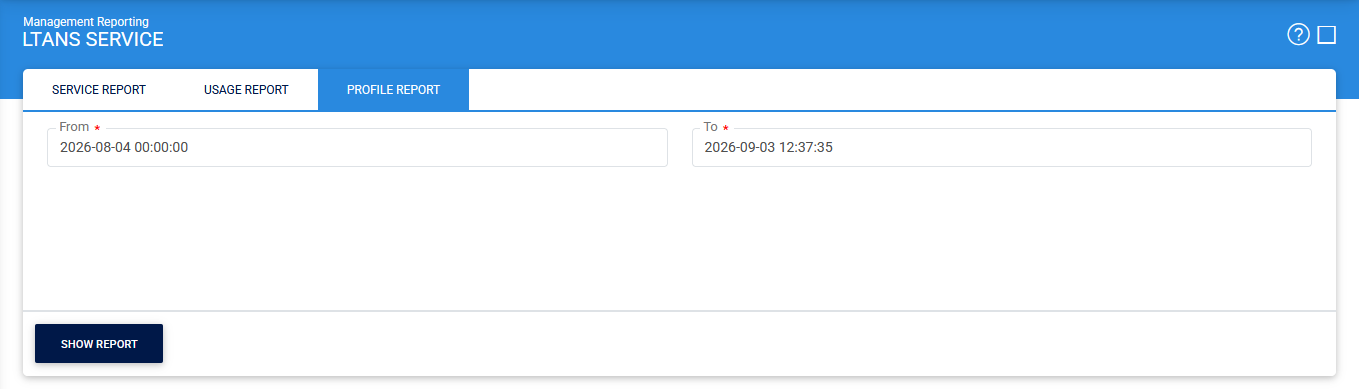
Click Show Report to generate the report.
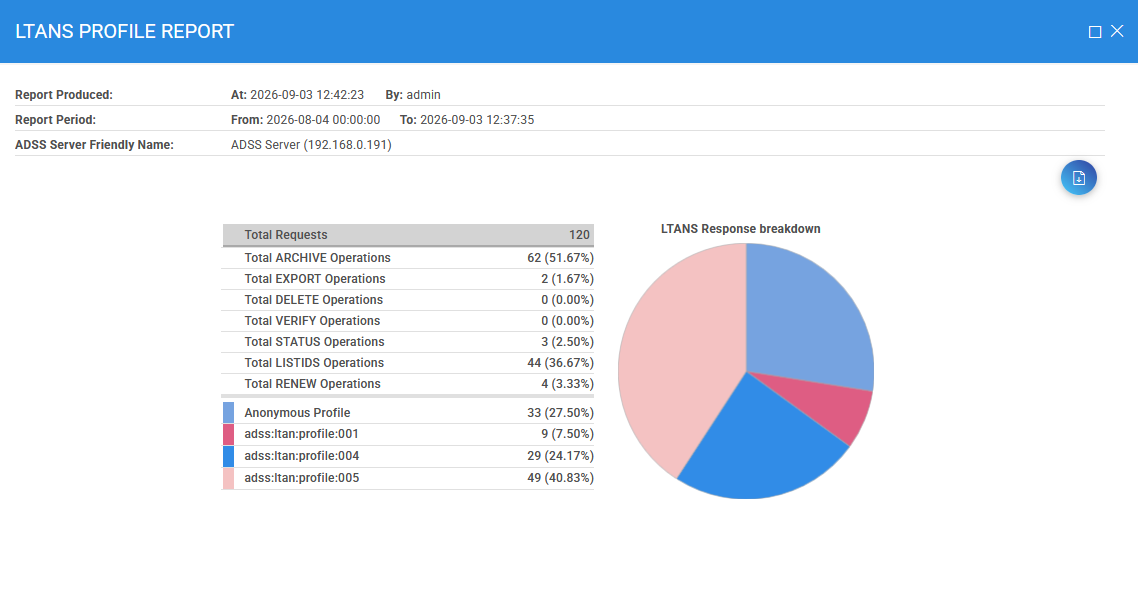
The report provides statistics for the LTANS profiles used during the selected reporting period.
For each LTANS profile, the report displays the total number and percentage of transactions for the following operations:
- ARCHIVE
- EXPORT
- DELETE
- VERIFY
- STATUS
- LISTIDS
- RENEW
The report also provides a summary of the number of requests associated with each LTANS profile. The figures and pie chart at the bottom of the report provide a visual comparison of profile usage, making it easier to identify which profiles are receiving the highest number of requests.
Exporting the Report
To save the generated report, click the Download icon. The report is exported in PDF format.