
Usage Report
The Usage Report helps you track and review how your service is being used by different clients. It provides clear insights into which clients are sending requests to your service and identifies the clients who are using it most frequently. This makes it easier to understand usage patterns and client activity. The report is generated according to the date range you select, and you can further customize it using the Usage Preference drop-down menu. The available options are: 'Clients that send verification requests' and 'Clients that verified signatures.'
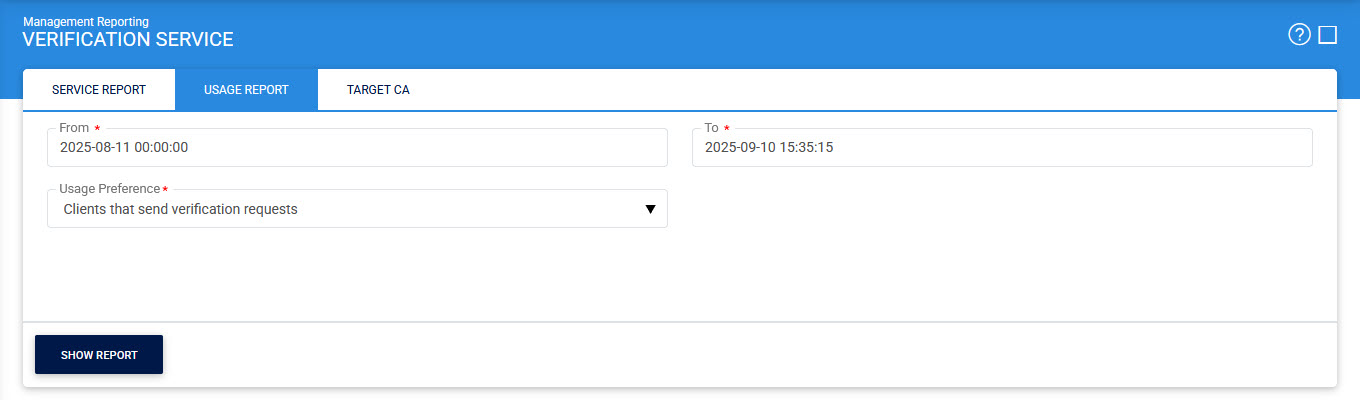
Clicking on the Show Report button will display a detailed report in the below format:
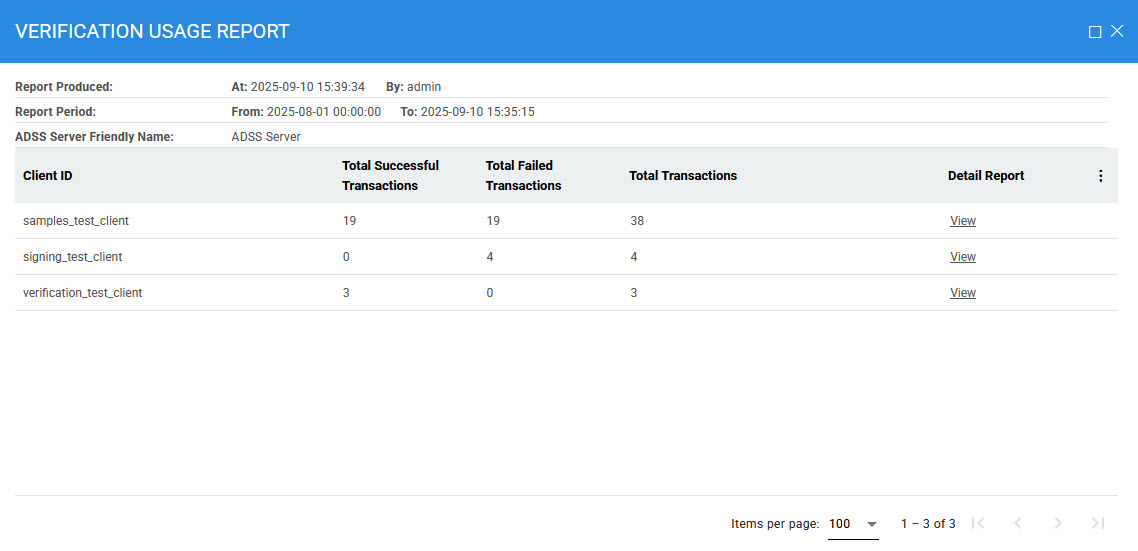
The details in the table are as follows:
|
Items |
Description |
|
Client Originator ID |
Lists the client’s Originator ID which made the requests (via an ordered list). |
|
Successful Transaction |
Lists the number of successful transaction by this client. |
|
Failed Transaction |
Lists the number of failed transactions by this client |
|
Total Transactions |
Lists the total number of transactions by this client. |
|
Detail Report |
For viewing a detailed transaction report for this client (see below). |
When you click the Detail Report link, the system will display the detailed information of the selected report based on your chosen option in the Usage Preference section. After clicking the link, the following screen will appear:
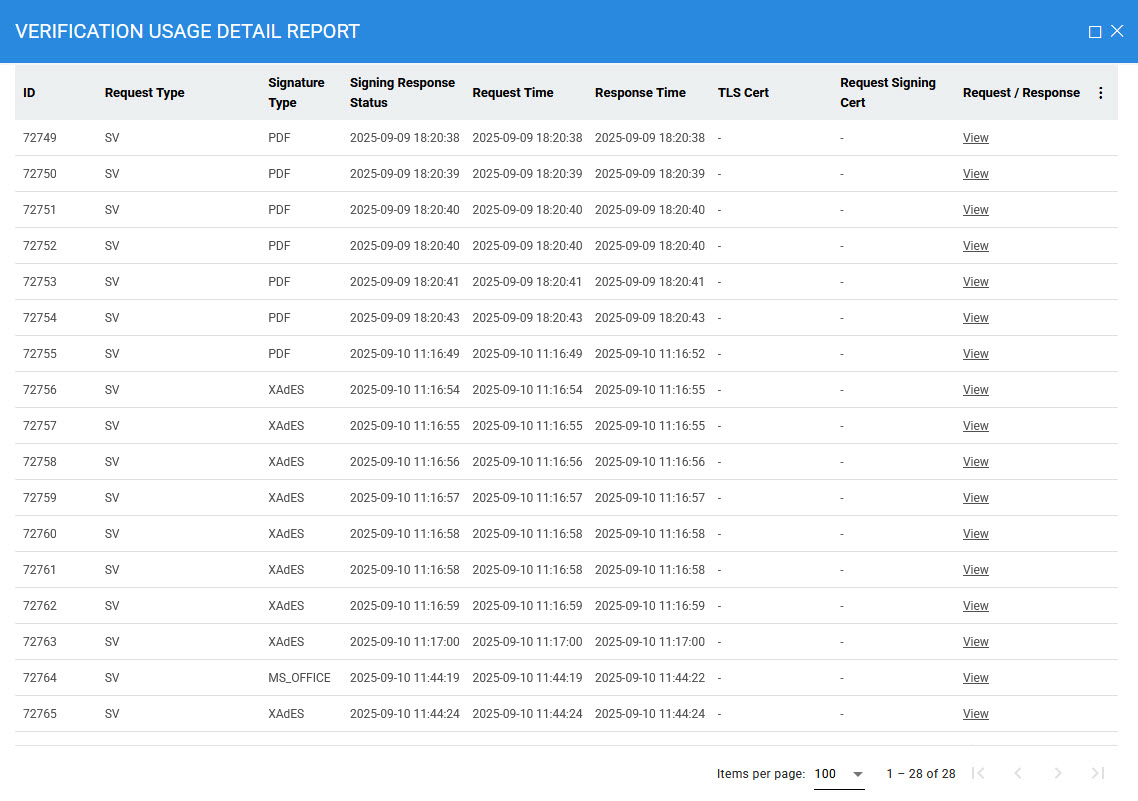
Clicking on the Request/Response link will display the details of request and response against selected report.
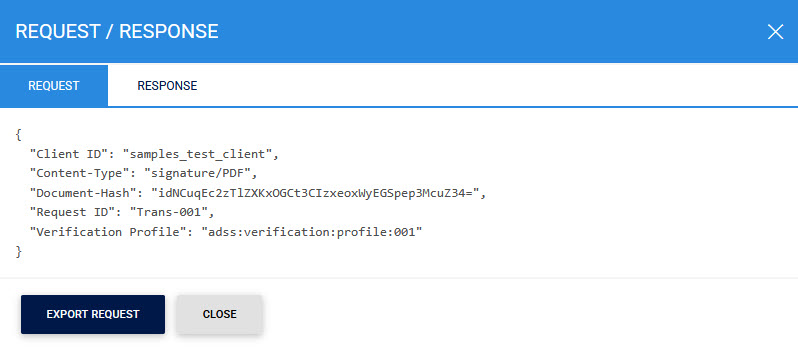
Clicking on the Request tab displays the following screen:
Clicking on the Response tab displays the following screen:
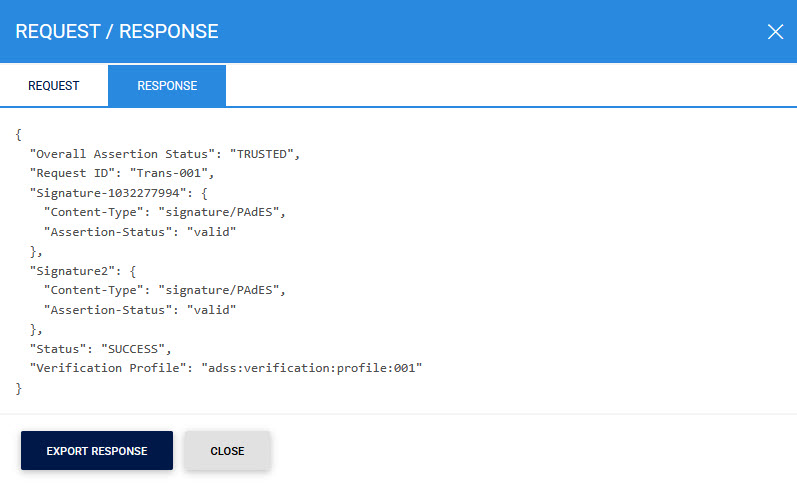
Clicking on the Export button will export the Request/Response in the form of a JSON file.
See also