
Security Question
This section allows a user to change the security question that can later be used to reset the password for the ADSS Web portal.
Follow the steps given below to change the security question.
Expand Personal Information > Security Question from the left menu.
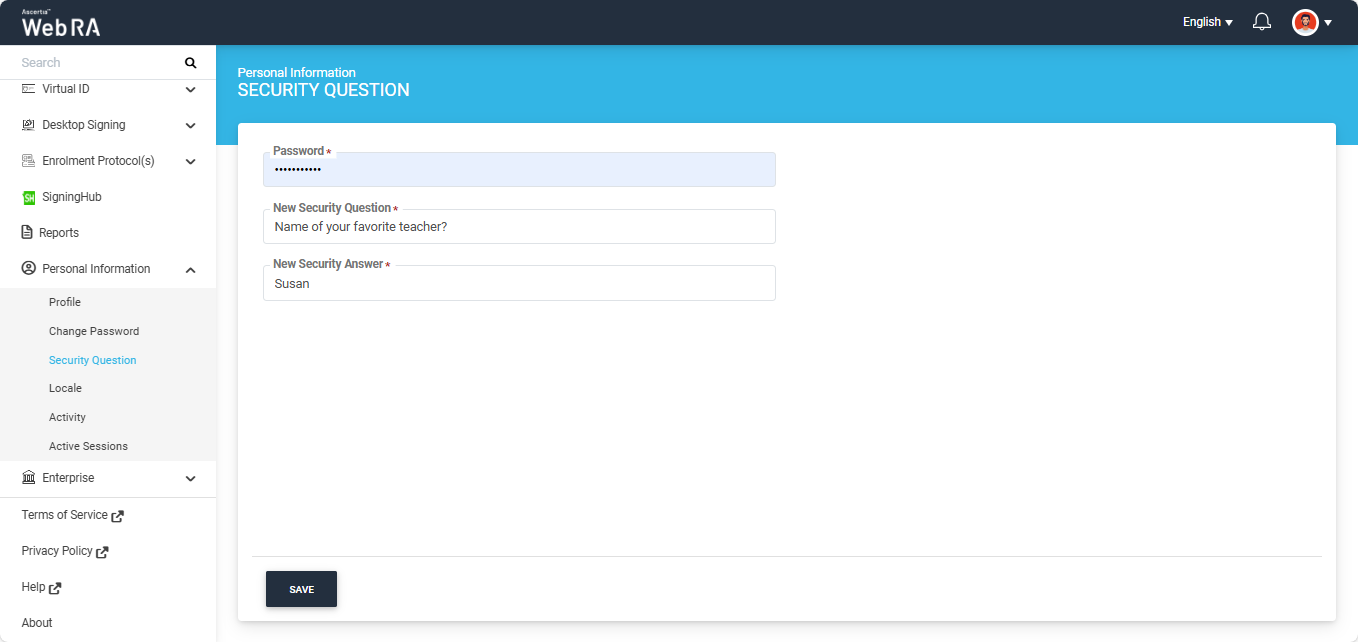
Enter your current password in the ‘Password’ field. Then enter the new security question and answer in the respective fields.
After entering the required details click ‘Save’ to apply the new changes.
Note:
If second factor authentication is enabled for the ‘Security Question’ action in the Enterprise > Roles > More Setting, then after clicking the Save button, the system will prompt you to authenticate the change using the configured second factor authentication.
For example: if ‘Email OTP authentication’ is selected as the second factor authentication for the change Security Question action, then after clicking save, the system will ask you to enter the OTP received via email to proceed with the request.
