
CAA Records
Certification Authority Authorisation (CAA) Records
Certificate Authorities (CAs) are organisations that are responsible for issuing identity-confirmation certificates for websites, digital IDs, and other entities. To restrict which CAs can issue certificates for your domain, you can configure a CAA record in your domain’s DNS settings.
A Certificate Authority Authorisation (CAA) record is a specific type of DNS record that enables domain owners to specify which CAs are authorised to issue certificates for their domain. By defining these preferences, unauthorized CAs are prevented from issuing certificates for the same domain.
Note: Any change in the CAA Records made from this section will be applicable globally to all Enterprises and Users. If the CAA Recrods checbox is disabled in this section, then the CAA Record setting of each Enterprise will be applied based on its individual configuration.
Configuring CAA records can help in the following situations:
- You aim to reduce the risk of relying on untrustworthy Certificate Authorities (CAs).
- You want to prevent employees from obtaining certificates from unauthorised certificate vendors.
- You want to prevent fraudulent certificate misissuance.
To add Certificate Authority Authorisation (CAA) Records, expand Settings > CAA Records from the enterprise left-tree menu.
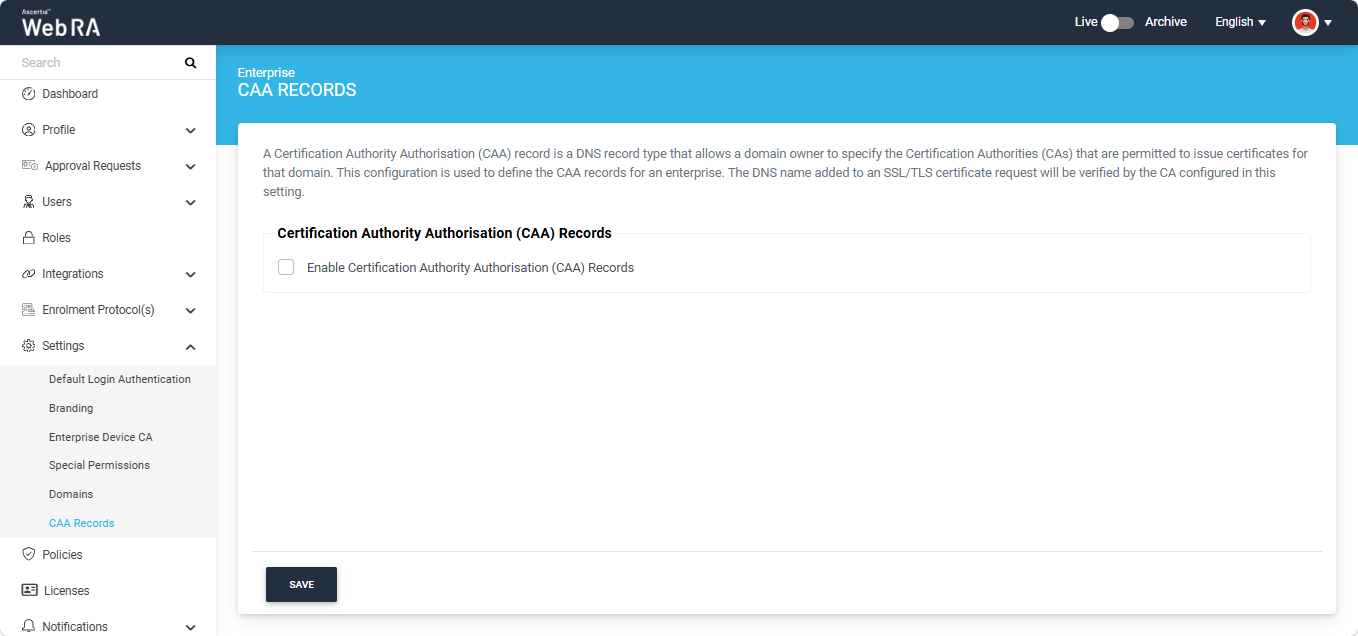
Select the ‘Enable Certification Authority Authorisation (CAA) Records’ checkbox. The system will display the ‘Certification Authorities (CA)’ field where you can enter multiple authorities as per your requirement.
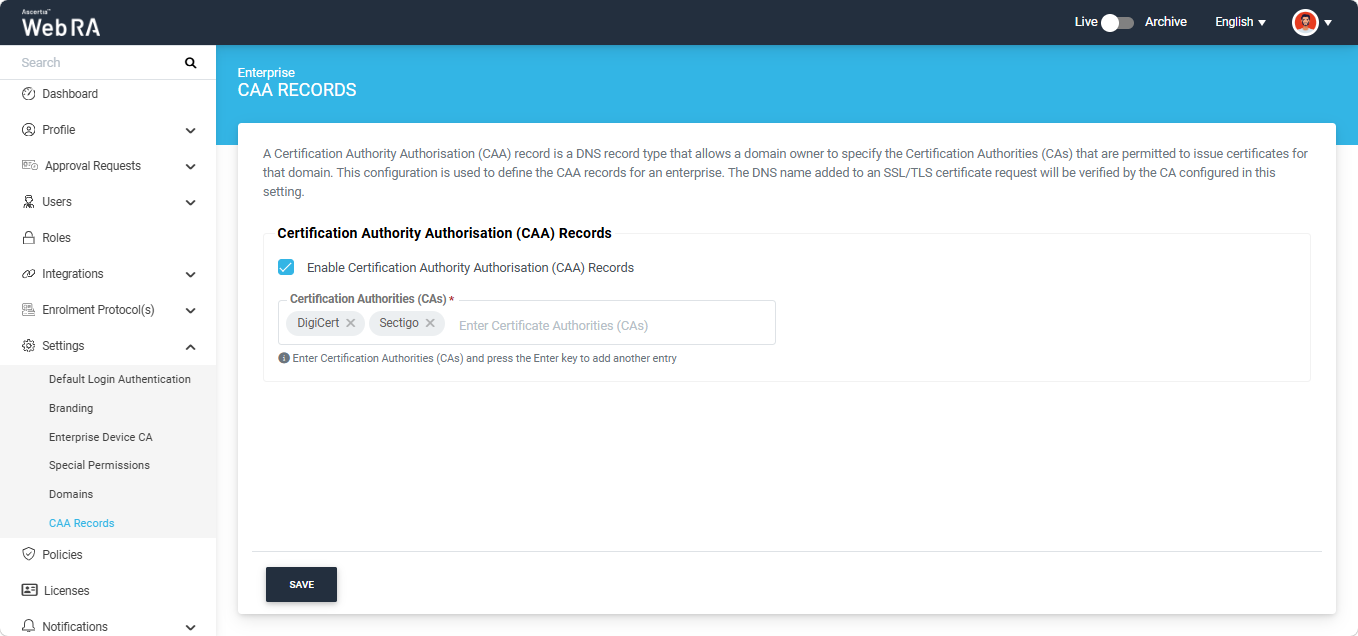
After entering the Certificate Authorities (CAs), click ‘Save’ to confirm the settings.