SigningHub API Guide
Download OpenAPI specification:Download
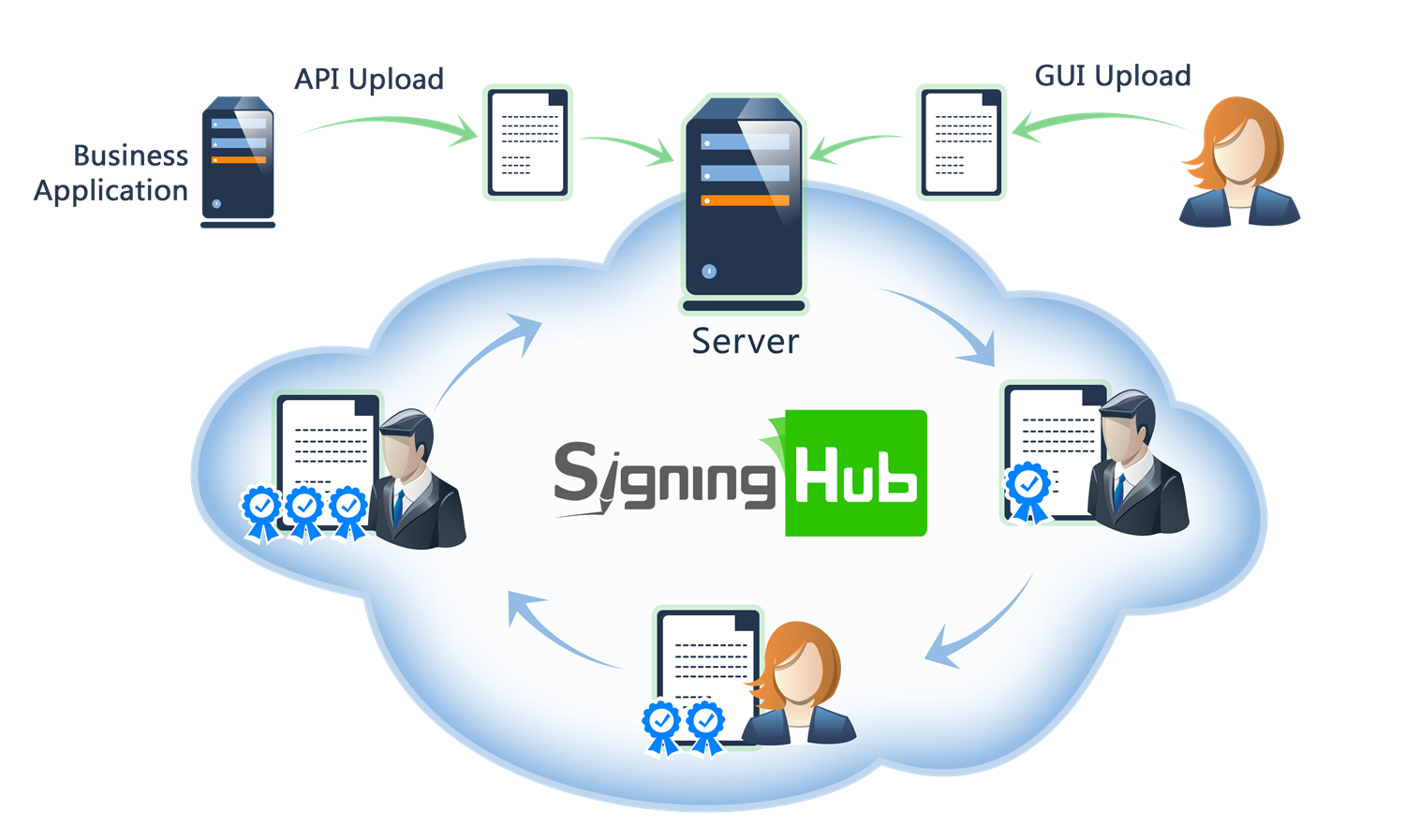
Browse through the API content by selecting the relevant pages from the left panel. To quickly find specific web service information, enter search criteria in the search box on top left.
 .
.More about SigningHub
To know more about SigningHub, explore the following links:
- Go to SigningHub Knowledge Base to view all the relevant information of SigningHub.
-
Visit the Ascertia Community Portal to find answers to contact SigningHub support staff through the
Live Chat provision
.
Our
support staff may be occupied with other priority tasks so live chat is offered on
an "as available" basis.
This guide is intended for developers who will integrate SigningHub into their respective web applications using the RESTful web services, and user interface offered by SigningHub. It is assumed that the reader has a basic knowledge of REST, Java, C#, HTML, JavaScript, HTTP and TLS/SSL. There is no Software Developers Kit (SDK) for the integration, instead the integration uses HTML Forms and JSON so that integration is simple from any language including .Net, Java, PHP etc.
| Main Tags | Most Popular Pages |
|---|---|
|
➤
Welcome
➤ Prerequisites ➤ Access Tokens ➤ Quick Integration ➤ Updates ➤ SignalR ➤ APIs Developer Guide ➤ Appendix |
➤
Authentication
➤ Account Management ➤ Add Package ➤ Upload Document ➤ Get Workflow Details ➤ Sign Document |
This section entails the web services for managing the general operations i.e. About, System Settings, and Branding.
APIs for retrieving SigningHub platform information, service agreements, and application metadata.
Get Service Agreements
Business applications can use this service API to get terms of services and privacy policy that are configured in SigningHub Admin console.
For details how to configure this content in SigningHub follow this link.Note the content applies across the system.
A successful response is only possible if the content is set of course.
header Parameters
| Authorization required | string Default: Bearer {access_token} The OAuth access token obtained as a result of successful authentication via the "password" grant type. |
| Content-Type required | string Default: application/json |
| Accept required | string Default: application/json |
Responses
Response samples
- 200
- 400
- 500
{- "version_number": 0,
- "name": "string",
- "description": "string",
- "terms_of_service": "string",
- "terms_of_service_url": "string",
- "privacy_policy": "string",
- "privacy_policy_url": "string"
}About SigningHub
Business applications can use this service API to get the SigningHub version and build information.
header Parameters
| Authorization required | string Default: Bearer {access_token} OAuth access token obtained as a result of "Client Credentials Authentication" |
| Content-Type required | string Default: application/json |
| Accept required | string Default: application/json |
Responses
Response samples
- 200
- 500
{- "installation_name": "string",
- "version": "string",
- "build": "string",
- "patents": {
- "us_patent_no": "string"
}, - "copyright": "string"
}Get Avatar Image
Business application can get the profile picture of a user.
query Parameters
| q | string Encrypted string used to identify the user. |
header Parameters
| Authorization required | string Default: Bearer {access_token} The OAuth access token obtained as a result of successful authentication via the "password" grant type. |
| Content-Type required | string Default: application/json |
| Accept required | string Default: application/json |
Responses
Response samples
- 200
- 500
"string"Get SigningHub Admin Branding
Retrieve the default branding of SigningHub Application as set by the SigningHub administrator via the administration console. This includes the logo, favicon and colours that comprise the branding options. Note this is not to be confused with the Enterprise level branding. For these settings click here.
header Parameters
| Authorization required | string Default: Bearer {access_token} OAuth access token obtained as a result of "Client Credentials Authentication" |
| Content-Type required | string Default: application/json |
| Accept required | string Default: application/json |
| x-base64 | string |
Responses
Response samples
- 200
- 403
- 500
{- "logo": "string",
- "logo_url": "string",
- "favicon": "string",
- "favicon_url": "string",
- "signature_logo": "string",
- "signature_logo_url": "string",
- "email_logo": "string",
- "email_logo_url": "string",
- "background_image": {
- "web": {
- "image": "string",
- "image_url": "string"
}, - "mobile": {
- "image": "string",
- "image_url": "string"
}
}, - "colors": {
- "level_1": "string",
- "level_2": "string",
- "level_3": "string",
- "level_4": "string",
- "level_5": "string",
- "level_6": "string",
- "level_7": "string",
- "level_8": "string",
- "level_9": "string",
- "level_10": "string",
- "level_11": "string",
- "level_12": "string",
- "level_13": "string",
- "level_14": "string",
- "level_15": "string"
}, - "slider_items": [
- {
- "id": 0,
- "content": "string",
- "order": 1,
- "status": true,
- "web": {
- "image": "string",
- "image_url": "string"
}, - "translated_content": {
- "localizations": [
- {
- "locale": "string",
- "content": "string"
}
]
}
}
]
}Get SH Admin Branding Logo
Business application can get the application logo configured in the application's admin console branding.
header Parameters
| Authorization required | string Default: Bearer {access_token} OAuth access token obtained as a result of "Client Credentials Authentication" |
| Content-Type required | string Default: application/json |
| Accept required | string Default: application/json |
Responses
Response samples
- 200
- 403
- 500
"string"Get SH Admin Branding Favicon
Business application can get the application favicon configured in the application's admin console branding.
header Parameters
| Authorization required | string Default: Bearer {access_token} OAuth access token obtained as a result of "Client Credentials Authentication" |
| Content-Type required | string Default: application/json |
| Accept required | string Default: application/json |
Responses
Response samples
- 200
- 403
- 500
"string"Get Profile Picture of Recipient
Business application can get the profile picture of a recipient that has signed the document.
path Parameters
| encryptKey required | string Encrypted string used to identify the recipient for which the photo is requested. |
header Parameters
| Authorization required | string Default: Bearer {access_token} OAuth access token obtained as a result of "Client Credentials Authentication" |
| Content-Type required | string Default: application/json |
| Accept required | string Default: application/json |
Responses
Response samples
- 200
- 403
- 500
"string"APIs for retrieving reference information such as languages, countries, and time zones.
Get Languages
Business applications can use this service API to get the supported languages
header Parameters
| Authorization required | string Default: Bearer {access_token} The OAuth access token obtained as a result of successful authentication via the "password" grant type. |
| Content-Type required | string Default: application/json |
| Accept required | string Default: application/json |
Responses
Response samples
- 200
- 403
- 500
{- "default_language": "string",
- "allow_changing_language": true,
- "supported_languages": {
- "property1": "string",
- "property2": "string"
}
}Get Countries
Business applications can use this service API to get the supported countries
header Parameters
| Authorization required | string Default: Bearer {access_token} The OAuth access token obtained as a result of successful authentication via the "password" grant type. |
| Content-Type required | string Default: application/json |
| Accept required | string Default: application/json |
Responses
Response samples
- 200
- 403
- 500
{- "default_country": "string",
- "allow_changing_country": true,
- "supported_countries": {
- "property1": "string",
- "property2": "string"
}
}Get Timezones
Business applications can use this service API to get the supported timezones
header Parameters
| Authorization required | string Default: Bearer {access_token} The OAuth access token obtained as a result of successful authentication via the "password" grant type. |
| Content-Type required | string Default: application/json |
| Accept required | string Default: application/json |
Responses
Response samples
- 200
- 403
- 500
{- "default_timezone": "string",
- "allow_changing_timezone": true,
- "supported_timezones": {
- "property1": "string",
- "property2": "string"
}
}System Settings
Business applications can use this service API to get the system settings of a logged in enterprise user.
header Parameters
| Authorization required | string Default: Bearer {access_token} OAuth access token obtained as a result of "Client Credentials Authentication" |
| Content-Type required | string Default: application/json |
| Accept required | string Default: application/json |
Responses
Response samples
- 200
- 403
- 500
{- "installation_name": "string",
- "installation_type": "string",
- "web_address": "string",
- "api_address": "string",
- "create_account_webpage": "string",
- "privacy_policy_webpage": "string",
- "term_of_services_webpage": "string",
- "agree_privacy_policy_and_terms_of_service": true,
- "default_country": "string",
- "allow_changing_country": true,
- "default_timezone": "string",
- "allow_changing_timezone": true,
- "default_language": "string",
- "environment": 0,
- "core_setting": {
- "reminder_notification": {
- "enabled": true,
- "frequency": "string",
- "duration": "string"
}
}, - "password_policy": {
- "minimum_length": 0,
- "include_numbers": true,
- "include_uppercase": true,
- "include_special_characters": true
}, - "signature_types": {
- "ELECTRONIC_SIGNATURE": "string",
- "ELECTRONIC_SEAL": "string",
- "ADVANCED_ELECTRONIC_SEAL": "string",
- "QUALIFIED_ELECTRONIC_SEAL": "string",
- "ADVANCED_ELECTRONIC_SIGNATURE": "string",
- "HIGH_TRUST_ADVANCED": "string",
- "QUALIFIED_ELECTRONIC_SIGNATURE": "string"
}, - "support_email": "string",
- "system_error_email": "string",
- "system_maintenance_message": "string",
- "session_timeout": 0,
- "company_name": "string",
- "allow_changing_language": true,
- "allow_national_id": true,
- "profile_logo_only": true,
- "google_analytics_mobile_web": "string",
- "bing_analytics_mobile_web": "string",
- "error_notification_timeout": 0,
- "allow_marketing_emails": true,
- "hide_edit_signature_dialog": true,
- "billing": {
- "enabled": true,
- "currency": "string",
- "description": "string",
- "margin_days": 0,
- "sales_email": "string",
- "support_email": "string",
- "company_address": "string",
- "payment_gateway_configuration": {
- "property1": "string",
- "property2": "string"
}
}, - "content_security_policy": {
- "mobile_web": "string",
- "web": "string",
- "admin": "string",
- "demo": "string"
}, - "default_cloud_drive_settings": {
- "dropbox": {
- "connector_name": "string",
- "app_key": "string",
- "allowed_file_types": "string",
- "multiple_selection": true
}, - "google_drive": {
- "connector_name": "string",
- "api_key": "string",
- "client_id": "string",
- "multiple_selection": true
}, - "onedrive": {
- "connector_name": "string",
- "app_id": "string",
- "multiple_selection": true
}
}, - "default_smtp_connector": {
- "connector_name": "string"
}, - "default_sms_connector": {
- "connector_name": "string"
}, - "default_push_notification_connector": {
- "connector_name": "string"
}, - "default_geoip_connector": {
- "connector_name": "string"
}, - "default_marketing_connector": {
- "connector_name": "string"
}, - "default_artificial_intelligence_connector": {
- "connector_name": "string"
}, - "default_captcha_connector": {
- "connector_name": "string",
- "public_key": "string"
}, - "default_file_scanning_connector": {
- "connector_name": "string"
}, - "default_enterprise_service_plan": {
- "id": 0,
- "name": "string",
- "type": 0
}, - "default_individual_service_plan": {
- "id": 0,
- "name": "string",
- "type": 0
}, - "global_sign_logo_visible": true,
- "trusted_device_authentication": true,
- "hide_forgot_reset_password_option": true,
- "authentication_flow": "string",
- "hide_password_profile": true,
- "captcha": {
- "Version": "string"
}, - "allow_viewing_national_id": true
}OTP Verification
Business applications can use this service API to verify an OTP, generated using OTP Login Authentication.
header Parameters
| Authorization required | string Default: Bearer {access_token} The OAuth access token obtained as a result of successful authentication via the "password" grant type. |
| Content-Type required | string Default: application/json |
| Accept required | string Default: application/json |
| x-otp | string Example: 456789 OTP that is generated and sent to the user's mobile. |
Responses
Response samples
- 401
- 403
- 404
- 500
{- "Message": "string"
}