
Access Control
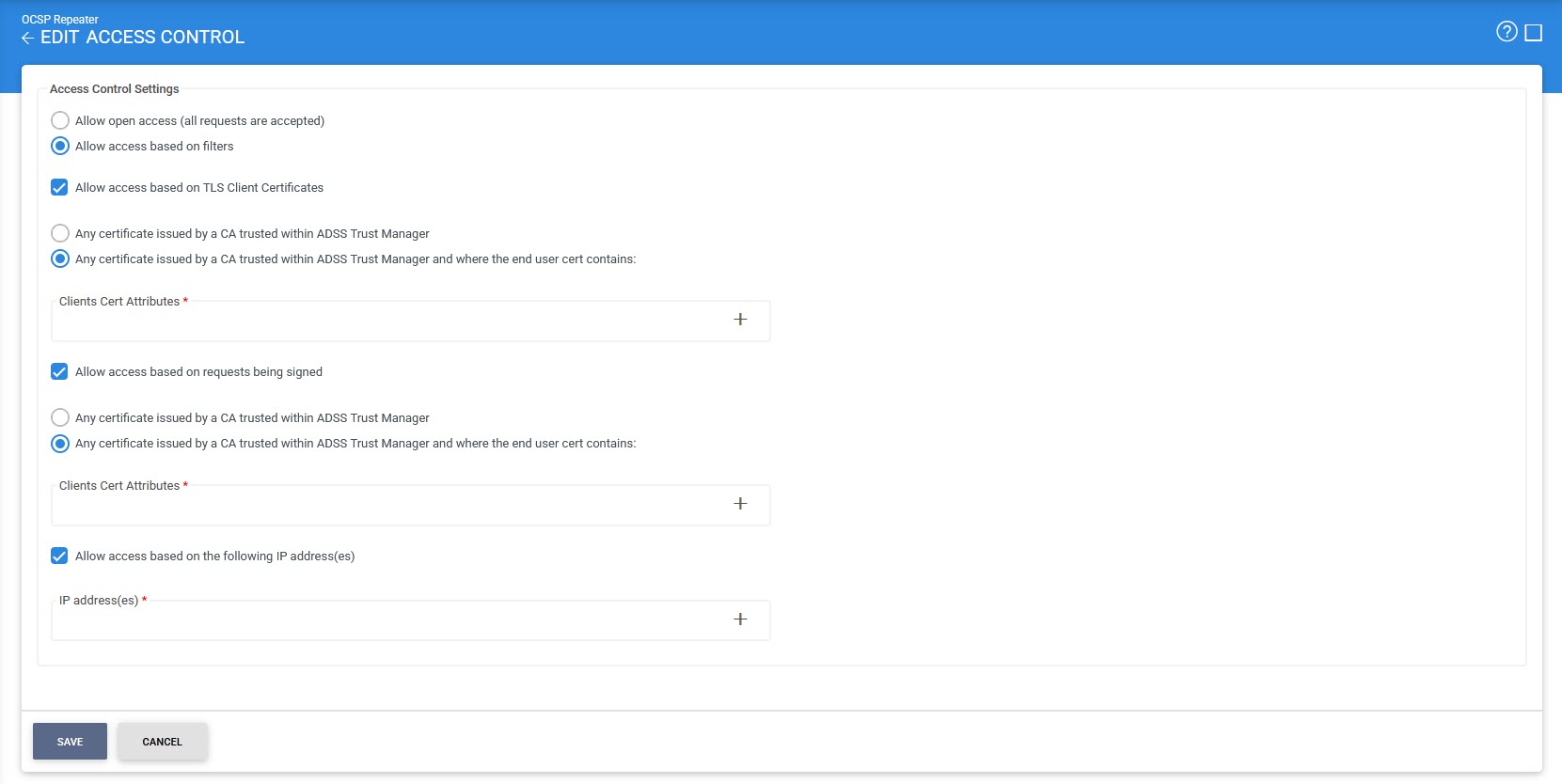
The OCSP Repeater access control module allows you to restrict the access of OCSP Repeater service based on the following options:
- Open access for everyone
- Using TLS client certificates to authenticate clients
- Using OCSP request signing to authenticate clients
- Using IP address checking to authenticate clients
The last three options above can be used simultaneously if required. The following screen shows the configurations which can be made:
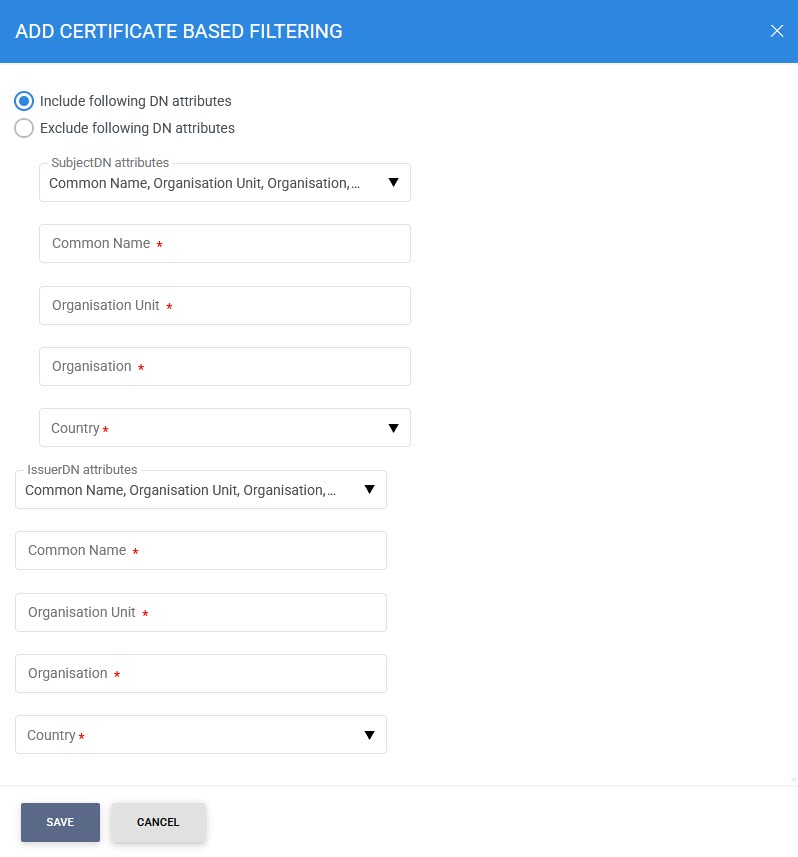
Choosing the option Allow access based on TLS client certificates or Allow access based on requests being send and clicking "+" icon will show the following screen where filtering can be performed based on Issuer or Subject DN Attributes:
|
|
A similar screen as above will be shown when filtering on bases of the TLS certificates. |

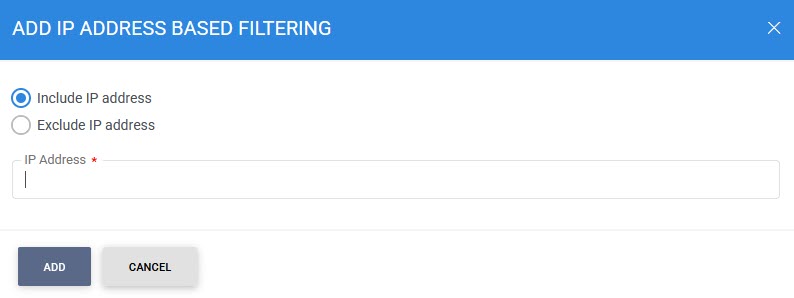
Also, choosing the option Allow access based on IP addresses and clicking on the "+" icon will show the following screen where filtering can be performed based on IP Address:
|
|
At least one "Include IP address" entry must be made before an "Exclude IP address" entry can be made. It is then necessary to restart the OCSP Repeater service to have the change take effect in the running system. |
See also
Access Control
Transaction Logs
Logs Archiving
Alerts
OCSP Repeater Service Interface URLs