
Declined Requests
The Declined Requests sub-module will list all the pending requests that have been declined by the operator due to any reason.
To view the list of declined requests, navigate to the following screen:
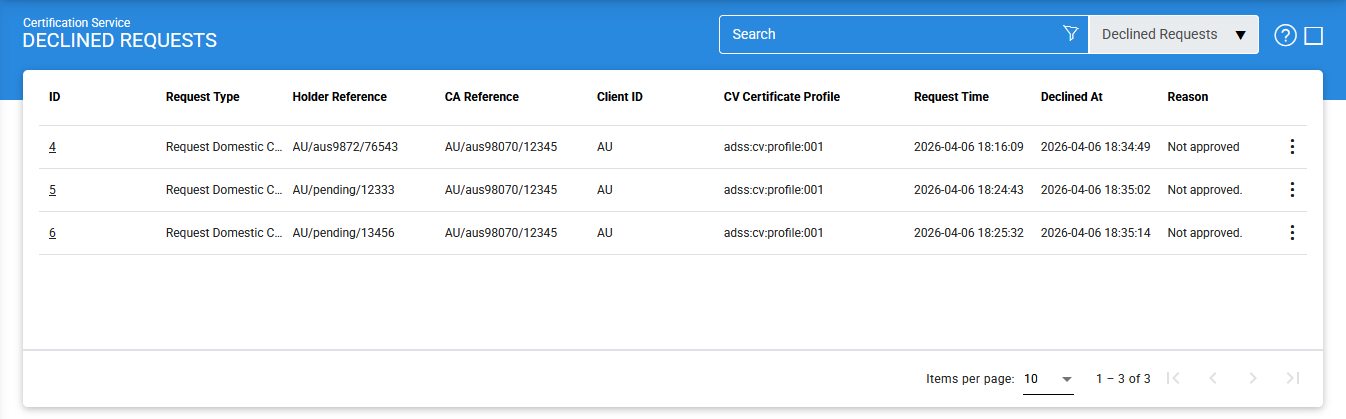
The configuration items are as follows:
|
Items |
Description |
|
ID |
It is system-defined unique identifier for the declined request. |
|
Request Type |
It shows the type of the request e.g. Domestic Certificate or Rekey request. |
|
Client ID |
It displays the ID of the client that made the request. |
|
CV Certification Profile |
It shows the CV certificate profile that was intended to issue a certificate. |
|
Holder Reference |
It shows the information of holder of the requested certificate. |
|
CA Reference |
It shows the information of the issuer of the requested certificate. |
|
Request Time |
It shows the initiation date and time of the request. |
|
Declined At |
It shows the date and time at which the request was declined. |
|
Reason |
It shows the reason defined by the operator for declining the request. |
|
Delete |
By clicking on this button, the selected declined request will be removed. |
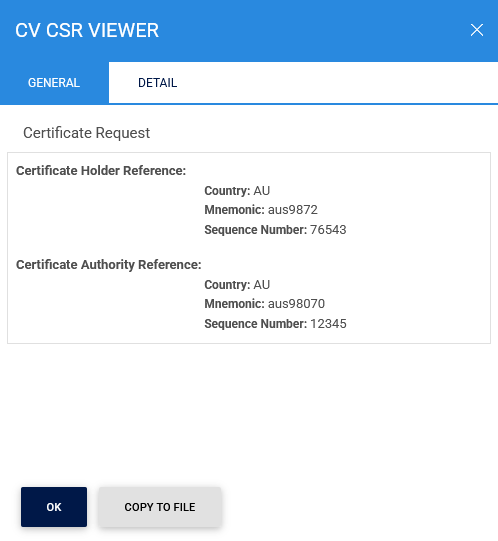
The contents that includes the information of CA and certificate holder reference of a selected declined request can be viewed by clicking on 'ID' for the selected request. Clicking on the button will display the following screen:
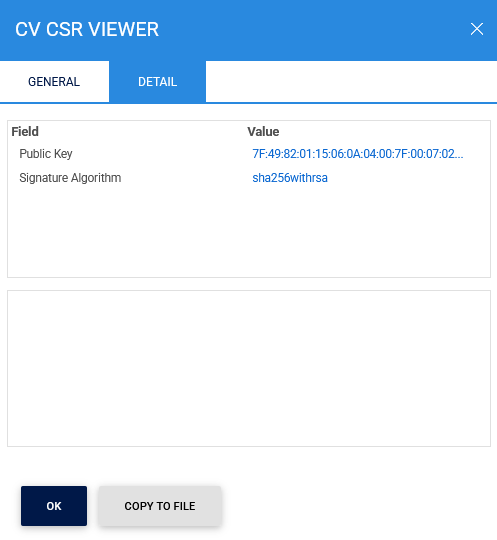
Clicking on the Detail tab displays the following screen:
Clicking on the 'Advance Search' button on the Declined Requests main page will display the following screen:
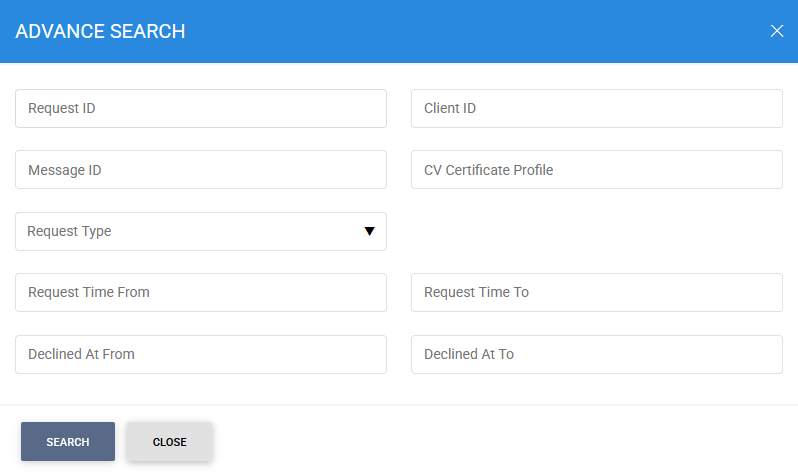
A particular Declined Request can be searched based on Request ID, Message ID, Client ID, Certification Profile, Request Type, Request Time From, Request Time To, Declined Time From and Declined Time To.
See also
Issued Certificates
Pending Certificates
Declined Certificates