
CV Certificate Templates
The CV Certificate Template sub-module allows the user to create certificate templates for CVCA, DVCA and Inspection System certificates.
|
|
Inspection System certificates will only be visible when Inspection System Service licensed is applied to the ADSS Server. |

Clicking on CV Certificate Template sub-module would display the following screen:
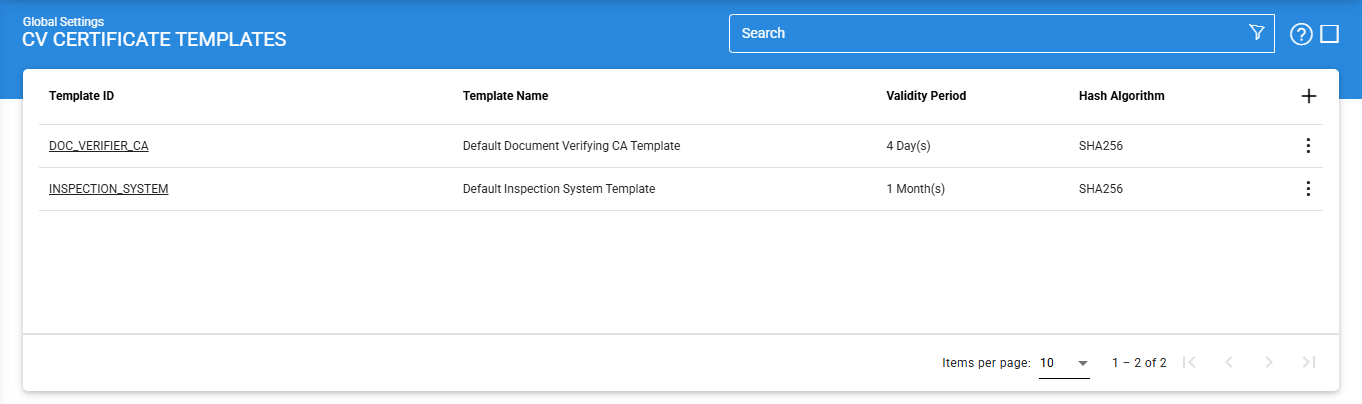
A new CV certificate template can be created by clicking on the '+' button. Clicking on the button displays the following screen:
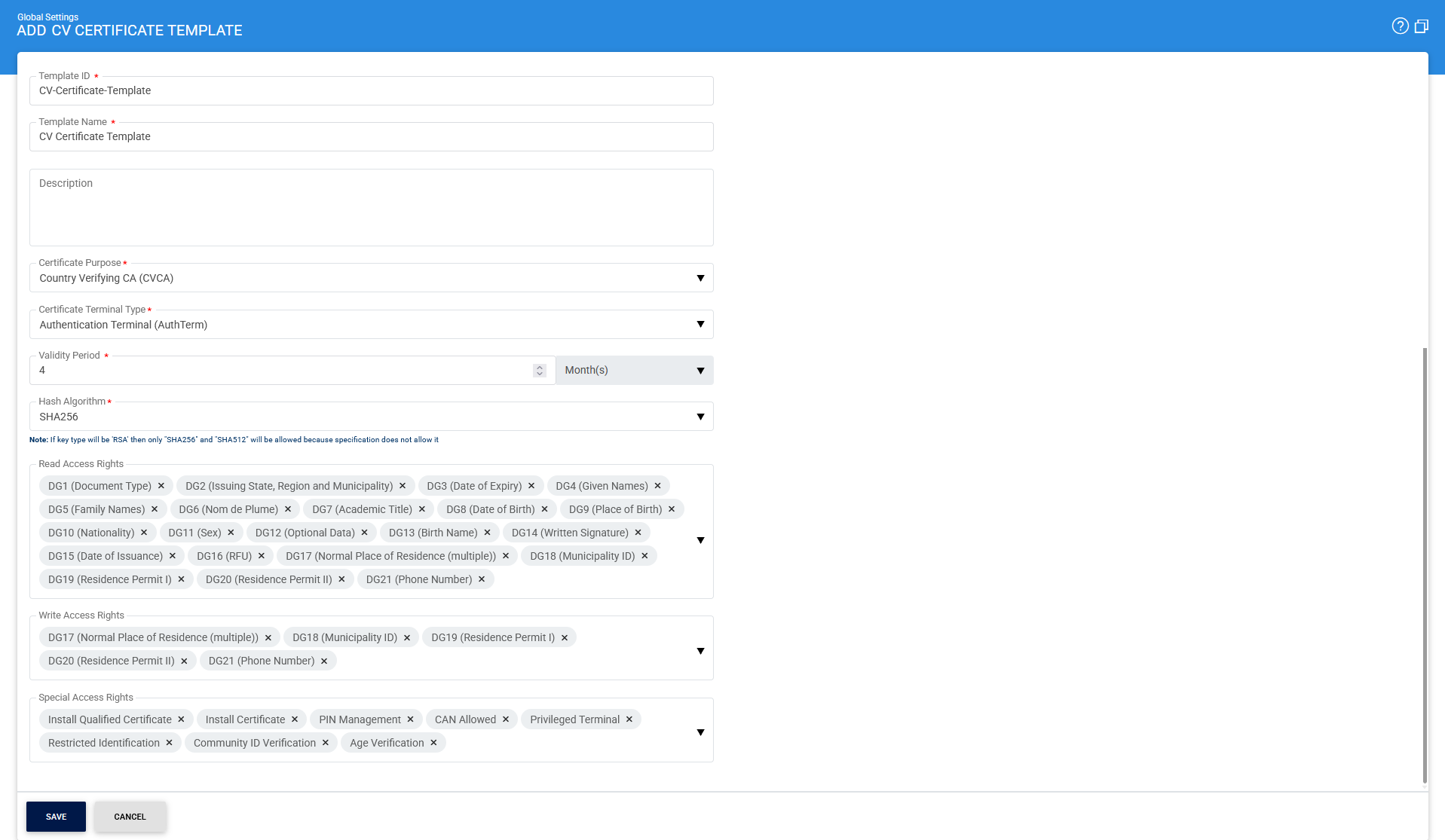
The configuration items are as follows:
|
Items |
Description |
||
|
ID |
An user-defined unique Template ID for easier human recognition within the ADSS user Console. Once a Template ID is created, it cannot be changed. |
||
|
Name |
An user-defined unique name for easier human recognition within the ADSS user Console. |
||
|
Description |
This can be used to describe the Template in more detail. This is for information purposes only. |
||
|
Certificate Purpose |
This field defines the purpose of the CV certificate. A template can have the following purposes:
The purposes above defines the role inside the access rights of a CV certificate. |
||
|
Validity Period |
It contains the time period for how long a certificate will be valid from it's creation date. You can select the number of Years, Months or Days from the drop-down. Validity Period can be override in CV Certificate profile. |
||
|
Hash Algorithm |
The Hash Algorithm drop-down contains a list of supported algorithms. The Hash Algorithm defines the signature algorithm used to compute a signature over the certificate e.g. SHA256 with RSA etc. It is also used to define the Terminal Authentication Algorithm for a CV certificate.
|
||
|
Read Access Rights |
Defines which data groups (DGs) on the ePassport chip can be read by the terminal. These include personal and document-related details such as name, date of birth, nationality, and other stored information. |
||
|
Write Access Rights |
Specifies which data groups (DGs) on the ePassport chip can be updated or written by the terminal. This is typically limited to specific fields such as residence or contact-related information. |
||
|
Special Access Rights |
Defines additional privileged operations that the terminal is allowed to perform, such as certificate installation, PIN management, or identity verification functions. These rights are used for advanced or sensitive operations. |
||
|
Save |
Click on the 'Save' button in order to save the configured settings. |
|
|
Copy of a Certificate Template is created without the Name and Description and ID of a selected Certificate Template. |
Clicking on the Advance Search icon on the on the main page will display the following screen:
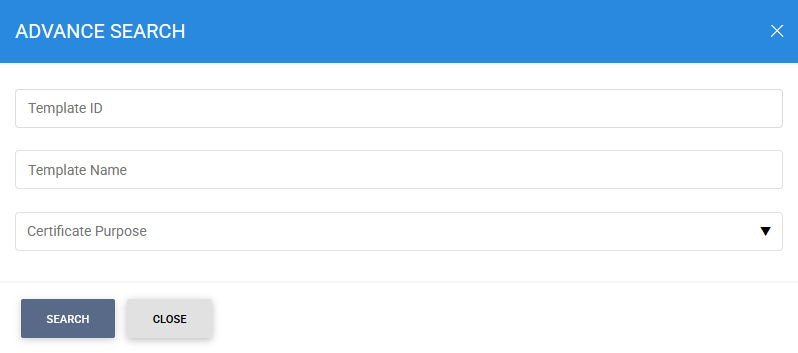
This helps to locate a particular type of CV certificate template. The certificate template can be searched based on Template ID, Template Name, and Certificate Purpose.
See also
System Certificates
Certificate Purposes
Certificate Templates
CV Certificate Templates
PDF Signature Appearances
PDF Signature Locations
External Script Linters
System Alerts
High Availability
System Security