Expired Certificates
The Expired Certificates section lists certificates that have reached the end of their validity period and are no longer active. These certificates are automatically moved from the active certificate records once they expire and are retained for reference, audit, and renewal-related operations. The operator can use this section to review expired certificates, track certificate life-cycle history, and manage renewals where applicable. Separating expired certificates from active ones ensures better system performance and clearer visibility into certificate status.
The Expired Certificates navigation button within the ADSS Certification Service allows you to view all the revoked certificates as mentioned below:
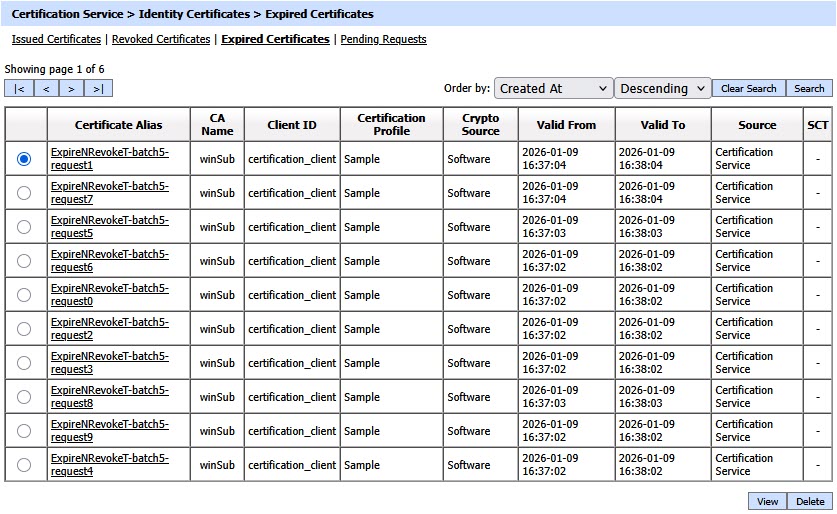
Each item in the screenshot is described below:
|
Items |
Description |
|
Certificate Alias |
A unique identifier for the expired certificate (as provided by the client application within the request message). |
|
CA Name |
The name (i.e. alias) of the CA for the expired certificate. |
|
Client ID |
This is the Client ID as found in the request message of the expired certificate. |
|
Certificate Profile |
The certification profile used for the expired certificate. |
|
Crypto Source |
Shows that the mentioned expired certificate is stored on software or hardware device. |
|
Valid From |
The “valid from” date of the expired certificate (taken from the certificate itself). |
|
Valid To |
The “valid to” date of the expired certificate (taken from the certificate itself). |
|
Source |
This is the source module using which the issued certificate was expired. |
|
SCT |
CT column is shown only when certificate transparency module is enabled in license. By clicking the view link SCT request/response viewer is shown. |
The operator can select a certificate, and then either View, or Delete it.
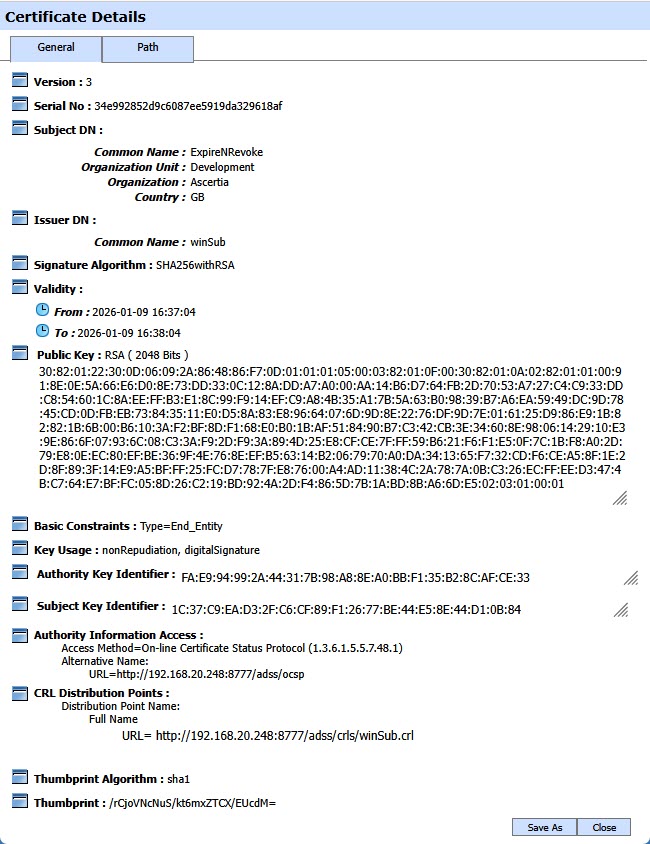
By clicking on Certificate Alias of the expired certificate, the following screen is displayed:
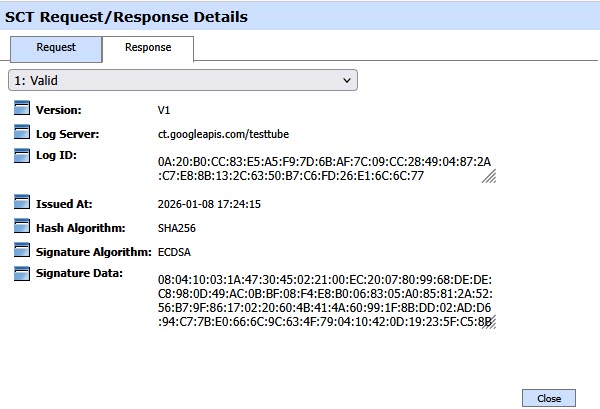
By clicking the view link in the SCT column, the required request/response viewer is shown:
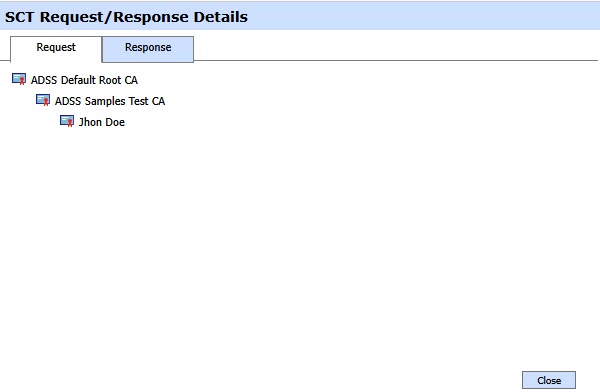
The response viewer of the SCT request is displayed as below:
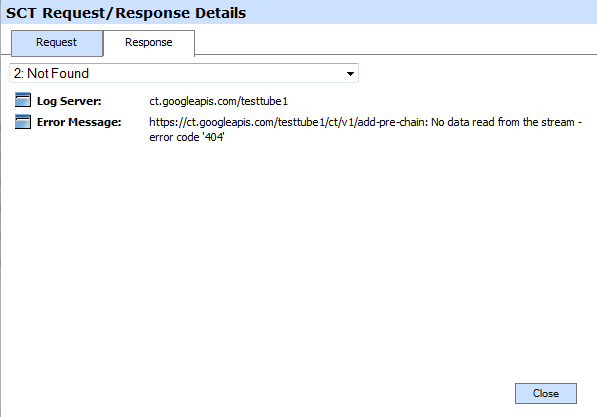
In case when SCT is not received from the Log Server then SCT Request/Response Viewer looks like:
Clicking on the Search button on the Certification Service >> Expired Certificates main page will display the following screen:
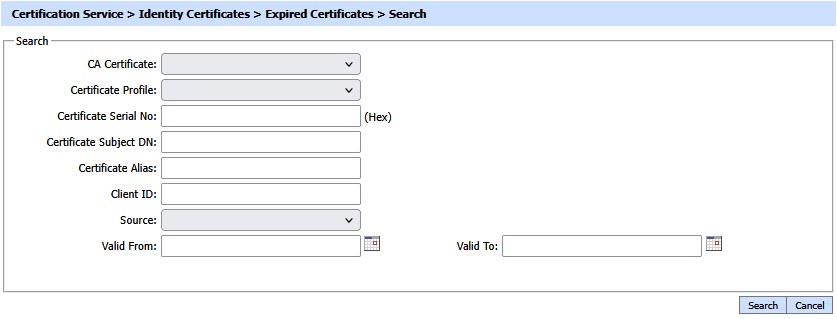
This helps to locate a certificate that the Certification Service may have expired. Certificates can be searched based on issuer, certificate profile, certificate serial number, certificate subject DN, certificate alias, client ID, source, and validity period. If a search is based on multiple values, then these will be combined together using the “AND” operand, and thus only records that meet all the criteria will be presented.
|
|
If "_" character is used in the search then it will act as wildcard. |

See also
Issued Certificates
Revoked Certificates
Expired Certificates
Pending Certificates