
Renewal Requests
ADSS Web RA supports certificate renewal before a certificate expires. It is the process by which you can renew a certificate for the same public key used in an expiring certificate.
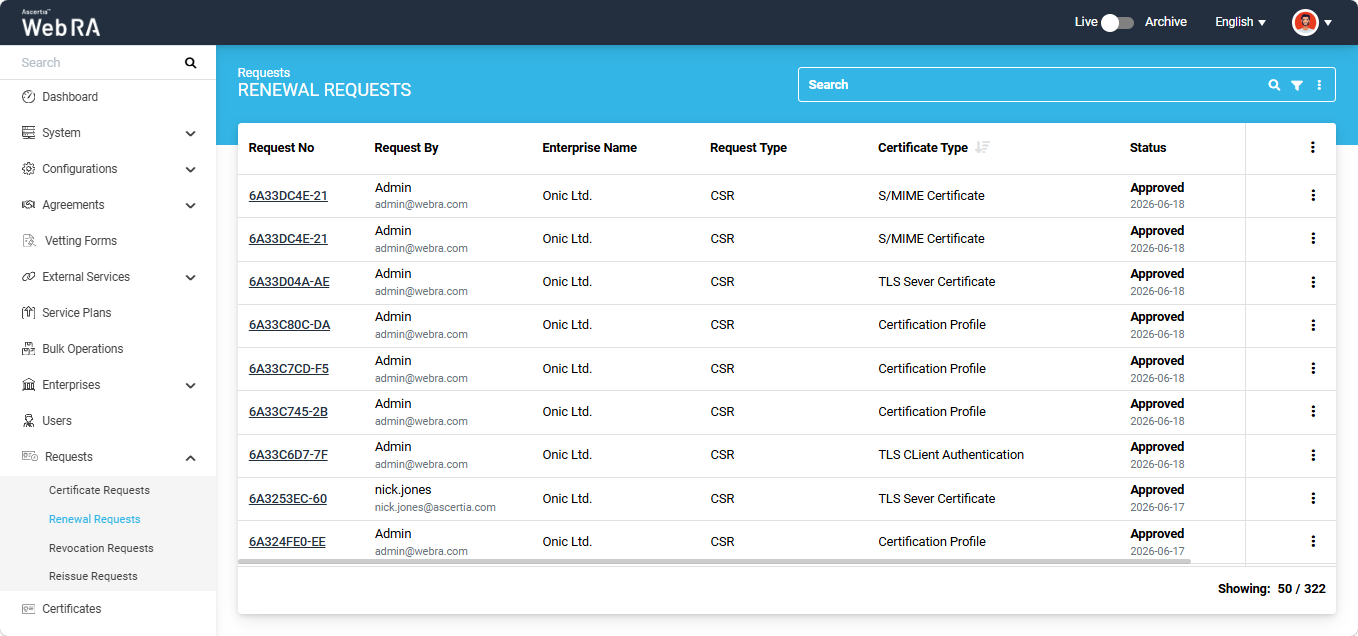
All certificate renewal requests submitted from the Admin portal appear in the Renewal Requests listing.
To view the renewal request listing, expand Requests > Renewal Requests from the left-tree menu in the Admin portal.
The following section describes how to renew a certificate that is nearing its expiration.
How to Renew a Certificate
To renew a certificate before its expiration, you need to first open the certificate request generated from the Web RA system.
To do this, expand Requests > Certificate Requests from the left-tree menu in the Admin portal.
Then, click the request number of the certificate that you want to renew. Alternatively, click the three-dot button next to the certificate request entry and select the 'View Request' option.
The system will then open the certificate request in View mode.
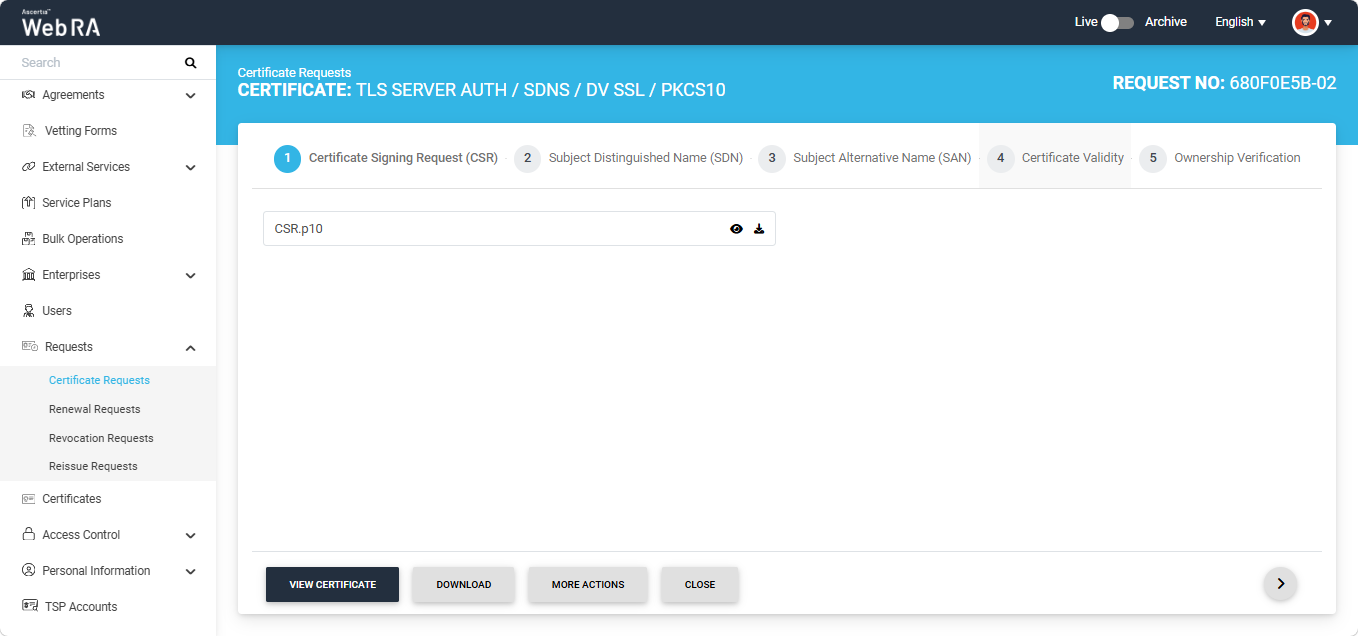
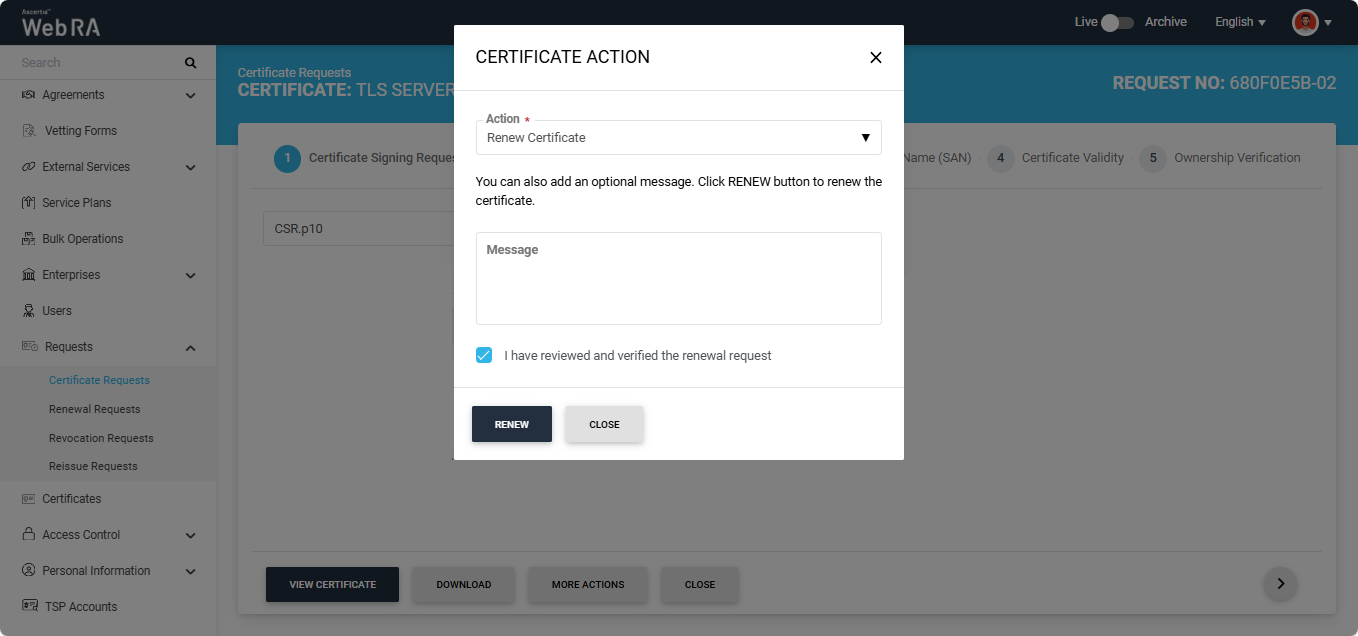
To renew the certificate, click the 'More Actions' button. A dialog titled 'Certificate Action' will appear on the screen.
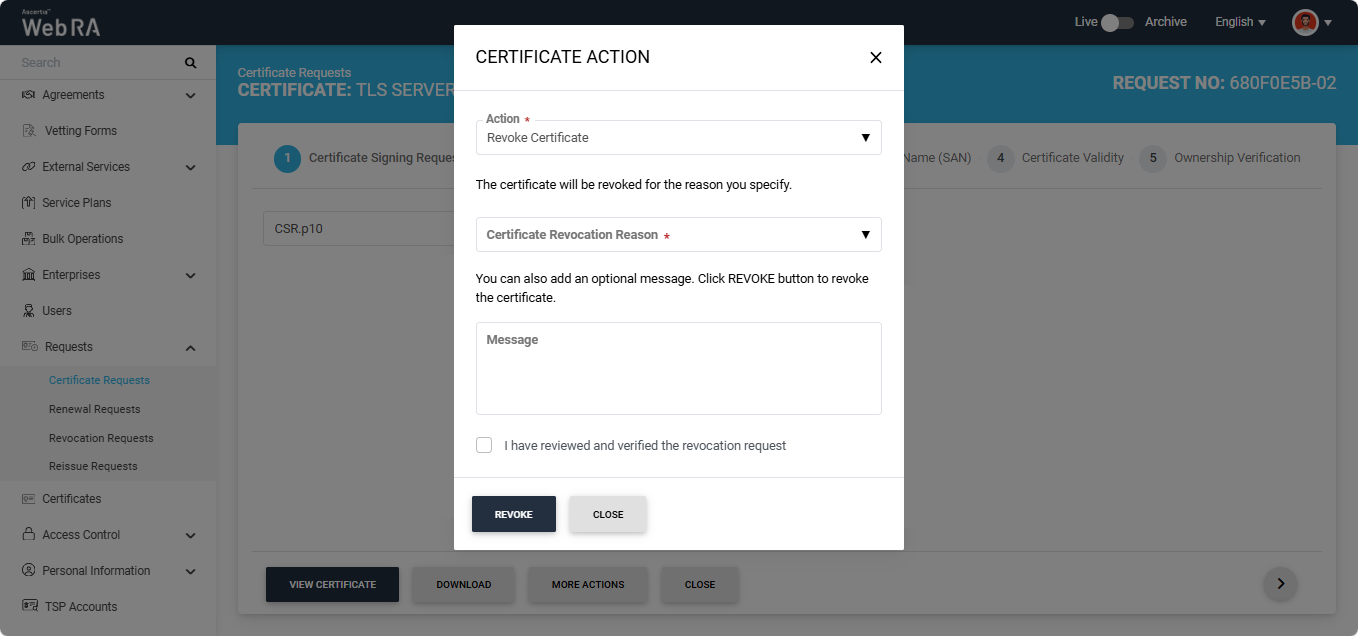
Click the 'Action' dropdown and select the 'Renew Certificate' option.
Note: The 'Renew Certificate' option appears in this dropdown only if the 'Renew Certificate' policy is selected in Configurations > Policies > Requests section under the certificate renewal settings.
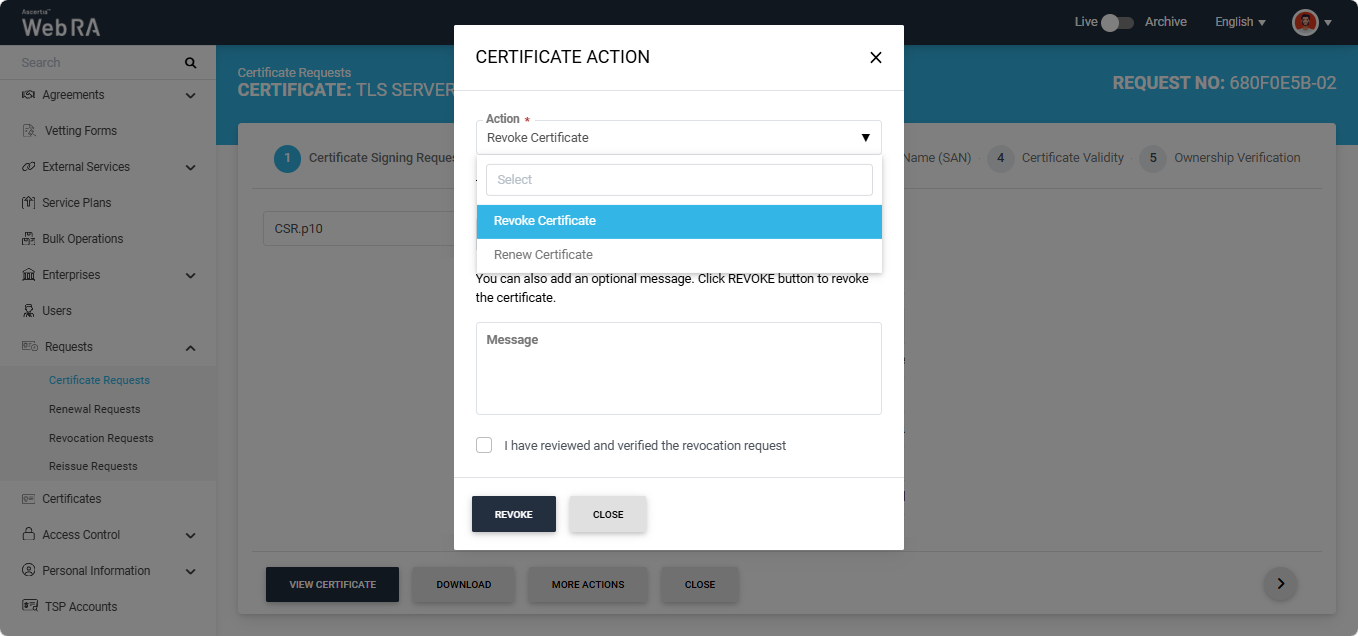
After selecting the required option, select the 'I have renewed and verified the renewal request' checkbox and click the 'Renew' button.
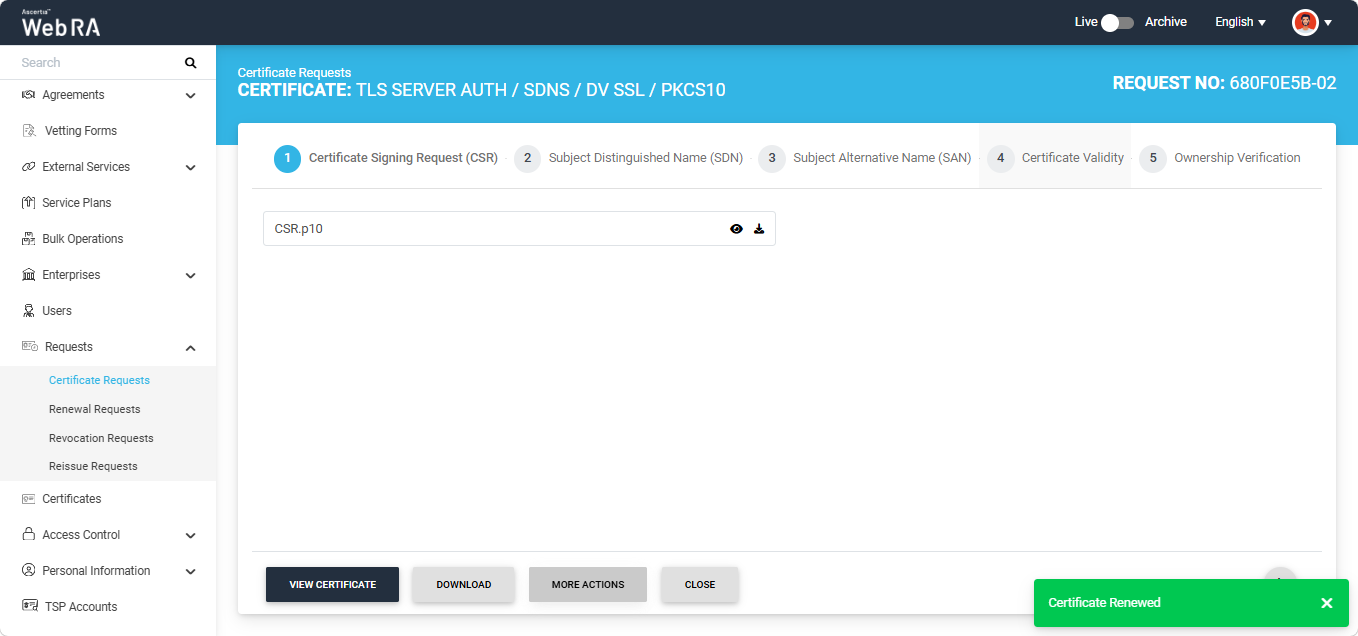
The certificate will be renewed, and the system will display a 'Certificate Renewed' alert on the screen.
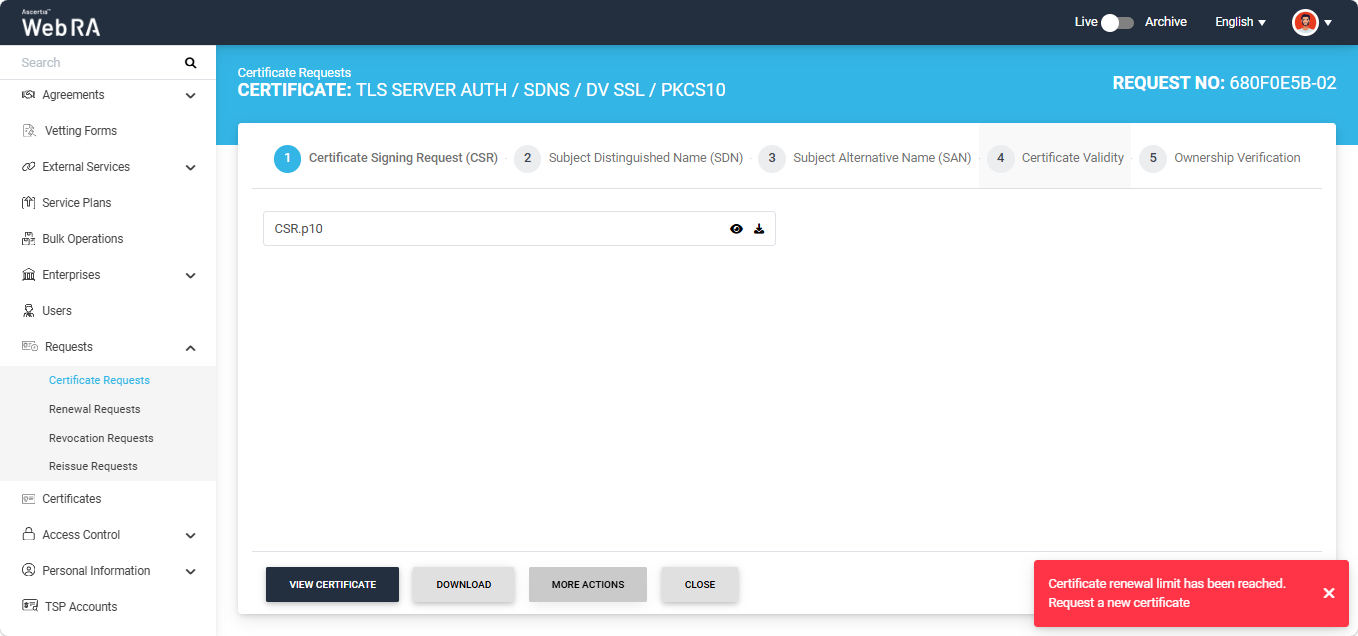
Each certificate can be renewed only up to the renewal limit configured in the certification profile. For example, if a renewal limit of 1 is configured in the certification profile, a certificate can only be renewed once. Any subsequent attempt to renew the same certificate will result in an error being displayed by the system.
The following error will appear on the screen if you attempt to renew a certificate after the renewal limit has been reached.
Note: If the renewal limit is set to zero in the certification profile, certificates generated under that certification profile cannot be renewed.