
Enterprise API Keys
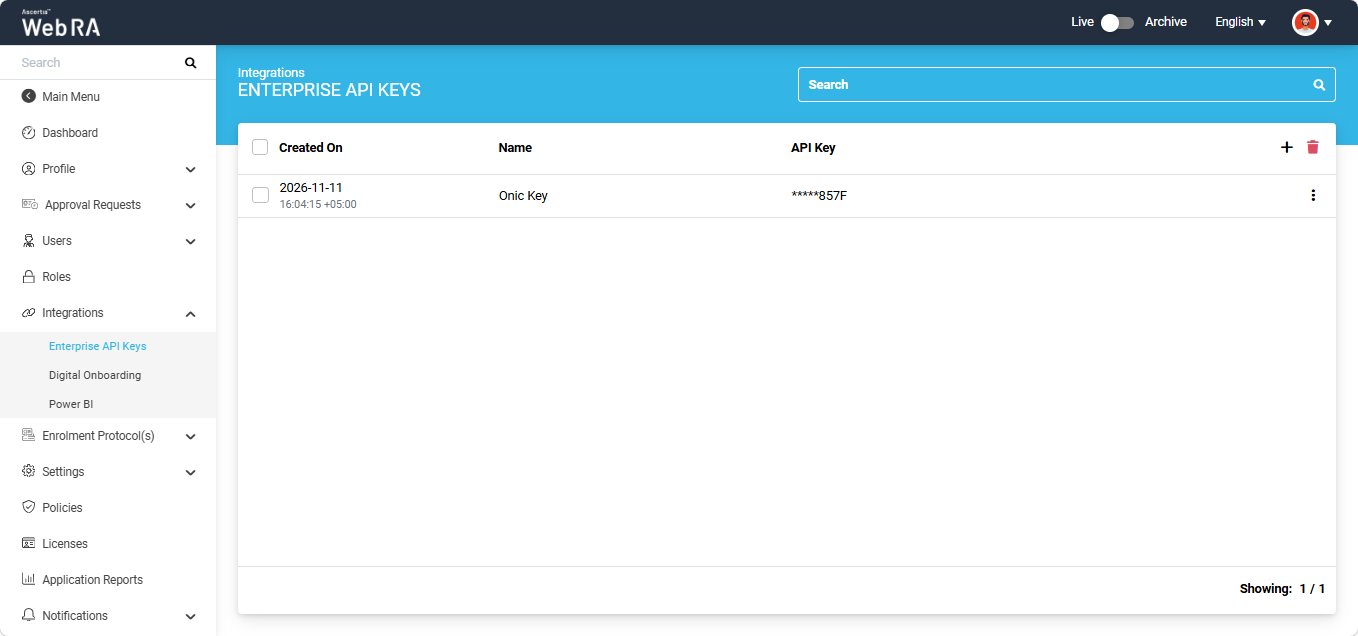
The Enterprise API Keys listing displays all API keys generated in the Web RA system.
The listing table displays the date and time when each key was generated, the name assigned to the key, and the API key itself.
For security reasons, the API key is partially masked in the listing.
Generating a New Enterprise API Key
To generate a new Enterprise API key, click the + button on the right-hand side of the table header.
The system displays the 'Add Enterprise API' Key dialog.
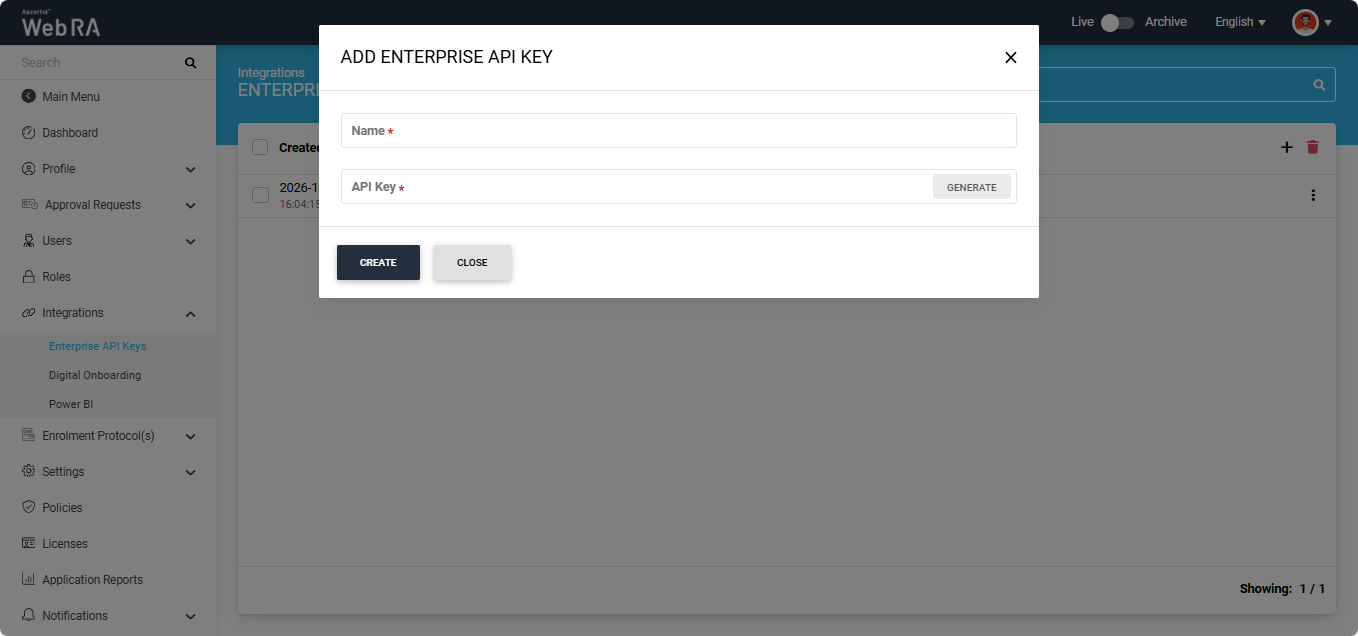
Enter a name for the key and click 'Generate' to generate the API key.
The generated key appears partially masked in the API Key field. To view the complete key, click the mask icon.
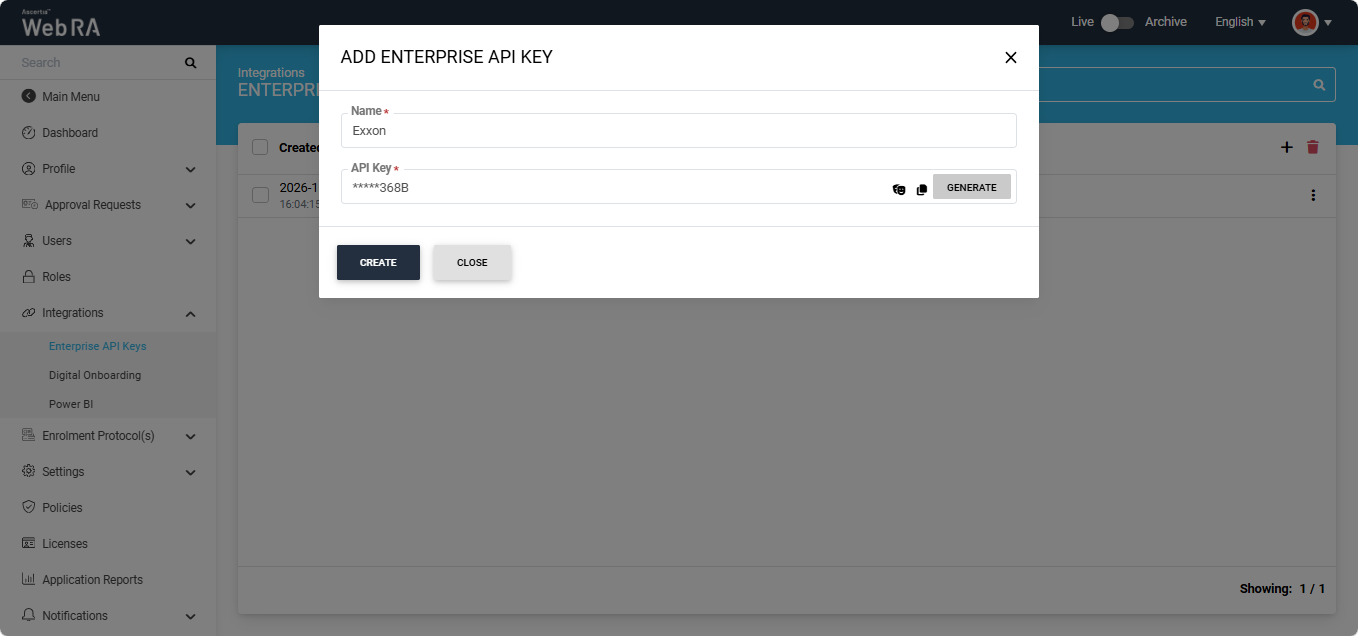
To copy the key, click the copy icon.
After generating the key, click Create to save it. The new API key is created and its entry appears in the listing.
Viewing or Updating an Enterprise API Key
To view or update an existing API key, click the three-dot icon next to the corresponding entry and select Edit.
The system displays the 'Update Enterprise API' Key dialog.
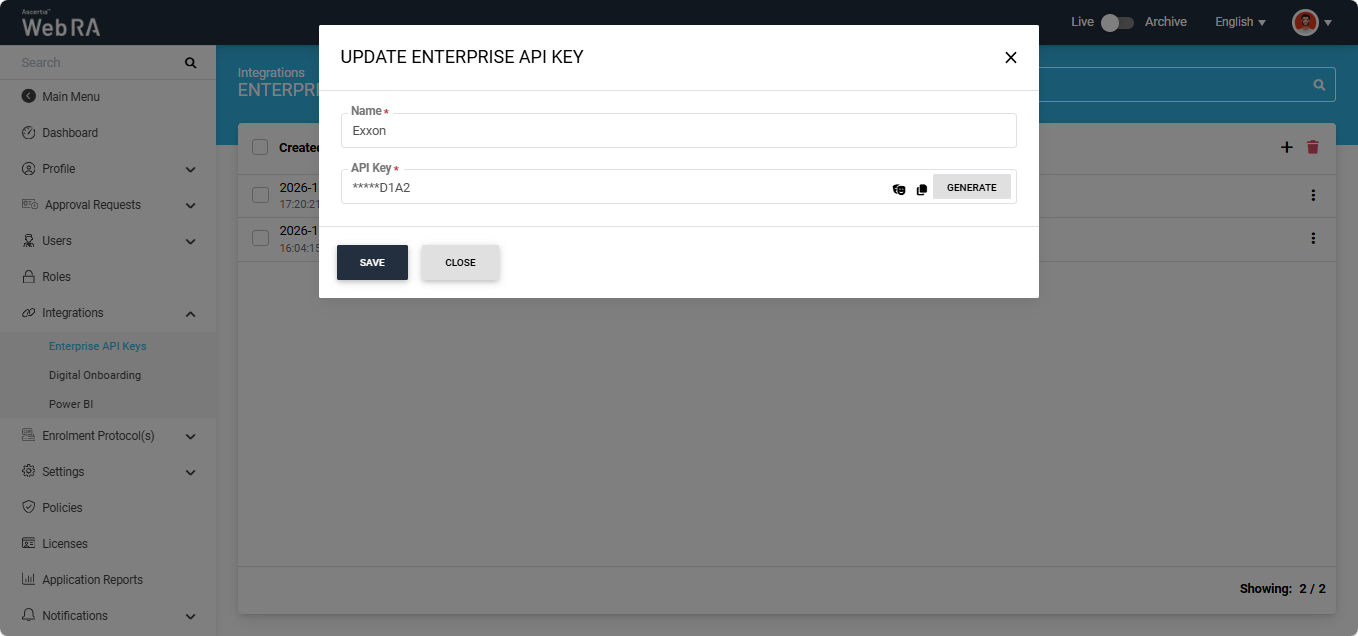
In this dialog, you can view or copy the existing API key. You can also click Generate to generate a new API key.
If you generate a new key, click Save to save the changes. The newly generated key replaces the existing key.