
Certificate Notifications
Each enterprise in ADSS Web RA has a certificate quota, which limits the number of certificates that can be issued for that enterprise. The ‘Certificate Notifications’ section allows you to notify selected operators by email when the remaining certificate quota of an enterprise reaches a configured limit. This allows operators to take action, such as increasing the quota, before the enterprise runs out of certificates.
For example, an enterprise has a quota of 100 certificates, and the ‘Remaining Certificates’ limit is set to 20%. When the enterprise has 20 or fewer certificates remaining, the system sends an email notification to the selected operators.
Expand Configurations > Notifications from the left menu and click ‘Certificate Notifications’. The system displays the ‘Certificate Notifications’ screen.
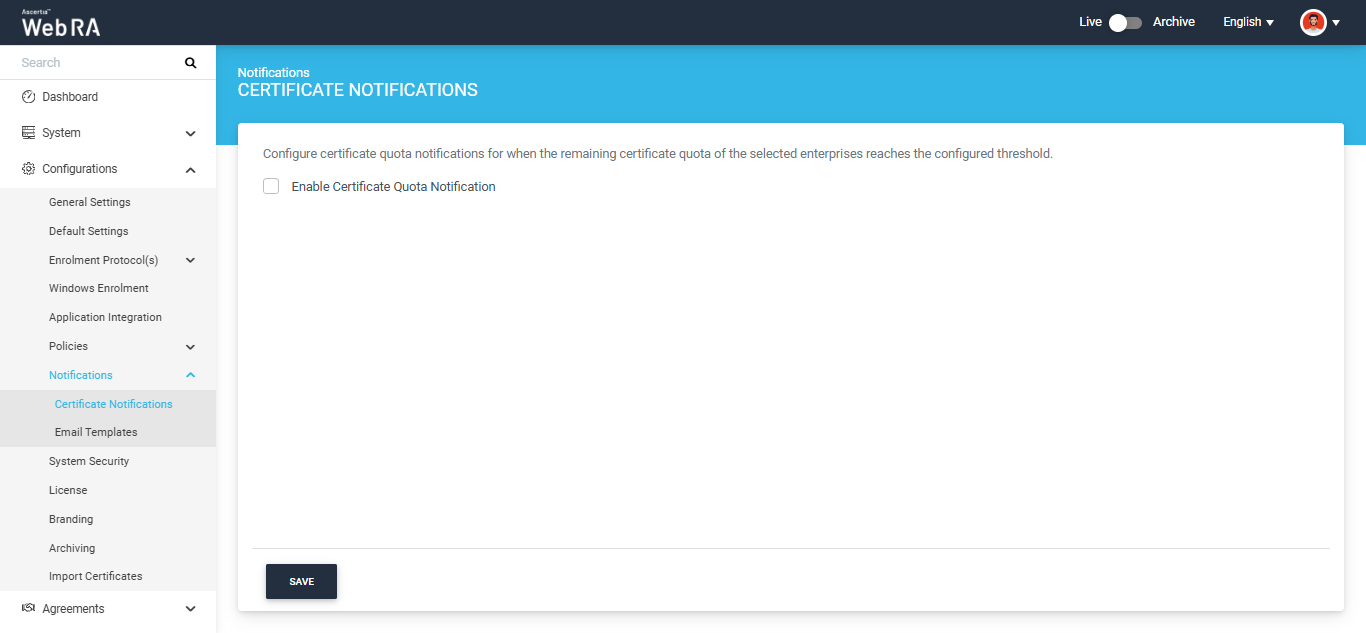
By default, the screen displays only the ‘Enable Certificate Quota Notification’ checkbox. Select this checkbox to enable certificate quota notifications. The system displays the following fields:
|
Field |
Description |
|
Enterprises |
This is a mandatory field. Select the enterprises whose certificate quota you want to monitor. Click ‘Select All’ to monitor all enterprises. You can type the enterprise name in the ‘Search’ field to find an enterprise. To remove a selected enterprise, click the ‘✕’ icon next to its name. |
|
Select Interval |
This is a mandatory field. Specify the minimum number of days the system waits before sending another notification for the same enterprise. The value can be between 1 and 999 days. |
|
Remaining Certificates |
This is a mandatory field. Specify the remaining certificate quota, as a percentage, at which the system starts sending notifications. For example, enter 20 to send notifications when 20% or less of an enterprise’s certificate quota remains. The value can be up to 99%. |
|
Operator Emails |
This is a mandatory field. Select the email addresses of the operators who will receive the notifications. Click ‘Select All’ to send notifications to all operators. To remove a selected operator, click the ‘✕’ icon next to the email address. |
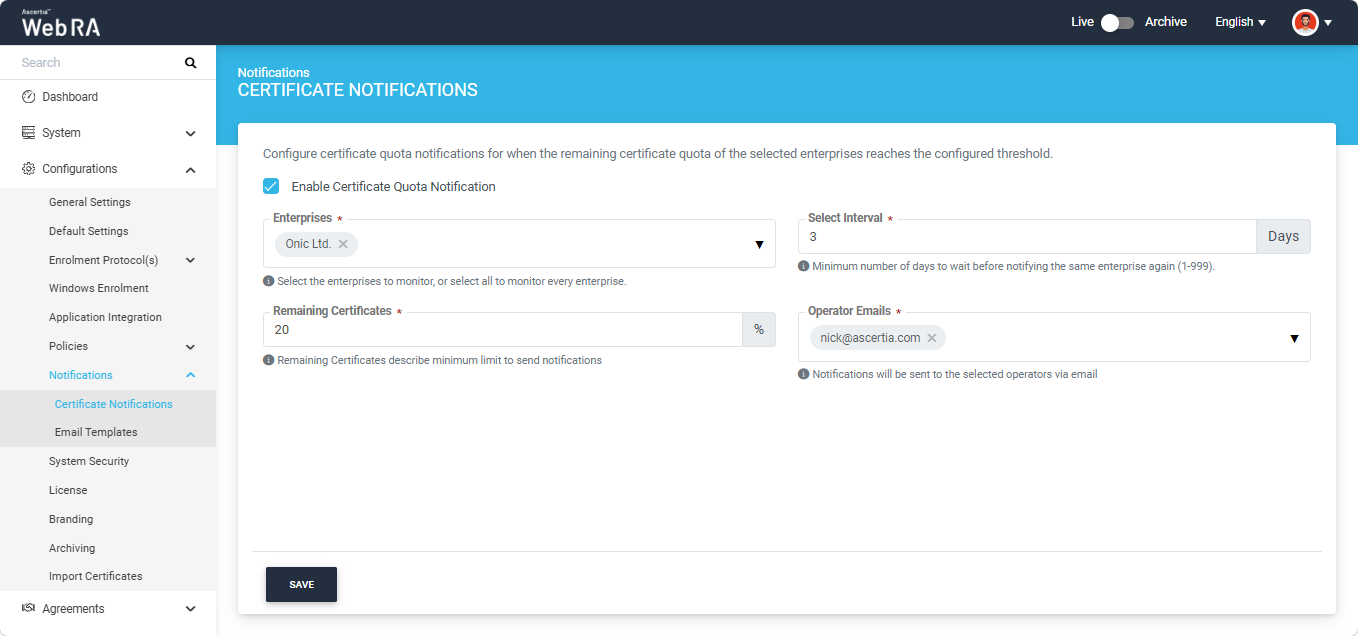
After providing the required information, click the ‘Save’ button. The system saves the certificate quota notification configuration.
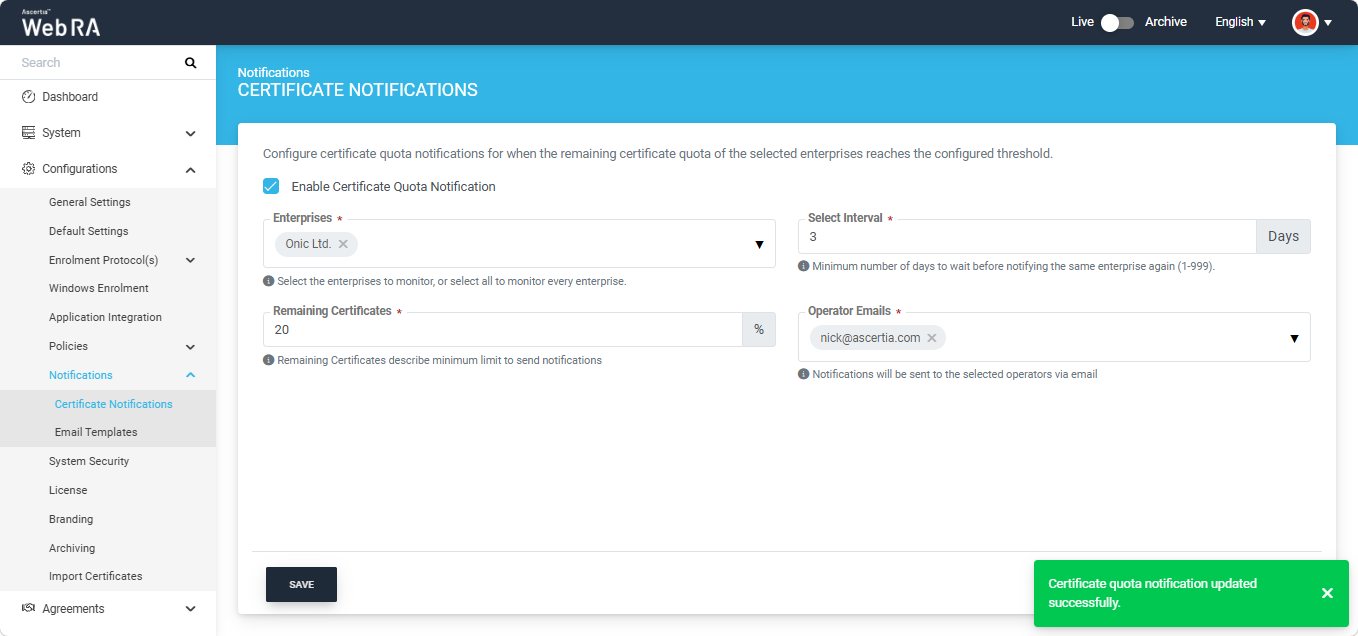
To stop sending certificate quota notifications, clear the ‘Enable Certificate Quota Notification’ checkbox and click the ‘Save’ button.
|
|
Note: Certificate quota notifications can also be configured for an individual enterprise, under Enterprises > Registered Enterprises > [Enterprise Name] > Notifications > Certificate Notifications. If certificate quota notifications are configured at the enterprise level, the system uses the enterprise-level configuration for that enterprise. The configuration in this section applies to enterprises that do not have certificate quota notifications configured at the enterprise level. |

|
|
Note: If Dual Control is enabled for configuration changes, the changes are not applied immediately. They are submitted for approval and take effect only after they are approved by an authorised operator. Note: The content of the notification email is based on the ‘Enterprise License Quota Notification’ email template. To customise the email, go to Configurations > Notifications > Email Templates. |