SigningHub API Guide
Download OpenAPI specification:Download
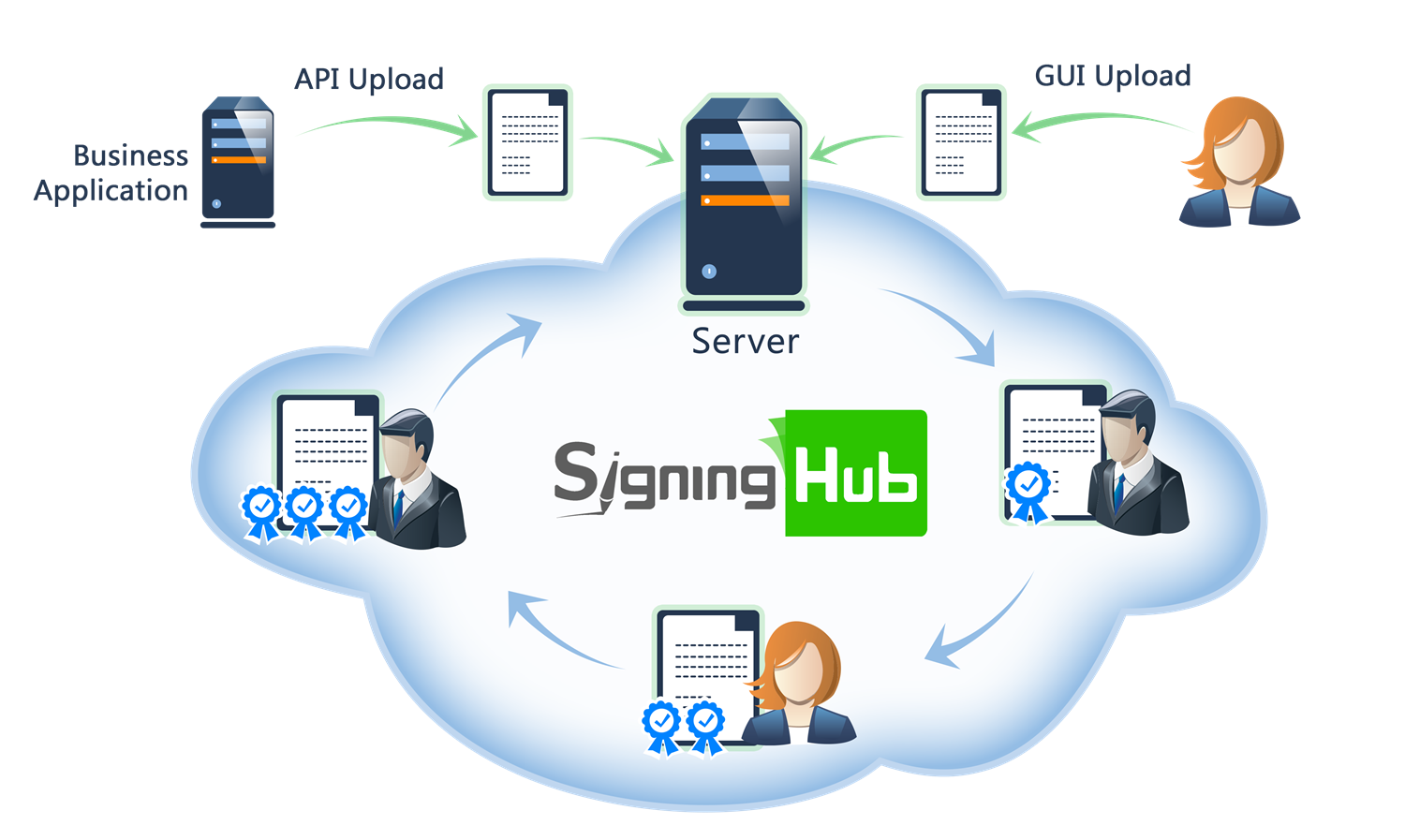
Browse through the API content by selecting the relevant pages from the left panel. To quickly find specific web service information, enter search criteria in the search box on top left.
 .
.More about SigningHub
To know more about SigningHub, explore the following links:
- Go to SigningHub Knowledge Base to view all the relevant information of SigningHub.
-
Visit the Ascertia Community Portal to find answers to contact SigningHub support staff through the
Live Chat provision
.
Our
support staff may be occupied with other priority tasks so live chat is offered on
an "as available" basis.
This guide is intended for developers who will integrate SigningHub into their respective web applications using the RESTful web services, and user interface offered by SigningHub. It is assumed that the reader has a basic knowledge of REST, Java, C#, HTML, JavaScript, HTTP and TLS/SSL. There is no Software Developers Kit (SDK) for the integration, instead the integration uses HTML Forms and JSON so that integration is simple from any language including .Net, Java, PHP etc.
| Main Tags | Most Popular Pages |
|---|---|
|
➤
Welcome
➤ Prerequisites ➤ Access Tokens ➤ Quick Integration ➤ Updates ➤ SignalR ➤ APIs Developer Guide ➤ Appendix |
➤
Authentication
➤ Account Management ➤ Add Package ➤ Upload Document ➤ Get Workflow Details ➤ Sign Document |
This section entails the web services for the SCIM 2.0 User Provisioning i.e. Create User, Update User, Delete User by ID, Get User by ID and Filter Users. For Details : RFC 7644
Create User
This SCIM-compliant endpoint allows business applications to provision a new enterprise user. It is primarily used for automatic user provisioning workflows in enterprise environments. The API consumes a SCIM-compliant user resource and supports optional query parameters to tailor the attributes returned in the response.
query Parameters
| attributes | string A comma-separated list of attribute names to include in the response. This allows clients to retrieve only specific attributes. |
| excludedAttributes | string A comma-separated list of attribute names to exclude from the response. This is useful for minimizing payload size by omitting unnecessary data. |
header Parameters
| Authorization required | string Default: Bearer {access_token} OAuth access token obtained as a result of "Client Credentials Authentication" with the request header "x-scim" |
| Content-Type required | string Default: application/scim+json |
| Accept required | string Default: application/json |
Request Body schema:
A SCIM user object containing the user details to be created.
| schemas required | Array of strings An array of URIs indicating the schemas used to define the attributes present in the request. This is required by the SCIM 2.0 specification for both creating and updating users. i.e. [ "urn:ietf:params:scim:schemas:core:2.0:User" ] |
| userName | string or null The user name of the user. Provide at lease one of the property userName or name.givenName. If both are provided priority is given to the user name. If both are not provided for API "Create User" system will throw error. Similarly name could not set to empty for APIs "Update User - PUT" or "Update User - PATCH" |
object (Models.ScimNameRequest) Represents a user's name components. | |
| title | string or null The job title of the user. Max allowed length is 255. |
required | Array of objects (Models.ScimEmail) List of email addresses associated with the user. |
Array of objects or null (Models.ScimPhoneNumbers) List of phone numbers associated with the user. | |
| active | boolean Indicates whether the user is active. Soft-deleting a user active=false and restoring the user active=true. System will only allow to register the users with active=true. For update requests, setting active=true will enable the user in the system. Setting active=false will disable the user, preventing them from accessing the system. |
Array of objects or null (Models.ScimRole) user's role in the enterprise. | |
object (Models.ScimEnterpriseUser) ScimEnterpriseUser |
Responses
Request samples
- Payload
{- "schemas": [
- "string"
], - "userName": "string",
- "name": {
- "givenName": "string",
- "familyName": "string"
}, - "title": "string",
- "emails": [
- {
- "value": "string",
- "type": "string",
- "primary": true
}
], - "phoneNumbers": [
- {
- "value": "string",
- "type": "string"
}
], - "active": true,
- "roles": [
- {
- "value": "string",
- "primary": true
}
], - "urn:ietf:params:scim:schemas:extension:enterprise:2.0:User": {
- "organization": "string"
}
}Response samples
- 201
- 400
- 401
- 403
- 409
- 500
{- "schemas": [
- "string"
], - "id": "string",
- "meta": {
- "resourceType": "string",
- "created": "string",
- "lastModified": "string",
- "location": "string"
}, - "userName": "string",
- "title": "string",
- "name": {
- "givenName": "string",
- "familyName": "string"
}, - "active": true,
- "emails": [
- {
- "value": "string",
- "type": "string",
- "primary": true
}
], - "phoneNumbers": [
- {
- "value": "string",
- "type": "string"
}
], - "roles": [
- {
- "value": "string",
- "primary": true
}
], - "urn:ietf:params:scim:schemas:extension:enterprise:2.0:User": {
- "organization": "string"
}
}Filter Users
This SCIM 2.0-compliant API allows business applications to query and retrieve users based on various filters and sorting options.
The filter parameter must follow SCIM filtering syntax and be URL-encoded. Pagination is supported via startIndex and count.
You can also specify which attributes to include or exclude in the response.
query Parameters
| startIndex | integer <int32> Default: 1 The 1-based index indicating the start position of the result set. Values less than 1 will be treated as 1. |
| count | integer <int32> Default: 20 The maximum number of user records to return. A value less than 0 will be interpreted as 0. Default value is 20 |
| filter | string The SCIM filter expression (e.g., emails eq "john.doe@mailbox.com"), which must be URL-encoded. Supported properties and their corresponding operators are:
|
| sortBy | string The attribute by which to sort the returned results. Default is "meta.created" Supported values include:
|
| sortOrder | string Default: "descending" The order in which to sort the results: "ascending" or "descending". Default is "descending" |
| attributes | string Comma-separated list of attributes to include in the response. |
| excludedAttributes | string Comma-separated list of attributes to exclude from the response. |
header Parameters
| Authorization required | string Default: Bearer {access_token} OAuth access token obtained as a result of "Client Credentials Authentication" with the request header "x-scim" |
| Content-Type required | string Default: application/scim+json |
| Accept required | string Default: application/json |
Responses
Response samples
- 200
- 400
- 401
- 403
- 500
[- {
- "schemas": [
- "string"
], - "id": "string",
- "meta": {
- "resourceType": "string",
- "created": "string",
- "lastModified": "string",
- "location": "string"
}, - "userName": "string",
- "title": "string",
- "name": {
- "givenName": "string",
- "familyName": "string"
}, - "active": true,
- "emails": [
- {
- "value": "string",
- "type": "string",
- "primary": true
}
], - "phoneNumbers": [
- {
- "value": "string",
- "type": "string"
}
], - "roles": [
- {
- "value": "string",
- "primary": true
}
], - "urn:ietf:params:scim:schemas:extension:enterprise:2.0:User": {
- "organization": "string"
}
}
]Delete User by ID
This SCIM-compliant endpoint allows business applications to delete a specific user resource by providing the user's unique identifier. It is typically used for deprovisioning users as part of identity lifecycle management.
path Parameters
| id required | string The unique identifier (SCIM ID) of the user to be deleted. |
header Parameters
| Authorization required | string Default: Bearer {access_token} OAuth access token obtained as a result of "Client Credentials Authentication" with the request header "x-scim" |
| Content-Type required | string Default: application/scim+json |
| Accept required | string Default: application/json |
Responses
Response samples
- 400
- 401
- 403
- 404
- 500
{- "schemas": [
- "string"
], - "scimType": "string",
- "detail": "string",
- "status": "string"
}Get User by ID
This SCIM 2.0-compliant API allows business applications to fetch detailed information about a specific user
by providing the user's unique ID. You can optionally specify attributes to include or exclude in the response
using the attributes and excludedAttributes query parameters.
path Parameters
| id required | string The unique identifier (SCIM ID) of the user to retrieve. |
query Parameters
| attributes | string A comma-separated list of attributes to include in the response. |
| excludedAttributes | string A comma-separated list of attributes to exclude from the response. |
header Parameters
| Authorization required | string Default: Bearer {access_token} OAuth access token obtained as a result of "Client Credentials Authentication" with the request header "x-scim" |
| Content-Type required | string Default: application/scim+json |
| Accept required | string Default: application/json |
Responses
Response samples
- 200
- 400
- 401
- 403
- 500
{- "schemas": [
- "string"
], - "id": "string",
- "meta": {
- "resourceType": "string",
- "created": "string",
- "lastModified": "string",
- "location": "string"
}, - "userName": "string",
- "title": "string",
- "name": {
- "givenName": "string",
- "familyName": "string"
}, - "active": true,
- "emails": [
- {
- "value": "string",
- "type": "string",
- "primary": true
}
], - "phoneNumbers": [
- {
- "value": "string",
- "type": "string"
}
], - "roles": [
- {
- "value": "string",
- "primary": true
}
], - "urn:ietf:params:scim:schemas:extension:enterprise:2.0:User": {
- "organization": "string"
}
}Update User - PUT
This SCIM 2.0-compliant API allows business applications to update the attributes of an existing user. Only the attributes provided in the request will be updated; others will remain unchanged. System support to update user's name, job title, mobile number, or roles only
path Parameters
| id required | string The unique identifier of the user to update. |
query Parameters
| attributes | string Comma-separated list of attributes to include in the response. |
| excludedAttributes | string Comma-separated list of attributes to exclude from the response. |
header Parameters
| Authorization required | string Default: Bearer {access_token} OAuth access token obtained as a result of "Client Credentials Authentication" with the request header "x-scim" |
| Content-Type required | string Default: application/scim+json |
| Accept required | string Default: application/json |
Request Body schema:
The updated user information.
| schemas required | Array of strings An array of URIs indicating the schemas used to define the attributes present in the request. This is required by the SCIM 2.0 specification for both creating and updating users. i.e. [ "urn:ietf:params:scim:schemas:core:2.0:User" ] |
| userName | string or null The user name of the user. Provide at lease one of the property userName or name.givenName. If both are provided priority is given to the user name. If both are not provided for API "Create User" system will throw error. Similarly name could not set to empty for APIs "Update User - PUT" or "Update User - PATCH" |
object (Models.ScimNameRequest) Represents a user's name components. | |
| title | string or null The job title of the user. Max allowed length is 255. |
required | Array of objects (Models.ScimEmail) List of email addresses associated with the user. |
Array of objects or null (Models.ScimPhoneNumbers) List of phone numbers associated with the user. | |
| active | boolean Indicates whether the user is active. Soft-deleting a user active=false and restoring the user active=true. System will only allow to register the users with active=true. For update requests, setting active=true will enable the user in the system. Setting active=false will disable the user, preventing them from accessing the system. |
Array of objects or null (Models.ScimRole) user's role in the enterprise. | |
object (Models.ScimEnterpriseUser) ScimEnterpriseUser |
Responses
Request samples
- Payload
{- "schemas": [
- "string"
], - "userName": "string",
- "name": {
- "givenName": "string",
- "familyName": "string"
}, - "title": "string",
- "emails": [
- {
- "value": "string",
- "type": "string",
- "primary": true
}
], - "phoneNumbers": [
- {
- "value": "string",
- "type": "string"
}
], - "active": true,
- "roles": [
- {
- "value": "string",
- "primary": true
}
], - "urn:ietf:params:scim:schemas:extension:enterprise:2.0:User": {
- "organization": "string"
}
}Response samples
- 200
- 400
- 401
- 403
- 500
{- "schemas": [
- "string"
], - "id": "string",
- "meta": {
- "resourceType": "string",
- "created": "string",
- "lastModified": "string",
- "location": "string"
}, - "userName": "string",
- "title": "string",
- "name": {
- "givenName": "string",
- "familyName": "string"
}, - "active": true,
- "emails": [
- {
- "value": "string",
- "type": "string",
- "primary": true
}
], - "phoneNumbers": [
- {
- "value": "string",
- "type": "string"
}
], - "roles": [
- {
- "value": "string",
- "primary": true
}
], - "urn:ietf:params:scim:schemas:extension:enterprise:2.0:User": {
- "organization": "string"
}
}Update User - PATCH
This SCIM 2.0-compliant endpoint enables partial updates to an existing user's attributes using the PATCH method. Only the fields specified in the request payload will be modified, leaving all other attributes unchanged. Common use cases include updating user's name, job title, mobile number, or roles without replacing the entire resource. The request must follow the SCIM PATCH operation schema as defined in RFC 7644 Section 3.5.
path Parameters
| id required | string The unique identifier of the user to update. |
query Parameters
| attributes | string Comma-separated list of attributes to include in the response. |
| excludedAttributes | string Comma-separated list of attributes to exclude from the response. |
header Parameters
| Authorization required | string Default: Bearer {access_token} OAuth access token obtained as a result of "Client Credentials Authentication" with the request header "x-scim" |
| Content-Type required | string Default: application/scim+json |
| Accept required | string Default: application/json |
Request Body schema:
The updated user information.
| schemas required | Array of strings An array of URIs indicating the schemas used to define the attributes present in the request. This is required by the SCIM 2.0 specification for both creating and updating users. i.e. [ "urn:ietf:params:scim:api:messages:2.0:PatchOp" ] |
Array of objects or null (Models.PatchOperation) A list of operations to be performed on the user resource. Each operation specifies the type of change, the target path, and the new value. |
Responses
Request samples
- Payload
{- "schemas": [
- "string"
], - "operations": [
- {
- "op": "string",
- "path": "string",
- "value": null
}
]
}Response samples
- 200
- 400
- 401
- 403
- 500
{- "schemas": [
- "string"
], - "id": "string",
- "meta": {
- "resourceType": "string",
- "created": "string",
- "lastModified": "string",
- "location": "string"
}, - "userName": "string",
- "title": "string",
- "name": {
- "givenName": "string",
- "familyName": "string"
}, - "active": true,
- "emails": [
- {
- "value": "string",
- "type": "string",
- "primary": true
}
], - "phoneNumbers": [
- {
- "value": "string",
- "type": "string"
}
], - "roles": [
- {
- "value": "string",
- "primary": true
}
], - "urn:ietf:params:scim:schemas:extension:enterprise:2.0:User": {
- "organization": "string"
}
}