SigningHub API Guide

Download OpenAPI specification:Download
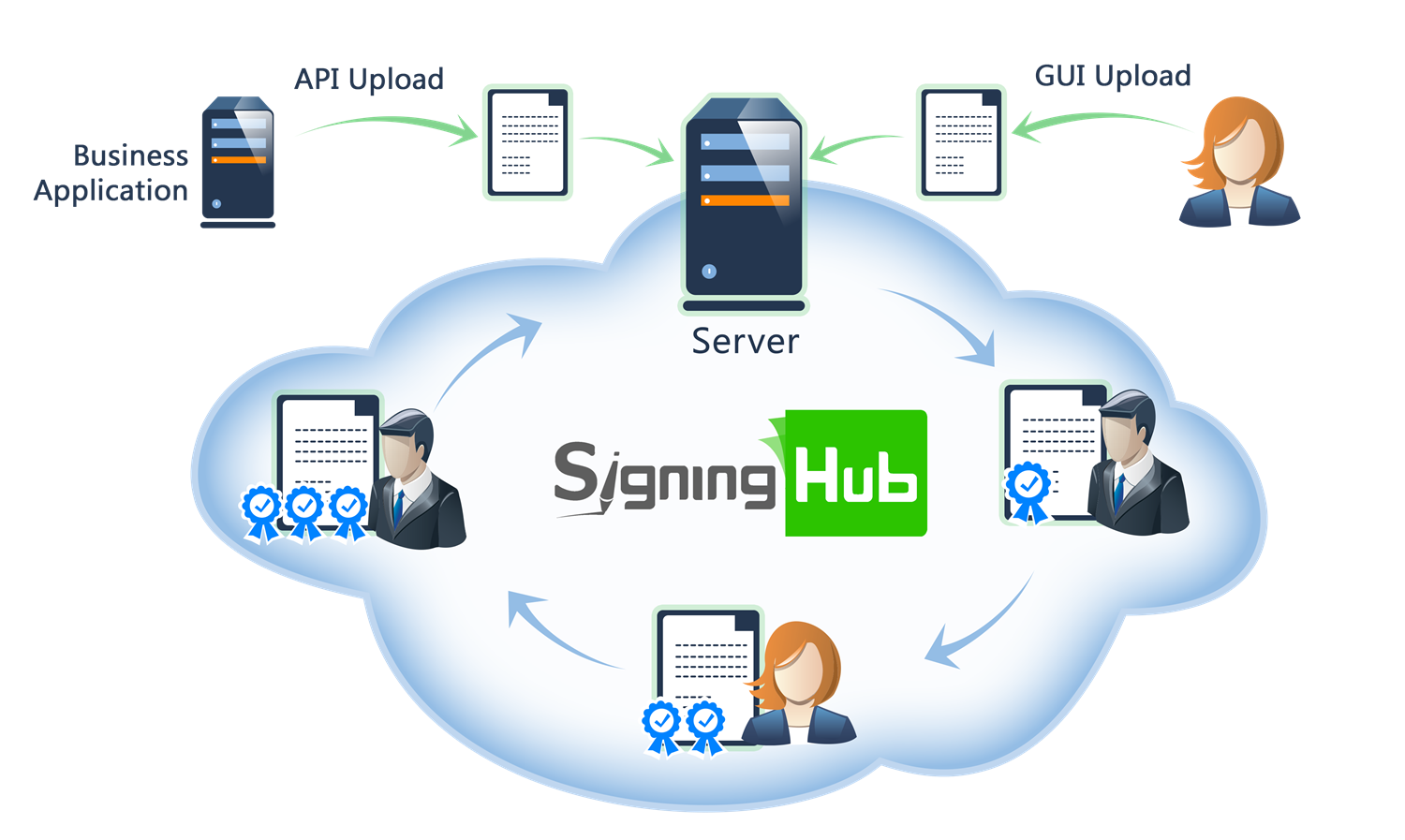
Welcome

Welcome to SigningHub, a high trust digital signing solution for all your paperless business transactions. It is ideal for those organisations that recognise the value of using cryptographic digital signatures to protect their users and their documents against unauthorised or accidental or fraudulent changes.


Browse through the API content by selecting the relevant pages from the left panel. To quickly find specific web service information, enter search criteria in the search box on top left. .

More about SigningHub
To know more about SigningHub, explore the following links:
  • Go to  SigningHub Knowledge Base to view all the relevant information of SigningHub.
  • Visit the Ascertia Community Portal to find answers to contact SigningHub support staff through the  Live Chat provision Our support staff may be occupied with other priority tasks so live chat is offered on an "as available" basis. 
Intended Readership
This guide is intended for developers who will integrate SigningHub into their respective web applications using the RESTful web services, and user interface offered by SigningHub. It is assumed that the reader has a basic knowledge of REST, Java, C#, HTML, JavaScript, HTTP and TLS/SSL. There is no Software Developers Kit (SDK) for the integration, instead the integration uses HTML Forms and JSON so that integration is simple from any language including .Net, Java, PHP etc.

Main Tags
Most Popular Pages
Welcome
Prerequisites
Access Tokens
Quick Integration
Updates
SignalR
APIs Developer Guide
Appendix
Authentication
Account Management
Add Package
Upload Document
Get Workflow Details
Sign Document

Folders Management

This section entails the web services for the Personal Folder Management i.e. Get All Folders, Get Folder by ID etc.

Personal Folders

This section entails the web services for the Personal Folder Management i.e. Get All Folders, Get Folder by ID etc.

Get All Folders

Business applications can use this service API to get the user folders.

header Parameters
Authorization
required
string
Default: Bearer {access_token}

The OAuth access token obtained as a result of successful authentication via the "password" grant type.

Content-Type
required
string
Default: application/json
Accept
required
string
Default: application/json

Responses

Response samples

Content type
application/json
[
  • {
    }
]

Add Folder

Business applications can use this service API to add folder/shared space.

header Parameters
Authorization
required
string
Default: Bearer {access_token}

The OAuth access token obtained as a result of successful authentication via the "password" grant type.

Content-Type
required
string
Default: application/json
Accept
required
string
Default: application/json
Request Body schema:
name
required
string [ 1 .. 255 ] characters

Name of folder as INBOX, ARCHIVE

shared
boolean

Bit use to identify either this folder is the part of shared space or not

Array of objects or null (Models.FolderMemberRequest)

Folder members

Responses

Request samples

Content type
{
  • "name": "string",
  • "shared": true,
  • "members": [
    ]
}

Response samples

Content type
application/json
{
  • "id": 0
}

Get Folder by ID

Business applications can use this service API to get the user folders.

path Parameters
id
required
integer <int32>
header Parameters
Authorization
required
string
Default: Bearer {access_token}

The OAuth access token obtained as a result of successful authentication via the "password" grant type.

Content-Type
required
string
Default: application/json
Accept
required
string
Default: application/json

Responses

Response samples

Content type
application/json
{
  • "id": 0,
  • "items_count": 0,
  • "members": [
    ],
  • "name": "string",
  • "owner": {
    },
  • "read": true,
  • "shared": true,
  • "default": true
}

Update Folder

Business applications can use this service API to update folder/shared space.

path Parameters
id
required
integer <int32>
header Parameters
Authorization
required
string
Default: Bearer {access_token}

The OAuth access token obtained as a result of successful authentication via the "password" grant type.

Content-Type
required
string
Default: application/json
Accept
required
string
Default: application/json
Request Body schema:
name
required
string [ 1 .. 255 ] characters

Name of folder as INBOX, ARCHIVE

Array of objects or null (Models.FolderMemberRequest)

Folder members

Responses

Request samples

Content type
{
  • "name": "string",
  • "members": [
    ]
}

Response samples

Content type
application/json
{
  • "Message": "string"
}

Delete Folder

Business applications can use this service API to delete folder/shared space.

path Parameters
id
required
integer <int32>
header Parameters
Authorization
required
string
Default: Bearer {access_token}

The OAuth access token obtained as a result of successful authentication via the "password" grant type.

Content-Type
required
string
Default: application/json
Accept
required
string
Default: application/json

Responses

Response samples

Content type
application/json
{
  • "Message": "string"
}

Bulk Delete Folder

Business applications can use this service API to bulk delete folder/shared space.

header Parameters
Authorization
required
string
Default: Bearer {access_token}

The OAuth access token obtained as a result of successful authentication via the "password" grant type.

Content-Type
required
string
Default: application/json
Accept
required
string
Default: application/json
Request Body schema:
Array
integer <int32>

Responses

Request samples

Content type
[
  • 0
]

Response samples

Content type
application/json
[
  • {
    }
]

Shared Folders

This section entails the web services for the Shared Folder Management i.e. Get All Shared Folders, Add Shared Folder etc.

Add Shared Space

Business applications can use this service API to create shared space. The availability of creating shared spaces is subject to the assigned enterprise user role. To allow this provision Enterprise Admin will enable the ‘Manage Shared Space’ option in Roles>Document Settings.

header Parameters
Authorization
required
string
Default: Bearer {access_token}

The access token obtained as a result of successful authentication via "Password" or "Scope". If "Scope Authentication" was used, then this service will be performed for the user on behalf of the business application.

Content-Type
required
string
Default: application/json
Accept
required
string
Default: application/json
Request Body schema:
name
string or null

Name of shared space

Array of objects or null (Models.WorkSpaceMembers)

Members of shared space

Responses

Request samples

Content type
{
  • "name": "string",
  • "members": [
    ]
}

Response samples

Content type
application/json
{
  • "id": 0
}

Get Shared Spaces

Business applications can use this service API to get all the shared space belonging to the user. This API returns information about shared spaces, its owner and collaborators.

header Parameters
Authorization
required
string
Default: Bearer {access_token}

The access token obtained as a result of successful authentication via "Password" or "Scope". If "Scope Authentication" was used, then this service will be performed for the user on behalf of the business application.

Content-Type
required
string
Default: application/json
Accept
required
string
Default: application/json
x-search-text
string
Example: c2FsZXMgY29udHJhY3QgMTA1

Search text sent in headers for further filtration of the documents. Shared space id, name and shared space owner can be searched.
Furthermore, recommended value for search text parameter is in Base64 encoded format, however plain English text can also be provided

Responses

Response samples

Content type
application/json
[
  • {
    }
]

Delete Shared Space

Business applications can use this service API to delete shared space. The availability of deleting shared spaces is subject to the assigned enterprise user role. To allow this provision Enterprise Admin will enable the ‘Manage Shared Space’ option in Roles>Document Settings.

path Parameters
id
required
integer <int64>

Id of shared space that you want to delete

header Parameters
Authorization
required
string
Default: Bearer {access_token}

The access token obtained as a result of successful authentication via "Password" or "Scope". If "Scope Authentication" was used, then this service will be performed for the user on behalf of the business application.

Content-Type
required
string
Default: application/json
Accept
required
string
Default: application/json

Responses

Response samples

Content type
application/json
{
  • "Message": "string"
}

Get Shared Space

Business applications can use this service API to get a specific shared space. This API returns information about shared space, its owner and collaborator.

path Parameters
id
required
integer <int64>

Id of shared space that you want to get

header Parameters
Authorization
required
string
Default: Bearer {access_token}

The access token obtained as a result of successful authentication via "Password" or "Scope". If "Scope Authentication" was used, then this service will be performed for the user on behalf of the business application.

Content-Type
required
string
Default: application/json
Accept
required
string
Default: application/json

Responses

Response samples

Content type
application/json
{
  • "id": 0,
  • "name": "string",
  • "owner": {
    },
  • "members": [
    ]
}

Update Shared Space

Business applications can use this service API to update shared space. The availability of updating shared spaces is subject to the assigned enterprise user role. To allow this provision Enterprise Admin will enable the ‘Manage Shared Space’ option in Roles>Document Settings.

path Parameters
id
required
integer <int64>

Id of shared space that you want to update

header Parameters
Authorization
required
string
Default: Bearer {access_token}

The access token obtained as a result of successful authentication via "Password" or "Scope". If "Scope Authentication" was used, then this service will be performed for the user on behalf of the business application.

Content-Type
required
string
Default: application/json
Accept
required
string
Default: application/json
Request Body schema:
name
string or null

Name of shared space

Array of objects or null (Models.WorkSpaceMembers)

Members of shared space

Responses

Request samples

Content type
{
  • "name": "string",
  • "members": [
    ]
}

Response samples

Content type
application/json
{
  • "Message": "string"
}

Get Shared Space documents

Business applications can use this service API to get documents in a specific shared space. The document package details are fetched through this call.

path Parameters
id
required
integer <int64>

Id of shared space for which you wanna to get document list

document_status
required
string (Enumerations.WorkSpaceDocumentStatus)
Enum: "ALL" "DRAFT" "INPROGRESS" "PENDING" "SIGNED" "COMPLETED" "DECLINED"

Filter by document status possible values are ALL, DRAFT, PENDING, SIGNED, DECLINED, INPROGRESS, COMPLETED.

pageNo
required
integer <int32>

Page number, according the division of records per page.

recordPerPage
required
integer <int32>

Number of records that are needed to be fetched in one request.

header Parameters
Authorization
required
string
Default: Bearer {access_token}

The access token obtained as a result of successful authentication via "Password" or "Scope". If "Scope Authentication" was used, then this service will be performed for the user on behalf of the business application.

Content-Type
required
string
Default: application/json
Accept
required
string
Default: application/json
x-search-text
string
Example: c2FsZXMgY29udHJhY3QgMTA1

Search text sent in headers for further filtration of the documents. Package id, name and document owner can be searched.
Furthermore, recommended value for search text parameter is in Base64 encoded format, however plain English text can also be provided

x-total-records
string
Example: 10

The total number of records found with the provided search criteria.

Responses

Response samples

Content type
application/json
[
  • {
    }
]